
 Web Development
 Data Science
 Python
 SQL
SQL JavaScript
 Artificial Intelligence
 IT & Software
 IT Certifications
 Hacking
 AWS
AWS Arduino
 DevOps
 3D Modeling
 Graphic Design
 Photoshop
 Drawing
 Digital Painting
 UX Design
 Business
 Data Analysis
 Communication Skills
 Project Management
 Leadership & Management
 Human Resources
 Digital Marketing
 Social Media Marketing
 Marketing
 SEO
SEO Google Analytics
 Branding
 Excel
Excel Office Productivity
 SAP
SAP PowerPoint
 Microsoft Access
 SharePoint
 Finance & Accounting
 Trading & Investing
 Accounting
 Bitcoin
 Personal Finance
 Video Editing & Animation
 Photography
 Adobe Premier Pro
 Adobe Lightroom
 Personal Development
 Productivity
 Career Development
 Life Coaching
 Health & Fitness
 Meditation & Mindfulness
 Yoga
Yoga Music
Music Music Production
 Guitar
 Piano
Piano Singing
 Language Learning
 Teaching & Academics
 Engineering
 Math
Math Lifestyle
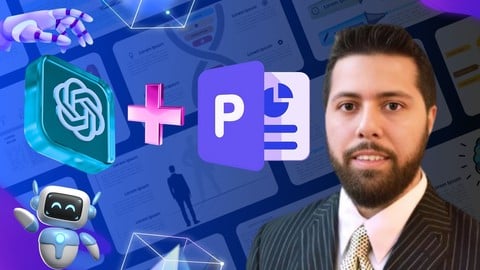
Create PowerPoint Presentations using AI (ChatGPT & More) (Udemy.com)
Create PPT presentations in SECONDS via AI: ChatGPT, MS Word, Google Slides, Beautiful AI, and VBA. Boost productivity!
Created by: Prof. M. Higazi
Last updated November 2025
 What you will learn
- Understand the basics of AI prompt engineering via ChatGPT
- Instruct AI to provide meaningful content for PowerPoint slides
- Leverage various AI tools to automate the creation of both static and interactive PowerPoint presentations
- Utilize PowerPoint's Designer tools to elevate the visual appeal and quality of your presentations
- Create AI generated presentations via Google Slides and MS word exportation
- Learn how to embed AI generated VBA code into PowerPoint for content creation
- Utilize ChatGPT's file upload feature to convert desired documents into VBA code for PowerPoint
- Understand how to re-prompt ChatGPT for correction of AI generated errors
How it compares
Against the other 459 rated Udemy courses in Office Productivity on CourseDuck:
- Rating4.1 out of 5higher than 3% of them
- Reviews2,872#70 of 460 by number of reviews
- Length4.1 hoursshorter than 50% of them
- Last updatedNovember 2025more recently than 55% of them
 Course Description
Welcome to "Create PowerPoint Presentations using AI," where the future of presentation design meets the power of artificial intelligence! In this comprehensive course, you will embark on a journey to transform your presentation skills, leveraging cutting-edge AI tools to elevate your slides, captivate your audience, and achieve new levels of productivity and efficiency.
Course Highlights:
Introduction to AI-Powered Presentation Design:
Embark on the fundamentals of AI, unlocking its transformative role in elevating your presentation designs.
Explore the Synergy between AI and Presentation Creation
Investigate the powerful collaboration between AI technology and the art of crafting impactful and memorable presentations.
The Art of Persuasion: Crafting Messages with AI:
Dive into the persuasive power of AI-driven language tools
Learn effective techniques by expertly logging into ChatGPT
Engage in prompt engineering, and acquiring meaningful content for PowerPoint slides
Design Brilliance with AI-Generated Slides:
Master AI design principles, propelling your presentations to new heights.
Seamlessly collaborate by logging into MS Word for the web and effortlessly export PowerPoint presentations with the aid of ChatGPT & MS Word
Utilize "Beautiful AI" for effortlessly creating visually stunning and impactful presentations.
Content Automation: Streamlining with AI:
Streamline your content creation processes with the efficiency of AI
Automate the creation of PowerPoint slide decks with AI-driven tools
Create dynamic AI-driven presentations using extension tools built into the Google Slides Platform
Elevate your PowerPoint presentations using AI-generated Visual Basic for Applications (VBA) code
Utilize ChatGPT-4o's file upload feature to convert desired documents into VBA code for PowerPoint
Conclusion:
Reflect on key insights and lessons learned throughout this transformative AI-powered course
Course Benefits:
Enhance Efficiency: Discover how AI tools can streamline your presentation creation workflow, saving you valuable time and effort.
Boost Productivity: Leverage automation to create dynamic presentations efficiently, allowing you to focus on delivering a compelling message.
Master the Future of Dynamic Design: Stay ahead of the curve by mastering the integration of AI in PowerPoint, unlocking new possibilities for your presentations.
Hands-On Learning: Engage in practical exercises and real-world applications, ensuring you can immediately apply your newfound skills.
Who Should Enroll: This course is designed for professionals, students, educators, or anyone seeking to revolutionize their presentation skills using the latest AI technologies. Whether you're a beginner or an experienced presenter, this course will empower you to create presentations that stand out and leave a lasting impact.
Enroll now and unlock the potential of AI in your presentations!

 Udemy Discount
The discount is applied through our link. Open the course from here and Udemy's current promotional price is applied at checkout on most courses, no code to type.
Some courses are excluded from Udemy's promotions. If the price does not drop, clear your browser cookies and use the button again.
Instructor Details

- 4.1 Rating
 2,872 Reviews
Prof. M. Higazi
Prof. M. Higazi is an accomplished Engineering Manager, Adjunct Professor, and innovator with over a decade of diverse experience spanning computer programming, engineering education, business intelligence, and AI-driven solutions. With an impressive academic background, Prof. Higazi earned a B.S. in Electrical and Computer Engineering Technology and an M.S. in Biomedical Engineering from the New Jersey Institute of Technology (NJIT). His career is marked by pioneering advancements in engineering, software development, and e-commerce, where he leads a team of multidisciplinary developers in the e-commerce space.
In addition, Prof. Higazi has a deep passion for artificial intelligence implementations, automation, marketing strategies, and entrepreneurship. He has successfully integrated AI technologies into creative projects, facilitating automation solutions that streamline processes and enhance efficiency. His entrepreneurial drive has led him to explore AI-powered tools for educational platforms and creative media, equipping learners with practical knowledge for real-world applications.
 More courses by Prof. M. Higazi
Create and Publish Bestselling Children's Books using AI! (2024)
4.6 (222 Reviews)
 Provider: Udemy
 Time: 7.3h
$10.99
More Office Productivity courses

AI-Powered Social Media Management: From Beginner to Pro (2025)
5.0 (211 Reviews)
- Provider: Udemy
- Time: 1.1h
$19.99

Microsoft Excel + AI: Go From Data Analysis to Visualization (2026)
4.9 (276 Reviews)
- Provider: Udemy
- Time: 3.8h
$10.99


Complete Introduction to Google Sheets Pivot Tables (2026)
4.8 (3,570 Reviews)
- Provider: Udemy
- Time: 2.9h
$64.99


Microsoft Excel - Managing Personal Finances with Excel (2024)
4.8 (810 Reviews)
- Provider: Udemy
- Time: 3h
$19.99
 Reviews

By Erin Fenstermaker on 9/8/2025
It was quite general and I was looking for something specific to help me in my very narrow niche of creating power points for when I create 50-80 page pitch books when selling a business. The Beautiful.ai recommendation really resonated the most for me, and I have since purchased a subscription so I can use it to moving forward. Thank you for this info!
By Omar Simpson on 4/7/2025
The course introduced several ways to create presentations using AI however the output was not very useful/polished so additional learning is required to actually apply some of the methods described. Several of the examples that were shown in the class required the instructor to go back and "fix/update" the output.
By Tania Alejandro on 4/4/2025
Las principales ventajas de Chat GPT son el ahorro de tiempo y esfuerzo, la resolución rápida de dudas, la generación de conversaciones realistas y la creación de textos de manera sencilla y con este video me aclaró todas mis dudas generadas.
By Dhevin Tran on 2/11/2025
Good entry-level course, not too overwhelming. The instructor speaks clearly. The sound was very good. The slide presentation walk-through was very good. I would recommend this course if you are new to AI.
By Tibor BELAN on 2/7/2025
A simple and practical, hands-on approach. Maybe I would like to see more topics on how AI can help with presentation design from a visual point of view. The course is focused on creating text content.
By DonnaSue Evans on 9/14/2024
I learned the basics of PPT using AI. The information was presented in a way that I could understand it easily. I was a little lost on the VBA code section, but I have no background in computer science. This course definitely gave me the tools that I needed to finish my PPT project. Thank you!
By Michael Redozubov on 7/8/2024
The course did not teach new skills but instead introduced new applications. The course is exactly what the title suggests. Can be useful for beginners learning about how to use AI in conjunction with making PowerPoints. Would like to see a more in depth complete PPT presentation that shows the thought process of how to make the information visually appealing for the audience.
By SAI SREE ADHITHYA D on 6/17/2024
This course exceeded my expectations! The instructor's explanations were clear and engaging, and the materials were very comprehensive. I've learned so much and feel more confident in my skills. Thank you for creating such an excellent course!"
By Mohamed fasith on 6/15/2024
I recently completed the course on Udemy titled "ChatGPT for Microsoft PowerPoint – Generate Content with AI." While I found the course to be insightful and valuable in many respects, there are a few areas where my expectations were not fully met. As a professional IT Business Analyst, I was looking for a course that would offer more tailored content and practical applications. The course predominantly covered generic topics, which, while useful, did not fully align with my need for creating customized slides based on specific prompts or manual content entry. I often found myself having to edit and restructure the content during the PowerPoint runtime, which was not adequately addressed in the course. It would have been helpful to have tips on how to handle such edits seamlessly or how to modify prompts to reflect changes in content or structure dynamically. Additionally, I was hoping for more coverage on using Google Slides, especially considering its accessibility and the limitations of Microsoft Office 365 on Mac. Unfortunately, the course did not delve deeply into Google Slides, which left me with some practical gaps, as I do not have a licensed Office 365 subscription. Overall, the course provided a good foundation, but it could benefit from more advanced topics and practical examples specific to professional use cases. If there are any additional resources or updates to the course that address these concerns, I would be eager to explore them. Thank you, Mohamed Fasith
By Arti Thakur on 4/14/2024
I like the structure of the course. However, I was expecting more advanced PPT content but it was mainly focused on AI integration and automation for basic presentations. Not for me but a beginner can certainly find value in it.
 Quality Score
No CourseDuck member has rated this course yet. Taken it? Give each part a thumbs up or down.
Overall Score : 82 / 100
- Video Duration:
 4.1h
4.1h - Price: $12.99
- Provider: Udemy
- Updated:
 November 2025
 - Level:
 All Levels
 - Language:
 English
 - Certificate:
 Yes
Yes
30-day money-back guarantee on most paid courses
Udemy Coupon Price Tracker
