
 Web Development
 Data Science
 Python
 SQL
SQL JavaScript
 Artificial Intelligence
 IT & Software
 IT Certifications
 Hacking
 AWS
AWS Arduino
 DevOps
 3D Modeling
 Graphic Design
 Photoshop
 Drawing
 Digital Painting
 UX Design
 Business
 Data Analysis
 Communication Skills
 Project Management
 Leadership & Management
 Human Resources
 Digital Marketing
 Social Media Marketing
 Marketing
 SEO
SEO Google Analytics
 Branding
 Excel
Excel Office Productivity
 SAP
SAP PowerPoint
 Microsoft Access
 SharePoint
 Finance & Accounting
 Trading & Investing
 Accounting
 Bitcoin
 Personal Finance
 Video Editing & Animation
 Photography
 Adobe Premier Pro
 Adobe Lightroom
 Personal Development
 Productivity
 Career Development
 Life Coaching
 Health & Fitness
 Meditation & Mindfulness
 Yoga
Yoga Music
Music Music Production
 Guitar
 Piano
Piano Singing
 Language Learning
 Teaching & Academics
 Engineering
 Math
Math Lifestyle
DaVinci Resolve 19 Masterclass (Udemy.com)
The Complete Video Editing & Color Grading Class
Created by: Adi Singh
Last updated April 2025
 What you will learn
- Set Up Projects Efficiently: Configure project settings, preferences, and color management for a seamless workflow.
- Edit Like a Pro: Master editing tools, shortcuts, transitions, and effects to create engaging sequences.
- Enhance Visuals with Color Grading: Apply advanced color grading techniques using nodes, curves, and tools like power grades
- Explore Advanced Features: Utilize studio-only tools like Magic Mask, Halation, and Film Grain for professional results.
How it compares
Against the other 293 rated Udemy courses in Video Editing & Animation on CourseDuck:
- Rating4.3 out of 5higher than 26% of them
- Reviews191#146 of 294 by number of reviews
- Length7 hourslonger than 80% of them
- Last updatedApril 2025more recently than 63% of them
 Course Description
DaVinci Resolve 19 Mastercalss: The Complete Video Editing & Color Grading Course
Step into the world of professional video editing and color grading with DaVinci Resolve 19, the industry's most powerful tool for filmmakers, editors, and creators. This all-encompassing course is designed to take you from beginner to pro, guiding you through every feature and function of the software.
What You’ll Learn:
Comprehensive Software Setup:
Master Project Settings, Color Management, and Preferences to kickstart your projects the right way.
Editing Essentials:
Learn the ins and outs of the Edit Page, from Timeline Organization to Video Transitions, Text Animations, and Speed Ramping for dynamic storytelling.
Streamline your workflow with Editing Shortcuts, Proxy Media, and advanced tools like Inspector Tab and Adjustment Clips.
Cinematic Color Grading:
Dive deep into the Color Page, mastering Node Trees, Curves, Color Wheels, and specialized grading for Sony Log, Canon Log, and Apple Log footage.
Explore studio-exclusive tools like Halation Effect, Film Look Creator, and Noise Reduction for premium results.
Advanced Effects & Techniques:
Create stunning visuals with effects like Magic Mask, Greenscreen Keying, Travel Map Animation, and Locked-On Stabilization.
Learn creative tools such as Attach Text to Objects, Cut-Out Effects, and the art of making Boring Videos Interesting.
Audio & Subtitles:
Unlock audio magic with features like Voice Isolation, Music Remixer, and Audio Transcription while adding professional subtitles.
Export Like a Pro:
Perfect your final output with the Best Export Settings for any platform.
Who This Class Is For:
Beginners looking to break into video editing.
Intermediate creators wanting to elevate their skills with advanced features.
Professionals aiming to master DaVinci Resolve’s full capabilities.
Why Choose This Course?
With over 60 chapters and detailed tutorials, this masterclass is your one-stop shop for video editing, effects, color grading, and export techniques. As an online instructor with over 50,000 students, I bring a hands-on teaching approach, ensuring you walk away with practical skills and confidence.
Tools You’ll Need:
A computer with DaVinci Resolve 19 (Free or Studio version).
Sample footage provided or your own clips for practice.
Start Your Journey Today!
Transform your videos into cinematic masterpieces and unlock new creative possibilities. Whether you're editing your first project or refining your workflow, this course is the ultimate guide to mastering DaVinci Resolve 19.

 Udemy Discount
The discount is applied through our link. Open the course from here and Udemy's current promotional price is applied at checkout on most courses, no code to type.
Some courses are excluded from Udemy's promotions. If the price does not drop, clear your browser cookies and use the button again.
Instructor Details
- 4.3 Rating
 191 Reviews
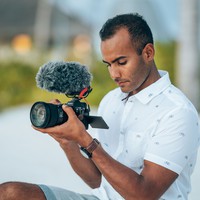
Adi Singh
Hi there, I’m Adi.
In 2015 I got my first camera to capture my travels to New Zealand. From then on I was hooked on videography! Every day I learned something new and eventually, I started my own video production company and YouTube channel.
The reason why I love online teaching is simply that it has been the foundation of my filmmaking career. I learned all the ins and outs of videography online or by self-teaching and I would love to share my knowledge with you! I truly believe that if e-learning is taken seriously, anyone can be professional in anything. I really hope I can help others with making content and creating videos.
So where are you waiting for, let’s learn and create.
 More courses by Adi Singh
Video Editing In DaVinci Resolve 18 - A Beginner's Guide (2022)
4.2 (99 Reviews)
 Provider: Udemy
 Time: 4.7h
$49.99
More Video Editing & Animation courses

Learn to Storyboard for Film or Animation (2024)
4.8 (2,727 Reviews)
- Provider: Udemy
- Time: 2.2h
$12.99


Fire Starter Sessions Video Workshop with Danielle LaPorte (2017)
4.8 (1,205 Reviews)
- Provider: Udemy
- Time: 3.7h
$11.99

The Ultimate Color Grading Bootcamp in DaVinci Resolve (2026)
4.8 (947 Reviews)
- Provider: Udemy
- Time: 8.7h
$19.99

The Complete Talking Head Video Production Masterclass (2026)
4.8 (319 Reviews)
- Provider: Udemy
- Time: 17.6h
$59.99

The Complete iMovie Course - from Beginner to Advanced 2026!
4.7 (2,021 Reviews)
- Provider: Udemy
- Time: 11.1h
$10.99
 Reviews

By Nguyen Minh Duc on 8/12/2025
after taking this course, i know some color correction tools. But the course doesn't give me what i expected. The course is called master class but i think it is basic class. i don't rate it highly. it is suitable for beginners
By Ron FENNEY on 5/30/2025
Because I’m actually learning and he’s explaining very well compared to other video editors so far so good thanks
By Ray Vaughn on 5/9/2025
I have no experience in video editing software so class helped familiarize me with the windows, settings, what each tool can do, etc... A good starting point for me.
By David Lunder on 5/5/2025
A lot of technical detail is being glossed over. I'll hang with it for now and see how it makes sense as we get further into this. I do think it is good to establish a baseline for beginners with all of these settings. I like the idea of proxy editing files. - That was a new concept.
By Eleven Content Production on 4/30/2025
Very informative and many points were explained. Not for some sort of advanced users but def helps who is in the begining
By Roland Mattis on 4/19/2025
WOW! Everything explained with so many details. I've learned a lot. And when I had questions, he answered very fast. I will check which courses he offers as well - hopefully the Fusion-Page Thank you Adi!
By Ireoluwa Meshioye on 3/11/2025
it's been helpful and fulfilling compare to youtube courses very detailed and helps you understand better and real time use tips very great course and am not even half way done with it and i am satisfied
By Doug Britten on 2/12/2025
Its been a good introductory course in the first few lessons. Eagerly awaiting to see what information lies ahead. Good presenter of the ideas and functions of Davinci Resolve.
By Jebakumar Govindaswamy on 2/9/2025
The instructor, Adi, did an excellent job of keeping me engaged throughout the videos with his detailed insights and practical demonstrations. His teaching style made even the complex topics easy to understand(beginner like me). Although the course is 7 hours long, I found myself spending more than 15 hours going through the lessons, practicing, and revisiting key concepts. I highly recommend this course to anyone looking to start with DaVinci Resolve and build a strong foundation in video editing. Thank you so much for this wonderful learning experience!
By Neville Douglas on 1/27/2025
It is a great course, so much better than others I have looked at, just trying to ensure that my windows look like Adie's, sometimes I get a little lost as I need to learn how to customise my windows to look like his, that said I can do that, also upgraded to the full version.
 Quality Score
No CourseDuck member has rated this course yet. Taken it? Give each part a thumbs up or down.
Overall Score : 86 / 100
- Video Duration:
 7h
7h - Price: $79.99
- Provider: Udemy
- Updated:
 April 2025
 - Level:
 All Levels
 - Language:
 English
 - Certificate:
 Yes
Yes
30-day money-back guarantee on most paid courses
Udemy Coupon Price Tracker
