
 Web Development
 Data Science
 Python
 SQL
SQL JavaScript
 Artificial Intelligence
 IT & Software
 IT Certifications
 Hacking
 AWS
AWS Arduino
 DevOps
 3D Modeling
 Graphic Design
 Photoshop
 Drawing
 Digital Painting
 UX Design
 Business
 Data Analysis
 Communication Skills
 Project Management
 Leadership & Management
 Human Resources
 Digital Marketing
 Social Media Marketing
 Marketing
 SEO
SEO Google Analytics
 Branding
 Excel
Excel Office Productivity
 SAP
SAP PowerPoint
 Microsoft Access
 SharePoint
 Finance & Accounting
 Trading & Investing
 Accounting
 Bitcoin
 Personal Finance
 Video Editing & Animation
 Photography
 Adobe Premier Pro
 Adobe Lightroom
 Personal Development
 Productivity
 Career Development
 Life Coaching
 Health & Fitness
 Meditation & Mindfulness
 Yoga
Yoga Music
Music Music Production
 Guitar
 Piano
Piano Singing
 Language Learning
 Teaching & Academics
 Engineering
 Math
Math Lifestyle
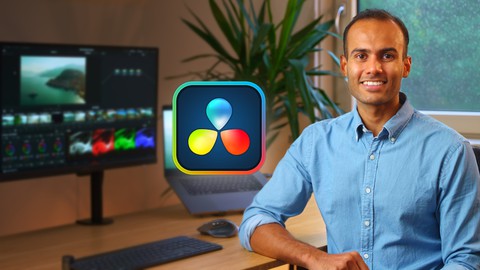
Video Editing In DaVinci Resolve 18 - A Beginner's Guide (Udemy.com)
From Beginners to Advance Level - Video Editing, Audio Editing, Color Grading and Motion Graphics in Davinci Resolve 18
Created by: Adi Singh
Last updated November 2022
 What you will learn
- How to use DaVinci Resolve 18 for video editing, from a beginner's level to an advanced level.
- Cut, trim, and basic assembling of clips in the timeline (& using shortcuts)
- Adding effects (OpenFX) and transitions to your videos (& how to make your own transitions!)
- In-depth knowledge of color corrections and cinematic color grading
- How to add motion graphics to your videos
- asic sound design in the Fairlight tab
- Export setting for the best video quality
How it compares
Against the other 293 rated Udemy courses in Video Editing & Animation on CourseDuck:
- Rating4.2 out of 5higher than 14% of them
- Reviews99#202 of 294 by number of reviews
- Length4.7 hourslonger than 59% of them
- Last updatedNovember 2022earlier than 55% of them
 Course Description
Welcome to the DaVinci Resolve 18 masterclass; about everything you need to know for editing an amazing video!
Are you looking for FREE software to edit all of your videos? DaVinci Resolve 18 is the answer! As a professional videographer myself, I'm using DaVinci Resolve for all my video projects. Whether it is color grading, implementing transitions, animation, or sound design: everything is possible with this FREE video editor software!
What will you learn?
How to use DaVinci Resolve 18 for video editing, from a beginner's level to an advanced level.
Cut, trim, and basic assembling of clips in the timeline (& using shortcuts)
Adding effects (OpenFX) and transitions to your videos (& how to make your own transitions!)
In-depth knowledge of color corrections and cinematic color grading
How to add motion graphics to your videos
Basic sound design in the Fairlight tab
Export setting for the best video quality
In the end, you'll complete a full project and apply all of the things you've learned.
n the end, you'll complete a full project and apply all of the things you've learned.
Of course, I'll share with you all the RAW VIDEO CLIPS so that you can edit them with me during the class!
Who is this class for?
This class is made with beginners in mind. Whether it's your first video project or if you're jumping from another video editing software: this masterclass will teach you everything you need to know about DaVinci Resolve!
Who am I?
My name is Adi and I am living in the Netherlands. Since I got my first camera back in 2015 to capture my travels, I am hooked on videography! Every day I learned something new and eventually, I started my own video production company and YouTube channel! I learned all the ins and outs of videography online or by self-teaching and I would love to share my knowledge with all of you!

 Udemy Discount
The discount is applied through our link. Open the course from here and Udemy's current promotional price is applied at checkout on most courses, no code to type.
Some courses are excluded from Udemy's promotions. If the price does not drop, clear your browser cookies and use the button again.
Instructor Details
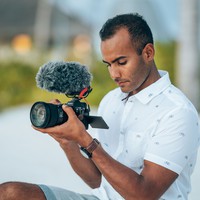
- 4.2 Rating
 99 Reviews
Adi Singh
Hi there, I’m Adi.
In 2015 I got my first camera to capture my travels to New Zealand. From then on I was hooked on videography! Every day I learned something new and eventually, I started my own video production company and YouTube channel.
The reason why I love online teaching is simply that it has been the foundation of my filmmaking career. I learned all the ins and outs of videography online or by self-teaching and I would love to share my knowledge with you! I truly believe that if e-learning is taken seriously, anyone can be professional in anything. I really hope I can help others with making content and creating videos.
So where are you waiting for, let’s learn and create.
 More courses by Adi Singh
More Video Editing & Animation courses

Learn to Storyboard for Film or Animation (2024)
4.8 (2,727 Reviews)
 Provider: Udemy
 Time: 2.2h
$12.99


Fire Starter Sessions Video Workshop with Danielle LaPorte (2017)
4.8 (1,205 Reviews)
- Provider: Udemy
- Time: 3.7h
$11.99

The Ultimate Color Grading Bootcamp in DaVinci Resolve (2026)
4.8 (947 Reviews)
- Provider: Udemy
- Time: 8.7h
$19.99

The Complete Talking Head Video Production Masterclass (2026)
4.8 (319 Reviews)
- Provider: Udemy
- Time: 17.6h
$59.99

The Complete iMovie Course - from Beginner to Advanced 2026!
4.7 (2,021 Reviews)
- Provider: Udemy
- Time: 11.1h
$10.99
 Reviews

By Graham Raines on 6/28/2025
whilst the editiing tute assumed no prior knowledge, the colour tute seemed to make the assumption that we knew things ... What it a LUT .. I had t look this up in the Davinci manual .. etc etc.
By Scott Mills on 1/12/2025
So far it has been very informative. I am learning a lot since I am a beginner on how to start using the program.
By Roland Williams on 8/10/2024
So far so good. What I didn't like is that you show the resources for this class on this section but you didn't walk us through how to download them or give an idea as to working with the resources.
By Ajay Raj R.S on 7/5/2024
Highly recommended. It provides a comprehensive introduction to the software, covering essential features and functionalities in a clear and accessible manner. Whether you're a beginner or looking to expand your skills, the course offers valuable insights that help in mastering video editing and color grading techniques. The instructor's teaching style is effective, making complex concepts easy to understand. Overall, this course is a solid choice for anyone looking to learn DaVinci Resolve.
By Augusto Jaramillo Forcada on 6/24/2024
I like this teacher. He has a youtube channel with very good videos. So the students can learn from someone who shares information about how he edits his own youtube videos. Thank you
By Francois Beaussier on 12/14/2023
Pretty good intro so far, watching at 1.5 speed and pausing from time to practice what was discussed. Had trouble with adding audio keyframes (you have to click on the same line that you use to change the db level, not the wave itself) and also with adding transition (found out my clip didn't have enough "handles"). Note that I did not use the author's shortcuts as I'd rather learn the default ones. This did not cause issues so far. The color part is new to me, pretty cool although I feel I'll need plenty of practice before getting good results.
By Michael Lee on 11/26/2023
The course does an okay job with an overview of Resolve from a good youtuber. It's shorter than other courses so doesn't go into details on a lot of stuff. Overall it's a helpful course for beginners, but if you want more depth there are other courses for a few bucks more.
By Lazarus Baptiste on 10/1/2023
Great Course! Thorough, well planned and confidence building. Most importantly the Educator has a great bedside manor and seems to genuinely care that you understand the material.
By Hector Jorge on 12/11/2022
At first The Instructor,s Pace is Too Fast; too much mouse movement. Very distracting. As the chapters move along, one can get used to it. A lot of info to observe at ones, Slow down the pace, or mouse movement. Good Stuff
By Marcus A Fawley on 11/25/2022
Full beginners breakdown is very helpful for my first time using any video editing software.
 Quality Score
No CourseDuck member has rated this course yet. Taken it? Give each part a thumbs up or down.
Overall Score : 84 / 100
- Video Duration:
 4.7h
4.7h - Price: $49.99
- Provider: Udemy
- Updated:
 November 2022
 - Level:
 Beginner
 - Language:
 English
 - Certificate:
 Yes
Yes
30-day money-back guarantee on most paid courses
Udemy Coupon Price Tracker
