
 Web Development
 Data Science
 Python
 SQL
 JavaScript
 Artificial Intelligence
 IT & Software
 IT Certifications
 Hacking
 AWS
 Arduino
 DevOps
 3D Modeling
 Graphic Design
 Photoshop
 Drawing
 Digital Painting
 UX Design
 Business
 Data Analysis
 Communication Skills
 Project Management
 Leadership & Management
 Human Resources
 Digital Marketing
 Social Media Marketing
 Marketing
 SEO
 Google Analytics
 Branding
 Excel
 Office Productivity
 SAP
 PowerPoint
 Microsoft Access
 SharePoint
 Finance & Accounting
 Trading & Investing
 Accounting
 Bitcoin
 Personal Finance
 Video Editing & Animation
 Photography
 Adobe Premier Pro
 Adobe Lightroom
 Personal Development
 Productivity
 Career Development
 Life Coaching
 Health & Fitness
 Meditation & Mindfulness
 Yoga
 Music
 Music Production
 Guitar
 Piano
 Singing
 Language Learning
 Teaching & Academics
 Engineering
 Math
 Lifestyle
Excel Basics (Udemy.com)
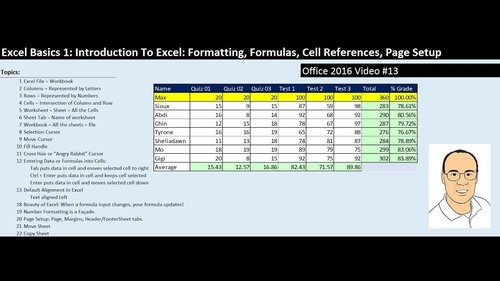
Master Excel functions, charts, and basic PivotTables.
Created by: Stephen Hill
Last updated May 2018
 What you will learn
- Work smart, faster, and more efficiently in Excel.
- Use basic Excel functions.
- Create charts and understand visualization basics.
- Build basic PivotTables.
How it compares
Against the other 355 rated Udemy courses in Excel on CourseDuck:
- Rating4.4 out of 5higher than 25% of them
- Reviews171#311 of 356 by number of reviews
- Length1 hourshorter than 95% of them
- Last updatedMay 2018earlier than 81% of them
 Quality Score
Overall Score : 88 / 100
 Course Description
- Excel beginners or those looking for an Excel refresher.

 Udemy Discount
The discount is applied through our link. Open the course from here and Udemy's current promotional price is applied at checkout on most courses, no code to type.
Some courses are excluded from Udemy's promotions. If the price does not drop, clear your browser cookies and use the button again.
Instructor Details

- 4.4 Rating
 171 Reviews
Stephen Hill
I am a university professor with over 15 years of experience teaching courses in analytics, statistics, operations management, and supply chain management. I have conducted multiple professional development courses in-person and online. I have been recognized with several awards for teaching excellence. Over 95% of the participants in my spreadsheet-based, analytics professional development course would highly recommend the course to friends and colleagues.
 Related courses
Microsoft Excel Data Analysis - Learn How The Experts Use It (2026)
5.0 (5,696 Reviews)
 Provider: Udemy
 Time: 3h
$11.99
Original price
 Reviews

This was a great intro to Excel -- a straightforward and engaging course. Looking forward to more courses from Professor Hill!
Course is well paced. Explanations are clear and easy to follow for someone just beginning Excel, or someone doing a refresher course. The instructor has organized the course well, beginning with easy concepts and naturally progressing to more intermediate function concepts and ending with IF Statements, lookups, and pivot tables. Would certainly recommend for someone starting with Excel that is looking to develop skills for working with statistical data.
the course is very well paced and easy to learn for a complete beginner, also the quiz in between is quite useful and encouraging when you get all the answers correct.
- Video Duration:
 1h
- Price: $11.99
- Provider: Udemy
- Updated:
 May 2018
- Level:
 All Levels
- Language:
 English
- Certificate:
 Yes
30-day money-back guarantee on most paid courses
Udemy Coupon Price Tracker
