
 Web Development
 Data Science
 Python
 SQL
SQL JavaScript
 Artificial Intelligence
 IT & Software
 IT Certifications
 Hacking
 AWS
AWS Arduino
 DevOps
 3D Modeling
 Graphic Design
 Photoshop
 Drawing
 Digital Painting
 UX Design
 Business
 Data Analysis
 Communication Skills
 Project Management
 Leadership & Management
 Human Resources
 Digital Marketing
 Social Media Marketing
 Marketing
 SEO
SEO Google Analytics
 Branding
 Excel
Excel Office Productivity
 SAP
SAP PowerPoint
 Microsoft Access
 SharePoint
 Finance & Accounting
 Trading & Investing
 Accounting
 Bitcoin
 Personal Finance
 Video Editing & Animation
 Photography
 Adobe Premier Pro
 Adobe Lightroom
 Personal Development
 Productivity
 Career Development
 Life Coaching
 Health & Fitness
 Meditation & Mindfulness
 Yoga
Yoga Music
Music Music Production
 Guitar
 Piano
Piano Singing
 Language Learning
 Teaching & Academics
 Engineering
 Math
Math Lifestyle
Excel Dashboard for Beginners: AI & Pivot Tables Mastery (Udemy.com)
Create stunning Excel dashboards fast with Pivot Tables, charts, slicers, AI and AI tools like Microsoft Copilot AI.
Created by: Coding Creative Guru
Last updated April 2026
 What you will learn
- Build professional Excel dashboards from raw data using Pivot Tables
- Analyze and summarize data quickly with AI-driven pivot recommendations
- Visualize business metrics with charts, slicers, and timelines
- Leverage Microsoft Copilot AI and other AI tools to generate insights
- Design interactive dashboards to support decision-making
- Export and share dashboards for reports and presentations
How it compares
Against the other 459 rated Udemy courses in Office Productivity on CourseDuck:
- Rating4.4 out of 5higher than 30% of them
- Reviews144#375 of 460 by number of reviews
- Length2.6 hoursshorter than 69% of them
- Last updatedApril 2026more recently than 74% of them
 Course Description
Do you want to create stunning, interactive Excel dashboards even if you’re a complete beginner?
This course will teach you how to build professional Excel dashboards from raw data using Pivot Tables, charts, slicers, Timeline, and powerful AI features including Microsoft Copilot AI. Whether you’re a student, business professional, freelancer, or entrepreneur, mastering these skills will help you analyze data quickly and make smart, data-driven decisions.
You’ll start by learning how to clean and organize your data for easy analysis. Then, you’ll dive into creating Pivot Tables, one of Excel’s most powerful tools, enhanced by AI recommendations that help you choose the best summaries and layouts automatically.
Next, you’ll add visual elements like charts, slicers, and timelines to create dashboards that are not only insightful but also interactive and user-friendly. Plus, you’ll learn how to use Microsoft Copilot AI and other AI tools integrated in Excel to generate instant data insights, automate formula writing, and speed up your workflow.
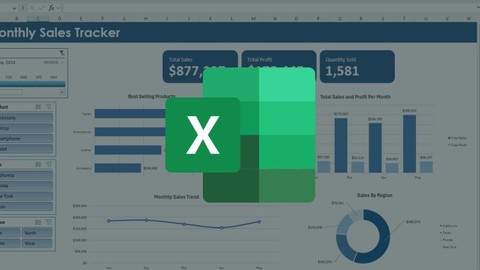
By the end of the course, you’ll have a complete, professional sales dashboard that can be customized for any project or business need. You’ll also gain confidence using AI-powered Excel features that make data analysis faster and smarter.
Perfect for beginners and professionals alike, this course will boost your Excel skills and prepare you for the future of data analysis and business reporting.
Enroll today and start transforming raw data into beautiful, actionable Excel dashboards!

 Udemy Discount
The discount is applied through our link. Open the course from here and Udemy's current promotional price is applied at checkout on most courses, no code to type.
Some courses are excluded from Udemy's promotions. If the price does not drop, clear your browser cookies and use the button again.
Instructor Details

- 4.4 Rating
 144 Reviews
Coding Creative Guru
As a graphic designer, developer, and programmer, I bring a unique blend of creativity and technical insight to my teaching. With knowledge in crafting visually compelling designs also in development and programming, I aim to provide students with practical, step-by-step guidance. Whether you're exploring design, development, or programming, my courses are designed to empower you with the tools and confidence needed to excel in your creative and technical pursuits.
 More Office Productivity courses

AI-Powered Social Media Management: From Beginner to Pro (2025)
5.0 (211 Reviews)
 Provider: Udemy
 Time: 1.1h
$19.99

Microsoft Excel + AI: Go From Data Analysis to Visualization (2026)
4.9 (276 Reviews)
- Provider: Udemy
- Time: 3.8h
$10.99


Complete Introduction to Google Sheets Pivot Tables (2026)
4.8 (3,570 Reviews)
- Provider: Udemy
- Time: 2.9h
$64.99


Microsoft Excel - Managing Personal Finances with Excel (2024)
4.8 (810 Reviews)
- Provider: Udemy
- Time: 3h
$19.99
 Reviews

By Ashley Cooper on 8/24/2026
I downloaded the raw data and it is already converted into a table! I did not want the work done for me. How am I supposed to learn to do it, if it's already done for me?! If there is a way to download the data and do the steps to build it, please let me know. Thanks!
By Marvin Emmanuel Carpio on 5/24/2026
A little confusing when I downloaded the templates and some were already completed in the table's sections, but after that it was good. I like how the instructor explained everything step by step.
By Kelvin Rice on 4/19/2026
Good simple information that will make any beginner excel user look like a guru.
By Dana Durling on 1/1/2026
Excellent material and course, i found in the beginning the volume was low, even though I had the volume up on my laptop and on the course video. This course gave me so much more knowledge of Pivot tables I was seeking as a beginnger.
By Kim Yanke on 12/18/2025
I appreciated that the instructor didn’t assume we had any background in programming. He walks through every step clearly and doesn’t skip things that beginners usually get confused about. The real projects at the end made me feel like I actually built something.
By Jasmine Limbu on 12/3/2025
Clear lessons, real examples, and a good structure. I learned how to build interactive dashboards using charts and slicers. The AI features were explained nicely too. Good course for beginners.
By Flawbop on 12/2/2025
Great course for learning Excel dashboards from scratch. The instructor explains Pivot Tables in a way that’s easy to understand. The dashboard examples were practical and the Copilot AI section added extra value.
By Hasmukh Sariya on 12/2/2025
A solid course for anyone new to Excel dashboards. The explanations are clear, and the practical examples make it easy to follow. I really liked the final dashboard project and the added AI tips using Microsoft Copilot.
By Adelaide DuBois on 12/2/2025
Very beginner-friendly. I liked how the instructor broke down dashboard creation in simple steps. The lessons on Pivot Tables and slicers were especially helpful. The Copilot AI demonstrations gave me new ways to speed up my work
By Emekli İhtiyar on 11/27/2025
This course made Excel dashboards much easier for me. The instructor explains Pivot Tables, slicers, and charts clearly, and the step-by-step exercises helped me understand the whole process. The Copilot AI examples were also a nice bonus.
 Quality Score
No CourseDuck member has rated this course yet. Taken it? Give each part a thumbs up or down.
Overall Score : 88 / 100
- Video Duration:
 2.6h
2.6h - Price: $10.99
- Provider: Udemy
- Updated:
 April 2026
 - Level:
 Beginner
 - Language:
 English
 - Certificate:
 Yes
Yes
30-day money-back guarantee on most paid courses
Udemy Coupon Price Tracker
