
 Web Development
 Data Science
 Python
 SQL
SQL JavaScript
 Artificial Intelligence
 IT & Software
 IT Certifications
 Hacking
 AWS
AWS Arduino
 DevOps
 3D Modeling
 Graphic Design
 Photoshop
 Drawing
 Digital Painting
 UX Design
 Business
 Data Analysis
 Communication Skills
 Project Management
 Leadership & Management
 Human Resources
 Digital Marketing
 Social Media Marketing
 Marketing
 SEO
SEO Google Analytics
 Branding
 Excel
Excel Office Productivity
 SAP
SAP PowerPoint
 Microsoft Access
 SharePoint
 Finance & Accounting
 Trading & Investing
 Accounting
 Bitcoin
 Personal Finance
 Video Editing & Animation
 Photography
 Adobe Premier Pro
 Adobe Lightroom
 Personal Development
 Productivity
 Career Development
 Life Coaching
 Health & Fitness
 Meditation & Mindfulness
 Yoga
Yoga Music
Music Music Production
 Guitar
 Piano
Piano Singing
 Language Learning
 Teaching & Academics
 Engineering
 Math
Math Lifestyle
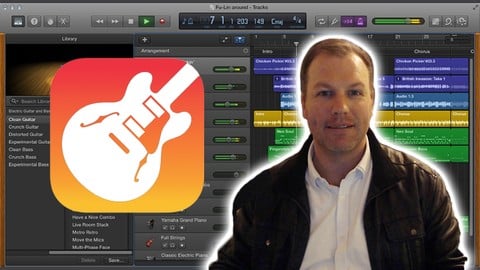
How To Use Garageband (macOS) The Complete Guide (Udemy.com)
Everything you need to know for a massive head start in music production.
Created by: Nat Pike
Last updated May 2020
 What you will learn
- Music production in GarageBand for macOS
- How to record bass, electric guitar, vocals and keyboard into Garageband
- How to create a music track from start to finish
- How to master your music track and export at commercial quality and loudness for upload to digital streaming services
How it compares
Against the other 241 rated Udemy courses in Music Production on CourseDuck:
- Rating4.6 out of 5higher than 60% of them
- Reviews480#74 of 242 by number of reviews
- Length4.8 hourslonger than 60% of them
- Last updatedMay 2020earlier than 75% of them
 Course Description
This course is perfect for anyone who wants to get into music production but doesn't know where to start. It will also be of great help to current macOS Garagaband users wanting to fill in gaps in their knowledge or to discover the full potential of what can be achieved with the software.
If you feel there is music in you that needs to be expressed, Garagband is the perfect tool to make your dream a reality. Learn everything you need to know to head a massive head start in one of the most exciting and ever changing fields that is digital music production.

 Udemy Discount
The discount is applied through our link. Open the course from here and Udemy's current promotional price is applied at checkout on most courses, no code to type.
Some courses are excluded from Udemy's promotions. If the price does not drop, clear your browser cookies and use the button again.
Instructor Details

- 4.6 Rating
 480 Reviews
Nat Pike
Nat Pike is a certified sound production trainer and holds a Bachelors degree in Music (Sonic Arts). He has enjoyed working professionally as an electronic music producer and recording studio engineer for the past 15 years.
Nat's musical productions have been used in many films, television shows and radio commercials with clients such as the Discovery Channel, Channel 7 (Aust.) and Haiku Games. He also has a number of instrumental electronic music tracks signed to the UK record label Future Pop a subsidiary of Sony BMG.
Nat is currently an in house engineer at Salt Studios, Melbourne - Australia and teaches sound production and music business at The College of Sound and Music Production (COSAMP).
 More Music Production courses

Electronic Music Production with Ableton Live (2025)
4.9 (2,479 Reviews)
 Provider: Udemy
 Time: 11.9h
$84.99

Garageband IOS (iPhone/iPad): The Complete Beginners Guide (2021)
4.9 (535 Reviews)
- Provider: Udemy
- Time: 3.5h
$10.99

How to Become a DJ - Learn How to Start DJing Online Today (2021)
4.8 (5,221 Reviews)
- Provider: Udemy
- Time: 10.8h
$17.99

Ultimate Sound Design: Mastering Sound Design (2026)
4.8 (1,998 Reviews)
- Provider: Udemy
- Time: 7.3h
$109.99


Ultimate Ableton Live 9 Complete: Parts 4, 5, & 6 (2026)
4.8 (512 Reviews)
- Provider: Udemy
- Time: 11.8h
$89.99
 Reviews

By Matthew Toi on 9/19/2021
This course is awesome for me, cause i went in, using garageband with no experience and kind of learnt through my own trial and error. But seeing Nat explain in detail, with shortcuts and also with, the reason why certain things are used and with his own song as a sample/experiment/experience, has made it easier for me to understand and to know the knowledge and the reason behind certain functions of garageband and what they are used for.
By Ram Gopal Sivadas on 10/22/2020
I am extremely delighted to be doing this course, seems more like a "WAKE UP TO GARAGEBAND POSSIBILITIES" course! The course instructor, Nat Pike, is very competent and glides through from covering the basics to advanced features so well and seamlessly. I am very happy with his tutorials and I have no hesitation to recommend this course to anyone interested to learn more about this awesome nugget tucked inside a Mac.
By Helen Berry on 7/13/2020
Yes really well explained and thorough. Nat has a pleasant and relaxed style which comes from someone who has years of experience. He drops in nuggets of information which are probably not available from other courses. I highly recommend his course. He has saved me weeks and weeks of trial and error and shown me features which I would probably never find or be aware of. Thank you Nat!
By anurag anand on 6/5/2020
Nice explanation in each video.However, the instructor had left few things like how to edit audio of any video and detail information of pan etc.
By Jon Hallett on 6/1/2020
A fantastic introduction to Garageband for beginners covering all the important concepts and tools to produce professional quality results from this amazing free software from Apple. I was pleasantly surprised how quickly my skills improved from following this course and would highly recommend it. Thanks, Nat! I hope you continue to produce more courses...perhaps demonstrating Garageband/Logic in a studio environment with guidance on interconnecting professional hardware to the software. As an introductory package, this gets a straight five stars from me!
By Tim Jones on 5/21/2020
The course has been great. I have been able to muddle through at my own pace and Nat has delivered clear and excellent videos. I am far from being competant at the moment and I will have to go back and revisit some of the videos. However, I am optimistic and enthuastic that I will develop more skills the longer I stick at. Thank Nat. Terrific work!
By Chris Cooper on 4/25/2020
Perfect! I am a total novice. A bit fast with the instructor's mouse and keystrokes for my slow brain but am keeping up okay. Thanks. 17th January 2021. Bit of a long gap but I am finding this tutorials very educational and informative. I am starting to better understand the potential of the GarageBand software and how powerful it is - even more so when you remember that it is a free package. WOW!!
By Chad Miller on 4/12/2020
Hello Nat, I wanted to pass along a heart felt thanks for offering such a well thought out Garageband lesson. I am old school in terms of MIDI with a studio full of stand alone Alesis equipment from the late 80s and early 90s which still works just fine to this day. I decided I needed to step up and move to the whole DAW recording world. I have an old 2008 iMAC that also still works just fine. It would only let me update Garageband up to 10.2.0, but it seems to be working good enough to learn with. I hope to update to a new MAC and load in Logic once I get a firm grasp of Garageband. I also discovered your YouTube channel just the other day and subscribed. Thanks again for all you do Nat!
By Joe Legner on 2/22/2020
This course was a game-changer for me. Not only did I learn pretty much every feature of Garage Band, the instructor was knowledgeable enough to convey some of the basics of mixing and mastering. I never understood mastering before, and I'm 46 years old and have played in bands and messed around with recording for decades. Now I finally get it.
By Jens Lück on 1/10/2020
This course is the perfect introduction to garageband. Nat is an experienced studio engineer who knows a lot about this software and music production: How to work with the midi instruments, how to record acustic instruments and vocals? How to use plugins downloaded from the internet? Everything is explained thoroughly and easy to follow. He even knows tricks that you can't find in the official documentation, e. g. how to convert a drum loop from the library to midi. And finally you learn how to mix and master your track. Lots of very useful and precious tips from someone who has years of professional experience in this field. And also important: He uses the latest version of garageband (2019/2020). Lots of other courses use older and outdated versions. I can only deeply recommend Nats course to anyone interested in recording his musical ideas and bringing his production skills to a higher level.
 Quality Score
No CourseDuck member has rated this course yet. Taken it? Give each part a thumbs up or down.
Overall Score : 92 / 100
- Video Duration:
 4.8h
4.8h - Price: $64.99
- Provider: Udemy
- Updated:
 May 2020
 - Level:
 Beginner
 - Language:
 English
 - Certificate:
 Yes
Yes
30-day money-back guarantee on most paid courses
Udemy Coupon Price Tracker
