
 Web Development
 Python
 JavaScript
 SQL
SQL Artificial Intelligence
 Data Science
 IT & Software
 Hacking
 AWS
AWS Arduino
 3D Modeling
 Graphic Design
 Photoshop
 Drawing
 UX Design
 Blender
 Business
 Data Analysis
 Shopify
 Digital Marketing
 Social Media Marketing
 Marketing
 SEO
SEO Google Analytics
 Branding
 Excel
Excel Office Productivity
 Finance & Accounting
 Bitcoin
 Video Editing & Animation
 Photography
 Adobe Premier Pro
 Adobe Lightroom
 Personal Development
 Health & Fitness
 Music
Music Guitar
 Teaching & Academics
 Language Learning
 Engineering
 Lifestyle
Humanoid Rigging For Games Using Houdini And KineFX (Udemy.com)
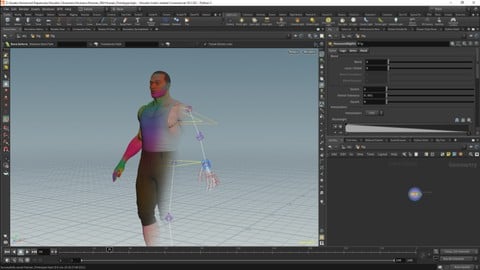
Building a humanoid game rig with kineFX.
Created by: Simon Hayes
Last updated July 2025
 What you will learn
- We will create a basic humanoid rig in houdini.
 Course Description
In this course we will build a basic humanoid rig. This rig is designed to be compatible with game engines like Unity and should work with a lot of common motion capture libraries.
We will start be creating a reconfigurable skeleton that can be posed for multiple characters. This skeleton will also have three different spines this will allow us to examine. These will include two curved skeletons, one with four bones to be compatible with the Unity humanoid rig. The others skeletons are have more bones and will allow us to compare to pitfalls of using curved or straight spines.
We will create a custom reorient joints node that will allow us to have consistent orientations for all the joints.
For the rig we will be looking to implement IK and FK Controls. For the IK controls we will have both global and local controls. And we will be implementing number of methods to blend between global and local controls.
We will be creating a custom for the spine rotations with options for both linear and quaternion interpolation.
For the arms we will be creating a dynamic skeleton that moves based of the position of the arm. The Hand will have preset poses that we can blend between.
We will be building an export pipeline with options for 'level of detail' and exporting characters and animation.

 Udemy Discount
The discount is applied through our link. Open the course from here and Udemy's current promotional price is applied at checkout on most courses, no code to type.
Some courses are excluded from Udemy's promotions. If the price does not drop, clear your browser cookies and use the button again.
Instructor Details

- 4.8 Rating
 79 Reviews
Simon Hayes
I am a animator, rigger and indie game developer. Regarding my professional work, most of it has been as a 2D rigger is where I have have worked as a rigger on projects F is for Family, My Better World, Trailer Park Boys and The Green Squad. Apart from my 2d work I am working on my games which are being developed Houdini, Zbrush and Unity.
 More Houdini courses

Vehicle Modeling in Houdini 16.5 - SciFi Dropship (2019)
4.8 (1,214 Reviews)
 Provider: Udemy
 Time: 10.3h
Free

Houdini 16.5 - Procedural Prop Modeling - Ammo Crate (2020)
4.8 (206 Reviews)
- Provider: Udemy
- Time: 3.2h
$64.99

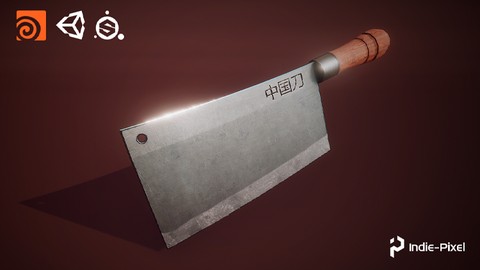
Houdini 18 - Procedural Prop Modeling - Chinese Knife (2020)
4.8 (48 Reviews)
- Provider: Udemy
- Time: 4.2h
$49.99
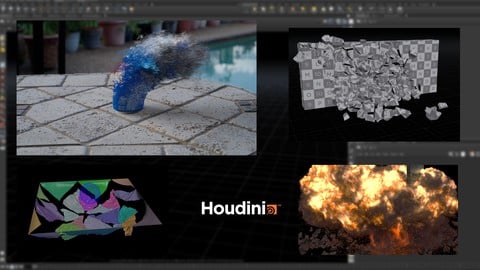
Master Houdini FX: Create Stunning Visual Effects rigs (2025)
4.7 (642 Reviews)
- Provider: Udemy
- Time: 18.8h
$89.99
 Reviews

By Mike Harris on 12/30/2025
If you can navigate the UI and completed basic projects, you can take this course. The instructor explains in clear, concise, and detailed tutorials. Great knowledge not just for rigging but Houdini as a whole. Highly recommended
By E. Clavel on 3/1/2025
The vex scripts are very well explained. Its made very clear what is actually being calculated and why.
By Kyle Walden on 11/10/2023
The highest quality rigging tutorial I have encountered. As a bonus the course helped to explain some of the black magic of python scripting in the type properties interface. Would recommend to anyone looking for a professional quality rigging set in Houdini.
By Korean Love Dev on 10/11/2023
nice! i'm korean, but it is easy to learn That Thx !
By Philipp Otterbach on 8/5/2022
Excellent Course! This is exactly the introduction i needed to get going with kineFX. I highly recommend it.
By Timothy Bladel on 5/24/2022
S0 far pretty decent.
By Gatis Kurzemnieks on 11/21/2021
Still going through, course seems very good. The only improvement I would suggest is - doing a little explanation of the goals and idea behind each lesson. Otherwise it's a bit hard to follow 15 min of coding without knowing what does author want to achieve. A lot of times it clicks only once you have already watched the whole thing.
By Jeff Gutzwiller on 10/14/2021
I had a few issues which were resolved within an hour response from Simon. Great tutorial and wonderful support from the author. Thank you!
By Jessie Mulhuijsen on 8/6/2021
Far so far I was able to follow, it seemed really wel constructed and a nice pace. The instructor told it was intermediate and needed to know some vex.. I'm a student and using on and off 3 years Houdini. But for me it was unfortunately still to hard. I was hoping to maybe learn myself some vex with this course, which I think I did get a better understanding in the first lessons!! but after when we came around lesson 12, I wasn't able to follow it any more unfortunately. It was to hard. I speed watched some other lessons and everything looked very well and professional but, for me to hard :( hopefully in the future I'm able to follow and I definitely will come back!
 Quality Score
No CourseDuck member has rated this course yet. Taken it? Give each part a thumbs up or down.
Overall Score : 96 / 100
- Video Duration:
 42.4h
42.4h - Price: $69.99 Track Price 11.99 Track Price
- Provider: Udemy
- Updated:
 July 2025
 - Level:
 Intermediate
 - Language:
 English
 - Certificate:
 Yes
Yes
30-day money-back guarantee on most paid courses
Udemy Coupon Price Tracker
