
 Web Development
 Data Science
 Python
 SQL
SQL JavaScript
 Artificial Intelligence
 IT & Software
 IT Certifications
 Hacking
 AWS
AWS Arduino
 DevOps
 3D Modeling
 Graphic Design
 Photoshop
 Drawing
 Digital Painting
 UX Design
 Business
 Data Analysis
 Communication Skills
 Project Management
 Leadership & Management
 Human Resources
 Digital Marketing
 Social Media Marketing
 Marketing
 SEO
SEO Google Analytics
 Branding
 Excel
Excel Office Productivity
 SAP
SAP PowerPoint
 Microsoft Access
 SharePoint
 Finance & Accounting
 Trading & Investing
 Accounting
 Bitcoin
 Personal Finance
 Video Editing & Animation
 Photography
 Adobe Premier Pro
 Adobe Lightroom
 Personal Development
 Productivity
 Career Development
 Life Coaching
 Health & Fitness
 Meditation & Mindfulness
 Yoga
Yoga Music
Music Music Production
 Guitar
 Piano
Piano Singing
 Language Learning
 Teaching & Academics
 Engineering
 Math
Math Lifestyle
Master Houdini FX: Create Stunning Visual Effects rigs (Udemy.com)
Create VFX rigs in Houdini from the ground up, go from beginning to advanced, Anyone can learn Houdini with this course
Created by: Eric Ebling
Last updated August 2025
Our take
Based on the ratings of 642 students, a sample of their written reviews and the syllabus, as the course stood in August 2025. No course pays to be reviewed.
This is a solver-by-solver tour of Houdini dynamics from a working film effects artist. Across roughly 19 hours and 82 lectures, Eric Ebling builds particle, wire, RBD, pyro, vellum and FLIP rigs from the basic nodes up, leaning hard on VEX in wrangle nodes, and hands over more than 50 hip files so every setup can be pulled apart. The sales page says no Houdini experience is needed. At least one reviewer thinks that is a stretch. It suits people who already know their way around a 3D package and want production-style FX setups rather than a gentle interface tour.
Students rate it 4.7 from 642 reviews, and 452 of those are five stars. What they praise most is the explaining: reviewers say Ebling tells you why each node is there and where the rig is heading, not just which button to press, and one calls it the best FX tutorial on Udemy. The downloadable scenes get thanks too, with one reviewer keeping them as reliable foundations for new setups, and the Q&A is still being answered with solid examples. Complaints are mild. One reviewer could not read the text on the control panel, and another advises doing simpler courses from the SideFX site first to get a grip on setup building.
Two caveats. The course was recorded in Houdini 18 and, although the pyro lectures are being updated for the 19.5 sparse workflow and the last update was August 2025, expect the interface to differ from the newest builds. And the balance is uneven: particles and pyro get more than four hours each while vellum and FLIP get barely 80 minutes between them. Of the Houdini courses we list, this and the FX bootcamp are the simulation ones rather than modeling or game assets, and this one leans hard on VEX. For anyone chasing effects work in film, it's the one to pick.
Pros
- Explains why each node exists and where the rig is going, not just which button to press
- More than 50 downloadable hip files; one reviewer keeps them as reliable foundations for new setups
- Covers particles, wires, RBD, pyro, vellum and FLIP in one place, about 19 hours in total
- Instructor still answers the Q&A with worked examples, according to 2024 reviews
Cons
- Recorded in Houdini 18; pyro lectures still being updated for 19.5, so the UI will differ from new builds
- Vellum and FLIP get about 80 minutes combined, thin next to four-plus hours each on particles and pyro
- Not a soft start for true beginners; one reviewer suggests simpler SideFX courses first
It goes beyond basic tutorials by thoroughly explaining nodes and the fundamentals of Houdini for creating FX.
Listed as all levels, but it really suits people with some 3D background; total beginners should expect a steep start.
 What you will learn
- Learn from an Award Winning industry professional with 22 years of experience creating visual effects for blockbuster feature films, Tv shows, and music videos.
- You will learn how to create basic rigs all the way up to advanced setups using VEX and Hscript to automate a lot of the setup process.
- Everything from Particles and Grains, Wires, RBD’s, Pyro and smoke, vellum, and Flip will be covered.
- You will learn how to create a particle rig to disintegrate objects, how to use and control grains, how to destroy anything with RBD setups
- You will learn how to create snow and rain systems that are used all the time in production.
- You will learn how to create smoke and explosions that can trigger the destruction of RBD buildings.
- You will learn about using flip to create realistic splashing water that interacts with animated objects.
- You will learn how to create tear-able cloth objects and how to squash and deform objects with vellum.
- You will learn how to create a final composite using Houdini’s built in compositing workflow.
Course content
10 sections · 82 lectures · 19 hours of video 8 articles
- 1Getting Started 1 free preview5 lectures · 33 min
- 2The Basics 4 free previews11 lectures · 1.4 hours
- 3Particles 1 free preview16 lectures · 4.3 hours
- 4The Wire Solver3 lectures · 54 min
- 5RBD rigs9 lectures · 2.5 hours
- 6Smoke and Pyro 2 free previews18 lectures · 4.5 hours
- 7Vellum4 lectures · 48 min
- 8Flip Fluids 1 free preview3 lectures · 34 min
- 9The End1 lecture · 1 min
- 10Extra Lectures12 lectures · 3.2 hours
Who it is for
The instructor says it suits
- Aspiring and working FX artists looking to learn more about the power of Houdini.
- Anyone that is interested in seeing the techniques used to create FX rigs in production for professional film and television projects.
What you need before you start
- No previous experience using Houdini is required with this course.
- A computer powerful enough to run the software, you can see the minimum hardware and software requirements at the sidefx website.
- An internet connection
- It is beneficial if you have used some form of 3d software in the past since there are similarities among all the leading software, but not required.
- General familiarity with using a computer, downloading and installing software will be a big help.
- We will be using Houdini 18.0.499 on a windows 10 based system throughout this lecture, although most examples are 100% compatible with Houdini 19.5 excluding a few of the pyro explosion examples( updates coming )
How it compares
Against the other 43 rated Udemy courses in Houdini on CourseDuck:
- Rating4.7 out of 5higher than 69% of them
- Reviews642#3 of 44 by number of reviews
- Length18.8 hourslonger than 95% of them
- Last updatedAugust 2025more recently than 97% of them
 Course Description
There are over 50 Houdini hip files to download all in one zip file for convenience.
1080p resolution available, set the video player to "Auto" and it will stream at 1080p if your hardware is capable.
Everything we learn will be hands on, creating setups in Houdini with down-loadable files for you to inspect.
We will start at the lowest level of a rig, learning the basic nodes and concepts that build more powerful rigs.
We will learn and utilize the power of VEX in Wrangle nodes to create many of our rigs.
We will see the differences between Vops and wrangles and learn when to use which.
We will extensively cover the major areas of Houdini Dynamics used most commonly in Professional Post Production Facilities.
We will create many Particle effects and fully understand how to manipulate particles and grains.
We will create a project that disintegrates an object using POPS’s while projecting a photographic plate to shade our geometry and create a final Composition.
I will show you how you can create full compositions out of your rendered elements right inside of Houdini.
We will learn how to use the Wire Solver for creating ropes and vines.
We will learn a lot about RBD systems, the packed primitive workflow , controlling RBD’s by color with wrangles inside DOPs, creating Glue constraints to influence our destruction behavior, and how powerful using a multisolver setup can be.
We will cover the differences of using a smoke solver, a pyro solver, when you need which, and many ways to create custom fields to modify your temperature and velocity grids within DOP’s to have ultimate control over your simulations. Updated pyro lectures are being uploaded to show the most recent sparse workflows( Houdini 19.5.640 as of this update )
We will explore the Vellum solver and how to create Squish-able, deform-able, and tear-able objects and how to art direct our tearing to our liking.
We will explore Flip Fluids and see how to use animated geometry to push our way through fluids, collide geometry with fluids, how to create spraying fluid sources like water from a hose and how viscosity works to create sticky fluids.
You will learn how many of the DOP networks are very similar and how to use multiple types of solvers in the same DOP network.
You will see the unlimited power Houdini software gives the user to create incredible FX rigs.
COURSE UPDATES:
10/24/2020 - Extra Lecture added - "Exploring the Ripple Solver"
11/09/2020 - Extra Lecture added - "Custom Delete with wrangles"
11/09/2020 - Extra Lecture added - "Copy random geometry to points"
12/06/2020 - Extra Lecture added - "Flipping Faces"
01/23/2021 - Extra Lecture added - "Electrical Arcs"
02/26/2021 - Extra Lecture added - "Exploring Natron: Soda Can Comp"
03/29/2021 - Extra Lecture added - "Redshift Basics"
11/01/2021 - Extra Lecture added - " Deleting points with a changing Count"
07/13/2023 - Extra Lecture added - " Using the minpos() Function"
08/05/2023 - Extra Lecture added - " Using the AttributeBlur Node"
Why Houdini is the program of choice in leading visual effects studios?
Houdini is the most powerful single piece of software available for creating blockbuster level visual effects in the entertainment industry. Unlike many of the other software packages out there, you will not see a bunch of plugins available for Houdini, you do not need any with Houdini.
Houdini offers all the tools an artist needs to create practically any kind of effect you can think of, all within the base Houdini environment. From its pre built shelf setups, you can get a long way to creating a great effect, but we are going to focus mainly on creating FX rigs from the ground up throughout this course, using the shelf setups sparingly.
When you create your own rigs from scratch, you know everything that goes into it, you know what every node does, and you know you have added only what is needed to finish your work and you have a more efficient network.
We will start with the very basics, and build upon what we have learned in every lecture to create more and more advanced rigs. We are going to use a lot of VEX within wrangle nodes, but I will show alternatives to a VEX workflow for artists that are not as comfortable writing code, you will learn to code as we go. VOP’s nodes are writing VEX code under the hood when you wire networks together inside them, so you are creating code and might not even know it!
We will start exploring Houdini with examples showing how to use some of the most frequently used nodes and then go into creating a few rigs that look dynamic but aren’t actually simulating anything.
From there, we will go into Particle setups to get comfortable within the DOP network. The next step is to check out the Wire Solver. We will then advance into RBD’s, some of my favorite FX to create. We will see how our knowledge form the particle lectures will give us a head start to creating advanced setups with the Bullet solver.
After RBD’s, we move into Smoke and Pyro sims. I will show you how to create custom fields to manipulate and control your Pyro with volumes and show how you can import pure point data to create fields to control your Smoke and Pyro directly in the DOP network.
UPDATE: There is a new workflow for Houdini versions 19+ and the shelf explosion options have changed, I will be recording updated lectures for the Pyro related lectures that need to show this new workflow for Houdini 19+ and adding them into the course, a few are already uploaded. You can still load all the example hip files that come with this course for the original lectures and they will all work but a warning message will show when loading due to shader differences from when the course was created and the current shading model.

 Udemy Discount
The discount is applied through our link. Open the course from here and Udemy's current promotional price is applied at checkout on most courses, no code to type.
Some courses are excluded from Udemy's promotions. If the price does not drop, clear your browser cookies and use the button again.
Instructor Details

- 4.7 Rating
 642 Reviews
Eric Ebling
Hello, my name is Eric Ebling. I am an award winning visual effects artist and photographer that has been working in the Entertainment industry for over 24 years creating visual effects. If I'm not at a computer, I am usually on a road-trip exploring the Western states of the USA, hiking and photographing the National Parks system.
 More courses by Eric Ebling
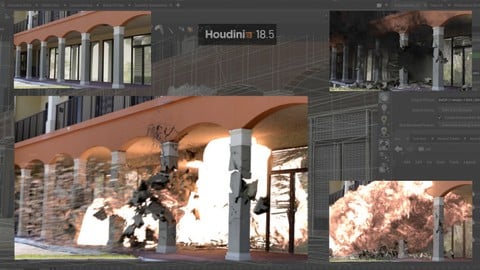
Houdini FX : Creating a Building Explosion (2025)
4.7 (32 Reviews)
 Provider: Udemy
 Time: 10.9h
$59.99
More Houdini courses
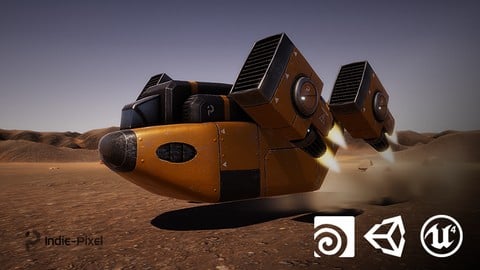
Vehicle Modeling in Houdini 16.5 - SciFi Dropship (2019)
4.8 (1,214 Reviews)
- Provider: Udemy
- Time: 10.3h
Free
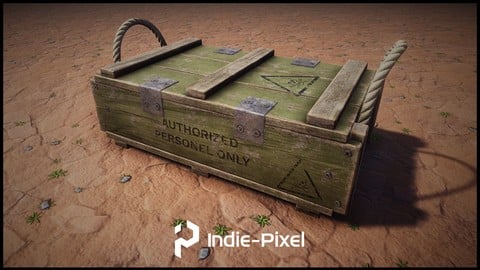
Houdini 16.5 - Procedural Prop Modeling - Ammo Crate (2020)
4.8 (206 Reviews)
- Provider: Udemy
- Time: 3.2h
$64.99

KATANA | Mastering LookDev & Lighting for the VFX industry (2019)
4.6 (276 Reviews)
- Provider: Udemy
- Time: 10.4h
$49.99
 Reviews

By Louis Pare on 8/18/2024
This class is very good. It goes beyond basic tutorials by thoroughly explaining nodes and the fundamentals of Houdini for creating FX. I recommend starting with simpler courses (like those on the SideFX website) before tackling this one to grasp setup-building effectively. The provided scenes are invaluable, allowing you to understand the tutorial and quickly understand setups. It's also highly useful to have those scenes saved in a folder. When you need to create a setup, you can open one of these scenes and use it as a solid, reliable foundation for building your Houdini FX. Overall, this class is very clear and informative. Great job!
By John W on 7/25/2023
So, at first I was not convinced this course was for beginners new to Houdini. As I progressed I realized this course IS great for beginners. The more I learned the more I realized this course is only scraping the surface of what can be done with Houdini. I also think this is only scraping the surface of Eric's knowledge of Houdini and FX. Thank you and I look forward to more content in the Bonus Section. Good job.
By Fracteller - on 7/20/2023
This course was great! Only two things that I had some difficulties with: -The UI scale was too small for most of the videos -A little too much of coding (but this was cool anyway, I'm not skilled enough) seeing how it works nicely with coding can encourage people to start learning some basics (which I will) Other than that it was really cool and enriching!
By Julian Forbes on 4/12/2023
Well structured course, with informative tricks. Can be quite confusing at times for a beginner.
By Marek Novotný on 7/23/2022
Amazing. Many usefull and easy explained information about vex, vops and even H-script. Lecotr is simply awsome. Fast replies on question even if you have some own experiments. I thing course is awsome with some experienc in houdini. UI, and work with nodes at least. perfect in combination with for instance raffis boot camp course for instance. Seriously help me to make another steps in my way with houdini.
By Airlangga Pradana Prakusa on 4/27/2022
this course really helped me got into houdini,first i started by watching many tutorials on youtube on how to do kinds of simulations but they weren't really explaining whats going on with each node,they just start from the beginning to the end like it's just the only way to do the simulation,but then i found this course and thanks eric that u got into every single node what this node does,what that node does so i could understand the functionality of each node. once again thanks Eric!
By Dennys Risi on 4/7/2022
I found this course very valid and fundamental for my learning of the basics of the software, with also some great more pro tricks due to the rich experience of the creator. The topics are explained in depth, always with the focus on understanding the concept and meaning of the technical choices. During the continuation of the course some techniques and steps are repeated and re-explained in order to be memorized and reused in subsequent lessons. I highly recommend it.
By Kweku Nelson on 11/7/2021
This is the most progress i've made in Houdini ever. And i've taken many houdini courses. I can't recommend this course highly enough. I am not through with course material yet but I can already use what has been taught to figure out things on my own, which is priceless. Eric teaches you how to apply these fundamental concepts at the root of all the complex vfx we see and love. I just can't wait to finish the course. Unfortunately I'm a bit slow but no matter, watching and re-watching videos helps solidify concepts to me. I really look forward to other courses from him after this and I feel soo motivated. I can do this!
By David Clabaugh on 9/26/2021
This is a great course that has helped me solidify my knowledge of Houdini from the ground up. I had some Houdini experience coming in, but I have been lacking certain fundamentals about Node operation and optimization that this course has really helped me understand better. A definite must for learning Houdini. Would be great to add Unreal and Vray integration.
By Dara Tef on 12/11/2020
This is an excellent course. Eric clearly knows his stuff and has a lot of industry experience. I'm not sure why the course doesn't show up in the Udemy search so easily. I think to get the best out of the course, it's good to have some experience with Houdini. Even though Eric does his best to explain everything, his approach is very practical. If you know the theory behind some of this stuff, you would appreciate it a lot more.
 Quality Score
No CourseDuck member has rated this course yet. Taken it? Give each part a thumbs up or down.
Overall Score : 94 / 100
- Video Duration:
 18.8h
18.8h - Price: $89.99
- Provider: Udemy
- Updated:
 August 2025
 - Level:
 All Levels
 - Language:
 English
 - Certificate:
 Yes
Yes - Lectures:82 in 10 sections
- Students:5,247
- Subtitles:1 language
- Udemy badge:Highest Rated
30-day money-back guarantee on most paid courses
Udemy Coupon Price Tracker
