
 Web Development
 Data Science
 Python
 SQL
SQL JavaScript
 Artificial Intelligence
 IT & Software
 IT Certifications
 Hacking
 AWS
AWS Arduino
 DevOps
 3D Modeling
 Graphic Design
 Photoshop
 Drawing
 Digital Painting
 UX Design
 Business
 Data Analysis
 Communication Skills
 Project Management
 Leadership & Management
 Human Resources
 Digital Marketing
 Social Media Marketing
 Marketing
 SEO
SEO Google Analytics
 Branding
 Excel
Excel Office Productivity
 SAP
SAP PowerPoint
 Microsoft Access
 SharePoint
 Finance & Accounting
 Trading & Investing
 Accounting
 Bitcoin
 Personal Finance
 Video Editing & Animation
 Photography
 Adobe Premier Pro
 Adobe Lightroom
 Personal Development
 Productivity
 Career Development
 Life Coaching
 Health & Fitness
 Meditation & Mindfulness
 Yoga
Yoga Music
Music Music Production
 Guitar
 Piano
Piano Singing
 Language Learning
 Teaching & Academics
 Engineering
 Math
Math Lifestyle
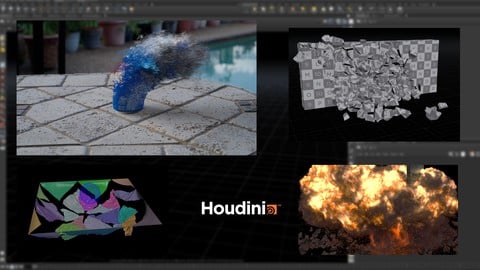
Houdini FX : Creating a Building Explosion (Udemy.com)
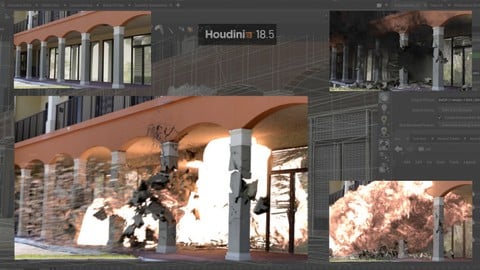
Learn all the steps needed to blow up a building in Houdini from a real world photograph and create a VFX composition
Created by: Eric Ebling
Last updated August 2025
 What you will learn
- This course will show you all the steps involved in blowing up a real world building from a photographic image.
- I will show you how to fracture the building geometry and create custom “chunks” to use as rbd objects.
- We will see how to create different types of RBD objects representing concrete, glass, and window blinds.
- We will use Vellum sims to create bending geometry that deforms from the explosion.
- We will use the more modern sparse solving method to create an exploding fireball.
- We will create all renders necessary to create a final comp.
- I will show you how to use the explosion as a light source to illuminate the scene.
- We will create a final comp using Natron.
How it compares
Against the other 43 rated Udemy courses in Houdini on CourseDuck:
- Rating4.7 out of 5higher than 69% of them
- Reviews32#36 of 44 by number of reviews
- Length10.9 hourslonger than 76% of them
- Last updatedAugust 2025more recently than 97% of them
 Course Description
Hello potential students.! This course is going to cover everything you need to know in order to destroy and blow up a building from a real photograph.
There are over 10.5 hours of lecture videos going over the process of destroying a building.
You should have working knowledge of Houdini before enrolling in this course. If you have done my previous Houdini course “Master Houdini FX”, you will have no problem following this course since I build on a lot of the initial principles of rig creation that were presented in the first course.
This is a “Fast paced” course, meaning I will not be explaining every function of every node I use. I will explain where necessary, but basic nodes will not be explained in detail, this is to try keeping this total course time to a minimum, and another reason you should have basic Houdini knowledge prior to enrolling into this mid level course.
All lectures will have Houdini hip files for you to download and any other necessary assets. If you have any questions, please feel free to ask. I encourage you to watch the intro video and watch some of the “free” videos so you can get a sense of what the course is like.
The basic breakdown of the course goes like this:
We will start with an overview of how and why I chose the building I did to use as our subject.
I will include the model file and briefly go over what I did to model the building, but will not be showing the creation process step by step. It took around 4.5 hours of Boolean modelling to finish and would be unnecessarily boring to make you watch the model process.!
We will then start selectively fracturing the building model section by section until we have all geometry fractured.
We then start doing RBD sims and even throw a little vellum into the mix to make our sim more interesting.
Once we have our RBD’s and vellum finished, we go into simulating our fireball explosion using the more modern “Sparse” simulation tools.
We will then create an embers pass to give our sim a little something extra.
We will be creating and assigning any and all shaders that are needed as we go.
We will then go into rendering and I will show how to create all the renders necessary for a full comp.
This course will be using Mantra as our render engine to keep things “off the shelf Houdini” and not rely on plugins.
Once all the renders are done, we will assemble a full comp including camera shake to add some more realism to the end result.
This course will teach you everything you need to know to be able to go out and photograph your own building and create all the custom destruction you wish. Once you finish this course using the included image and building geometry, you will be ready to find your own building in your own town to photograph and recreate this setup on a building of your choice. I will be presenting a very straight forward and “easy” method to creating an FX shot like this.
If you have been using Houdini for a little while, you should have no problems following this course. If you need a refresher or are just starting to use Houdini, I recommend doing my first Houdini course “Master Houdini FX” as a primer to this course.

 Udemy Discount
The discount is applied through our link. Open the course from here and Udemy's current promotional price is applied at checkout on most courses, no code to type.
Some courses are excluded from Udemy's promotions. If the price does not drop, clear your browser cookies and use the button again.
Instructor Details

- 4.7 Rating
 32 Reviews
Eric Ebling
Hello, my name is Eric Ebling. I am an award winning visual effects artist and photographer that has been working in the Entertainment industry for over 24 years creating visual effects. If I'm not at a computer, I am usually on a road-trip exploring the Western states of the USA, hiking and photographing the National Parks system.
 More courses by Eric Ebling
Master Houdini FX: Create Stunning Visual Effects rigs (2025)
4.7 (642 Reviews)
 Provider: Udemy
 Time: 18.8h
$89.99
More Houdini courses

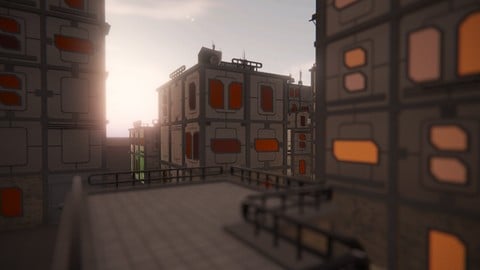
Vehicle Modeling in Houdini 16.5 - SciFi Dropship (2019)
4.8 (1,214 Reviews)
- Provider: Udemy
- Time: 10.3h
Free

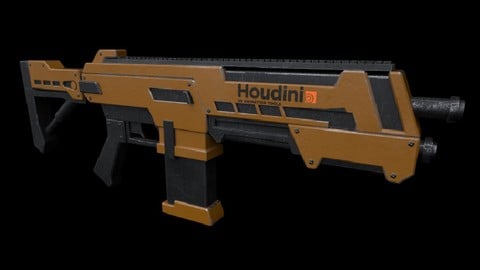
Houdini 16.5 - Procedural Prop Modeling - Ammo Crate (2020)
4.8 (206 Reviews)
- Provider: Udemy
- Time: 3.2h
$64.99
Master Houdini FX: Create Stunning Visual Effects rigs (2025)
4.7 (642 Reviews)
- Provider: Udemy
- Time: 18.8h
$89.99
 Reviews

By Karsten Schneider on 2/18/2025
nice and clear tutorial, good explained and extract my workflow
By Catherine C. on 3/13/2024
Excellent formateur ! Le cours aurait été parfait si les liens avaient été relatifs...
By Paul Birmingham on 10/22/2023
excellent instructor
By Basit Khan on 9/9/2023
What a wonderful course, Eric has so much attention to detail and explains everything he does and talks about different ways they can be done which is very useful for retaining the knowledge I have learned and applying it to future projects. If you are a beginner, pick up Erics courses and you will not be disappointed. Thank you so much Eric for sharing your knowledge with us!
By Robert Angone on 5/5/2023
Erik's courses are a great mix of general work flows to accomplish specific tasks coupled with in-depth methods to get these accomplished tasks to work together to achieve the final result ... probably not saying that right but his instruction helps me focus on each and every step better than I used to.
By R E on 2/19/2022
Very useful information in the course.
By Andrew farhall on 1/4/2022
Great match for me, pace of information good and it seemed either well rehearsed and techniques used every day so no uhming and ahhring. Will look out for more by the same tutor
 Quality Score
No CourseDuck member has rated this course yet. Taken it? Give each part a thumbs up or down.
Overall Score : 94 / 100
- Video Duration:
 10.9h
10.9h - Price: $59.99
- Provider: Udemy
- Updated:
 August 2025
 - Level:
 Intermediate
 - Language:
 English
 - Certificate:
 Yes
Yes
30-day money-back guarantee on most paid courses
Udemy Coupon Price Tracker
