
 Web Development
 Python
 JavaScript
 SQL
SQL Artificial Intelligence
 Data Science
 IT & Software
 Hacking
 AWS
AWS Arduino
 3D Modeling
 Graphic Design
 Photoshop
 Drawing
 UX Design
 Blender
 Business
 Data Analysis
 Shopify
 Digital Marketing
 Social Media Marketing
 Marketing
 SEO
SEO Google Analytics
 Branding
 Excel
Excel Office Productivity
 Finance & Accounting
 Bitcoin
 Video Editing & Animation
 Photography
 Adobe Premier Pro
 Adobe Lightroom
 Personal Development
 Health & Fitness
 Music
Music Guitar
 Teaching & Academics
 Language Learning
 Engineering
 Lifestyle
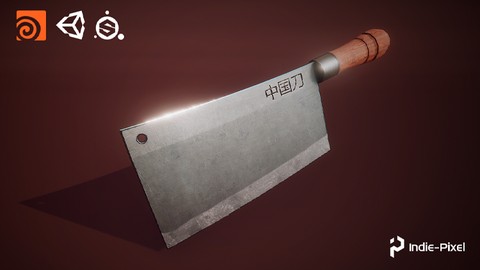
Houdini 18 - Procedural Prop Modeling - Chinese Knife (Udemy.com)
Create Procedural Models with Houdini 18 & Substance Painter!
Created by: Indie - Pixel
Last updated June 2020
 What you will learn
- The Basics of Procedural Modeling
- The Basics of Procedural UV's
- How to Create Low and High Res meshes in Houdini
- How to Export from Houdini
- Setting up a Substance Painter Project
- How to Texture with Substance Painter 2019
- How to set up a scene in Unity 2019
- How to Match the Look of Painter in Unity
 Course Description
In this next Indie-Pixel Mini-Course we will walk through the entire process of creating a Chinese Knife prop for your game development projects. You will be taken through each step of the process from procedural modeling in Houdini, to texturing in Substance Painter, then finally setting up the the prop in a Unity scene.
You also get a complete guide to the Basics of Houdini's User Interface, as a bonus, so if you are completely new to Houdini, you can get up to speed quickly and learn how to navigate the Houdini 3D application.
What you Get:
Complete Houdini Project
Over 4 Hours of Video Training in 1080P
If you are new to Procedural Modeling or Procedural content creation for games, and want to jump start your learning in Houdini, then this course is perfect for you!

 Udemy Discount
The discount is applied through our link. Open the course from here and Udemy's current promotional price is applied at checkout on most courses, no code to type.
Some courses are excluded from Udemy's promotions. If the price does not drop, clear your browser cookies and use the button again.
Instructor Details

- 4.8 Rating
 48 Reviews
Indie - Pixel
I began this whole journey through art. When in high school I developed a
very strong interest in drawing and 2D animation. From there I began
to get enveloped into the work of 3D. After Graduating High school I
attended the Art Institute of Seattle. There I gained my AA degree in
Computer animation. I interned at Surreal Software, then moved onto
working on the very first version of Xbox at Microsoft. I worked on NFL
fever 2000, NHL Rivals 2002, and Inside Drive. From there I have worked
at Activision, again at Microsoft, my own companies Creative TD and
Ozone Interactive, and am now exploring Interactive Arts experiences at Indie Pixel. There have been many things
along the way but my love is in 3D, real-time arts, shaders, procedural
content creation, math, modeling, texturing, and helping others through
teaching.
 More courses by Indie - Pixel
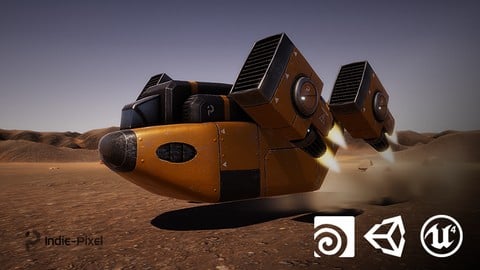
Vehicle Modeling in Houdini 16.5 - SciFi Dropship (2019)
4.8 (1,214 Reviews)
 Provider: Udemy
 Time: 10.3h
Free
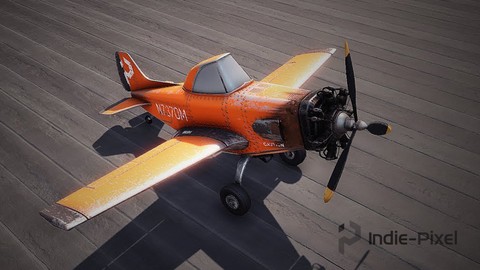
Intro to Airplane Physics in Unity 3D - 2017 & 2018 (2020)
4.5 (634 Reviews)
- Provider: Udemy
- Time: 20.3h
$64.99
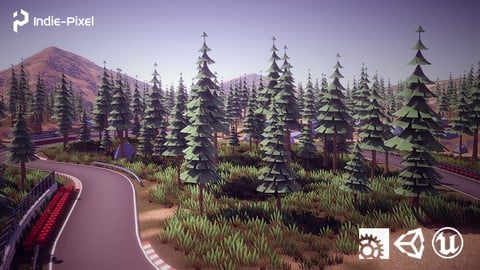
Procedural Race Tracks - Houdini 17.5/18 and Houdini Engine (2020)
4.5 (549 Reviews)
- Provider: Udemy
- Time: 23.9h
$69.99
Houdini 16.5 - Procedural Prop Modeling - Ammo Crate (2020)
4.8 (206 Reviews)
- Provider: Udemy
- Time: 3.2h
$64.99
More Houdini courses
Vehicle Modeling in Houdini 16.5 - SciFi Dropship (2019)
4.8 (1,214 Reviews)
- Provider: Udemy
- Time: 10.3h
Free
Houdini 16.5 - Procedural Prop Modeling - Ammo Crate (2020)
4.8 (206 Reviews)
- Provider: Udemy
- Time: 3.2h
$64.99
Humanoid Rigging For Games Using Houdini And KineFX (2025)
4.8 (79 Reviews)
- Provider: Udemy
- Time: 42.4h
$69.99

Master Houdini FX: Create Stunning Visual Effects rigs (2025)
4.7 (642 Reviews)
- Provider: Udemy
- Time: 18.8h
$89.99
 Reviews

By Vicente de Carlo on 11/13/2024
very good teacher!
By Anatolii on 2/6/2024
Very informative
By Sergey Filin on 7/25/2021
This is a really good course for beginners in Houdini and Substance Painter. With the only exception of UV mapping techniques. I would definetely recommend to use UVFlatten node instead.
By Antagal on 5/27/2021
very good course, I first used Houdini but everything was very clear! the author has a nice voice and a very clear speech
By Mike Connolly on 12/10/2020
It tied some un-answered issues together really well thankyou.
By Klaus Steigner on 12/5/2020
Fundiertes Wissen sehr strukturiert und zielführend vermittelt, - damit habe ich meine Grundkenntnisse um einiges aufbessern und erweitern können!
By Bob Howard-Horst on 9/11/2020
Don't be fooled by the small scope of the project! You'll learn a LOT of simple tips and tricks that will save you a lot of time. I've watched hundreds of hours of Houdini tutorials and this course taught me things that all those others didn't. For instance, various ways of using the PolyExtrude node, grouping tricks, etc. Indie-Pixel is easily one of the best instructors on Udemy. That said, I took half a star off for three reasons: 1. The video is in 720p and looks horrible on my 30" monitor. It's difficult/impossible to read what's on the screen at times. In 2020, it should be 1080p at the very least. 2. The Substance Painter section isn't as strong as the Houdini section. In Houdini, everything is explained in great detail and clarity; but there's a lot of "Go over here and do this" generalities in Substance Painter (ex: no explanation of how to navigate the viewport. I had to find that out elsewhere). Because of the low quality of the video, finding out where he's going and what he's doing becomes a matter of rewinding so I can try to follow the blurry pixels. 3. There's a section for how to export to Unity, but no explanation of how to export back into Houdini, which seems like a fairly obvious thing to have in a Houdini course. Despite those quibbles, this is a great course and it's dramatically improved my process. Even if you have no interest in Substance Painter or Unity, you definitely need this course if you're new-ish to Houdini!
By Trinh Nguyen on 7/14/2020
I followed the skate ramp tutorial before this. Even though this tutorial is less complex than the skate ramp, I learned a lot and my previous experience definitely helped me with understanding how to procedural model assets. This course reinforced my knowledge about Houdini. It is a fun and short exercise to learn more about Houdini. It helped me out a lot, I feel like I am almost past the "super" beginner stage and can now think and do things in Houdini on my own. I would recommend this course as your first Houdini course (combined with the skate ramp).
 Quality Score
No CourseDuck member has rated this course yet. Taken it? Give each part a thumbs up or down.
Overall Score : 96 / 100
- Video Duration:
 4.2h
4.2h - Price: $49.99 Track Price 11.99 Track Price
- Provider: Udemy
- Updated:
 June 2020
 - Level:
 Beginner
 - Language:
 English
 - Certificate:
 Yes
Yes
30-day money-back guarantee on most paid courses
Udemy Coupon Price Tracker
