
 Web Development
 Data Science
 Python
 SQL
SQL JavaScript
 Artificial Intelligence
 IT & Software
 IT Certifications
 Hacking
 AWS
AWS Arduino
 DevOps
 3D Modeling
 Graphic Design
 Photoshop
 Drawing
 Digital Painting
 UX Design
 Business
 Data Analysis
 Communication Skills
 Project Management
 Leadership & Management
 Human Resources
 Digital Marketing
 Social Media Marketing
 Marketing
 SEO
SEO Google Analytics
 Branding
 Excel
Excel Office Productivity
 SAP
SAP PowerPoint
 Microsoft Access
 SharePoint
 Finance & Accounting
 Trading & Investing
 Accounting
 Bitcoin
 Personal Finance
 Video Editing & Animation
 Photography
 Adobe Premier Pro
 Adobe Lightroom
 Personal Development
 Productivity
 Career Development
 Life Coaching
 Health & Fitness
 Meditation & Mindfulness
 Yoga
Yoga Music
Music Music Production
 Guitar
 Piano
Piano Singing
 Language Learning
 Teaching & Academics
 Engineering
 Math
Math Lifestyle
Unity 3D - Create a Reusable UI System (Udemy.com)
Create a UI System in Unity that is completely Re-usable using C#
Created by: Indie - Pixel
Last updated July 2018
 What you will learn
- You will learn how to build a reusable UI System in C# and Unity 2017
- You will understand how to create reusable animations with Mechanim
- Understand why and how to set up a good UI grouping structure
How it compares
Against the other 183 rated Udemy courses in Unity on CourseDuck:
- Rating4.3 out of 5higher than 26% of them
- Reviews943#43 of 184 by number of reviews
- Length2 hoursshorter than 90% of them
- Last updatedJuly 2018earlier than 84% of them
 Course Description
Have you had some experience with setting UI's inside of Unity? Would you like to know how to make a set of scripts that you can re-use between each project? Then this course is for you!
Throughout each of the lectures we focus on how we can build a re-usable UI System. One in which you can extend and modify to your project needs.
We will walk through step by step and build up the components to make a fully modular UI system for Unity 2017! By the end you will have a basic re-usable UI system to use for any unity project. Plus you get full source code from the course.
Best thing is, its free!

 Udemy Discount
The discount is applied through our link. Open the course from here and Udemy's current promotional price is applied at checkout on most courses, no code to type.
Some courses are excluded from Udemy's promotions. If the price does not drop, clear your browser cookies and use the button again.
Instructor Details

- 4.3 Rating
 943 Reviews
Indie - Pixel
I began this whole journey through art. When in high school I developed a
very strong interest in drawing and 2D animation. From there I began
to get enveloped into the work of 3D. After Graduating High school I
attended the Art Institute of Seattle. There I gained my AA degree in
Computer animation. I interned at Surreal Software, then moved onto
working on the very first version of Xbox at Microsoft. I worked on NFL
fever 2000, NHL Rivals 2002, and Inside Drive. From there I have worked
at Activision, again at Microsoft, my own companies Creative TD and
Ozone Interactive, and am now exploring Interactive Arts experiences at Indie Pixel. There have been many things
along the way but my love is in 3D, real-time arts, shaders, procedural
content creation, math, modeling, texturing, and helping others through
teaching.
 More courses by Indie - Pixel
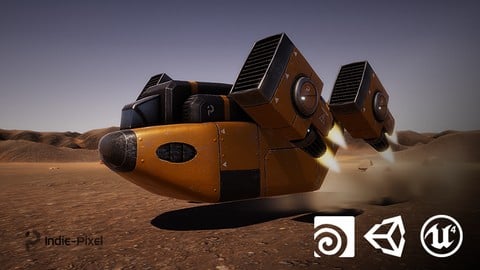
Vehicle Modeling in Houdini 16.5 - SciFi Dropship (2019)
4.8 (1,214 Reviews)
 Provider: Udemy
 Time: 10.3h
Free

Intro to Airplane Physics in Unity 3D - 2017 & 2018
4.5 (634 Reviews)
- Provider: Udemy
- Time: 20.3h
$64.99
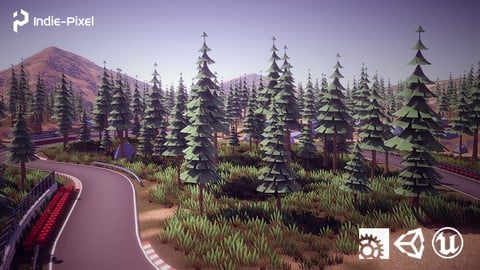
Procedural Race Tracks - Houdini 17.5/18 and Houdini Engine (2020)
4.5 (549 Reviews)
- Provider: Udemy
- Time: 23.9h
$69.99
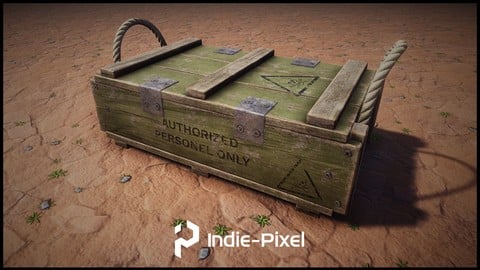
Houdini 16.5 - Procedural Prop Modeling - Ammo Crate (2020)
4.8 (206 Reviews)
- Provider: Udemy
- Time: 3.2h
$64.99
Unity 3D - Create a Top Down Camera with Editor Tools (2018)
4.6 (205 Reviews)
- Provider: Udemy
- Time: 1.4h
Free
More Unity courses

Learn to make an Awesome Builder-Defender game in Unity! (2021)
4.9 (1,909 Reviews)
- Provider: Udemy
- Time: 10.1h
$79.99


RPG Core Combat Creator: Learn Intermediate Unity C# Coding (2025)
4.8 (11,337 Reviews)
- Provider: Udemy
- Time: 27.6h
$149.99

Learn To Code By Making a 2D Platformer in Unity (2017)
4.8 (2,597 Reviews)
- Provider: Udemy
- Time: 13.1h
$13.99

Learn Blender 3D Modeling for Unity Video Game Development (2026)
4.8 (2,152 Reviews)
- Provider: Udemy
- Time: 11.7h
$149.99

Learn To Create A Roguelike Game In Unity (2020)
4.8 (1,234 Reviews)
- Provider: Udemy
- Time: 19.4h
$16.99
 Reviews

By Rick Elliott on 10/23/2022
I picked up this course a while ago but had never gone through it. I'm just starting out with Unity's GUI system and was actually having a hard time finding some good resources on how to use it in a structured way. While I was looking for something to provide more of an overview of Unity's UI system, I found this course provided enough exposure to some of the basic elements to get used to them. However, this course provided a solid structure for constructing a UI system to keep things orderly and coherent. Aside from going a bit too quick in some spots, I thought the instructor did a great job explaining his structure and the code behind it. I really like the finished UI system and plan to use it as a base for my own UIs in Unity. I would recommend this excellent course to beginners and even those familiar with Unity's UI as the objects and code are well structured and provide a clean separation for extending your own implementation. Very well done! Thanks for the great course.
By RedPanda on 8/16/2020
It was a good course might come back and re-watch bits if I should get stuck the only issue was the opening audio being way to loud and nearly killed my eardrums when I was wearing headphones.
By John Szpicki on 1/26/2020
Excellent course! I really like the structure I-P adds to the c# scripts. stuff that hasn't been covered in any other course I've taken! Namespace, Inspector groupings, regions, etc. All make the c# code infinitely easier to read and clean up the inspector for future use. (Minor issue, the audio volume of I-P is significantly lower than his "intro graphic." So if you are wearing earbuds, lower the volume at the start and then increase it after the logo's "bah-bong" sound.) Now onto the other Indie-Pixel courses...
By Osman Dinçer YAMANLAR on 11/20/2019
Öncelikle bir kaç küçük detaydan bashedilmemiş yani biraz da olsa bilginiz olması şart. Örneğin asset eklerken resimlerin asset için 2 D tanımlanması gerektiğinden bahsetmemiş. Başka ufak detaylar da eksik ancak asıl amaç arayüz tasarımı ve tekrar kullanılabilir olması olduğundan diğer konular ele alındığında 100 üzerinden 100 verilecek bir eğitim. Dili oldukça güzel kullanılmış ve hiç bir şey kesilip atılmamış. Verilen emek ve anlatılan bilgilerin içeriği öylesine iyi ki kesinlikle tavsiye ederim.
By Marian Pekár on 11/10/2019
This short course is a real gem! You can go through with occasional pauses to keep up if you follow along (mostly at the beginning when the pace to setup UI elements is faster) in less than 3 hours and in the end you'll have a brilliant reusable UI system you could use in literally any Unity project and that is exactly what I needed to stop reinventing the wheel. Plus I learned several neat tricks, like using Unity built-in event system in a way I've never used before. This brilliant course deserves no less than 5 stars.
By Margaret Moser on 8/21/2019
This is about the UI system, but it is a great small example showing principles for creating reusable systems. It's at an intermediate level and shouldn't be your very first Unity course, but the explanations are very clear. Even if you don't feel totally comfortable with inheritance and events, the way they're used here is pretty straightforward, and you can also sort of see how they work in the Inspector, so it would be a good way to learn more. Overall really high quality, especially for a free course. I look forward to more from Indie Pixel.
By Lucan Eugene Baldacchino on 8/20/2019
It is better if you already know about Unity UI before doing this course as this part is skimmed through very quickly. In addition, while you'll probably learn a few interesting things along the way (I certainly did), the implementation has a few flaws and bugs (which can be fixed if you are already familiar with Unity and coding). Even so, it was still worth the time investment.
By Польщиков Виктор Валерьевич on 7/25/2019
Expected more from a course. It is badly told about animation. It is not clear why the effect of blackout works always differently, once with a delay, once instantly. Probably, it happens because of synchronization of playing of current state, but the author mentioned nothing it, and it is necessary to guess as to correct it. Generally, a course for young beginners.
By Keith Maksimik on 5/6/2019
Quick and to the point. A reusable UI system presented along with some great tips for structuring your code and Unity projects. I'll definitely be incorporating these concepts into my games and apps. Some basic prior knowledge is required but since the instructor indicated that more in-depth courses were in the works and this was FREE there is no reason not to give it a watch. Kudos!
By Eduardo Seitz on 12/5/2018
This course show us a good way to set up a practical UI System and some Unity UI basics as well. The rhythm is a little too fast at some times and pretty slow at others, which leaves us in doubt if it was intended with beginners or experienced users in mind. The instructor shows great experience with the tools and concepts showed and has good communication thought the whole course. Overall it's a great course made by a great instructor.
 Quality Score
No CourseDuck member has rated this course yet. Taken it? Give each part a thumbs up or down.
Overall Score : 86 / 100
- Video Duration:
 2h
2h - Price: Free
- Provider: Udemy
- Updated:
 July 2018
 - Level:
 Intermediate
 - Language:
 English
 - Certificate:
 No
No
Udemy Coupon Price Tracker
