
 Web Development
 Data Science
 Python
 SQL
SQL JavaScript
 Artificial Intelligence
 IT & Software
 IT Certifications
 Hacking
 AWS
AWS Arduino
 DevOps
 3D Modeling
 Graphic Design
 Photoshop
 Drawing
 Digital Painting
 UX Design
 Business
 Data Analysis
 Communication Skills
 Project Management
 Leadership & Management
 Human Resources
 Digital Marketing
 Social Media Marketing
 Marketing
 SEO
SEO Google Analytics
 Branding
 Excel
Excel Office Productivity
 SAP
SAP PowerPoint
 Microsoft Access
 SharePoint
 Finance & Accounting
 Trading & Investing
 Accounting
 Bitcoin
 Personal Finance
 Video Editing & Animation
 Photography
 Adobe Premier Pro
 Adobe Lightroom
 Personal Development
 Productivity
 Career Development
 Life Coaching
 Health & Fitness
 Meditation & Mindfulness
 Yoga
Yoga Music
Music Music Production
 Guitar
 Piano
Piano Singing
 Language Learning
 Teaching & Academics
 Engineering
 Math
Math Lifestyle
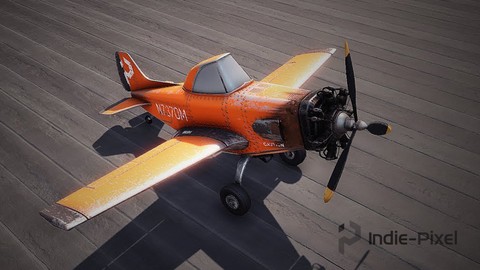
Intro to Airplane Physics in Unity 3D - 2017 & 2018 (Udemy.com)
Learn how to build your very own Custom Airplane Physics with Unity & C#
Created by: Indie - Pixel
Last updated May 2020
 What you will learn
- You will be able to create your own Airplane Physics for your own Flying Games in Unity 3D
- You will have the confidence to work with Rigidbodies in Unity
- You will understand the Basics of Weight and Force to produce belivable Aircraft Physics
- You will understand how to put together a Modular set of scripts to make your Aircraft easy to manage in Unity
- You will learn how to take advantage of C# inheritance to create Re-Usable code
- You will Learn how to set up the UI for an Airplane and how to make them functional
How it compares
Against the other 183 rated Udemy courses in Unity on CourseDuck:
- Rating4.5 out of 5higher than 48% of them
- Reviews634#63 of 184 by number of reviews
- Length20.3 hourslonger than 79% of them
- Last updatedMay 2020earlier than 65% of them
 Quality Score
Overall Score : 90 / 100
 Course Description
In the course you will learn to build the full physics flight model, how to animate the propeller, how to setup inputs, how to build a dynamic airplane camera, how to animate all the control surfaces of the plane, and more!
By the end of this course you will have your very own Flight Physics System that you can use for your own flying games.
By Purchasing the Course you get the Following:
- The Complete Airplane Physics Code
- Two Airplane Models, the Indie-Pixel Plane and the F4U Corsair
- Complete UI kit to create the Instrument UI for the Airplane
Who this course is for:
- Anyone interested in creating their own Aircraft physics for games.
- Someone who is looking to take their Unity skills up a notch and begin to utilize modular code and setups.
- A Beginner Unity user who wants to learn more about how to create vehicles, specfically aircraft, with Unity's Rigidbodies.
- A unity user who would like to learn how to create more advanced UI for vehicles

 Udemy Discount
The discount is applied through our link. Open the course from here and Udemy's current promotional price is applied at checkout on most courses, no code to type.
Some courses are excluded from Udemy's promotions. If the price does not drop, clear your browser cookies and use the button again.
Instructor Details

- 4.5 Rating
 634 Reviews
Indie - Pixel
I began this whole journey through art. When in high school I developed a
very strong interest in drawing and 2D animation. From there I began
to get enveloped into the work of 3D. After Graduating High school I
attended the Art Institute of Seattle. There I gained my AA degree in
Computer animation. I interned at Surreal Software, then moved onto
working on the very first version of Xbox at Microsoft. I worked on NFL
fever 2000, NHL Rivals 2002, and Inside Drive. From there I have worked
at Activision, again at Microsoft, my own companies Creative TD and
Ozone Interactive, and am now exploring Interactive Arts experiences at Indie Pixel. There have been many things
along the way but my love is in 3D, real-time arts, shaders, procedural
content creation, math, modeling, texturing, and helping others through
teaching.
 More courses by Indie - Pixel
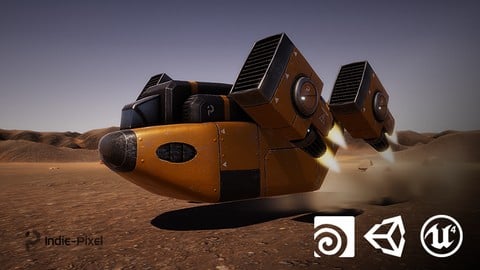
Vehicle Modeling in Houdini 16.5 - SciFi Dropship (2019)
4.8 (1,214 Reviews)
 Provider: Udemy
 Time: 10.3h
Free
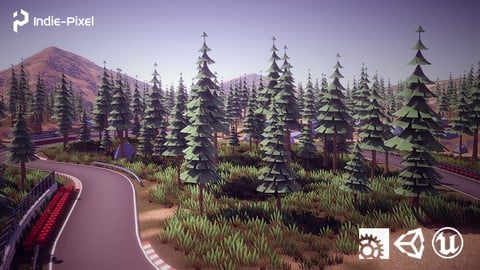
Procedural Race Tracks - Houdini 17.5/18 and Houdini Engine (2020)
4.5 (549 Reviews)
- Provider: Udemy
- Time: 23.9h
$69.99
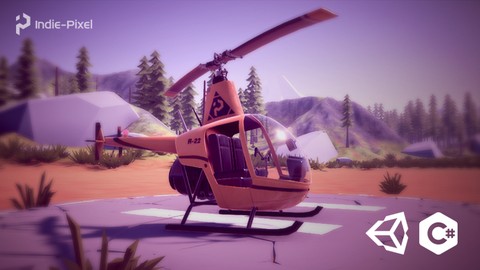
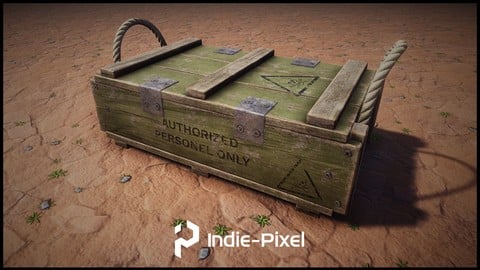
Houdini 16.5 - Procedural Prop Modeling - Ammo Crate (2020)
4.8 (206 Reviews)
- Provider: Udemy
- Time: 3.2h
$64.99
Unity 3D - Create a Top Down Camera with Editor Tools (2018)
4.6 (205 Reviews)
- Provider: Udemy
- Time: 1.4h
Free
More Unity courses

Learn to make an Awesome Builder-Defender game in Unity! (2021)
4.9 (1,909 Reviews)
- Provider: Udemy
- Time: 10.1h
$79.99


RPG Core Combat Creator: Learn Intermediate Unity C# Coding (2025)
4.8 (11,337 Reviews)
- Provider: Udemy
- Time: 27.6h
$149.99

Learn To Code By Making a 2D Platformer in Unity (2017)
4.8 (2,597 Reviews)
- Provider: Udemy
- Time: 13.1h
$13.99

Learn Blender 3D Modeling for Unity Video Game Development (2026)
4.8 (2,152 Reviews)
- Provider: Udemy
- Time: 11.7h
$149.99

Learn To Create A Roguelike Game In Unity (2020)
4.8 (1,234 Reviews)
- Provider: Udemy
- Time: 19.4h
$16.99
 Reviews

By Kevin Conheeney on 11/15/2020
Excellent Instructor - great explanation of concept and coding. Highly recommend this course. Wanted a flight simulator with physics - which I can add to - so perfect. Would like to know more about the process of modelling the plane in Blender with control surfaces and then setting up in Unity with animated surfaces. I am new to unity - have looked at rigging and animation of clips but you appear not to have used either - using separate geo components instead. How does Unity use these to animate?? Creating generic 3d vehicle in Blender, importing and then animating in Unity would be a good intro lesson or separate intro course. Any advice? I want to animate a bird, rather like a plane with its own individual control surfaces. Once again many thanks - thoroughly enjoyed your course!!
By Wagner D'Albuquerque Viana on 10/21/2020
A very interesting point of the course is to learn how to organize your project, with this you can understand each idea of each script. And if one day you need to review the codes to use in other projects, or even create another project based on this one, you can easily do it.
In addition, of course, the instructor is very good, his diction is very good, and this is very important, because English is not my native language.
Um ponto bem interessante do curso aprender a organizar seu projeto, com isso voc consegue entender cada ideia de cada script. E se um dia precisar rever os cdigos para utilizar em outros projetos, ou mesmo criar outro projeto com base neste voc consegue facilmente.
Alm disso, claro, o instrutor muito bom, sua dico muito boa, e isso muito importante, porque o ingls no minha lngua nativa.
By David Ellis on 9/25/2020
Clear explanations, lots of interesting stuff about unity itself with bonus Editor scripts. Great course if you're looking for a tutorial on how to hook up inputs to make vehicles move.
By Rodrigo Martins Rocha on 9/23/2020
Really well structured course and covers more than I initially expected.
By Chris Owen on 9/21/2020
Excellent tutorials for learning all sorts of Unity goodness! It was absolutely perfect for helping me grasp key concepts in a fun way. Kenny is my hero... such a great instructor.
By Sourav Mhatre on 8/23/2020
amazing course it is sir ..waiting for more such courses from you.
By Chris Burns on 7/25/2020
Kenny's explanation of things and the logic in how they are set up allowed me to finally get a grasp on coding. By the end of the course, I was writing my own code from scratch!
By Miguel ngel Cuesta on 7/24/2020
AWESOME!
By Norizham on 7/1/2020
So far so good. Easy to follow.
By Miguel Perez on 6/24/2020
Yes i love this guy
By Michael Simpson on 6/18/2020
Excellent class, methods are pure and regardless of unity version the code is clean enough to work no issues.
By Markelov Sergey on 6/18/2020
Well, I'm new in C# and I'm not native English speaker, but I've understand everything in this course, so it's definitely worth it's money. Thanks for your work man!:)
- Video Duration:
 20.3h
20.3h - Price: $64.99
- Provider: Udemy
- Updated:
 May 2020
 - Level:
 Beginner
 - Language:
 English
 - Certificate:
 Yes
Yes
30-day money-back guarantee on most paid courses
Udemy Coupon Price Tracker
