
 Web Development
 Data Science
 Python
 SQL
SQL JavaScript
 Artificial Intelligence
 IT & Software
 IT Certifications
 Hacking
 AWS
AWS Arduino
 DevOps
 3D Modeling
 Graphic Design
 Photoshop
 Drawing
 Digital Painting
 UX Design
 Business
 Data Analysis
 Communication Skills
 Project Management
 Leadership & Management
 Human Resources
 Digital Marketing
 Social Media Marketing
 Marketing
 SEO
SEO Google Analytics
 Branding
 Excel
Excel Office Productivity
 SAP
SAP PowerPoint
 Microsoft Access
 SharePoint
 Finance & Accounting
 Trading & Investing
 Accounting
 Bitcoin
 Personal Finance
 Video Editing & Animation
 Photography
 Adobe Premier Pro
 Adobe Lightroom
 Personal Development
 Productivity
 Career Development
 Life Coaching
 Health & Fitness
 Meditation & Mindfulness
 Yoga
Yoga Music
Music Music Production
 Guitar
 Piano
Piano Singing
 Language Learning
 Teaching & Academics
 Engineering
 Math
Math Lifestyle
KiCAD PCB Design For Embedded Systems & Electronics Projects (Udemy.com)
Learn KiCAD For PCB Circuit Design & Create Your Own PCB Boards
Created by: DeepBlueMbedded Academy
Last updated September 2020
 What you will learn
- KiCAD 5.1
- Printed Circuit Board (PCB) Design With KiCAD
- PCB Design Workflow (Methodology)
- Documentation For HW Requirements & TLD
- From Idea or Requirement To Actual PCB Product
- BOM Selection Process
- Schematic Design & Capture
- Assigning Footprints To Symbol Parts
- PCB Layout Editing & Routing
- Gerber Output Files Generation For Fabrication
- Generating SMT Files For Automated PCB Assembly
- Project-Based Course (Flasher LED Board, Create Your Own Embedded Dev. Board, and a USB-Powered Device)
How it compares
Against the other 295 rated Udemy courses in Arduino on CourseDuck:
- Rating4.5 out of 5higher than 65% of them
- Reviews176#142 of 296 by number of reviews
- Length4.9 hoursshorter than 51% of them
- Last updatedSeptember 2020earlier than 77% of them
 Course Description
This course will help you to know the basics of KiCAD and how to use it as a tool for PCB design projects. And it'll also teach you how to formulate a project/product idea and document it in such a way that it becomes easier for you to plan and design each part of the complete system.
And ultimately, help you develop a systematic way to approach PCB hardware design projects. Both as a hobbyist or as an engineering student. This course is Project-Based. You'll learn KiCAD by doing practical project examples through this course.
Design 3 PCB Boards and Learn The Essentials of KiCAD
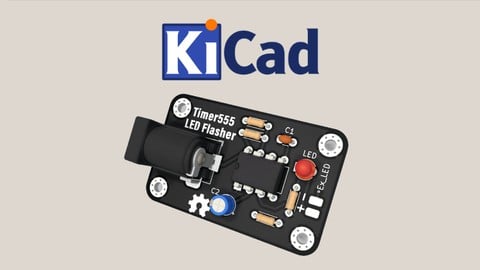
Simple LED Flasher Board
PIC18F-Based Development Board
STM32-Based USB-Powered LED Controller Board
Course's Contents and Overview
The course starts with an introduction to printed circuit boards (PCB) technology. And then shifts the attention to PCB design CAD software tools and mainly focusing on KiCAD which is the main topic of this course. Then, you'll get introduced to KiCAD tools for schematic capture and PCB layout editing through a very basic example board.
Afterward, I'll teach you a very intuitive PCB design methodology to get any project done just in 10 actionable steps. And we'll be sticking to this methodology for all the project examples we'll be doing thereafter.
Then, the last 3 sections will be dedicated to the 3 projects for this course. And in each one of them, we'll be doing:
HW Req. Statement
Schematic Design
Schematic Capture
ERC Check
Footprints Assignment
PCB Layout & Routing
DRC Check
Generating Fab.-Ready Output Files (Gerber)
Generating BOM File
Generating POS For SMT services
You'll learn when and how to do each step in detail through this course and three times in 3 different projects. Just to make sure you've got a very good understanding and vision for the PCB design workflow.
Enjoy The Course!

 Udemy Discount
The discount is applied through our link. Open the course from here and Udemy's current promotional price is applied at checkout on most courses, no code to type.
Some courses are excluded from Udemy's promotions. If the price does not drop, clear your browser cookies and use the button again.
Instructor Details

- 4.5 Rating
 176 Reviews
DeepBlueMbedded Academy
Hi, I'm Khaled Magdy, an embedded systems engineer, author, and online content creator. I've been conducting embedded systems design and programming training and courses for a handful of years. And helped so many students, researchers, and companies with their projects and product designs.
I've published dozens of articles and FREE tutorials, mainly in embedded systems, microcontrollers programming, and electronics. You can find them on my website which has been on the 1st page of Google search results for a variety of keywords like "Embedded Systems Tutorials" and +1.5k other related keywords.
 More Arduino courses


Learn to Build a Computer (PC) in 2026 - all types!
4.9 (245 Reviews)
 Provider: Udemy
 Time: 6.1h
$74.99

Raspberry Pi For Beginners - 2026 Complete Course
4.8 (3,105 Reviews)
- Provider: Udemy
- Time: 10.6h
$89.99

Ultimate Guide to Raspberry Pi : Tips, Tricks and Hacks (2023)
4.8 (2,363 Reviews)
- Provider: Udemy
- Time: 5.2h
$69.99

Mastering Microcontroller: STM32-LTDC, LCD-TFT, LVGL (MCU3) (2026)
4.8 (487 Reviews)
- Provider: Udemy
- Time: 8.1h
$79.99

Arduino Step by Step: Getting Started (2024)
4.7 (8,714 Reviews)
- Provider: Udemy
- Time: 21.4h
$159.99
 Reviews

By İlayda Özerk on 9/2/2025
Bu kursu seçmemin nedeni mini projelerinin olmasıydı. Sadece programı ve detaylarının tanıtılmasındansa bir şeyler tasarlarken özellikleri öğrenmek daha verimli.
By Kim Einar Larsen on 7/25/2024
I would recommend this course to anyone that wants to learn how to create their own PCBs using KiCAD. This course have 3 PCB projects (555 flasher, PIC and STM32) and after this course you have the basics for creating your own PCBs. I particularly liked the last project as I am interested in STM32 microcontrollers for making small embedded computer projects. Also the extra step for creating the final files for JLCPCB Service really nice since you are shown how the CSV files are supposed to look like. I am very happy with this course.
By Natdanai Chinsomboon on 6/4/2024
The instructor English sometimes is hard to listen , but the course accomplished its goa ; to learn PCB design in a short period of time by doing hands-on projects related to Embedded System, which flash some lights to my eyes on the process of turning an idea into reality.
By Kenneth Zuercher on 12/8/2022
I know a bit about designing PCBs and have made many in the past manually, using hand drawn artwork. So far, the author has filled in what holes I had in my knowledge as to what the elements of modern PCBs are.
By Daniel on 9/10/2022
I'm a beginner with no prior experience designing PCBs. This course does a fair job at introducing the concepts of PCB design with KiCad. Instructor can be difficult to understand sometimes but the course still offers a lot of value. I like the instructor's design methodology. It's already proven helpful. Overall I'm happy I bought this course.
By Aryaman Bajaj on 8/5/2022
I wasn't able to find the bonus lecture explanation at the end. In the second project, the annotations get covered so, I had difficulty confirming the designator values for my components and the ones shown in the video. Otherwise, it was a great course and has prepared me to start tinkering with STM32 hardware.
By Sael González Romero on 10/19/2021
It was a great course! Starts on basics concepts. It is an Introductory course to Kicad with a lot of good content.
By Stewart Newfeld on 6/23/2021
The instructor is very clear. I mostly am using this as a refresher and I like the pace so far.
By Nasrulla Shariff on 6/15/2021
Cons:- 1. Using Multiple Sheets 2. Creating Footprints 3. Bonus Lecturers Missing Pros - 1. Easy Flow 2. Nice Explanation 3. We will learn to design basic boards with existing library 4. Logo Creation
By Francisco Ramirez on 1/3/2021
Well done, but these are the simple tings told about KiCad what about the more in depth things; I'd like to see a KiCad course for advanced users. Thanks,
 Quality Score
No CourseDuck member has rated this course yet. Taken it? Give each part a thumbs up or down.
Overall Score : 90 / 100
- Video Duration:
 4.9h
4.9h - Price: $59.99
- Provider: Udemy
- Updated:
 September 2020
 - Level:
 All Levels
 - Language:
 English
 - Certificate:
 Yes
Yes
30-day money-back guarantee on most paid courses
Udemy Coupon Price Tracker
