
 Web Development
 Data Science
 Python
 SQL
SQL JavaScript
 Artificial Intelligence
 IT & Software
 IT Certifications
 Hacking
 AWS
AWS Arduino
 DevOps
 3D Modeling
 Graphic Design
 Photoshop
 Drawing
 Digital Painting
 UX Design
 Business
 Data Analysis
 Communication Skills
 Project Management
 Leadership & Management
 Human Resources
 Digital Marketing
 Social Media Marketing
 Marketing
 SEO
SEO Google Analytics
 Branding
 Excel
Excel Office Productivity
 SAP
SAP PowerPoint
 Microsoft Access
 SharePoint
 Finance & Accounting
 Trading & Investing
 Accounting
 Bitcoin
 Personal Finance
 Video Editing & Animation
 Photography
 Adobe Premier Pro
 Adobe Lightroom
 Personal Development
 Productivity
 Career Development
 Life Coaching
 Health & Fitness
 Meditation & Mindfulness
 Yoga
Yoga Music
Music Music Production
 Guitar
 Piano
Piano Singing
 Language Learning
 Teaching & Academics
 Engineering
 Math
Math Lifestyle
LumaFusion Color Grading 101 (Udemy.com)
A beginner's guide to color correcting & grading video on iPad or iPhone with LumaFusion.
Created by: Mobile Filmmaker Academy
Last updated March 2023
 What you will learn
- The basics of color correcting & grading video on iPad or iPhone with LumaFusion.
How it compares
Against the other 293 rated Udemy courses in Video Editing & Animation on CourseDuck:
- Rating4.7 out of 5higher than 88% of them
- Reviews8#293 of 294 by number of reviews
- Length2.7 hoursshorter than 64% of them
- Last updatedMarch 2023earlier than 53% of them
 Course Description
NEW! LumaFusion was named Apple's 2021 "iPad App of the Year"
You don't have to be a professional colorist to create awesome looking videos. And today you don't even need a computer or complicated color grading app. That's because we now have LumaFusion and in this course you will learn how to color correct and grade your footage on an iPad and/or iPhone - and yes, create your own amazing looking videos.
YouTube Videos
Social Media
Mobile Journalism
Travel Films and Documentaries
Corporate and Real Estate Videos
Indie Films
Music Videos
Promo & Marketing
Whatever you want to create.
Included in this course:
Grading Demos and Professional Examples
FREE Video Elements (letterbox overlays & gradients)
Additional Resources and Links
Covers these topics and more:
The Gear You Need (suggestions with direct purchase links)
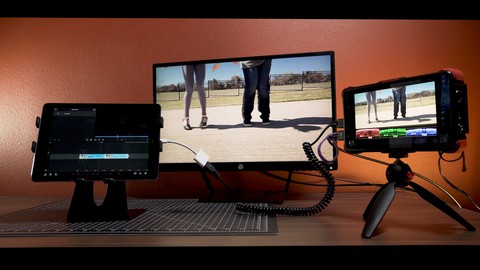
Different Configurations & Setups (for mobile, office or studio)
Intro to LumaFusion Color Correction Tools & Controls
The Three-Step Process of Basic Color Correction
Working with LUTs
Traditional vs. Stylized Grading
Keyframing Different Looks
LumaFusion Color Correction Tips & Tricks
How to setup an iPad Pro "Home Studio"
New features added in V3 of the app
Along with a few more advanced topics:
XML Export to Final Cut Pro X
Offline/Online Workflows
Using External Drives (SD cards & SSDs)
Proxy Workflows (and Frame-io)
Who is this course for?
Anyone wanting to learn how to use LumaFusion for color correcting and grading video footage on their iPad and/or iPhone.
Please note... This is NOT an editing course. While we do include some general aspects of using the app, we assume you already know the basics of editing in LumaFusion. If not, you can definitely learn along the way, but we do recommend familiarizing yourself with the app before enrolling in this course.
Suggested Requirements:
This is a beginner's course, so no color correcting experience is required. But, editing & general filmmaking knowledge are preferred.
You will need an iPad or iPhone running LumaFusion 2.2 or later on iOS 13 or later. LumaFusion is currently iOS only. Please note that some new features announced JULY 2021 will require LumaFusion 3.0.
Note too: In this course we mainly use an older iPad with a Lightning port, so not a later iPad Pro with USB-C. And we did this purposely to show that you don't need the latest greatest tech to work with the app (we know lots of folks don't have the latest gear). Of course if you have an iPad Pro that's awesome! But you definitely don't need one to use LumaFusion. And by the way it runs great on iPhones, too.
Don't wait to create! Start today and unlock the potential of this amazing mobile video app.
By the way, if you're also interested in learning how to shoot professional quality video on your smartphone then you might consider our other courses... Smartphone Cinematography 101 and/or The Complete Guide To FiLMiC Pro.

 Udemy Discount
The discount is applied through our link. Open the course from here and Udemy's current promotional price is applied at checkout on most courses, no code to type.
Some courses are excluded from Udemy's promotions. If the price does not drop, clear your browser cookies and use the button again.
Instructor Details

- 4.7 Rating
 8 Reviews
Mobile Filmmaker Academy
The Mobile Filmmaking Academy is part of the iPhoneographers' popular YouTube channel and website. We make online filmmaking courses, tutorials, gear reviews, how-to videos, short films, and more including LUT packs for color grading. We were founded by award-winning filmmaker Blake Calhoun and have been creating videos with iPhones since 2012.
 More courses by Mobile Filmmaker Academy
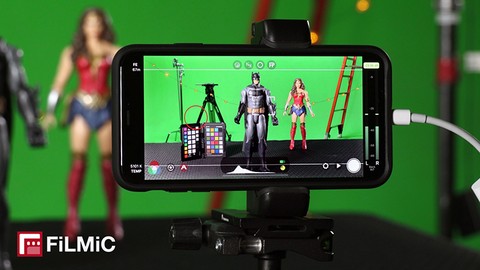
The Complete Guide To FiLMiC Pro V6: Learn Smartphone Video (2022)
4.7 (49 Reviews)
 Provider: Udemy
 Time: 4.7h
$29.99
More Video Editing & Animation courses

Learn to Storyboard for Film or Animation (2024)
4.8 (2,727 Reviews)
- Provider: Udemy
- Time: 2.2h
$12.99


Fire Starter Sessions Video Workshop with Danielle LaPorte (2017)
4.8 (1,205 Reviews)
- Provider: Udemy
- Time: 3.7h
$11.99

The Ultimate Color Grading Bootcamp in DaVinci Resolve (2026)
4.8 (947 Reviews)
- Provider: Udemy
- Time: 8.7h
$19.99

The Complete Talking Head Video Production Masterclass (2026)
4.8 (319 Reviews)
- Provider: Udemy
- Time: 17.6h
$59.99

The Complete iMovie Course - from Beginner to Advanced 2026!
4.7 (2,021 Reviews)
- Provider: Udemy
- Time: 11.1h
$10.99
 Reviews

By Sandra Joseph on 12/5/2020
A very good match. Ultimately time-saving. "Real-world" lessons, obviously from a practitioner who has real, paying clients.
By Khairul Shakir Bin Pauzi on 3/8/2023
By Dave Thompson on 9/2/2021
 Quality Score
No CourseDuck member has rated this course yet. Taken it? Give each part a thumbs up or down.
Overall Score : 94 / 100
- Video Duration:
 2.7h
2.7h - Price: $29.99
- Provider: Udemy
- Updated:
 March 2023
 - Level:
 Beginner
 - Language:
 English
 - Certificate:
 Yes
Yes
30-day money-back guarantee on most paid courses
Udemy Coupon Price Tracker
