
 Web Development
 Data Science
 Python
 SQL
SQL JavaScript
 Artificial Intelligence
 IT & Software
 IT Certifications
 Hacking
 AWS
AWS Arduino
 DevOps
 3D Modeling
 Graphic Design
 Photoshop
 Drawing
 Digital Painting
 UX Design
 Business
 Data Analysis
 Communication Skills
 Project Management
 Leadership & Management
 Human Resources
 Digital Marketing
 Social Media Marketing
 Marketing
 SEO
SEO Google Analytics
 Branding
 Excel
Excel Office Productivity
 SAP
SAP PowerPoint
 Microsoft Access
 SharePoint
 Finance & Accounting
 Trading & Investing
 Accounting
 Bitcoin
 Personal Finance
 Video Editing & Animation
 Photography
 Adobe Premier Pro
 Adobe Lightroom
 Personal Development
 Productivity
 Career Development
 Life Coaching
 Health & Fitness
 Meditation & Mindfulness
 Yoga
Yoga Music
Music Music Production
 Guitar
 Piano
Piano Singing
 Language Learning
 Teaching & Academics
 Engineering
 Math
Math Lifestyle
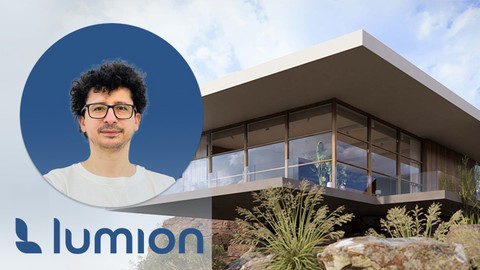
Lumion Pro Visualization: Realistic Renders & Animation (Udemy.com)
Interior & Exterior Design Architectural Renders, Lighting, Materials, Landscapes, Effects & Cinematic Presentations
Created by: Ghasem Ariyani
Last updated August 2026
 What you will learn
- Turn architectural models into polished Lumion renders and animations.
- Create eye-catching interior and exterior scenes for project presentations.
- Lumion workspace, navigation, controls, and essential project settings.
- Import Revit, SketchUp, and 3ds Max models into Lumion.
- Revit to Lumion connection with LiveSync and imported model settings.
- Build richer scenes using Content Library, landscape, and weather tools.
- Realistic material setup for cleaner and more professional renders
- Photo Mode techniques for high-quality architectural still images.
- Lumion effects and render settings for stronger visual impact.
- Movie Mode, camera paths, and animation tools for architectural videos.
- Phasing effects and export settings for polished project animations.
- Project-based Lumion practice for more impressive architectural presentations.
How it compares
Against the other 413 rated Udemy courses in Graphic Design on CourseDuck:
- Rating4.1 out of 5higher than 6% of them
- Reviews131#278 of 414 by number of reviews
- Length11.2 hourslonger than 77% of them
- Last updatedAugust 2026more recently than 90% of them
 Course Description
Note: This is a project-based Lumion course focused on creating high-quality architectural renders and animations. Instead of only explaining basic tools, the course shows how small visual details, materials, lighting, effects, environment, and camera work come together to create stronger interior and exterior presentations.
Have you seen realistic architectural renders and wondered what details make them look polished, natural, and presentation-ready?
Do you want your interior and exterior visuals to feel more impressive when you present them to clients, teachers, or project teams?
Are you unsure what settings and visual decisions are needed to turn a simple 3D model into a realistic render or animation?
In this course, you will learn Lumion in a very practical and clear way. We start from the basics, so even if you are new to Lumion, you can follow the process step by step and understand how a simple architectural model becomes a strong visual presentation.
You will see how to bring your models from Revit, SketchUp, or 3ds Max into Lumion, improve the scene with materials, lighting, landscape, weather, and effects, and then create realistic images and animations. The goal is not just to know the tools, but to understand what to change, why it matters, and how each detail affects the final result.
By the end of the course, you will have a much clearer process for creating interior renders, exterior renders, architectural animations, and project presentations that look more complete, more realistic, and more professional.
Headlines:
1- Lumion for architectural visualization, rendering, and animation
2- Interior and exterior rendering for architectural projects
3- Lumion interface, navigation, workspace controls, and project settings
4- Importing Revit, SketchUp, and 3ds Max models into Lumion
5- Revit to Lumion connection with LiveSync and imported model settings
6- Content Library tools for creating richer architectural scenes
7- Landscape, weather, environment, and scene control tools
8- Realistic material setup for cleaner architectural renders
9- Photo Mode tools for high-quality still images
10- Lumion effects and render settings for stronger visual impact
11- Movie Mode, camera paths, animation effects, and phasing tools
12- Export settings for final renders, videos, and architectural presentations
Enroll now and start building practical Lumion skills for architectural rendering and animation. If you have any questions during the course, I’m available 24/7 every day of the week to support you and help you create more realistic renders, stronger animations, and better architectural presentations with Lumion.

 Udemy Discount
The discount is applied through our link. Open the course from here and Udemy's current promotional price is applied at checkout on most courses, no code to type.
Some courses are excluded from Udemy's promotions. If the price does not drop, clear your browser cookies and use the button again.
Instructor Details

- 4.1 Rating
 131 Reviews
Ghasem Ariyani
Hello, my name is Ghasem,
I have been working in the field of BIM for years and have successfully completed numerous projects. Over the past few years, I've aimed to share my experiences with you to help address many challenges you face in project execution. I've had thousands of strong students. However, these courses are quite different from the usual ones. In fact, they possess several distinct features:
Project-Based Approach: All the content is based on real-world projects, ensuring practical relevance in the instruction.
Exercise Files: For each course, you receive a complete BIM file as a gift. This allows you to use families and elements from it in your own projects.
Quizzes: After completing each section, you must pass a quiz to assess your understanding and abilities.
Q&A: You can ask your questions at any time for clarification.
Please be aware that everything taught here is based on the real conditions of a BIM project I have previously executed. It's not merely an introduction to a series of software commands. Additionally, I've provided a series of step-by-step projects to help you better grasp the modeling process.
Know that you can start your learning right now or enhance your existing skills.
 More courses by Ghasem Ariyani
BIM- Revit Structure Full Course- from Beginner to Advanced (2026)
4.5 (1,268 Reviews)
 Provider: Udemy
 Time: 33.4h
$10.99

BIM Modeling Project- Revit Architecture + Structural + MEP (2026)
4.4 (901 Reviews)
- Provider: Udemy
- Time: 40.9h
$10.99

Revit Architecture 2027: BIM Modeling for Architects
4.5 (610 Reviews)
- Provider: Udemy
- Time: 119.3h
$10.99

AutoCAD 2027 Masterclass - For Architects and Engineers
4.6 (411 Reviews)
- Provider: Udemy
- Time: 17.8h
$10.99

Revit Collaboration with ISO 19650: BIM Project Management (2026)
4.1 (292 Reviews)
- Provider: Udemy
- Time: 5.5h
$10.99
More Graphic Design courses

Adobe InDesign - From Basics to Professional Level Designs (2024)
4.9 (320 Reviews)
- Provider: Udemy
- Time: 11.4h
$84.99

Shop Drawing & Details-Autodesk Revit 2025- for BIM Modelers
4.9 (300 Reviews)
- Provider: Udemy
- Time: 30.9h
$10.99

The Adobe Illustrator CC Mastery Course: Basics to Pro + AI (2026)
4.9 (268 Reviews)
- Provider: Udemy
- Time: 30.8h
$19.99


Software Architecture & System Design Practical Case Studies (2026)
4.8 (2,584 Reviews)
- Provider: Udemy
- Time: 4h
$15.99

Graphic Design Masterclass: Design 40+ Projects in Photoshop (2025)
4.8 (668 Reviews)
- Provider: Udemy
- Time: 16.5h
$109.99
 Reviews

By Priyanka khadka on 5/25/2026
The course is truly insightful and professionally delivered. The focus on realistic materials, lighting techniques, and architectural visualization helped me understand how to create more impactful and visually stunning renders. I learned many practical tips that I can directly apply to my projects. Thank you for the valuable guidance and knowledge!
By Adam Arsenault on 1/18/2026
screen is flashing all the time
By MD AFROZ ALI on 9/23/2025
This Lumion course was extremely helpful and well-structured. The instructor explained each concept in a very clear and practical way, which made learning smooth and enjoyable. I especially appreciated the step-by-step approach to rendering and animation techniques. The real-world examples and tips boosted my confidence in using Lumion for professional projects. Highly recommended for beginners and intermediate learners
By Waquar Ahmed on 9/14/2025
This masterclass is an excellent guide for learning high-quality rendering and animation in Lumion. The instructor explains the tools and workflows clearly, making it easy to understand even advanced features. I especially liked the focus on creating realistic materials, lighting setups, and smooth animations that truly bring architectural designs to life.
By Abdillahi Abdirahman on 8/25/2025
As much as it was excruciating, I finished it all so my review can be real.. I'll be straight to the point, this was a huge waste of time and money. The title is very misleading, there's not a single realistic rendering in this course. like hell, not even a single rendering at all!!!!!!! I wouldn't recommend for anyone, not even for a beginner. It's not worth your time and money. Good sides: - It's kind of good for beginners who know nothing about Lumion. but even this, it doesn't need a whole damn 11 hours for you to learn, there are a lot of youtube videos that'll teach you in less than 1 hour. Bad sides: ( I really can't count them but I'll mention as much as I remember) - It's not good for anyone that's slightly familiar with Lumion. Or the people like me that already use Lumion and wanted some tricks for reaslic rendering, YOU'LL BE DISAPPOINTED BIG TIMES!! - The video is slowed down, so you need to watch it in 1.5x speed - The instructor talks just for the sake of talking without saying anything valuable. (had to mute most of the videos, it was really annoying) - Nothing is prepared, the instructor tries everything on the go, like he's doing it for the first time. It's not even edited and cut out so you have to suffer and watch him try things out - The instructor only points out the things and what they do, but doesn't say anything more than that, like how you'll use it in a real project - And most importantly, there's not a single practical thing, even the section called "Project" that I hoped he'll really do something practical here, he still kept pointing at the things and repeated what he previously said. - I don't thing the instructor actually uses Lumion, he knows what the things do and that's all. and like I said, you can get these kind of things from a simple search on Youtube, no need to spend money for it. All in all this was such a disappointment and a waste of time. I wouldn't recommend for anyone, it doesn't worth your time.
By Sanwad More on 7/29/2025
The Lumion Masterclass is an excellent course! I loved how clearly everything was explained, making it easy to follow even for beginners. It covers essential tools and techniques in a structured way, helping me improve my rendering skills significantly. The lessons are practical and well-paced. Overall, it’s a super helpful and informative course for anyone wanting to master Lumion. Highly recommend it to architecture and design enthusiasts!
By Yalda Shoohanizad on 12/17/2024
I couldn’t be more impressed! The course was well-structured, with clear and concise explanations that made even the most complex concepts easy to grasp. The instructor demonstrated a deep understanding of Lumion, guiding us through the essential tools and techniques step by step. I particularly appreciated the practical examples and hands-on projects, which allowed me to apply what I learned in real-world scenarios. The pacing of the lessons was perfect—not too fast or too slow—and the additional resources provided were incredibly helpful. By the end of the course, I felt confident in my ability to create stunning visualizations with Lumion. I highly recommend this course to architects, designers, or anyone looking to enhance their rendering skills. It’s a fantastic investment for professionals and beginners alike.
By Alexandra Gil on 9/15/2024
Being completely honest, I think it's my fault that I ended up disappointed by this course. I let myself get fooled by the title including "high quality rendering". Not a single rendered image or animation the teacher produced was high quality lol. But I mean, an expert who does produce high quality pics/clips would not charge this cheap for a course. Anyway, if you want to get better at lumion, this is not the course for you but if you have zero knowledge about this software then this will be super helpfull!
By Arun on 6/16/2024
I recently took the "Lumion Masterclass - High Quality Rendering and Animation" on Udemy, and it was incredibly useful. The course provided clear, step-by-step instructions on how to create high-quality renderings and animations using Lumion. I learned valuable techniques that significantly enhanced my ability to produce professional-level visualizations. Highly recommended for anyone looking to elevate their architectural rendering skills!
By Md Asif Ali Zahur on 6/8/2024
I recently completed the Lumion course and I must say, it was an enlightening experience. The course content was well-structured and comprehensive, covering all the essential aspects of Lumion in a clear and concise manner. The instructor demonstrated a deep understanding of the subject matter and was able to convey complex concepts in a way that was easy to understand. The practical examples and hands-on exercises were particularly helpful in reinforcing the concepts taught. I was impressed by the quality of the course materials and the instructor's ability to engage students. The course has significantly improved my skills in 3D visualization and has given me the confidence to undertake more complex projects.
 Quality Score
No CourseDuck member has rated this course yet. Taken it? Give each part a thumbs up or down.
Overall Score : 82 / 100
- Video Duration:
 11.2h
11.2h - Price: $79.99
- Provider: Udemy
- Updated:
 August 2026
 - Level:
 All Levels
 - Language:
 English
 - Certificate:
 Yes
Yes
30-day money-back guarantee on most paid courses
Udemy Coupon Price Tracker
