
 Web Development
 Data Science
 Python
 SQL
 JavaScript
 Artificial Intelligence
 IT & Software
 IT Certifications
 Hacking
 Microsoft Azure
 AWS
 Arduino
 3D Modeling
 Graphic Design
 Photoshop
 Drawing
 Digital Painting
 UX Design
 Business
 Data Analysis
 Communication Skills
 Project Management
 Leadership & Management
 Human Resources
 Digital Marketing
 Social Media Marketing
 Marketing
 SEO
 Google Analytics
 Branding
 Excel
 Office Productivity
 SAP
 PowerPoint
 Microsoft Copilot
 Microsoft Access
 Finance & Accounting
 Trading & Investing
 Accounting
 Bitcoin
 Personal Finance
 Video Editing & Animation
 Photography
 Adobe Premier Pro
 Adobe Lightroom
 Personal Development
 Productivity
 Career Development
 Life Coaching
 Health & Fitness
 Yoga
 Meditation & Mindfulness
 Music
 Music Production
 Guitar
 Piano
 Singing
 Teaching & Academics
 Engineering
 Language Learning
 English Language
 Math
 Lifestyle
Master Amazon EC2 Storage: Complete Guide for EBS, EFS & AMI (Udemy.com)
Block Storage | Object Storage | Elastic Block Store | Snapshots | AMIs | Image Builder | Elastic File System (EFS)
Created by: YouAccel Training
Last updated March 2023
Our take
Based on the ratings of 98 students, a sample of their written reviews and the syllabus, as the course stood in March 2023. No course pays to be reviewed.
YouAccel Training built this as a starter course on EC2 and the storage attached to it. The syllabus has 56 lectures in three sections: 14 on AWS accounts and billing, 22 on EC2, and 20 on storage. That last part covers EBS volumes and snapshots, AMIs, Image Builder and EFS. The only requirement is basic computer skills, so it suits someone who has never opened the AWS dashboard. People with working EC2 knowledge will find that more than half of the running time is material they already know.
Students like the teaching. One praises the instructor's accent and an explanation that isn't too fast, and another calls the content on point with detailed practical demonstrations. The main complaint is age. A five-star reviewer wrote in June 2024 that the AWS interface shown was outdated and that they sometimes struggled to follow the flow, though they kept up in the end. The course was last updated in March 2023, so that gap has likely grown. Of 98 ratings, 87 are four or five stars and just one is a single star.
The tight focus on EC2 and its storage is the real selling point. It's short enough to finish in a week of evenings, and the storage section compares block, file and object storage before the EBS lessons start. There are no quizzes, assignments or practice tests, so any practice beyond following the demos is self-directed. It's a reasonable pick for beginners who can tolerate hunting for a moved button. Anyone who gets stuck when the screen looks different should choose something updated more recently.
Pros
- Detailed practical demonstrations, which a reviewer singled out alongside on-point content
- Unhurried explanations and an accent that a five-star student praised
- Covers EBS, snapshots, AMIs, Image Builder and EFS in a 137-minute storage section
- Starts from account setup, billing alerts and MFA, so no AWS background is needed
Cons
- Last updated in March 2023, and a student found the AWS interface on screen outdated
- Over half of the running time is AWS and EC2 basics before the storage section
- No quizzes, assignments or practice tests to check what has stuck
I liked the course! The content was on point coupled with detailed practical demonstrations.
True beginner level: basic computer skills are enough, and the course walks through AWS account setup first.
 What you will learn
- Register and Navigate an AWS Account
- Distinguish between Global vs. Regional Services in AWS
- Creating Billing Alerts and Enable Multi-Factor Authentication
- Create IAM users for Basic Account Administration
- Understand the Core Features of EC2
- Explore various EC2 Instance Types
- Create and Deploy EC2 Instances from Amazon Machine Images (AMIs)
- Navigate the EC2 Instance Dashboard
- Create and Attach Elastic IPs
- Remotely Administer EC2 Instances using Terminal and PuTTY
- Create and Configure EC2 Instance Launch Templates
- Creating Security Groups and IAM Roles for EC2
- Distinguishing between Block, File and Object Storage
- Deployment and Administration of Elastic Block Store (EBS) volumes
- Creating and Deploying EC2 Instances from EBS Snapshots
- Configuring an EC2 Instance with Ubuntu
- Creating Elastic File Stores (EFS)
- Attaching multiple Instances to a Single EFS
Course content
3 sections · 56 lectures · 5.4 hours of video
- 1Getting Started with AWS 4 free previews14 lectures · 1.3 hours
- 2Amazon Elastic Compute Cloud (EC2)22 lectures · 1.8 hours
- 3AWS Storage (EC2)20 lectures · 2.3 hours
Who it is for
The instructor says it suits
- Students interested in Cloud Computing with AWS
- Students interested in learning the foundations of Amazon Web Services
- Students interested in Mastering the Amazon EC2 Service
- Students interested in Mastering EC2 Storage Solutions: ELB, EFS, AMI
What you need before you start
- Basic Computer Skills
How it compares
Against the other 242 rated Udemy courses in AWS on CourseDuck:
- Rating4.4 out of 5higher than 36% of them
- Reviews98#210 of 243 by number of reviews
- Length5.4 hoursshorter than 68% of them
- Last updatedMarch 2023earlier than 66% of them
 Course Description
Welcome to our complete guide on Amazon EC2 Storage. In this course, you will learn how to effectively manage and optimize your storage on Amazon Web Services (AWS). This includes a comprehensive overview of the main forms of EC2 storage offered by AWS, including Elastic Block Store (EBS), Elastic File System (EFS), and Amazon Machine Images (AMI).
The course starts with the foundations of AWS, where we demonstrate how to register an AWS account. Students also learn the basics of AWS billing, global vs. regional services, and AWS multi-factor authentication (MFA).
Once students are familiar with navigating the AWS dashboard, we dive into working with the EC2 service. Here we explore the core features of EC2 instances, along with instance deployment, instance administration, and security. Students will learn how to create and deploy instances from Amazon Machine Images (AMIs) that are fully equipped with Elastic IP addresses, and remote access via terminal and PuTTY. We also cover a host of other integral concepts including IAM roles for EC2, Security Groups, and EC2 Instance Launch Templates.
After the EC2 section, we delve into AWS EC2 storage solutions. Here, we start with exploring the key differences between block, file, and object storage. From there, we take a deep dive into Amazon Elastic Block Store (EBS). EBS is a block storage service provided by AWS which allows for the creation of virtual disks, called EBS volumes that can be attached to Amazon Elastic Compute Cloud (EC2) instances. These EBS volumes can be used as raw block devices, in order to store data, such as system files, application data, and virtual machine images. We will cover how to create, attach, and manage EBS volumes, as well as how to use EBS Snapshots to create point-in-time backups of your data.
From there, we explore Amazon Machine Images (AMIs), which are templates that contain the software configuration and data required to launch an EC2 instance. We will cover how to create and customize AMIs, as well as how to use the EC2 Image Builder to automate the creation of AMIs.
In the last section, we introduce students to the Elastic File System (EFS), which is a file storage service provided by AWS. EFS allows you to create a file system that can be accessed by multiple EC2 instances to store and share files across multiple availability zones. We will cover how to create and manage EFS file systems, as well as how to mount EFS file systems on your EC2 instances.
By the end of this course, you will have a solid understanding of the various storage options available on AWS, and you will be able to confidently choose the right storage solution for your needs. You will also have the skills and knowledge to effectively manage and optimize your storage on AWS, ensuring that your data is safe, secure, and accessible.
If you’re excited about learning everything you need to know about AWS EC2 storage, hit the enroll button and let’s get started.

 Udemy Discount
The discount is applied through our link. Open the course from here and Udemy's current promotional price is applied at checkout on most courses, no code to type.
Some courses are excluded from Udemy's promotions. If the price does not drop, clear your browser cookies and use the button again.
Instructor Details

- 4.4 Rating
 98 Reviews
YouAccel Training
YouAccel is dedicated to providing high-quality education in technology, business, and digital innovation. Since its founding in 2015, YouAccel has remained committed to making industry-relevant learning accessible to students, professionals, and entrepreneurs worldwide. With a strong focus on emerging fields such as Artificial Intelligence (AI), Machine Learning, Full Stack Development, Business Strategy, Marketing, and Digital Media, YouAccel empowers individuals with the skills needed to succeed in an increasingly competitive and technology-driven world.
At the heart of YouAccel’s mission is a belief that education is a catalyst for unlocking human potential, driving innovation, and creating opportunities across industries and communities. Through expertly designed courses led by industry professionals and academic experts, YouAccel fosters an engaging and transformative learning experience. Programs span beginner to advanced levels, ensuring learners at every stage of their journey gain both foundational knowledge and practical expertise that can be directly applied in real-world settings.
 More courses by YouAccel Training

HTML, CSS, & JavaScript - Certification Course for Beginners (2023)
4.3 (11,506 Reviews)
 Provider: Udemy
 Time: 5.5h
$15.99
Original price
Web Development Masterclass - Online Certification Course (2022)
4.5 (10,287 Reviews)
- Provider: Udemy
- Time: 26.1h
$19.99
Original price
HTML & CSS - Certification Course for Beginners (2019)
4.3 (6,009 Reviews)
- Provider: Udemy
- Time: 4h
$13.99
Original price
HTML, JavaScript, & Bootstrap - Certification Course (2019)
4.4 (5,649 Reviews)
- Provider: Udemy
- Time: 6.4h
$11.99
Original price
Learn HTML - For Beginners (2019)
4.2 (5,119 Reviews)
- Provider: Udemy
- Time: 2.3h
$13.99
Original price
PHP & MySQL - Certification Course for Beginners (2019)
4.2 (4,603 Reviews)
- Provider: Udemy
- Time: 3.3h
$11.99
Original price More AWS courses
AWS Certified Cloud Practitioner CLF-C02 (2025)
4.9 (2,726 Reviews)
- Provider: Udemy
- Time: 12.3h
$14.99
Original price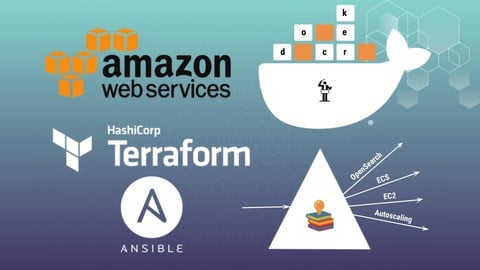
AWS devops: ElasticSearch at AWS with terraform and ansible (2026)
4.9 (104 Reviews)
- Provider: Udemy
- Time: 3.6h
$11.99
Original price
AWS CloudFormation Master Class v2 [2025]
4.8 (14,376 Reviews)
- Provider: Udemy
- Time: 6.8h
$13.99
Original price
[NEW] AWS Certified Advanced Networking Specialty 2026
4.8 (9,270 Reviews)
- Provider: Udemy
- Time: 35.5h
$17.99
Original price
AWS Certified DevOps Engineer - Professional 2026 [NEW]
4.8 (1,754 Reviews)
- Provider: Udemy
- Time: 37.3h
$22.99

Rocking AWS Serverless - A Real World Guide (2024)
4.8 (1,391 Reviews)
- Provider: Udemy
- Time: 19.4h
$12.99
Original price  Reviews

By Ayodeji Stephen Olujare on 6/23/2024
Thank you for this course. I will always be grateful for taken this course. Your accent is a check mark, your explanation comes isn't too fast. However, the version of AWS user interface you used for this course is outdated. Sometimes, I struggle to get the flow but eventually I am still on the same page with you, not a problem though, I'm just stating my observation. Thank you once again for this course. YOU ARE AWESOME.
By Nahom Hulumyifer on 4/13/2024
I liked the course! The content was on point coupled with detailed practical demonstrations.
By Gladys Tuaka Okobueze-mini on 4/2/2024
This course is perfect for beginners.
By Momina Miraj on 11/9/2023
The course is very helpful for me to learn new concepts.
By Usmael Abdurhaman on 10/28/2023
I am really Interested in the way of presentation and styles of teaching
By Dhana Sheakr Nampalli on 4/14/2023
Explained very well.
By Iuga Marian Silviu on 4/7/2023
Very good, clear details about AWS free tier.
By Andreas Lahnsteiner on 4/2/2024
By Mohammed Asif Akram on 5/18/2023
By Siva Subramanian R on 4/22/2023
 Quality Score
No CourseDuck member has rated this course yet. Taken it? Give each part a thumbs up or down.
Overall Score : 88 / 100

- Video Duration:
 5.4h
- Price: $11.99
- Provider: Udemy
- Updated:
 March 2023
- Level:
 Beginner
- Language:
 English
- Certificate:
 Yes
- Lectures:56 in 3 sections
- Students:25,100
- Subtitles:2 languages
30-day money-back guarantee on most paid courses
Udemy Coupon Price Tracker
