
 Web Development
 Data Science
 Python
 SQL
SQL JavaScript
 Artificial Intelligence
 IT & Software
 IT Certifications
 Hacking
 AWS
AWS Arduino
 DevOps
 3D Modeling
 Graphic Design
 Photoshop
 Drawing
 Digital Painting
 UX Design
 Business
 Data Analysis
 Communication Skills
 Project Management
 Leadership & Management
 Human Resources
 Digital Marketing
 Social Media Marketing
 Marketing
 SEO
SEO Google Analytics
 Branding
 Excel
Excel Office Productivity
 SAP
SAP PowerPoint
 Microsoft Access
 SharePoint
 Finance & Accounting
 Trading & Investing
 Accounting
 Bitcoin
 Personal Finance
 Video Editing & Animation
 Photography
 Adobe Premier Pro
 Adobe Lightroom
 Personal Development
 Productivity
 Career Development
 Life Coaching
 Health & Fitness
 Meditation & Mindfulness
 Yoga
Yoga Music
Music Music Production
 Guitar
 Piano
Piano Singing
 Language Learning
 Teaching & Academics
 Engineering
 Math
Math Lifestyle
Mobile App Design in Sketch From Scratch: Design 3 Top Apps (Udemy.com)
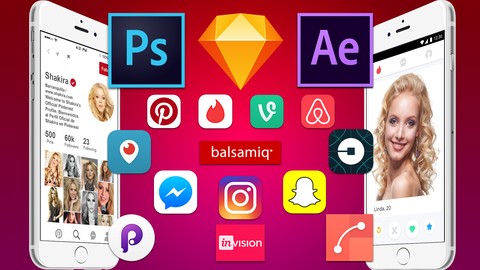
Learn Complete Sketch 3 & 4 From Scratch, Design Tinder app, Snapchat app and Periscope app from Scratch
Created by: Kayes Mahmud
Last updated May 2017
 What you will learn
- Learn Sketch 4 From Scratch
- Design any kind of App you want by Sketch
- Become an Expert on Sketch App
- Become an UI/UX designer
How it compares
Against the other 53 rated Udemy courses in UI Design on CourseDuck:
- Rating4.1 out of 5higher than 5% of them
- Reviews63#48 of 54 by number of reviews
- Length9 hourslonger than 69% of them
- Last updatedMay 2017earlier than 83% of them
 Course Description
Do you want to learn Sketch 3 and Sketch 4 App most easiest way?
Then this course is for you. You will learn everything about Sketch 3 and Sketch 4. This course has clear explanation of every feature of Sketch. You will learn everything from scratch, so it doesn't matter you are a newbie or beginner.
According to Statica, Worldwide mobile app revenue was 88.3 billion dollar this year. By 2020, mobile apps are forecast to generate around 189 billion U.S. dollars in revenues. According to applause,90% Of Companies Will Increase Mobile App Investment. The huge market of app development increasing so fast. So does increasing mobile app UI/UX design with it and creating hundreds of thousand of jobs and business.
Sketch App tools adapted by UI/UX designer very much for its simplistic feature and vector based graphic. In this course you will learn infinite artboard, Layer, Layer style, Shapes, Editing Shapes, Boolean, Type tool and much more.
You will learn to design Tinder App, Snapchat app, Periscope app from Scratch. You will learn color theory and typography. You will learn how to earn money by freelancing. So, don't wait, enroll now, see you in the course. Thanks

 Udemy Discount
The discount is applied through our link. Open the course from here and Udemy's current promotional price is applied at checkout on most courses, no code to type.
Some courses are excluded from Udemy's promotions. If the price does not drop, clear your browser cookies and use the button again.
Instructor Details

- 4.1 Rating
 63 Reviews
Kayes Mahmud
Kays Mahmud is a Full-Stack Software Developer and UI/UX Designer with a strong passion for creating beautiful, functional, and user-centered digital experiences. With years of hands-on experience in mobile app development, product design, and system architecture, Kays brings a unique blend of creativity and technical expertise to every project.
He has worked on a wide range of applications—from mobile payment systems to e-commerce platforms—helping businesses build intuitive, high-performing products that users love. His design approach focuses on simplicity, clarity, and real-world usability, backed by modern design principles and industry best practices.
Kays created this UI/UX Mobile App Design course to teach aspiring designers and developers how to transform ideas into stunning, professional-grade mobile interfaces. His teaching style is practical, beginner-friendly, and focused on real results, making complex concepts easy to understand and apply.
When he’s not designing interfaces or developing apps, Kays spends his time exploring new technologies, improving workflows, and helping others build impactful digital products.
"Design is not just how it looks — it’s how it works."
 More courses by Kayes Mahmud

Mobile App Design in Photoshop From Scratch: Design Uber App (2017)
4.3 (1,219 Reviews)
 Provider: Udemy
 Time: 4.5h
$11.99
The Complete Mobile App Design From Scratch: Design 15 Apps (2017)
4.4 (424 Reviews)
- Provider: Udemy
- Time: 26.6h
$79.99
More UI Design courses


Build eCommerce websites with WordPress & WooCommerce (2025)
4.7 (889 Reviews)
- Provider: Udemy
- Time: 28.8h
$84.99

UX / UI Web Design in Figma | Advanced Level | Eng (2026)
4.7 (155 Reviews)
- Provider: Udemy
- Time: 12.3h
$19.99


DESIGN RULES: Principles + Practices for Great UI Design (2025)
4.6 (16,991 Reviews)
- Provider: Udemy
- Time: 4.9h
$129.99

Master Figma for Web Design & Freelancing: Learn UI/UX (2026)
4.6 (1,047 Reviews)
- Provider: Udemy
- Time: 12.8h
$79.99
 Reviews

By Bashar Al-Arqan on 5/31/2019
it was an amazing Course
By Shalini Chakrabarty on 9/6/2017
Personally, I would not call it a UX course. I'll start by naming the pro first, which was that he provided a lot of links to resources that were free and informative. However, the course covered only how to use Sketch. Maybe because I just finished Springboard's UX course but bought this course a while back, so I would now call this insufficient. Learning the program is easy, solving the problem is hard. Even while he was doing the UIs, there was no explanation of the decisions that were made. It was more of just 'copy what already exists', no encouragement towards creativity or problem solving. There was way too much emphasis on spacing being 403453 px. It didn't help that his voice is very monotone, which is not his fault but there was no enthusiasm or inflections in his voice. It did not get me excited about UX. Even during other lectured on font/typeface, I was even more confused and he totally played off the importance of knowing basic color schemes at the end.
By zubair ahmad on 7/30/2017
Looking for more
By Jason on 6/29/2017
Incredibly detailed, well thought out, very informative.
By Jude santos on 2/8/2017
Fun, Practical and I learned a lot!
By Firas Safa on 2/4/2017
content is pretty decent. the professor is dull tho.
By Hussein Abdlalah on 1/24/2017
The course was really helpful, i learned some nice tips from the course, definitely will take the full course that is recommended at the end of this course
By Rouet Jérémy on 1/23/2017
A great course to get started and discover sketch interface
By Ahmad Kartubi on 2/6/2017
By Trace tw on 2/2/2017
 Quality Score
No CourseDuck member has rated this course yet. Taken it? Give each part a thumbs up or down.
Overall Score : 82 / 100

- Video Duration:
 9h
9h - Price: $10.99
- Provider: Udemy
- Updated:
 May 2017
 - Level:
 All Levels
 - Language:
 English
 - Certificate:
 Yes
Yes
30-day money-back guarantee on most paid courses
Udemy Coupon Price Tracker
