
 Web Development
 Data Science
 Python
 SQL
SQL JavaScript
 Artificial Intelligence
 IT & Software
 IT Certifications
 Hacking
 AWS
AWS Arduino
 DevOps
 3D Modeling
 Graphic Design
 Photoshop
 Drawing
 Digital Painting
 UX Design
 Business
 Data Analysis
 Communication Skills
 Project Management
 Leadership & Management
 Human Resources
 Digital Marketing
 Social Media Marketing
 Marketing
 SEO
SEO Google Analytics
 Branding
 Excel
Excel Office Productivity
 SAP
SAP PowerPoint
 Microsoft Access
 SharePoint
 Finance & Accounting
 Trading & Investing
 Accounting
 Bitcoin
 Personal Finance
 Video Editing & Animation
 Photography
 Adobe Premier Pro
 Adobe Lightroom
 Personal Development
 Productivity
 Career Development
 Life Coaching
 Health & Fitness
 Meditation & Mindfulness
 Yoga
Yoga Music
Music Music Production
 Guitar
 Piano
Piano Singing
 Language Learning
 Teaching & Academics
 Engineering
 Math
Math Lifestyle
Music Sampling with FL Studio 20 (Udemy.com)
FL Studio Music Production - Sampling for Beats & Hip Hop Music Production * Sample Pack Included *
Created by: Scott Robinson
Last updated February 2022
 What you will learn
- Sampling with Edison
- Understanding Zero Crossing Samples
- Find the Key of Any Sample
- Chop Samples to Beats
- Match Any Sample to Tempo
- How to Make DirectWave Patches
- How to Use FPC
- How to Use Slice X
How it compares
Against the other 241 rated Udemy courses in Music Production on CourseDuck:
- Rating4.1 out of 5higher than 2% of them
- Reviews87#194 of 242 by number of reviews
- Length1.9 hoursshorter than 78% of them
- Last updatedFebruary 2022earlier than 61% of them
 Course Description
***Sample Pack Included***
Do you want to make beats with FL Studio 20?
Sampling music is huge part of beat making and the genres of Hip Hop and Trap beats. But is also key in all forms of electronic music production and features across all genres. The technique of sampling audio allows you flexibility into many more areas of music production.
In this course we will learn
Edison sampling
Direct Wave Sampling
Using the channel Sampler
FPC Sampling techniques for percussion
Fruity Slicer
Slice X
And some of my favourite ways to sample with FL Studio 20 in general
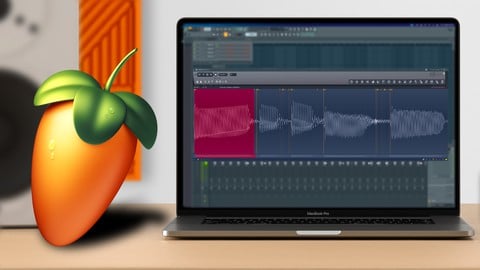
In this FL Studio 20 sampling course, We will go from start to finish learnings how to use FL Studio Edison for creating good loops, adding samples to FL Studio and finding the key of any samples you want to use.
We look at how to chop samples in different ways using FL Studio and then making beats from samples as well. And manipulate that audio using ADSR envelopes and filters to create ourselves new instruments and sounds.
If you want to become a sampling expert and be able to use samples more effectively in your music productions with FL Studio 20, This is the perfect course for you to begin with.

 Udemy Discount
The discount is applied through our link. Open the course from here and Udemy's current promotional price is applied at checkout on most courses, no code to type.
Some courses are excluded from Udemy's promotions. If the price does not drop, clear your browser cookies and use the button again.
Instructor Details

- 4.1 Rating
 87 Reviews
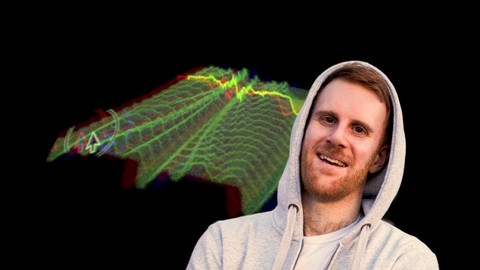
Scott Robinson
Scott Robinson aka Unders
Electronic music artist & Content creator for Waves Audio, IK Multimedia & Music Tech Student and Founder of Warrior Sound.
Scott has produced well over 1000 music production videos for a variety of company brands all in the niche of audio. Alongside this he produces music under the alias of "Unders" and "Warrior Sound Beats" and has produced a number of artist as well as mixing and mastering duties. Having a deeper understanding of the multiple ways to monetize music he is able to create multiple income streams from a single track.
You can find lot of content over at youtube around various music production subjects
 More courses by Scott Robinson
More Music Production courses

Electronic Music Production with Ableton Live (2025)
4.9 (2,479 Reviews)
 Provider: Udemy
 Time: 11.9h
$84.99

Garageband IOS (iPhone/iPad): The Complete Beginners Guide (2021)
4.9 (535 Reviews)
- Provider: Udemy
- Time: 3.5h
$10.99

How to Become a DJ - Learn How to Start DJing Online Today (2021)
4.8 (5,221 Reviews)
- Provider: Udemy
- Time: 10.8h
$17.99

Ultimate Sound Design: Mastering Sound Design (2026)
4.8 (1,998 Reviews)
- Provider: Udemy
- Time: 7.3h
$109.99


Ultimate Ableton Live 9 Complete: Parts 4, 5, & 6 (2026)
4.8 (512 Reviews)
- Provider: Udemy
- Time: 11.8h
$89.99
 Reviews

By Philippe Vaillancourt on 2/25/2026
I'm a beginner, so I am learning things, but the production quality is very poor. The resolution is too low to clearly see the UI text on screen half the time. Some of the lessons are obviously just Youtube videos that were repurposed. The course feels disjointed and lacks continuity. So far it feels like I would have been just as well off watching individual video tutorials on Youtube.
By Efrain Castro on 10/3/2023
good information. very helpful. only reason for a 4 star here is because the audio is not the greatest and the background music is a bit too loud.
By dave 7up on 7/27/2023
should have created a piece of music while using all the tools that were being shown and how to use them in the music piece
By Ricardo Castelo on 12/23/2022
I’ve bought other music production courses I feel they don’t go in depth into why things work and why they don’t and in 10 minutes spent on this course I learned a lot more about sampling
By Russell Watkins on 7/1/2021
There's a huge chunk missing from "4. Find any sample key" without which, I cannot fit root notes other than by ear and/or inspection of Edison's labelling. At the halfway point though, that was the only glitch. He is a bit fast sometimes meaning lots of pausing and backtracking to get the gist but overall, the presentation is pretty good. I think you need not to be an absolute beginner with FL Studio to get the most from this course.
By Cage on 11/27/2020
To put it short : Its a freaking goldmine ! Its like a guide you are going to keep coming back to, so. I am glad I chose this course. Thankyou @unders
By Nick Clarke on 8/26/2020
Great tutorials on how to get your sampling done in more ways than one and how to utilise those skills in creating unique music. Thanks Scott and well done mate.
By Jon on 8/24/2020
TO SHORT OF A CORSE AND I WANTED MORE TO BE TAUGHT.CAN YOU EXPLAIN HOW YOU PUT THE. WAV SAMPLE IMAGE IN THE PANIO ROLE.IT WOULD BE NICE IF YOOU COULD BRING US THROUGH A WHOLE PROSSE OF SAMPLING FROM A SONG AND MAKING A BEAT.
By Sean Pumper on 4/12/2020
Love this guys course, actually my favorite music teacher so far and Ive tried a few. The pace is right on, doesnt drag it out but doesnt go too fast either. Top notch stuff.
By Lieuwe Leeftink on 6/12/2019
In the first video's I've allready learned more about the Edison and how to use it as I did before so yes this course is allready for me one of the best, see what comes next in this course my expectations are high. This course is absolutely platinum for every FL Studio user, when you want the most out of the sampling process in FL Studio this course is the one you should have. I gave this course 5 stars but it could have been a million stars. Scott many thanks for creating this course !!!!
 Quality Score
No CourseDuck member has rated this course yet. Taken it? Give each part a thumbs up or down.
Overall Score : 82 / 100
- Video Duration:
 1.9h
1.9h - Price: $49.99
- Provider: Udemy
- Updated:
 February 2022
 - Level:
 All Levels
 - Language:
 English
 - Certificate:
 Yes
Yes
30-day money-back guarantee on most paid courses
Udemy Coupon Price Tracker
