
 Web Development
 Data Science
 Python
 SQL
SQL JavaScript
 Artificial Intelligence
 IT & Software
 IT Certifications
 Hacking
 AWS
AWS Arduino
 DevOps
 3D Modeling
 Graphic Design
 Photoshop
 Drawing
 Digital Painting
 UX Design
 Business
 Data Analysis
 Communication Skills
 Project Management
 Leadership & Management
 Human Resources
 Digital Marketing
 Social Media Marketing
 Marketing
 SEO
SEO Google Analytics
 Branding
 Excel
Excel Office Productivity
 SAP
SAP PowerPoint
 Microsoft Access
 SharePoint
 Finance & Accounting
 Trading & Investing
 Accounting
 Bitcoin
 Personal Finance
 Video Editing & Animation
 Photography
 Adobe Premier Pro
 Adobe Lightroom
 Personal Development
 Productivity
 Career Development
 Life Coaching
 Health & Fitness
 Meditation & Mindfulness
 Yoga
Yoga Music
Music Music Production
 Guitar
 Piano
Piano Singing
 Language Learning
 Teaching & Academics
 Engineering
 Math
Math Lifestyle
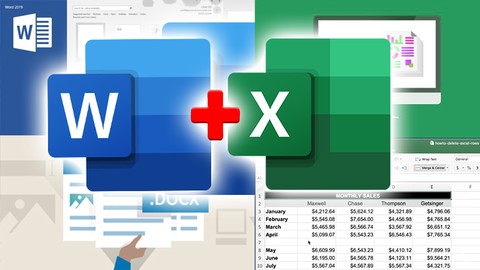
Office 365: Excel and Word BUNDLE - Beginner to expert (Udemy.com)
Master the essentials of the most popular Spreadsheet AND Word Processing tool, Microsoft Excel AND Word 2019
Created by: Tim Wright
Last updated June 2020
 What you will learn
- EXCEL: Format your data to look very professional
- EXCEL: Easily separate and combine data
- EXCEL: Create shapes like banners and arrows
- EXCEL: Create and run macros to automate work
- EXCEL: Use powerful functions and create custom formulas the easy way
- EXCEL: Format your data to look very professional
- EXCEL: Easily learn VLOOKUP
- WORD: Learn the MS Word interface
- WORD: Working with styles for professional looking documents
- WORD: Create Headers and Footers and numbered pages
- WORD: Create and control columns
- WORD: Insert illustrations, pictures, charts, icons, shapes, Smartart, and 3D graphics
- WORD: Create tables to organize text
- WORD: Create standardized and consistent styling
- WORD: Create numbered and bulleted lists
- WORD: Print and collaborate online
How it compares
Against the other 459 rated Udemy courses in Office Productivity on CourseDuck:
- Rating4.5 out of 5higher than 45% of them
- Reviews241#309 of 460 by number of reviews
- Length13.5 hourslonger than 86% of them
- Last updatedJune 2020earlier than 85% of them
 Course Description
Microsoft Excel and Word Course BUNDLE!
This course was designed to get you up and running with Microsoft Excel AND Microsoft Word as fast as possible. The course covers all the essentials that make up 80% of the day to day work in Excel and Word. Each lesson is carefully crafted to let you easily practice along and build your Excel and Word skills quickly.
This Microsoft Excel and Word course is up to date with all the latest features and enhancements. However it works great with 2019, 2013 and 2010 versions as well.
Enroll now to get over 13 hours and over 100 lessons of professional training!
Comfortable pace and easy English. Great for ESL.
Enroll now to go from a beginner in Excel and Word to an Intermediate user ready to tackle most day to day work in Excel and Word. Microsoft Excel is the most popular spreadsheet program in the world and Microsoft Word is the most popular word processor. I will be your guide using my 15 years experience as an instructional designer to quickly bring you up to speed on Word saving you months and even years of frustration.
Stop struggling through your daily tasks at work or wishing you had the skills to advance. Now you can quickly and easily go from beginner to intermediate step-by-step with clear video lessons and easy to use practice files designed just for this course.
When you have finished this course you will be able to perform the most popular Word functions and features and have the confidence to take on new challenges, responsibilities and opportunities.
Here are a few of the highly sought after skills you will acquire in Excel
Create attractive and effective spreadsheets
Sort and format large sets of data
Create and format tables quickly
Master useful functions like SUM, VLOOKUP, IF, AVERAGE, and many others
Create dynamic Pivot Tables and Pivot Charts
Automate your tasks with Macros
Secure workbooks and worksheets
Use conditional formatting to highlight data
Here are a few of the highly sought after skills you will acquire in Word:
Create Headers and Footers and numbered pages
Create and control columns
Insert illustrations, pictures, charts, icons, shapes, Smartart, and 3D graphics
Create tables to organize text
Create standardized and consistent styling
Create numbered and bulleted lists
Print and collaborate online
Enroll now and take the next step in making a real difference in your career and income potential. You are only a few clicks away from your new future!

 Udemy Discount
The discount is applied through our link. Open the course from here and Udemy's current promotional price is applied at checkout on most courses, no code to type.
Some courses are excluded from Udemy's promotions. If the price does not drop, clear your browser cookies and use the button again.
Instructor Details

- 4.5 Rating
 241 Reviews
Tim Wright
Tim Wright has been an Instructional Designer for 10 years and an Educator for over 20 years. Mr. Wright developed and taught a nationally recognized course taught in San Francisco and New York City.
Mr. Wright has a BFA Film School degree, a Secondary Education degree, and a Masters of Science degree in Technology Education.
As a consultant, Mr. Wright's clients include the Pennsylvania Veterans Affairs Dept., the Los Angeles Fire Dept, and the National Emergency Training Center in Bethesda Maryland.
Mr. Wright believes that anything can be learned if taught correctly.
 More courses by Tim Wright

Excel 2019: Beginner to Expert - 75 lessons - Easy English
4.6 (261 Reviews)
 Provider: Udemy
 Time: 9.9h
$59.99
More Office Productivity courses

AI-Powered Social Media Management: From Beginner to Pro (2025)
5.0 (211 Reviews)
- Provider: Udemy
- Time: 1.1h
$19.99

Microsoft Excel + AI: Go From Data Analysis to Visualization (2026)
4.9 (276 Reviews)
- Provider: Udemy
- Time: 3.8h
$10.99


Complete Introduction to Google Sheets Pivot Tables (2026)
4.8 (3,570 Reviews)
- Provider: Udemy
- Time: 2.9h
$64.99


Microsoft Excel - Managing Personal Finances with Excel (2024)
4.8 (810 Reviews)
- Provider: Udemy
- Time: 3h
$19.99
 Reviews

By Carina Saayman on 9/8/2026
Thank you, I've found your training very helpful and gain much knowledge. Your presentation is excellent and interesting to follow.
By Mwape Mukanu on 9/29/2025
It has been wonderful but I am using macbook, so It is difficult to follow what the instructor is saying as the keys / functions / commands are different to windows.
By KimberlyHope Scott on 3/7/2023
Excellent instructions thus far!
By Lisa-Marie Stewart on 11/15/2022
So far so good. I sent a question to my instructor two days ago, which I understand was the weekend. I would love a reply please. I wish to know if this course can be learnt on a Mac or not?
By Lisa Zuzik on 8/25/2022
The lesson was well taught and I learned a lot, but I think the instructor should have zoomed in more often than he did. The screen was tiny and blurry at times, makes it harder to learn. I would have liked more quiz questions, so I know that I remembered or understood everything in all of the lessons.
By Susan Robertson on 6/24/2022
I used word many years ago however for at least 15 years i have not worked on work. Wow what changes they have made to the programme, very interesting and now onto the next phase. thanks
By Liza Isobe on 5/24/2022
Lessons are great. They cover a lot of things that I have not noticed or used before.
By Ruth on 3/25/2022
I've only just started this course Microsoft Exel is something I've never really understood and I wanted to challenge myself. The explainations are very clear and even though I'm only on Section 3 I'm enjoying rather that enduring.
By Jorge Riva Portocarrero on 3/15/2022
It's very informative and useful. It helps me a lot to familiarize more functions in detail.
By Sandy Sawatzky on 8/9/2020
I have enjoyed this course very much. The Exel and Word Combo are both great. Tim has a great voice and is able to keep the course interesting. The only problem im having now is that the course is finished but it keeps telling me i have 118 our of 122 complete?
 Quality Score
No CourseDuck member has rated this course yet. Taken it? Give each part a thumbs up or down.
Overall Score : 90 / 100
- Video Duration:
 13.5h
13.5h - Price: $69.99
- Provider: Udemy
- Updated:
 June 2020
 - Level:
 Beginner
 - Language:
 English
 - Certificate:
 Yes
Yes
30-day money-back guarantee on most paid courses
Udemy Coupon Price Tracker
