
 Web Development
 Data Science
 Python
 SQL
 JavaScript
 Artificial Intelligence
 IT & Software
 IT Certifications
 Hacking
 AWS
 Arduino
 DevOps
 3D Modeling
 Graphic Design
 Photoshop
 Drawing
 Digital Painting
 UX Design
 Business
 Data Analysis
 Communication Skills
 Project Management
 Leadership & Management
 Human Resources
 Digital Marketing
 Social Media Marketing
 Marketing
 SEO
 Google Analytics
 Branding
 Excel
 Office Productivity
 SAP
 PowerPoint
 Microsoft Access
 SharePoint
 Finance & Accounting
 Trading & Investing
 Accounting
 Bitcoin
 Personal Finance
 Video Editing & Animation
 Photography
 Adobe Premier Pro
 Adobe Lightroom
 Personal Development
 Productivity
 Career Development
 Life Coaching
 Health & Fitness
 Yoga
 Meditation & Mindfulness
 Music
 Music Production
 Guitar
 Piano
 Singing
 Language Learning
 Teaching & Academics
 Engineering
 Math
 Lifestyle
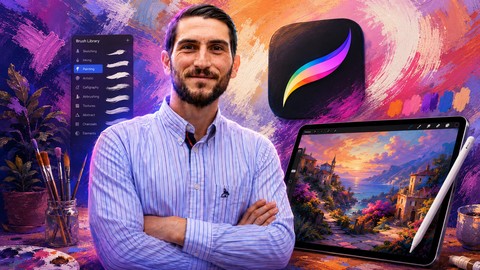
Procreate Academy. Ultimate Course, Digital Drawing on Ipad. (Udemy.com)
Best Selling Instructor-Top #1 Procreate Academy |Create Incredible Ilustrations & Digital Drawings on your Ipad pro
Created by: Andres Brachetta
Last updated March 2026
 What you will learn
- Master Procreate app for the Ipad
- Understand the basis of Digital Drawing
- Create Incredible Digital Drawings and Illustrations
- Shading and illumination
- Color Theory
- Create and Edit Procreate Brushes
- Master the Blending Modes in Procreate
- Differences between RGB and CMYK
- Advanced edition of Digital Drawings
- Different types of formats - JPEG, PNG, PROCREATE, PSD, PDF, TIFF
- Digitalize, Edit and Coloring Drawings made by hand
How it compares
Against the other 175 rated Udemy courses in Digital Painting on CourseDuck:
- Rating4.5 out of 5higher than 40% of them
- Reviews1,571#22 of 176 by number of reviews
- Length11.4 hourslonger than 84% of them
- Last updatedMarch 2026more recently than 88% of them
 Course Description
Best Seller Procreate Digital Drawing
check out the free videos and join Procreate Academy today
Nowadays, Procreate is the most powerful tool that we have to create Digital Drawings. *Available only for iPad
This app will allow you to create incredible drawings and illustrations with professional finishings.
Winner of 3 Apple Awards:
• Apple Design Award 2022
• Apple Design Award 2013
• iPhone App of the Year 2018 (pocket version)
In the Procreate Academy Course, you are going to learn how to fully dominate the App, from the basic tools as the Brush or the Smudge, up to the most advanced setup of Layers or Blending Modes.
This is the most complete course on Procreate available, given that it has 3 main study approaches:
• Procreate App
- Basic Tools of Procreate
- Advanced Functions of Procreate
- Layers
- Brushes
- Edition
- Blending Modes
• Digital Drawing Fundamentals
- Raster Image vs. Vector Image
- Color Mode / Color Spaces
- Format files / .JPEG, .PNG, .PSD, .PROCREATE, .TIFF, .PDF
- Blending Modes
- Curves
• Esencial Drawing Concepts.
- Shapes
- Shades
- Color
- Textures
These topics will also give you the base for other editing tools such as Photoshop, Affinity Photos, Corel and many other softwares.
The Procreate Academy Course was created for all kinds of students. Due to that, we are going to start from the very beginning (for people with no knowledge whatsoever on Digital Drawing) and it focuses on helping you to take your illustrations to the next level.
I applied all my experience as a professor at the National University of Rosario (my hometown in Argentina) to develop a solid Study Program, that will allow you to understand all the topics in a super easy way.
Furthermore, we have the original course dubbed from Spanish to English by a well-known translation firm, and, hence, we make it easier for you to understand every lesson.
ABOUT PROCREATE ACADEMY
• Over 8.775 students
• Over 12 hours of video lessons.
• Practical Exercises.
• Life-time access.
• Certificate of Completion.
• 30-day Refund Guarantee.
• Additional resources (Procreate Brushes, Color Swatches, and more)
ABOUT THE INSTRUCTOR
• 6 years as a professor at the National University of Rosario, Argentina.
• 6 times Best Selling Instructor on Udemy
• Over 18.669 reviews in Udemy
• Rated as 4.8 stars by my students
• Over 127.530 students learn with me in Udemy.
OUR 100% HAPPINESS GUARANTEE
If you're not happy with Procreate Academy, we have a 30-day 100% money back guarantee. There's no reason to hesitate in trying out this course.

 Udemy Discount
The discount is applied through our link. Open the course from here and Udemy's current promotional price is applied at checkout on most courses, no code to type.
Some courses are excluded from Udemy's promotions. If the price does not drop, clear your browser cookies and use the button again.
Instructor Details

- 4.5 Rating
 1,571 Reviews
Andres Brachetta
Desarrolla tu potencial creativo. Aprende conmigo online!
Estudié Arquitectura en la Universidad Nacional de Rosario. Donde enseñe por más de 6 años Expresión Gráfica, una materia que busca desarrollar la capacidades comunicativas de los alumnos.
Desde hace más de 10 años trabajo en el área de Marketing de diversas empresas.
• En 2014 fundé mi propia marca de indumentaria - Buxter.
• En 2018 fundé BuBu Academy una plataforma de educativa 100% online donde puedes aprender Marketing, Ventas, Edición Digital, Dibujo y muchas cosas más para potenciar tu carrera profesional.
Puedes clickar en el link para ir a conocer la plataforma.
Mi objetivo en BuBu Academy es poder acercar conocimientos técnicos que le permitan al alumno desarrollarse profesionalmente, pero haciendo énfasis no en las herramientas que aprenden sino en su capacidades creativas.
• En 2023 lanzamos Bubu Software una plataforma de Marketing Digital todo en uno, capaz de automatizar procesos de marketing para todo tipo de empresas, y ayudarles a realizar la Transformación Digital que su negocio necesita.
Actualmente cuento con 14 cursos en Udemy que suman más de 126.249 alumnos!
 More courses by Andres Brachetta
Drawing Academy - Creative Drawing, Illustration & Sketching (2024)
4.3 (313 Reviews)
 Provider: Udemy
 Time: 8h
$11.99
Original price More Digital Painting courses
Character Art School: Complete Coloring & Painting (2026)
4.8 (6,042 Reviews)
- Provider: Udemy
- Time: 19.5h
$34.99
Original price
Procreate: Solid Foundations (2026)
4.8 (5,508 Reviews)
- Provider: Udemy
- Time: 18.3h
$12.99
Original price
Mastering Brushstrokes - Part 1 (2026)
4.8 (2,385 Reviews)
- Provider: Udemy
- Time: 6.3h
$11.99
Original price
Procreate Masterclass: Digital Drawing on the iPad (2023)
4.8 (1,744 Reviews)
- Provider: Udemy
- Time: 18.2h
$14.99
Original price
Mastering Brushstrokes - Part 2 (2026)
4.8 (608 Reviews)
- Provider: Udemy
- Time: 5.7h
$11.99
Original price
Digital painting with Krita 5.0 intermediate level (2022)
4.8 (271 Reviews)
- Provider: Udemy
- Time: 6.8h
$11.99
Original price  Reviews

By Altug Pekin on 11/4/2024
I thought this course was about creating textures, making your own brushes in detail and drawing hacks and easy way to create more professional illustrations.
By Elijah Welch on 8/6/2023
The course was extremely informative and well done. There are certain areas in the video that had settings and different modes within the procreate app that you will have to navigate on your own because of the newer version updates of procreate, but it was easy to figure out and follow along. Very much recommend, it was worth the time an well made course.
By Nirmal Borsatti on 10/15/2022
Perfetto! Spiegato perfettamente e in ogni dettaglio: ci sono state parti peri sono che non sapevo che manco esitessero, ne son felice. Lo consiglio sopratutto per chi poi come me dimenticherà a furia di disegnare qualche dettaglio, infatti lo si può andare a rivedere. Però chiederei di far in modo a chi ha completato totalmente il corso di poter accedere ai video senza ogni volta dover saltare di 5sec….altrimenti solo per vedere una spiegazione specifica impiegherebbe una vita….se poi come me non ricorda dove era tale informazione…. È perso….
By Stacey Geary on 9/27/2022
I was overall very pleased with this course, and found the majority of it very helpful. I am experienced in traditional media, but was new to digital drawing and was seeking support in learning a new device and a new program. One of this course's strengths was helping me organize disparate information I had seen or read elsewhere and put it into context for both procreate and digital artwork as a whole. I had many many "aha!" moments as bits of information slid into place, or I finally saw how a technique I had heard of was actually used. The instructor was likeable and pleasant to listen to (even at 1.75x or 2x speed), the example artwork or visual aids was usually very relevant to what he was discussing, and the course was well organised, with many short videos which were often broken into even smaller sections, and everything is very well tagged for easy reference. I will find it very easy to return to this course to re-watch segments I might need to brush up on in the future. There were several sections that were more like very basic drawing instruction rather than anything having to do with procreate, and while I didn't personally find these sections useful, I feel like they might be for someone who is newer to art. The outstanding value of the rest of the course more than made up for these segments I did not need. I walked away from this course feeling confident that I have been at least introduced to the vast majority of what is possible with Procreate, and I feel well prepared to experiment with the various tools that it provides.
By Virginia Blackmon on 3/13/2021
I love how complete, clear and thorough the instructor is. I particularly enjoy Andres’ accent and seeing the work he’s done himself in interpreting and presenting the information in other than his native language. He has a true love for his topic and it shines through. I find myself going back through the lessons and lectures two years later so I definitely recommend this course to anyone and everyone because it holds up amazingly well.
By Nikoellsche on 11/30/2020
I'm only rating with 4 1/2 stars cause there're very few little things that need an update. The course itself was very helpful for me. Cause it's a perfect mix of general drawing/painting skills and transforming it into digital skills. Andres is also very very quick in responding to question in the comments and helped me through the few things I was struggling with because of the updated version of Procreate on my iPad. I'm pretty sure that I'll go back to specific chapters a lot during my practice!! Thanks a lot and keep on with the great work!!! Best from Cologne, Germany!! Nicole
By Irina Kuznetsova on 11/21/2020
This is Fantastic course. Thank you.
By Edwin Paulin on 11/14/2020
Easy to understand
By Gary Brown on 11/1/2020
The sound is terrible. It is muddy, with reverb. It can hardly be understood. I tried headphones as well as speakers. The voice of the narrator is awful. Content is excellent. I will try turning on captions.
By Valencia Brown on 10/21/2020
it help me very much, I thought I knew the app but I guess not I still have lots to do. but its what I expected
By Belen Rodriguez on 10/21/2020
I thought the course was good and I learned many things.
By Dash Art Designs on 10/17/2020
There really is alot of information , i really liked the chapter on the different color profiles , i felt most of the chapters were pretty basic if you already know a little about digital painting .
 Quality Score
No CourseDuck member has rated this course yet. Taken it? Give each part a thumbs up or down.
Overall Score : 90 / 100
- Video Duration:
 11.4h
- Price: $17.99
- Provider: Udemy
- Updated:
 March 2026
- Level:
 All Levels
- Language:
 English
- Certificate:
 Yes
30-day money-back guarantee on most paid courses
Udemy Coupon Price Tracker
