
 Web Development
 Data Science
 Python
 SQL
SQL JavaScript
 Artificial Intelligence
 IT & Software
 IT Certifications
 Hacking
 AWS
AWS Arduino
 DevOps
 3D Modeling
 Graphic Design
 Photoshop
 Drawing
 Digital Painting
 UX Design
 Business
 Data Analysis
 Communication Skills
 Project Management
 Leadership & Management
 Human Resources
 Digital Marketing
 Social Media Marketing
 Marketing
 SEO
SEO Google Analytics
 Branding
 Excel
Excel Office Productivity
 SAP
SAP PowerPoint
 Microsoft Access
 SharePoint
 Finance & Accounting
 Trading & Investing
 Accounting
 Bitcoin
 Personal Finance
 Video Editing & Animation
 Photography
 Adobe Premier Pro
 Adobe Lightroom
 Personal Development
 Productivity
 Career Development
 Life Coaching
 Health & Fitness
 Meditation & Mindfulness
 Yoga
Yoga Music
Music Music Production
 Guitar
 Piano
Piano Singing
 Language Learning
 Teaching & Academics
 Engineering
 Math
Math Lifestyle
Raspberry Pi with embedded Linux made by Yocto (Udemy.com)
Learn how to build your own embedded Linux for the Raspberry Pi and develop projects on it.
Created by: Barbara Hohensee
Last updated March 2017
 What you will learn
- Build an embedded Linux system that runs in Qemu.
- Build different types of embedded Linux systems for the Raspberry Pi.
- Configure Netbeans for remote development on the Raspberry Pi.
- Configure Qt Creator for remote development on the Raspberry Pi.
How it compares
Against the other 295 rated Udemy courses in Arduino on CourseDuck:
- Rating4.1 out of 5higher than 19% of them
- Reviews265#114 of 296 by number of reviews
- Length1.4 hoursshorter than 91% of them
- Last updatedMarch 2017earlier than 96% of them
 Course Description
Yocto is a software framework for embedded Linux systems.
It is used by the community and the leading industry in embedded systems.
To have Yocto skills is interesting for anyone working with embedded systems.
Yocto supports a number of embedded hardware platforms, like the BeagleBone Black, Raspberry Pi and many others.
The knowledge of building an embedded Linux for the Raspberry Pi can be a starting point for building embedded Linux for any micro controller.
This procedure we're going through is for any Raspberry Pi, but, if you wanna create programs in Qt5, you need to have a Raspberry Pi 3.

 Udemy Discount
The discount is applied through our link. Open the course from here and Udemy's current promotional price is applied at checkout on most courses, no code to type.
Some courses are excluded from Udemy's promotions. If the price does not drop, clear your browser cookies and use the button again.
Instructor Details

- 4.1 Rating
 265 Reviews
Barbara Hohensee
My name s Barbara, I am a former teacher for German and Computer Science in a physical classroom.
Several years ago, I made a change and work now as a teacher Online.
I am also a passionate Embedded Developer, Entrepreneur and Product Owner with many years of experience creating Websites and eCommerce.
 More courses by Barbara Hohensee
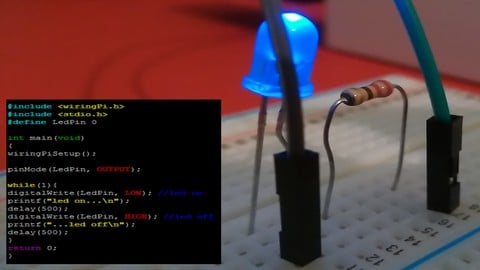
Introduction to C Programming for the Raspberry Pi (2017)
3.7 (98 Reviews)
 Provider: Udemy
 Time: 3.2h
$54.99
More Arduino courses


Learn to Build a Computer (PC) in 2026 - all types!
4.9 (245 Reviews)
- Provider: Udemy
- Time: 6.1h
$74.99

Raspberry Pi For Beginners - 2026 Complete Course
4.8 (3,105 Reviews)
- Provider: Udemy
- Time: 10.6h
$89.99

Ultimate Guide to Raspberry Pi : Tips, Tricks and Hacks (2023)
4.8 (2,363 Reviews)
- Provider: Udemy
- Time: 5.2h
$69.99

Mastering Microcontroller: STM32-LTDC, LCD-TFT, LVGL (MCU3) (2026)
4.8 (487 Reviews)
- Provider: Udemy
- Time: 8.1h
$79.99

Arduino Step by Step: Getting Started (2024)
4.7 (8,714 Reviews)
- Provider: Udemy
- Time: 21.4h
$159.99
 Reviews

By Russ Mollica on 3/14/2023
Enjoyed the course! Would suggest adding material that describes how Yocto project resources add to the functionality of the base Raspian OS. Was not clear to me how Yocto layers added which functionality (e.g.: GUI, GPIO access).
By Jasper Liao on 8/26/2021
Brilliant tutorial for beginners! I studied Yocto by myself for a few days still couldn't get the idea. After watching this course all things came together. Thanks!
By Kursat Ozcan on 4/20/2021
Thanks to author for this condensed and well structured tutoring. Excellent to get started with embedded linux development.
By Manish Kumar Mandal on 2/13/2019
course content can be useful to get the yocto project introduction on raspberry pi but it cannot be used to debug error message and advance concepts, such videos are freely available on youtube if we are paying we shoud get professional tuition.
By Ganda Utama on 7/6/2018
To the point. Building yocto image can be difficult. But I am sure I can succeed with this course.
By George C Rosar on 6/9/2018
I'm looking at building several different yocto images including raspberry pi, beaglebone, intel-edison and Xilinx Zynq and this may help out in some of the areas I've run into problems.
By Tarak Patel on 3/17/2018
The course was perfect and was in great detail about basic and it was really helpul in compare to reading official documentation but I also like to know more about customizing yocto images and what else I can do with yocto project.
By Sofie Isaksson on 12/21/2017
Well explained, and I like the fact that I can download the ready-made images and test them before I make them by myself. This helps to understand how it should work when its ready.
By Jean-Francois Pelletier on 11/3/2017
The start of the course was good. But, it's explain in details like how to use recipe, bbclass. We have some example on bitbake image but I try to create my custom image and don't know where to start even after viewing the videos.
By Arikotla Vijay Santhosh Kumar on 4/5/2017
The content is informative it opens up ideas to work with Linux and i didnt know anything about yocto project or Rasbberry pi i come from India and I run a non profit i can look into distrubuting Raspberry Pis to the students here thanks UDEMY
 Quality Score
No CourseDuck member has rated this course yet. Taken it? Give each part a thumbs up or down.
Overall Score : 82 / 100
- Video Duration:
 1.4h
1.4h - Price: $19.99
- Provider: Udemy
- Updated:
 March 2017
 - Level:
 Intermediate
 - Language:
 English
 - Certificate:
 Yes
Yes
30-day money-back guarantee on most paid courses
Udemy Coupon Price Tracker
