
 Web Development
 Data Science
 Python
 SQL
SQL JavaScript
 Artificial Intelligence
 IT & Software
 IT Certifications
 Hacking
 AWS
AWS Arduino
 DevOps
 3D Modeling
 Graphic Design
 Photoshop
 Drawing
 Digital Painting
 UX Design
 Business
 Data Analysis
 Communication Skills
 Project Management
 Leadership & Management
 Human Resources
 Digital Marketing
 Social Media Marketing
 Marketing
 SEO
SEO Google Analytics
 Branding
 Excel
Excel Office Productivity
 SAP
SAP PowerPoint
 Microsoft Access
 SharePoint
 Finance & Accounting
 Trading & Investing
 Accounting
 Bitcoin
 Personal Finance
 Video Editing & Animation
 Photography
 Adobe Premier Pro
 Adobe Lightroom
 Personal Development
 Productivity
 Career Development
 Life Coaching
 Health & Fitness
 Meditation & Mindfulness
 Yoga
Yoga Music
Music Music Production
 Guitar
 Piano
Piano Singing
 Language Learning
 Teaching & Academics
 Engineering
 Math
Math Lifestyle
Selenium Automation Testing with Java + AI (2026 Edition) (Udemy.com)
Master Selenium WebDriver Automation Testing with Java, TestNG — Build AI-Powered, GPT-Driven Selenium Test Automation
Created by: TechLynk Selenium
Last updated February 2026
 What you will learn
- Master Selenium WebDriver with Java (Selenium 4.x)
- Build POM, Hybrid, and AI-driven Automation Frameworks
- Integrate TestNG, Maven, and Extent Reports
- Use GPT APIs to generate test scripts and locators
- Heal failing tests using AI-based locators
- Integrate with Jenkins, GitHub Actions & Docker
- Perform Visual Testing with OpenAI Vision / Applitools
- Generate AI-driven test reports and CI/CD summaries
How it compares
Against the other 108 rated Udemy courses in Selenium on CourseDuck:
- Rating4.5 out of 5higher than 54% of them
- Reviews8,012#9 of 109 by number of reviews
- Length74.2 hourslonger than 96% of them
- Last updatedFebruary 2026more recently than 80% of them
 Quality Score
Overall Score : 90 / 100
 Course Description
Selenium Automation Testing with Java + AI: The Complete Test Automation & CI/CD Bootcamp (2026 Edition)
Are you ready to take your automation career to the next level?
This course is your complete, up-to-date guide to mastering Selenium WebDriver + Artificial Intelligence (AI) for real-world automation testing, CI/CD integration, and intelligent framework design.
You’ll learn how to automate smarter, faster, and more intelligently — combining the power of Selenium + TestNG + Jenkins with the innovation of OpenAI, GPT models, and self-healing test frameworks.
This course goes beyond traditional test automation. You’ll learn to:
Generate Selenium test cases directly from user stories using AI.
Heal broken locators automatically with GPT-based suggestions.
Run tests using natural language commands (“Test login with invalid user”).
Integrate AI with TestNG reports and CI/CD pipelines for smart summaries.
Validate UIs visually using AI-driven image comparison.
What You Will Learn
Core Selenium Automation
Selenium WebDriver from beginner to advanced
Locators, XPath, CSS selectors
Handling alerts, frames, waits, and dynamic elements
Multi-browser testing (Chrome, Firefox, Edge)
WebTables, Calendars, and file uploads
Frameworks & Best Practice
TestNG, Maven, Extent Reports, Log4j
Page Object Model (POM) + Page Factory
Data-Driven, Keyword-Driven & Hybrid Frameworks
Cucumber BDD Integration
Centralized Reporting & Failure Handling
AI-Powered Test Automation
Generate test cases from requirements using GPT
AI-driven XPath and locator healing
Visual testing with OpenAI Vision or Applitools
Natural Language Test Execution (NLP Commands)
GPT-based result summarization in CI/CD pipelines
DevOps & CI/CD Integration
Jenkins & GitHub Actions for continuous testing
Git & GitHub version control integration
Selenium Grid for distributed execution
Containerized testing with Docker
Bonus Topics
Playwright vs Selenium — modern comparison
Robot Class, AutoIt, and JavaScriptExecutor
Working with JSON/YAML data files
Password encryption and secure test data handling
Tools & Technologies Covered
Selenium WebDriver 4.x
Core Java, Java Collections
TestNG, Maven, Jenkins
OpenAI GPT API, LangChain, AI Agents
Extent Reports, Allure, Log4j
Selenium Grid, Docker, Git & GitHub Actions
By the End of This Course, You Will
Be confident in building, running, and scaling Selenium + AI test frameworks
Automate end-to-end test scenarios using modern tools
Integrate automation with CI/CD pipelines for real projects
Master future-ready QA skills demanded in 2026 job markets
Why This Course Stands Out
Over 70+ hours of practical video content
Hands-on projects and AI-based test examples
Fully updated for 2026 with Selenium 4, GPT, LangChain & CI/CD
Lifetime access with continuous updates
80,000+ learners have already benefited from this course
Join the next generation of QA automation engineers —
Enroll today and learn how to build intelligent, AI-powered test automation frameworks with Selenium!

 Udemy Discount
The discount is applied through our link. Open the course from here and Udemy's current promotional price is applied at checkout on most courses, no code to type.
Some courses are excluded from Udemy's promotions. If the price does not drop, clear your browser cookies and use the button again.
Instructor Details
- 4.5 Rating
 8,012 Reviews
TechLynk Selenium
Sometimes, reaching out and taking someone's hand is the beginning of a journey. We often need someone to helps us take the first few steps before we get a master's in that move.
This is the vision we have behind all of our courses 'Step by Step'
1. Start from scratch
2. Break down the topic
3. Simplify things
4. Go step by step
Teaching is our passion and we design every course so you can start from scratch, knowing nothing about a topic and become an expert after the course and can work on enterprise projects.
Do not worry if you do not have any existing knowledge of the subject. We will go very basic, step by step.
Let's Get Started...
FutureTech9
********************************************************************
All courses under our banner comes with life-time support and you can ask me questions whenever you face any issues or just want to discuss anything with me or need my suggestions.
********************************************************************
 More courses by TechLynk Selenium

DevOps MasterClass: Terraform Kubernetes Ansible Docker (2025)
4.6 (7,230 Reviews)
 Provider: Udemy
 Time: 76.4h
$19.99

Google Cloud (GCP) MasterClass : GCP Live Projects (2025)
4.5 (2,391 Reviews)
- Provider: Udemy
- Time: 31h
$94.99

API Testing Masterclass from Scratch (Postman+Rest Assured) (2026)
4.6 (2,235 Reviews)
- Provider: Udemy
- Time: 36.1h
$10.99

The Complete Jenkins DevOps CI/CD Pipeline Bootcamp (2025)
4.3 (2,165 Reviews)
- Provider: Udemy
- Time: 10h
$10.99

Kubernetes with HELM: Kubernetes for Absolute Beginners (2025)
4.5 (1,306 Reviews)
- Provider: Udemy
- Time: 16.2h
$11.99
Google Cloud Professional Cloud Architect: GCP Certification (2025)
4.6 (819 Reviews)
- Provider: Udemy
- Time: 22.4h
$84.99
More Selenium courses

Appium Mobile Automation - Android & iOS + Frameworks + CICD (2024)
4.7 (2,620 Reviews)
- Provider: Udemy
- Time: 40h
$84.99

Learn Selenium with Python, PyTest & Frameworks (2025)
4.7 (2,394 Reviews)
- Provider: Udemy
- Time: 46.7h
$79.99
Selenium WebDriver 4, Cucumber BDD, Java & More! (2025)
4.7 (2,145 Reviews)
- Provider: Udemy
- Time: 10.1h
$84.99

Java Design Patterns & Devops to build Selenium Framework (2022)
4.7 (917 Reviews)
- Provider: Udemy
- Time: 7.2h
$59.99
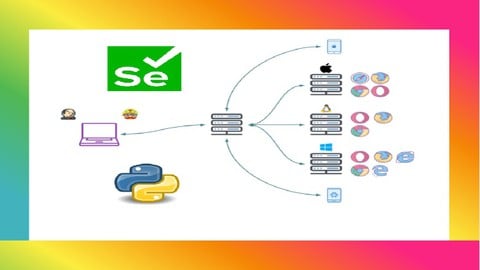
Selenium Python with Behave BDD(Basic + Advance + Architect) (2026)
4.7 (735 Reviews)
- Provider: Udemy
- Time: 24.1h
$74.99
Selenium Webdriver with Java & TestNG Testing Framework (2026)
4.7 (460 Reviews)
- Provider: Udemy
- Time: 11h
$11.99
 Reviews

By Alec Freeman on 8/21/2026
A lot of the configurations have changed (thats just tech/software) but, if you can get everything downloaded the information is still great!
By Rafał Krawczyk on 7/24/2026
It is obvious that the author has extensive knowledge and a lot to teach. However, he doesn't remove obsolete parts, what creates a very heavy course, which is hard to follow and confusing, because some topics are covered several times. On the other hand, if he codes something once, he will copy the code later, without explaining it. Mixed feelings.
By Jonathan Saddler on 7/23/2026
I fully completed the Master in Selenium WebDriver, Part 1, 2, and 3 sections. I am interested in applying deep selenium knowledge using webtables, webforms, radios, dropdowns, and screenshots in my place of work, and content on all five of these topics was included. The web applications covered for automation demonstration included some in the earlier parts of these sections that were hard to follow along with. One of the first applications presented in Part 1 in particular for instance has changed so drastically from the one shown in lecture, that it was not as easy to automate in late 2026 via instructions given. However, toward the middle of Part 2, utilizing the fact Selenium can pick up on local files on the hard drive, I had enough knowledge to test on sites I had downloaded and/or modified locally. I'd say the content in these two sections was highly effective in giving background knowledge in these areas and some additional ones like JavaScript automation I was pleased to learn about. 4 stars since not all of them were effective.
By Siva A on 7/18/2026
the second coding excersise has something related to dynamic programming instead of OOPS, which is not part of the curriculam and expecting the learner to complete was not so good.
By Tanya Taylor on 6/17/2026
This course perfectly captures the 2026 evolution of test automation. Mastering Selenium with integrated AI agents is now essential, and this curriculum provides a clear, highly professional roadmap.
By Sathwik on 4/14/2026
This course delivers a comprehensive and practical approach to Selenium automation testing with Java, enhanced by modern AI concepts that make learning both relevant and future-ready. The clear explanations and hands-on examples make it a rare and valuable experience for learners at any level. Each module focuses on building real-world testing skills that can be applied immediately. Overall, it stands out as an excellent course for mastering automation testing with confidence.
By Sigrid Thiel on 4/10/2026
I loved the focus on real-world AI applications in testing. It’s the most comprehensive 2026 guide for anyone serious about modernizing their automation skills.
By Lavanya on 4/4/2026
Selenium Automation Testing with Java AI 2026 Edition is an excellent course for beginners and professionals. It explains concepts in a simple and practical way that is easy to follow. The hands on examples and real world scenarios make learning effective and engaging. Highly recommended for anyone looking to build strong automation testing skills.
By Theo Lewis on 3/26/2026
This course delivers an outstanding blend of practical Selenium automation with Java and cutting-edge AI integration. Clear explanations, hands-on projects, and modern updates make it a truly enriching learning experience.
By Abbas Chaudhari on 12/15/2025
Selenium Automation Testing with Java + AI (2026 Edition) is a powerful and up-to-date course that blends automation skills with modern AI techniques. Perfect for mastering real-world testing with confidence!
By Kalim Riaz
Going good
By Asif Nisar
Instructor tried several times to show that TestNG was installed, but he could not and all of a sudden mysteriously TestNG showed up in Run As... context menu. He did not elaborate what magic he did to get it working. Video blinked for a second and things were working. Also, his installation of TestNG does not look like standard installation. It seems like he already has Maven installed on his machine but he did not explain why his screen looked different than his student would see.

- Video Duration:
 74.2h
74.2h - Price: $18.99
- Provider: Udemy
- Updated:
 February 2026
 - Level:
 All Levels
 - Language:
 English
 - Certificate:
 Yes
Yes
30-day money-back guarantee on most paid courses
Udemy Coupon Price Tracker
