
 Web Development
 Data Science
 Python
 SQL
 JavaScript
 Software Development
 IT & Software
 IT Certifications
 Hacking
 Microsoft Azure
 AWS
 Arduino
 3D Modeling
 Graphic Design
 Photoshop
 Drawing
 Digital Painting
 UX Design
 Business
 Data Analysis
 Communication Skills
 Project Management
 Leadership & Management
 Human Resources
 Digital Marketing
 Social Media Marketing
 Marketing
 SEO
 Google Analytics
 Branding
 Excel
 Office Productivity
 SAP
 PowerPoint
 Microsoft Copilot
 Microsoft Access
 Finance & Accounting
 Trading & Investing
 Accounting
 Bitcoin
 Personal Finance
 Video Editing & Animation
 Photography
 Adobe Premier Pro
 Adobe Lightroom
 Personal Development
 Productivity
 Career Development
 Life Coaching
 Health & Fitness
 Yoga
 Meditation & Mindfulness
 Music
 Music Production
 Guitar
 Piano
 Singing
 Teaching & Academics
 Engineering
 Language Learning
 English Language
 Math
 Lifestyle
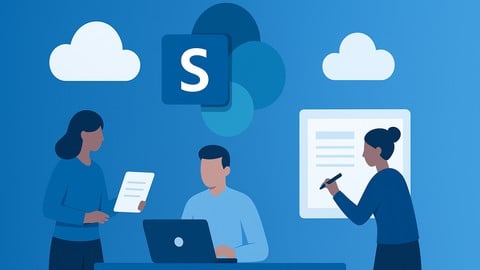
SharePoint Basics: Learn Microsoft SharePoint from Scratch (Udemy.com)
Master the essentials of Microsoft SharePoint to collaborate, manage documents, and build efficient team sites with ease
Created by: Abdullah Butt
Last updated November 2025
 What you will learn
- Understand what Microsoft SharePoint is and how it works
- Create and manage team sites and document libraries
- Upload, organize, and share files securely
- Manage user permissions and access levels
- Integrate SharePoint with Microsoft 365 tools
- Customize pages and navigation
- Apply best practices for collaboration and document management
How it compares
Against the other 417 rated Udemy courses in Office Productivity on CourseDuck:
- Rating4.9 out of 5higher than 98% of them
- Reviews66#390 of 418 by number of reviews
- Length1.6 hoursshorter than 82% of them
- Last updatedNovember 2025more recently than 57% of them
 Course Description
NOTE: "This course contains the use of artificial intelligence."
I am disable from voice and I used Artificial intelligence voice.
Welcome to SharePoint Basics, your step-by-step guide to understanding and using Microsoft SharePoint effectively. Whether you’re a complete beginner or someone who has heard of SharePoint but never really used it, this course will walk you through everything you need to know to confidently manage and collaborate within your organization.
SharePoint is a powerful web-based platform by Microsoft that helps teams work together, share information, and manage projects efficiently. In this course, you’ll learn how to create and manage team sites, organize documents, set permissions, and collaborate seamlessly with your team members. You’ll also explore how SharePoint integrates with Microsoft 365 apps like Teams, OneDrive, and Outlook to boost productivity and streamline workflows.
Through practical examples and clear demonstrations, you’ll learn how to create lists, libraries, and workflows that make managing your content easy. You’ll understand how to use SharePoint Online effectively, customize pages, and apply best practices for organizing data securely.
By the end of this course, you’ll have the knowledge and confidence to use SharePoint to improve collaboration, communication, and content management in your workplace. Whether you’re a student, business professional, or IT enthusiast, this course is your first step to mastering Microsoft SharePoint.

 Udemy Discount
The discount is applied through our link. Open the course from here and Udemy's current promotional price is applied at checkout on most courses, no code to type.
Some courses are excluded from Udemy's promotions. If the price does not drop, clear your browser cookies and use the button again.
Instructor Details

- 4.9 Rating
 66 Reviews
Abdullah Butt
Hello! I’m Abdullah Butt, I am disable from voice and I used Artificial intelligence voice , a dedicated instructor who loves sharing knowledge and helping learners grow their skills. My focus is on creating simple, practical, and easy-to-follow courses that anyone can learn from—whether you’re a complete beginner or looking to sharpen your existing knowledge.With a passion for teaching and technology, I believe learning should be engaging and accessible to everyone. My goal is to help you gain confidence and achieve your personal and professional goals through step-by-step learning experiences.
 More courses by Abdullah Butt
Adobe Lightroom Masterclass: From Beginner to Pro Photo Edit (2025)
4.5 (68 Reviews)
 Provider: Udemy
 Time: 2.4h
$11.99
Original price
Mastering SharePoint Online: The Complete Guide for Modern C (2025)
5.0 (66 Reviews)
- Provider: Udemy
- Time: 1.4h
$19.99
Access Advance: Mastering Advanced Microsoft Access for Data (2025)
4.6 (56 Reviews)
- Provider: Udemy
- Time: 1.6h
$19.99
SharePoint Power: Master Microsoft SharePoint for Work (2025)
4.9 (55 Reviews)
- Provider: Udemy
- Time: 2.1h
$19.99
Adobe Photoshop Masterclass: From Beginner to Expert (2025)
4.6 (47 Reviews)
- Provider: Udemy
- Time: 3h
$10.99
Original price
Mastering Advanced Adobe Captivate: Build Interactive eLearn (2025)
4.9 (45 Reviews)
- Provider: Udemy
- Time: 2.8h
$11.99
Original price More Office Productivity courses

AI-Powered Social Media Management: From Beginner to Pro (2025)
5.0 (211 Reviews)
- Provider: Udemy
- Time: 1.1h
$11.99
Original price
Microsoft Excel + AI: Go From Data Analysis to Visualization (2026)
4.9 (276 Reviews)
- Provider: Udemy
- Time: 3.8h
$10.99
Original price
Google Sheets Fundamentals (2021)
4.9 (177 Reviews)
- Provider: Udemy
- Time: 1.1h
$11.99
Original price
Complete Introduction to Google Sheets Pivot Tables (2026)
4.8 (3,570 Reviews)
- Provider: Udemy
- Time: 2.9h
$12.99
Original price
Achieve Inbox Zero Today! (2024)
4.8 (855 Reviews)
- Provider: Udemy
- Time: 36 mins
$11.99
Original price
Microsoft Excel - Managing Personal Finances with Excel (2024)
4.8 (810 Reviews)
- Provider: Udemy
- Time: 3h
$11.99
Original price  Reviews

By Herry on 9/14/2026
- Short lessons that keep you hooked. Well done.
By tony on 9/5/2026
I enjoyed this lesson because it explained the topic without making it unnecessarily complicated. The instructor's approach was easy to follow, and the examples gave the concepts some practical context. The video also had a good pace, so it was easy to stay engaged. Overall, a helpful and informative lesson.
By Alfred on 8/24/2026
- The projects are portfolio worthy. Highly recommend.
By Foxemab on 7/5/2026
- Instructor explains everything step by step. Loved it.
By aumton on 6/4/2026
Excellent course with high-quality content and clear explanations. The lessons are concise yet detailed enough to provide a solid foundation. I gained practical skills that I can immediately apply in real-world projects
By jennings on 5/19/2026
An excellent learning experience from start to finish. The content is well organized, engaging, and highly useful for improving both knowledge and practical skills
By liam on 5/12/2026
Outstanding course! The instructor’s communication skills and depth of expertise make this one of the most useful courses available on Udemy.
By Benjamin on 5/8/2026
The instructor explains every concept with remarkable clarity, making even difficult topics easy to understand
By scarlett on 5/5/2026
The instructor maintains a consistent and authoritative teaching style
By Margaret Field on 3/25/2026
easy to follow, presents a simpler view which is helpful for how I learn
 Quality Score
No CourseDuck member has rated this course yet. Taken it? Give each part a thumbs up or down.
Overall Score : 98 / 100
- Video Duration:
 1.6h
- Price: $19.99
- Provider: Udemy
- Updated:
 November 2025
- Level:
 Beginner
- Language:
 English
- Certificate:
 Yes
30-day money-back guarantee on most paid courses
Udemy Coupon Price Tracker
