
 Web Development
 Data Science
 Python
 SQL
SQL JavaScript
 Artificial Intelligence
 IT & Software
 IT Certifications
 Hacking
 AWS
AWS Arduino
 DevOps
 3D Modeling
 Graphic Design
 Photoshop
 Drawing
 Digital Painting
 UX Design
 Business
 Data Analysis
 Communication Skills
 Project Management
 Leadership & Management
 Human Resources
 Digital Marketing
 Social Media Marketing
 Marketing
 SEO
SEO Google Analytics
 Branding
 Excel
Excel Office Productivity
 SAP
SAP PowerPoint
 Microsoft Access
 SharePoint
 Finance & Accounting
 Trading & Investing
 Accounting
 Bitcoin
 Personal Finance
 Video Editing & Animation
 Photography
 Adobe Premier Pro
 Adobe Lightroom
 Personal Development
 Productivity
 Career Development
 Life Coaching
 Health & Fitness
 Meditation & Mindfulness
 Yoga
Yoga Music
Music Music Production
 Guitar
 Piano
Piano Singing
 Language Learning
 Teaching & Academics
 Engineering
 Math
Math Lifestyle
Solid Edge the complete guide (Udemy.com)
Learn Solid Edge Community Edition CAD software
Created by: Nicolas Forgue
Last updated July 2025
 What you will learn
- Edit dashboard
- Master navigation
- Work with views
- Edit styles
- Create sketches
- Edit sketches
- Add constraints
- Create repetitions
- Add dimensions
- Add text
- Create extrusions
- Create revolutions
- Create sweeps
- Create lofts
- Create fillets
- Create chanfers
- Add plans
- Add colors
- Add materials
- Create renders
- Create sheet metal
- Use pages
- Create assembly
- Create parts
- Create objects
How it compares
Against the other 413 rated Udemy courses in Graphic Design on CourseDuck:
- Rating4.5 out of 5higher than 49% of them
- Reviews134#275 of 414 by number of reviews
- Length15.6 hourslonger than 83% of them
- Last updatedJuly 2025more recently than 52% of them
 Course Description
Solid Edge
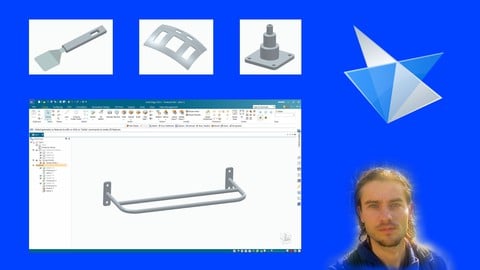
Solid Edge is a powerful CAD software. Its features are impressive. It allows to create products with all design steps. Its features make it possible to work on sketches with many tools. Then, once this work is done, it is possible to convert these sketches into 3D models with various features. Create extrusions, revolutions, lofts and sweeps. Solid Edge also allows you to work with surfaces. It is possible to add materials to the models. Solid Edge also offers features to create assemblies and introduce models on pages. Designs can be used to make prints.
Community Edition Version
This is the free version of Solid Edge. It offers most of the features of the commercial version with a few exceptions. It is not possible to send files to other users. The tools are the same but may be presented differently. For the rest, this version is perfect for people who want to start in CAD with advanced software that has many features. It converts ideas into a 3D model. It is also possible to print drawings and models.
Training course
In this training you will learn how to use Solide Edge Community Edition software for CAD. Step by step, you will learn the different features to create 3D models. Using the dashboard, working with the sketches using the different tools. You will learn how to convert sketches into a 3D model, with the different features, explained with concrete examples. Working with surfaces, adding material, creating renders, or even assembling parts. Many training sessions will allow you to apply the features seen in the course.

 Udemy Discount
The discount is applied through our link. Open the course from here and Udemy's current promotional price is applied at checkout on most courses, no code to type.
Some courses are excluded from Udemy's promotions. If the price does not drop, clear your browser cookies and use the button again.
Instructor Details

- 4.5 Rating
 134 Reviews
Nicolas Forgue
Bonjour à tous et bienvenue sur mon profil, je m'appelle Nicolas. Fort de mon expérience et de mes compétences, je propose des formations dans plusieurs domaines. Mes niches principales sont le graphisme design, la retouche photo, la modélisation 3D et l'animation 2D. Je partage donc ces compétences avec toutes les personnes désirant apprendre. Je m'efforce de proposer des cours structurés et adaptés aux besoins des participants. C'est un réel plaisir que de créer et de proposer ces formations, en espérant vous apporter une réelle valeur ajoutée. N'hésitez pas à participer à mes cours !
Hello everyone and welcome to my profile, my name is Nicolas. With my experience and skills, I offer training in several areas. My main niches are graphic design, photo editing, 3D modeling and 2D animation. So I share these skills with everyone who wants to learn. I strive to offer courses that are structured and adapted to the needs of participants. It is a real pleasure to create and offer these courses, hoping to bring you real added value. Feel free to participate in my classes !
 More courses by Nicolas Forgue

Affinity Photo version 2 le cours complet (2024)
4.2 (139 Reviews)
 Provider: Udemy
 Time: 14.4h
$39.99

More Graphic Design courses

Adobe InDesign - From Basics to Professional Level Designs (2024)
4.9 (320 Reviews)
- Provider: Udemy
- Time: 11.4h
$84.99

Shop Drawing & Details-Autodesk Revit 2025- for BIM Modelers
4.9 (300 Reviews)
- Provider: Udemy
- Time: 30.9h
$10.99

The Adobe Illustrator CC Mastery Course: Basics to Pro + AI (2026)
4.9 (268 Reviews)
- Provider: Udemy
- Time: 30.8h
$19.99


Software Architecture & System Design Practical Case Studies (2026)
4.8 (2,584 Reviews)
- Provider: Udemy
- Time: 4h
$15.99

Graphic Design Masterclass: Design 40+ Projects in Photoshop (2025)
4.8 (668 Reviews)
- Provider: Udemy
- Time: 16.5h
$109.99
 Reviews

By Vahit Aras Sen on 7/29/2026
I like the course a lot. He mentioned almost all of the buttons and a good teacher. This software also resembles SolidWorks alot. If you know it, this one will be easy for you.
By Jiomar Hernandez Velez on 11/24/2025
Yes, it was great! My only opinion is that when you're trying to hear the gentleman explaining how about using the tab Esc for move the vertex of each figure, it didn't work for my laptop, sou I have to figurate out witch tab on my keybord will do that modification and it was press and hold the tab (alt).
By Tim Diesing on 4/22/2025
Gute Erklärungen der einzelnen Features, einfach nachzuvollziehen.
By Cliff Normand on 2/23/2025
I've been working on Solid Edge proficiency for a couple months relying heavily on this course, additional research and hours of practice. Overall, I'd say this course is a good general resource as I often need to dig deeper for some of the more complicated tool performance details.
By Patrick McGinn on 12/29/2024
The course was very helpfull to obtain a basic user knowledge of Solid Edge, which was exactly I was interested to obtain.
By Stephen Hartshorn on 12/17/2024
The course is a good overview of the drafting package, Unfortunately the tutors pronouncation of English is not to good and needed a little concentration to work out.
By Rahul Sutar on 6/24/2024
Covers all basics of solid edge like part, surface modelling, drafting and assembly. need to improve some expiations as there was lack of information by trainer. overall its okay for beginners.
By Ashish Marotkar on 3/10/2024
Super !! With in few days my skills improved.
By Chris Formenton on 10/3/2023
When writing this review, I was at the stage of learning the drawing elements: lines, rectangles, circles, etc. The course is taught well and thoroughly by the instructor.
By Philip Zayas on 8/9/2023
I'm delighted to share my experience with Nicolas Forgue's CAD modeling course. It's my second time learning from him, and I am truly grateful for the thoroughness he has put into creating this exceptional online training. Nicolas has a talent for explaining complex concepts with clarity and depth, making it easy to understand the tools, options, and modeling tips. His patience and attention to detail ensure a solid understanding and proficiency with the software. Although I'm a beginner with Solid Edge, I already feel more confident after just a few hours of the course. Nicolas' teaching style accelerates the learning process, allowing me to grasp the software quickly and navigate its features effectively. Overall, Nicolas Forgue's CAD modeling course is an invaluable resource for anyone wanting to improve their skills. With his expertise and teaching abilities, this course provides an immersive, enlightening, and worthwhile learning experience.
 Quality Score
No CourseDuck member has rated this course yet. Taken it? Give each part a thumbs up or down.
Overall Score : 90 / 100
- Video Duration:
 15.6h
15.6h - Price: $69.99
- Provider: Udemy
- Updated:
 July 2025
 - Level:
 All Levels
 - Language:
 English
 - Certificate:
 Yes
Yes
30-day money-back guarantee on most paid courses
Udemy Coupon Price Tracker
