
 Web Development
 Data Science
 Python
 SQL
SQL JavaScript
 Artificial Intelligence
 IT & Software
 IT Certifications
 Hacking
 AWS
AWS Arduino
 DevOps
 3D Modeling
 Graphic Design
 Photoshop
 Drawing
 Digital Painting
 UX Design
 Business
 Data Analysis
 Communication Skills
 Project Management
 Leadership & Management
 Human Resources
 Digital Marketing
 Social Media Marketing
 Marketing
 SEO
SEO Google Analytics
 Branding
 Excel
Excel Office Productivity
 SAP
SAP PowerPoint
 Microsoft Access
 SharePoint
 Finance & Accounting
 Trading & Investing
 Accounting
 Bitcoin
 Personal Finance
 Video Editing & Animation
 Photography
 Adobe Premier Pro
 Adobe Lightroom
 Personal Development
 Productivity
 Career Development
 Life Coaching
 Health & Fitness
 Meditation & Mindfulness
 Yoga
Yoga Music
Music Music Production
 Guitar
 Piano
Piano Singing
 Language Learning
 Teaching & Academics
 Engineering
 Math
Math Lifestyle
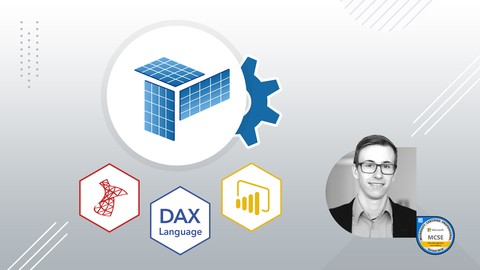
SQL Server SSAS (Tabular) - Analysis Services & DAX (Udemy.com)
Data Science + Microsoft BI Introduction. Create your own SSAS Tabular Cubes from SQL databases 2017. Trainer is MCSE
Created by: Steffen Weiler
Last updated July 2020
 What you will learn
- How to develop your own tabular Cubes with Visual Studio
- Analyse and work with Big Data
- Design a valid tabular data Model
- Create calculated columns / measures / hierarchies
- Learn DAX Syntax
- Setup security guidance
- Query Tabular Cubes
How it compares
Against the other 388 rated Udemy courses in SQL on CourseDuck:
- Rating4.2 out of 5higher than 13% of them
- Reviews339#246 of 389 by number of reviews
- Length3.7 hoursshorter than 68% of them
- Last updatedJuly 2020earlier than 67% of them
 Course Description
This is the number 1 course for learning Tabular SSAS according to many successful real life customers. Most times customers didn't know how to handle SSAS (Analysis Services) because they were missing the technical basis to develop their business intelligence solution. Occasionally they already have a multidimensional Analysis Services Model, which offers some drawbacks in comparison with the new possibilities, that come with Tabular Cubes.
I have another course that deals with multidimensional Cubes. Feel free to preview section "Differences between Multidimensional and Tabular Cubes" to consider which course fits better.
----------------------------------------------------------------------------------------------------------------------------------------------------------------------------------------------------------
Welcome to my practical Course on SSAS Tabular Cube Tutorial for non techies // Power BI // Practice:
You are looking for modern and meaningful Business Intelligence (BI) reports? So far, you're missing the experience and the confidence in your technical skills, to just get started and create a comprehensive data model, that suits your needs of a modern state of the art BI solution?
Or are you about to make a big move into a highly trained job and therefore want to improve your data analytics skills? The business intelligence market is one of the fastest growing branches of business, according to relevant expert opinions. Increase your personal value for your current employer or future companies, by convincing them with your practical, custom-designed Know-How.
This tutorial is specially for people, who like to justify operational decisions on solid data with the help of SSAS, Excel and Power BI.
You are going to learn in this course how to integrate data in SQL Server, how to set up your own tabular cubes in SSAS and at the end, how to retrieve the data through modern Front-end tools. Furthermore this is not an abstract high-level tutorial, but rather a self practicing course.
I will provide you with all the Files, scripts, software which you need in this course and going to show you step by step how to install SQL Server and it's components (SSAS, SSIS, SSRS). We will work with the newest SQL Server 2017 and Power BI version, that for training reasons are completely free of charge!
Don't hesitate to improve your knowledge and increase your business intelligence job chances. Learn to love SSAS and handle it like a pro.
Do the first step with this course and get insights to a whole new view inside the world of data analysis!
Note: In this course you'll also get downloadable source code.

 Udemy Discount
The discount is applied through our link. Open the course from here and Udemy's current promotional price is applied at checkout on most courses, no code to type.
Some courses are excluded from Udemy's promotions. If the price does not drop, clear your browser cookies and use the button again.
Instructor Details

- 4.2 Rating
 339 Reviews
Steffen Weiler
I am working as a Business Intelligence Consultant providing expert services in the development of business analytics and reporting for several german and international customers. Since 2018 I am a Microsoft Certified Solution Expert in Data Management and Analytics for SQL Server.
Besides my work I really like to investigate data with the newest Microsoft developer stack, which helps me to stay up to date in the dynamic BI context.
During the last years i spent at lot of time giving customer trainings on topics like SSAS, SSRS, SSIS and especially Power BI. It gives me a great pleasure to spread my knowledge and see how you are able to build your own solutions directly after the course.
Currently I‘m hosting the courses in english and german. So feel free to choose the appropriate language.
———————————————————————————
Ich arbeite aktuell als Business Intelligence Consultant in einem Beratungsunternehmen und konnte mir in diesem Zusammenhang fundiertes Wissen zu den Themen Business Analytics und Reporting aufbauen. Darüber hinaus bin ich als Microsoft Certified Solution Experts (MCSE) - Data Management and Analytics für SQL Server ausgezeichnet.
 More SQL courses

SQL - The Complete Developer's Guide (MySQL, PostgreSQL) (2025)
4.8 (2,153 Reviews)
 Provider: Udemy
 Time: 19.7h
$94.99
SQL Server High Availability and Disaster Recovery (HA/DR) (2026)
4.8 (1,810 Reviews)
- Provider: Udemy
- Time: 88.3h
$16.99

70-461 Session 3: Querying Microsoft SQL Server (T-SQL code) (2025)
4.8 (1,094 Reviews)
- Provider: Udemy
- Time: 3.6h
$12.99


Modern Event-Driven Spring Boot: Kafka & Spring Cloud Stream (2026)
4.8 (494 Reviews)
- Provider: Udemy
- Time: 13.4h
$10.99
Oracle Database 12c Backup and Recovery using RMAN (2024)
4.8 (428 Reviews)
- Provider: Udemy
- Time: 20.1h
$34.99
 Reviews

By Sajjad Ahmadi on 2/27/2025
This is a great course that covers all the essential topics in SSAS. However, I felt it could have included more detailed explanations on certain areas, such as setting up a tabular model on an enterprise server. While the instructor did a thorough job explaining the concepts, I think adding more practical examples and real-world use cases would make it even better.
By Eben Brittz on 2/7/2024
The course is a good introduction into SSAS Tabular and Steffen explained concepts clearly and precisely. However, if you are considering purchasing this course, take note that: • This course does not teach DAX (only very simple DAX measures are used) • If you are already competent in Power BI / Power Pivot, you will only learn about the technical aspects of SSAS Tabular. Other than that, great course, thank you Steffen!
By Pio Riccardo Dufour p.zale Agricoltura, on 6/30/2022
The course is okay, since now I find myself with a better knowledge of the topic. Still, I have to say that some contents should be updated and sometimes the concepts are confusing when not explained in details and not well separated from different concepts. I found myself rewatching some parts a couple of times or troubleshooting online to solve issues.
By Richard McCarty on 6/23/2021
I think the course was great. One thing I would like to see added is how to deploy and process a project to a network server as this is a use case many professional will encounter.
By Nadia Afonichkina on 12/3/2020
Generally it was a very good overview with some practice examples. The trainer posesses wide range of required knowledge. Great that we also got the advanced features and best practice examples. It was a little too technical at some point. I couldn't follow the big picture sometimes. I'd say that some initial IT knowledge would be required to fully follow the course.
By Jorge Luis Araguayan Acuña on 9/21/2020
Excellent choice as an introduction to Analysis Services. The concepts are explained in a clear and simple manner and practical examples are provided. However, the course could have some more practical examples, maybe some exercises for the student to develop by themself. I am particularly interested in security features and how to deploy SSAS into Power BI, so, more examples about these topics would have been great (maybe for another course). Thank you very much.
By Nitin Gosiewski on 6/22/2020
I appreciated the instructor explain how Tabular Cubes work at the beginning of the course. When I learn stuff, I always want to understand the underlying mechanism. Overall, the course content is well structured and easy to follow. Understand that SSAS is pretty huge, we can't expect he covers everything. Nevertheless, this still probably the best Tabular Cube course you can find in Udemy so far.
By Amal Jain on 5/25/2020
Great material in the advanced features and the security section. Any discussion on SSAS Tabular is incomplete without DAX. The instructor should consider adding a section on DAX, so that students don't have to look for other options for it. The videos require editing. For instance, the volume is terribly low in one module at the very beginning of the course. There are two videos, where the content itself is of x minutes, but the screen runs blank for x+n minutes. Finally, the small window that shows the instructor at the bottom right is not required, since it hides the content onscreen.
By Stan Berka on 3/16/2020
I'd add more info on the place of the OLAP in business analysis. What can it be used for kind of thing. After completing the first half of it, I see that the gaps in understanding slowly fill up. Still, I'd probably do a small example from the start to the end in the first or second lecture. Also, in the section on installing software, I'd mention on which platform what is available (windows vs. Mac vs. Linux). The resolution of the videos wasn't quite good. It's hard to read the text there even on a huge monitor. Other than this, the course was good.
By Timothy Fifolt on 12/27/2019
For the length of the course it covered a lot of detail. Two things I need to learn more about is how to promote and distribute in a production environment. It was discussed, but not actually performed. Also, we use PowerBI report server. Will the Roles applied in SSAS apply to people using the Report Server based on the AD credentials for the user accessing the web page or is it based on the database credentials user ID?
 Quality Score
No CourseDuck member has rated this course yet. Taken it? Give each part a thumbs up or down.
Overall Score : 84 / 100
- Video Duration:
 3.7h
3.7h - Price: $10.99
- Provider: Udemy
- Updated:
 July 2020
 - Level:
 All Levels
 - Language:
 English
 - Certificate:
 Yes
Yes
30-day money-back guarantee on most paid courses
Udemy Coupon Price Tracker
