
 Web Development
 Data Science
 Python
 SQL
SQL JavaScript
 Artificial Intelligence
 IT & Software
 IT Certifications
 Hacking
 AWS
AWS Arduino
 DevOps
 3D Modeling
 Graphic Design
 Photoshop
 Drawing
 Digital Painting
 UX Design
 Business
 Data Analysis
 Communication Skills
 Project Management
 Leadership & Management
 Human Resources
 Digital Marketing
 Social Media Marketing
 Marketing
 SEO
SEO Google Analytics
 Branding
 Excel
Excel Office Productivity
 SAP
SAP PowerPoint
 Microsoft Access
 SharePoint
 Finance & Accounting
 Trading & Investing
 Accounting
 Bitcoin
 Personal Finance
 Video Editing & Animation
 Photography
 Adobe Premier Pro
 Adobe Lightroom
 Personal Development
 Productivity
 Career Development
 Life Coaching
 Health & Fitness
 Meditation & Mindfulness
 Yoga
Yoga Music
Music Music Production
 Guitar
 Piano
Piano Singing
 Language Learning
 Teaching & Academics
 Engineering
 Math
Math Lifestyle
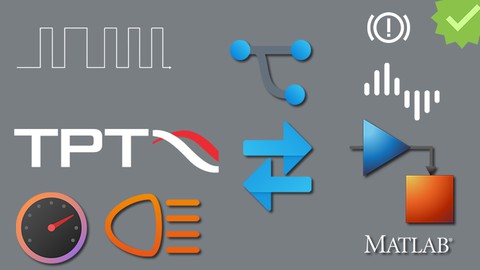
TPT - Time Partition Testing using a Simulink Model - Part I (Udemy.com)
Using TPT Tool for Verification & Validation of a MATLAB - Simulink/Targetlink Model; Develop Test Frame, Test Cases etc
Created by: Ajay Kumar
Last updated November 2022
 What you will learn
- Able to Understand and configure TPT Tool better
- Able to Plan the Test activities in TPT and create more flexible test environment
- Able to develop test cases using different methods provided in TPT
- Able to develop basic assessment and perform a End to End Execution using MATLAB/Simulink model
- Understand the Basic Capabailities of TPT tool
How it compares
Against the other 281 rated Udemy courses in Software Testing on CourseDuck:
- Rating4.3 out of 5higher than 20% of them
- Reviews278#209 of 282 by number of reviews
- Length5.9 hoursshorter than 56% of them
- Last updatedNovember 2022earlier than 75% of them
 Course Description
In this Course we will learn different ways of developing test cases in TPT tool and method or procedure to configure a Platform to TPT tool. here we have used MATLAB/Simulink platform since MATLAB/Simulink is widely used for Automotive project development. TPT tool has various options and methods by which a test case can be developed and I have discussed recommended methods in this lecture to focus on beginners. Post that we will see the different methods of Assessing a test case and developing a report. We will do some programming in Python for assigning the test cases
What is covered in this Course?
Detail insight on Test case development
Development of Automaton/States/Testlets and using a Reference for simple Reusing of Variants
Different options provided by Step List/Variant
Creating and Configuring a Dashboard Player and Running in Parallel with Test case
Developing Assessments using Python
Developing Assessments using Singla Assessment API and UI Options
Generating and customizing Reports
Requirement Management, Linking and Traceability
Customizing the Execution configuration for Handling Multi Core Execution
Execution & Assess vs Assess Only and the concept of ".TPTBin" Storage
Generation of Overview Report, Performing Reviews to Test Cases and Updating the Status
Development of Custom functions in python and reusing the functions for test case assessments
By end of this course an Entry level or Intermediate level engineer can understand the significance of TPT tool and able to generate Test frame, write basic test cases and assessments using a python script or Signal comparison assessment, create local variables, manipulate Test cases in parallel or using While loops or If Else Conditions

 Udemy Discount
The discount is applied through our link. Open the course from here and Udemy's current promotional price is applied at checkout on most courses, no code to type.
Some courses are excluded from Udemy's promotions. If the price does not drop, clear your browser cookies and use the button again.
Instructor Details

- 4.3 Rating
 278 Reviews
Ajay Kumar
Professional Trainer with ISO26262 Funcional safety certified. Responsible for conducting Verification and Validation related training activities helping New engineers to grow in the field of Mechatronics and Automotive. Automotive Engineers demands are increasing drastically so as the same we have keep our selves updated with the latest tools and methodologies. Iam an explorer of Tools in Aitomotive domain and Iam happy to share my experience with rest of the world.
 More Software Testing courses

ZeroToHero TestNG Framework - From Basics to Advanced (2026)
4.9 (828 Reviews)
 Provider: Udemy
 Time: 6.2h
$59.99

Selenium WebDriver with Java- Basics to Advanced + Framework (2026)
4.9 (620 Reviews)
- Provider: Udemy
- Time: 35.5h
$84.99
Karate DSL: API Automation and Performance from Zero to Hero (2026)
4.8 (4,652 Reviews)
- Provider: Udemy
- Time: 7.2h
$10.99

API Testing in detail using Postman - Test Automation (2026)
4.8 (423 Reviews)
- Provider: Udemy
- Time: 7.8h
$10.99
Quick Introduction to Postman and API Testing for Beginners (2025)
4.7 (23,113 Reviews)
- Provider: Udemy
- Time: 3.2h
$13.99

Software Testing Masterclass (2026) - From Novice to Expert
4.7 (12,622 Reviews)
- Provider: Udemy
- Time: 9.9h
$149.99
 Reviews

By Undralla Manikanta on 12/23/2025
The way of Explanation is good, and it is easy to understand.
By Veerayya Sugirayyanamath on 10/13/2025
At Assessment level, the concept became little difficult to understand and rest of all the things are amazing with your detailed explanations. Thank you Ajay Kumar for this knowledgeable course conduction. Thank you, Veerayya S
By Jakob Häußler on 7/22/2025
Was okay, covered the Basics but not very detailed. He ist not Prepared. Overall sections he needed about 1h to fix Problems
By Varikuti JAGADEESH on 7/21/2025
Your way of explanation is awesome. However, back-to-back testing is missing. If that was included, I would have given it 5 out of 5. I'm eagerly waiting for the Part 2 content.
By Likhith H N on 3/31/2025
The tutor should focus on better preparation for sessions and prioritize covering a wider range of topics rather than providing numerous examples.
By Kellen Berthiaume on 3/31/2025
Good representation of the basics for the interface, would like to touch a little more on terminology and where to learn about content that will not be covered later.
By Thejeswara Kumar KP on 3/1/2023
Well-structured course and started from the scratch. Good course for beginners too.
By Nagesh SD on 3/1/2023
The concepts are explained in detail and with lot of care. Looking for more videos on advanced topics.
By mounika topper on 2/6/2023
Excellent course - Specially for MBD Test Engineers
By SUDHIR KUMAR V on 12/24/2022
Content is Good and the way he is explaining is also Pretty good. Expecting more videos from him on automotive software field.
 Quality Score
No CourseDuck member has rated this course yet. Taken it? Give each part a thumbs up or down.
Overall Score : 86 / 100
- Video Duration:
 5.9h
5.9h - Price: $10.99
- Provider: Udemy
- Updated:
 November 2022
 - Level:
 All Levels
 - Language:
 English
 - Certificate:
 Yes
Yes
30-day money-back guarantee on most paid courses
Udemy Coupon Price Tracker
