
 Web Development
 Data Science
 Python
 SQL
SQL JavaScript
 Artificial Intelligence
 IT & Software
 IT Certifications
 Hacking
 AWS
AWS Arduino
 DevOps
 3D Modeling
 Graphic Design
 Photoshop
 Drawing
 Digital Painting
 UX Design
 Business
 Data Analysis
 Communication Skills
 Project Management
 Leadership & Management
 Human Resources
 Digital Marketing
 Social Media Marketing
 Marketing
 SEO
SEO Google Analytics
 Branding
 Excel
Excel Office Productivity
 SAP
SAP PowerPoint
 Microsoft Access
 SharePoint
 Finance & Accounting
 Trading & Investing
 Accounting
 Bitcoin
 Personal Finance
 Video Editing & Animation
 Photography
 Adobe Premier Pro
 Adobe Lightroom
 Personal Development
 Productivity
 Career Development
 Life Coaching
 Health & Fitness
 Meditation & Mindfulness
 Yoga
Yoga Music
Music Music Production
 Guitar
 Piano
Piano Singing
 Language Learning
 Teaching & Academics
 Engineering
 Math
Math Lifestyle
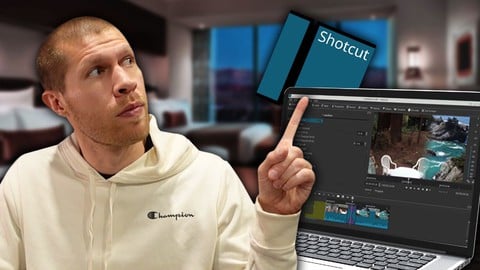
Video Editing for Beginners - Complete Shotcut Masterclass (Udemy.com)
Learn to How to Edit Video Like the Pros with the Best Free Video Editing Software Out There
Created by: Bryan Guerra
Last updated August 2026
 What you will learn
- video editing
- how to edit video
- how to edit video with shotcut
- video editing for beginners
- hot to cut video
- how editing software relates to conent creation
- content strategy
- the importance of editing software
- adding & ordering files
- syncing audio & video files
- layering different video & audio
- adding text
- adding transitions
- how to mute certain parts of a video & adjust audio levels
- where to get good music & sound effects
- how to implement b roll
- & much much more!
How it compares
Against the other 293 rated Udemy courses in Video Editing & Animation on CourseDuck:
- Rating4.0 out of 5higher than 5% of them
- Reviews313#103 of 294 by number of reviews
- Length1.2 hoursshorter than 88% of them
- Last updatedAugust 2026more recently than 94% of them
 Course Description
Have you ever wanted to learn how to edit video like the pros do?
If you're a beginner & you're not all that familiar with different editing software, what editing video actually entails, & if you'll like it or not, it might not be the best idea to spend a lot of money on an expensive software.
Shotcut is THE BEST free video editing software out there. It's what I used to get started & build my Content Creation Business. I grew to over 100,000 students on Udemy just editing with Shotcut, alone. I also built a YouTube Channel to over 10,000 subscribers ONLY using it too.
So don't let anyone tell you that you need to buy a software when you're first getting started. That's simply not true.
If you want to learn how to edit video & create your own content (for whatever purpose - YouTube, Online Courses, Social Media Videos, etc...), this Course is perfect for you.
It'll take you through all the basics you need to know to get started to all the most advanced things you can do with the software.
Shotcut is what I recommend to EVERYONE getting started with video editing.
Enroll in Video Editing for Beginners - Complete Shotcut Masterclass today & start creating great videos (all by yourself) tomorrow!

 Udemy Discount
The discount is applied through our link. Open the course from here and Udemy's current promotional price is applied at checkout on most courses, no code to type.
Some courses are excluded from Udemy's promotions. If the price does not drop, clear your browser cookies and use the button again.
Instructor Details

- 4.0 Rating
 313 Reviews
Bryan Guerra
Bryan Guerra is the Founder of Invert Media. Invert Media is an Online Education Company. It's mission is to make high quality education affordable and accessible to the entire world.
He runs a successful eCommerce Business, creates content and courses to educate aspiring Entrepreneurs, and loves his wife and his dog. Feel free to message him, he’s always willing to help…
 More courses by Bryan Guerra
How to Start a YouTube Automation Channel & Monetize It Fast (2026)
4.2 (3,643 Reviews)
 Provider: Udemy
 Time: 5.8h
$79.99

Complete Email Marketing Materclass (for Ecommerce Sellers) (2026)
4.1 (1,776 Reviews)
- Provider: Udemy
- Time: 2.7h
$19.99
How to Start and Scale a Shopify Drop Shipping Store Quickly (2026)
4.6 (1,355 Reviews)
- Provider: Udemy
- Time: 7.8h
$79.99

How to Get Endless Free Products and Sell them for a Profit (2026)
4.3 (1,001 Reviews)
- Provider: Udemy
- Time: 5.4h
$19.99

How to Scale Ecommerce (From Beginner to Fully Automated) (2026)
4.2 (959 Reviews)
- Provider: Udemy
- Time: 3.3h
$13.99
More Video Editing & Animation courses

Learn to Storyboard for Film or Animation (2024)
4.8 (2,727 Reviews)
- Provider: Udemy
- Time: 2.2h
$12.99


Fire Starter Sessions Video Workshop with Danielle LaPorte (2017)
4.8 (1,205 Reviews)
- Provider: Udemy
- Time: 3.7h
$11.99

The Ultimate Color Grading Bootcamp in DaVinci Resolve (2026)
4.8 (947 Reviews)
- Provider: Udemy
- Time: 8.7h
$19.99

The Complete Talking Head Video Production Masterclass (2026)
4.8 (319 Reviews)
- Provider: Udemy
- Time: 17.6h
$59.99

The Complete iMovie Course - from Beginner to Advanced 2026!
4.7 (2,021 Reviews)
- Provider: Udemy
- Time: 11.1h
$10.99
 Reviews

By Long Nguy on 2/9/2023
Great short and to the point overview of shotcut. I wouldn't consider this a masterclass by any means, but definitely a great starting point video for a newbie like myself.
By Michael Hutchison on 9/13/2022
I liked this course. It helped me greatly to get the idea of the basics. One thing I'm missing is: how do you get a short clip from a long video without pasting the entire long video in and cutting it down? If I have a three minute movie trailer or a two hour Batman movie and I want a 10-second clip from it, must I drag the entire video into the timeline? Is there no way to get that clip without leaving this project and creating the clip as a separate project? I guess that's not a "beginner" question but I'm rather lost without knowing that. With a little more preparation, I think the course could have been better. His examples are all his videos, which don't vary in appearance. He could have shown some contrasting videos by having them ready to go. (The cat video, which he grabs from YouTube in one of the last lessons, is the best example of a contrasting video.) It would be better to have good examples than a tutorial where you're apologizing for having nothing but bad examples. Finally...I just want to mention that the title of this on Udemy has a typo at the beginning. "Learn to How to Edit Video Like the Pros with the Best Free Video Editing Software Out There"
By Steve Thompson on 6/24/2022
I am absolutely loving Shotcut, and intend to make it my go to software for editing my drone footage. But this course, though it does cover very beginner concepts, could have been so much better. For instance, the example videos used were not very interesting - some footage from Pexels would have not only had more sizzle, but also allow for the inclusion of discussion around something that is barely touched upon but central to the software - FILTERS. Understanding how things like sharpen, white balance, color grading, contrast, and LUTs can be leveraged in the software is key to making the case that Shotcut has a lot of the same capabilities as the tools the pros use. Keyframing was also not touched upon at all, but is a massively important tool for helping video editors come up with creative compositions.
By Anonymized User on 4/8/2022
Much valuable course for the beginners, who don't know what editing is. The instructor way of explaining the process is very very good. Thank you Bryan Guerra for the content
By Roberto Jarro on 2/22/2022
Course was very informative. I feel a lot of information seemed rushed. We'll see how much I was able to absorb once I start to Edit my videos. Glad I can come back to this time and time again. Slow down, take time to explain. Don't be in a rush to finish. You asked I informed, only way you will improve if you really want to.
By Kaio Rosa on 1/18/2021
I enjoyed a lot this quick and to the point course. I've been procrastinating start learning how to edit for a long time and since this course seemed short I decided to buy it and get started. I'm really satisfied with what I got from the course. I highly recommend it!
By Arvind Dhondphale on 1/8/2021
Good basic information. Helpful for beginner, like me. A suggestion : As this course is for beginners, Lots of new technical terms and visuals are there as expected, but the speed of explanation is too fast. And file selection for the examples creates confusion. In many places you too agree that they are bad examples, then why to select bad examples? Please select some good and non confusing video and audio files. Lecture pace should be comfortable for beginner. Thank you very much, With warm regards.
By Stephen Nicolson on 12/8/2020
Its good to show you the basics of the shotcut toolset and how it works, the actual amount of 'video editing' training is small and seems a little rushed at times but enough to get you going. You wouldn't be happy if you paid the full price for the course, but in a black friday deal price it seemed about right
By Graeme Chambers on 7/1/2020
A very basic introduction to the Shotcut package and video editing in general but could have been so much better. A little bit of time invested in creating relevant demonstrations would have improved the course greatly, especially if the raw files were made available as a course resource so that students could follow along and get hand-on practice.
By Sherry on 1/6/2020
I am happy with the course and felt that I've achieved my objective. Bryan covers all the basics in sequence enough for me to use shotcut. The only thing I would ask for is that Bryan would slow down and point out clearly step by step how to navigate each operation from the dashboard because things are not obvious to beginners as they are to the experienced users.
 Quality Score
No CourseDuck member has rated this course yet. Taken it? Give each part a thumbs up or down.
Overall Score : 80 / 100
- Video Duration:
 1.2h
1.2h - Price: $19.99
- Provider: Udemy
- Updated:
 August 2026
 - Level:
 All Levels
 - Language:
 English
 - Certificate:
 Yes
Yes
30-day money-back guarantee on most paid courses
Udemy Coupon Price Tracker
