
 Web Development
 Data Science
 Python
 SQL
SQL JavaScript
 Artificial Intelligence
 IT & Software
 IT Certifications
 Hacking
 AWS
AWS Arduino
 DevOps
 3D Modeling
 Graphic Design
 Photoshop
 Drawing
 Digital Painting
 UX Design
 Business
 Data Analysis
 Communication Skills
 Project Management
 Leadership & Management
 Human Resources
 Digital Marketing
 Social Media Marketing
 Marketing
 SEO
SEO Google Analytics
 Branding
 Excel
Excel Office Productivity
 SAP
SAP PowerPoint
 Microsoft Access
 SharePoint
 Finance & Accounting
 Trading & Investing
 Accounting
 Bitcoin
 Personal Finance
 Video Editing & Animation
 Photography
 Adobe Premier Pro
 Adobe Lightroom
 Personal Development
 Productivity
 Career Development
 Life Coaching
 Health & Fitness
 Meditation & Mindfulness
 Yoga
Yoga Music
Music Music Production
 Guitar
 Piano
Piano Singing
 Language Learning
 Teaching & Academics
 Engineering
 Math
Math Lifestyle
Windows 10 (Udemy.com)
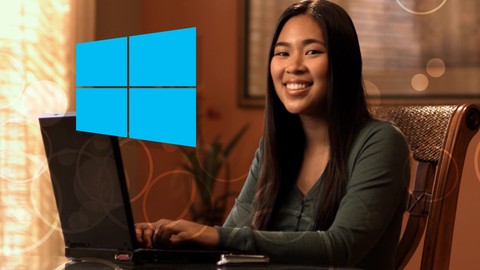
Learn how to easily upgrade from Windows 7 or Windows 8 free. Get up and running with fast with Windows 10.
Created by: Eleven XIII Products
Last updated August 2015
 What you will learn
- Make the transition from Windows 7 or Windows 8 and be able to do everything they have been able to do before.
How it compares
Against the other 1,182 rated Udemy courses in IT & Software on CourseDuck:
- Rating4.2 out of 5higher than 13% of them
- Reviews30#1,162 of 1,183 by number of reviews
- Length2.1 hoursshorter than 82% of them
- Last updatedAugust 2015earlier than 98% of them
 Course Description
Course Update 3 (8/29/15): Unleash Cortana's full potential with the phrase "Hey, Cortana". This lecture will show you how easy it is to set up and really make Cortana shine as your digital personal assistant in Windows 10.
Course Update 2 (8/20/15): "How to customize your Privacy settings" and "How to stream games from your Xbox One to any Windows 10 computer"
Course Update: New updated section walks you through the upgrade to Windows 10 from Windows 7 start to finish!!
Did you know you get upgrade to Windows 10 for free?
"Windows 10" is the new operating system from Microsoft releasing in July 2015. In this course you will learn how to get your FREE upgrade from "Windows 7" or "Windows 8". In addition, you will learn how use new features of Windows 10 as well as transition from the way you did things in "Windows 7" or "Windows 8".
This course is for the general computer user. It is not designed for IT Administrators or those studying for certifications.
The course consists of videos that demonstrate how tasks were accomplished in previous versions of Windows, and how to get the same tasks completed in "Windows 10".
- Learn how to get your mail, photos, and more set up quick and easy.
- The return of the Start Button!
- Meet Cortana, your new personal assistant
- Customize Windows 10 the way you want
- More to come with each update!
About Instructor:
Eleven XIII has over 15 years experience in training, e-learning, graphics, animation, and game development. Eleven XIII creates engaging and unique courses. Eleven XIII Products, LLC has worked with dozens of companies to create training, web, and commercial experiences including Microsoft, Husqvarna, AirGas, Burger King, and more. Eleven XIII is excited to share that experience to help students quickly get up to speed and comfortable with Windows 10. Eleven XIII was part of the Windows Insider program, a network of over 1 million users that helped shape Windows 10 to its final form. Firm believers in e-learning, Eleven XIII LLC is looking forward to teaching students on Udemy
Your Instructor, Steve is the founder of Eleven XIII Products, LLC and has been a creator and advocate of e-learning since he first saw a demo of a multimedia encyclopedia at the dawn of the CD-ROM.

 Udemy Discount
The discount is applied through our link. Open the course from here and Udemy's current promotional price is applied at checkout on most courses, no code to type.
Some courses are excluded from Udemy's promotions. If the price does not drop, clear your browser cookies and use the button again.
Instructor Details
- 4.2 Rating
 30 Reviews
Eleven XIII Products
Eleven XIII creates high quality training, applications, and games. With over 15 years experience in training, e-learning, graphics, and animation, Eleven XIII creates engaging and unique courses. Eleven XIII Products has worked with dozens of companies to create training, web, and commercial experiences including Microsoft, Husqvarna, AirGas, Burger King, and more. Firm believers in e-learning, Eleven XIII is looking forward to teaching students on Udemy.
 More IT & Software courses

D3.js Data Visualization Fundamentals - Hands On (2026)
4.9 (3,917 Reviews)
 Provider: Udemy
 Time: 4.6h
$49.99

Hands-On Training: Streaming Data with Apache Kafka on Azure (2025)
4.9 (103 Reviews)
- Provider: Udemy
- Time: 3.7h
$10.99


Oracle Grid Infrastructure and RAC using Oracle Database 19c (2026)
4.8 (2,499 Reviews)
- Provider: Udemy
- Time: 8.7h
$19.99

PowerShell Scripting & Automation: The Complete Hands-On (2026)
4.8 (1,750 Reviews)
- Provider: Udemy
- Time: 9.6h
$11.99

AWS EC2 Crash Course + Load Balancing with Demos and PDFs (2025)
4.8 (866 Reviews)
- Provider: Udemy
- Time: 3.7h
$19.99
 Reviews

By Jan minnebraker on 1/24/2020
You really tell if it’s a five I’m sure it is.
By Larry Paisley on 7/19/2016
It is fast moving for someone who has no prior knowledge of Windows 10. Perhaps my feeling will change as we move forward.
By Jennis & Bowen on 3/14/2016
The guy sounds like he needs a drink of water....it's very distracting. Also, this is pretty basic, so it's kind of boring.
By Robert Gary on 11/11/2015
A nice overview of Windows 10 in plain understandable English.
By Lois R Ross on 11/11/2015
I very much enjoyed this course; however, in Lectures 22 and 23, I was only able to view half way through and then the video would not advance to the conclusion. At the end of the course, my summary showed that I had finished 23 of the 25 lectures when in actuality, I had completed all of them. This issue was my only negative experience with this course.
By Mark Holden on 10/11/2015
Was a really good course for covering the basics of Windows 10 and very well spoken too.
By C G on 9/12/2015
I took the entire course this morning and I went along with the instructor's guide. I'm going to work on my personal assistant Cortana as soon as I fix up my tiles. I cannot thank you ENOUGH for such a great course! So glad I took it. CG
By Joyelle Kimberly Jolie on 8/26/2015
Excellent delivery, pacing, content, organization, production. I highly recommend this trainer/training company to anyone. Thanks!
By Curt Frueh on 8/15/2015
Comprehensive, informative, high quality and engaging delivery, except ... Yankees? Really? Sigh.
By Tom Nencetti on 8/8/2015
Class was very well done with clear, concise information. The class was broken up into segments so you new exactly what was going to discussed in that portion of the class. I would recommend this to everyone upgrading to windows 10. It shows you all the features that you may not know about by just installing it and starting to use it. Good class.
 Quality Score
No CourseDuck member has rated this course yet. Taken it? Give each part a thumbs up or down.
Overall Score : 84 / 100
- Video Duration:
 2.1h
2.1h - Price: $19.99
- Provider: Udemy
- Updated:
 August 2015
 - Level:
 Beginner
 - Language:
 English
 - Certificate:
 Yes
Yes
30-day money-back guarantee on most paid courses
Udemy Coupon Price Tracker
