
 Web Development
 Data Science
 Python
 SQL
SQL JavaScript
 Artificial Intelligence
 IT & Software
 IT Certifications
 Hacking
 AWS
AWS Arduino
 DevOps
 3D Modeling
 Graphic Design
 Photoshop
 Drawing
 Digital Painting
 UX Design
 Business
 Data Analysis
 Communication Skills
 Project Management
 Leadership & Management
 Human Resources
 Digital Marketing
 Social Media Marketing
 Marketing
 SEO
SEO Google Analytics
 Branding
 Excel
Excel Office Productivity
 SAP
SAP PowerPoint
 Microsoft Access
 SharePoint
 Finance & Accounting
 Trading & Investing
 Accounting
 Bitcoin
 Personal Finance
 Video Editing & Animation
 Photography
 Adobe Premier Pro
 Adobe Lightroom
 Personal Development
 Productivity
 Career Development
 Life Coaching
 Health & Fitness
 Meditation & Mindfulness
 Yoga
Yoga Music
Music Music Production
 Guitar
 Piano
Piano Singing
 Language Learning
 Teaching & Academics
 Engineering
 Math
Math Lifestyle
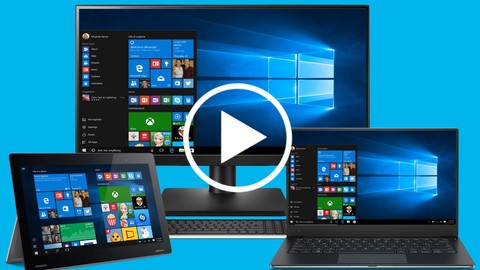
Windows 10: The Complete No-Nonsense Video Guide (Udemy.com)
Get the most from Windows 10 in the least amount of time with our simple, to-the-point, professionally narrated guide!
Created by: Windows Know How
Last updated May 2020
 What you will learn
- Navigate Windows 10 faster using the mouse, keyboard shortcuts and touch, as well as find anything instantly.
- Boost productivity by organizing, ar and switching between apps optimally, using multiple desktops
- Personalize Windows 10 for maximum efficiency, by customizing the Start Menu, Desktop, Taskbar, Lock Screen, Action Center and even Cortana.
- Use the built-in apps to get stuff done, like create documents, edit pictures, access all your email accounts, jot down notes, sync your files to the cloud, and surf the web smarter!
- Manage and organize your files and folders, tag and rate them, move and copy stuff around, share content with other users, as well as burn files to CD or DVD
- Create accounts for family members and other people, setup different sign-in methods, keep your kids safe online, as well as manage and monitor their activity
How it compares
Against the other 1,182 rated Udemy courses in IT & Software on CourseDuck:
- Rating4.4 out of 5higher than 30% of them
- Reviews64#1,068 of 1,183 by number of reviews
- Length4.6 hoursshorter than 56% of them
- Last updatedMay 2020earlier than 85% of them
 Course Description
Get the most out of Windows 10 in the least amount of time!
Are you fed up with training videos that take forever to get to the point? That sound like they were recorded on a cellphone in the bathroom? That send you to sleep instead of engage your brain?
SO ARE WE! That's why we created the complete no-nonsense video guide to Windows 10. It does exactly what it says on the tin! Our videos are short, sweet and get right to the point. No fluff, no time-wasting and definitely no geek-speak ;)
Here's why we think our course is the best Windows 10 guide on Udemy:
1. All our videos are fully scripted. So they're concise, simple to follow and contain zero waffle. We don't take 10 minutes to explain stuff that takes 30 seconds!
2. All our videos are narrated by a professional voice actor. So they're far more interesting and engaging, which means you're more likely to remember what you've learned!
Check out our sample videos and see for yourself.
So if you want to get the most out of Windows 10 in the least amount of time, check out our no-nonsense guide and go from apprentice to master in no time!

 Udemy Discount
The discount is applied through our link. Open the course from here and Udemy's current promotional price is applied at checkout on most courses, no code to type.
Some courses are excluded from Udemy's promotions. If the price does not drop, clear your browser cookies and use the button again.
Instructor Details

- 4.4 Rating
 64 Reviews
Windows Know How
Windows Know How provides online training that helps you maximize your computing experience in the minimum amount of time! We've been supporting and helping users learn the ins and outs of Windows for almost 20 years, starting all the way back to Windows 98! So if you want to take your Windows experience to the next level without getting geeky, you’ve come to the right place!
 More IT & Software courses

D3.js Data Visualization Fundamentals - Hands On (2026)
4.9 (3,917 Reviews)
 Provider: Udemy
 Time: 4.6h
$49.99

Hands-On Training: Streaming Data with Apache Kafka on Azure (2025)
4.9 (103 Reviews)
- Provider: Udemy
- Time: 3.7h
$10.99


Oracle Grid Infrastructure and RAC using Oracle Database 19c (2026)
4.8 (2,499 Reviews)
- Provider: Udemy
- Time: 8.7h
$19.99

PowerShell Scripting & Automation: The Complete Hands-On (2026)
4.8 (1,750 Reviews)
- Provider: Udemy
- Time: 9.6h
$11.99

AWS EC2 Crash Course + Load Balancing with Demos and PDFs (2025)
4.8 (866 Reviews)
- Provider: Udemy
- Time: 3.7h
$19.99
 Reviews

By Heather on 1/2/2021
Excellent course, and covered everything that I needed to know about Windows. The trainer spoke very clearly and was easily understood
By David Altman on 12/28/2020
It is effective in proving the critical info.
By Vicki Lennon on 12/23/2020
I have just been through the first few lessons but it has already been helpful. I’ve learned some things about my new laptop I didn’t know. I’m looking forward to the rest of the course.
By Arlene LaFauci on 10/25/2020
This is good information, as it can be a bit overwhelming to someone like myself who doesn't have much computer experience. It takes time to adjust to everything and you certainly don't want to press the wrong buttons on a computer because it may not be a simple fix to find and correct if you delete something by mistake.
By Joseph Applegarth on 10/22/2020
This tutorial is marvelous. It is well organized, thorough, and perfect in every way.
By Norman Best on 8/30/2020
Very enjoyable and comprehensive course. Lots to learn no matter how long you have been using Windows 10.
By Thomas Richard Hardy on 8/22/2020
so far it is filling in the holes on stuff I knew , but didn't know the full extent of what is does
By Jeff Madson on 8/20/2020
Just what I expected and needed.
By George C Richards on 5/14/2020
Viewing it sooner would have significantly enhanced my user experience.
By Paul Jonathan on 12/8/2023
 Quality Score
No CourseDuck member has rated this course yet. Taken it? Give each part a thumbs up or down.
Overall Score : 88 / 100
- Video Duration:
 4.6h
4.6h - Price: $64.99
- Provider: Udemy
- Updated:
 May 2020
 - Level:
 All Levels
 - Language:
 English
 - Certificate:
 Yes
Yes
30-day money-back guarantee on most paid courses
Udemy Coupon Price Tracker
