
 Web Development
 Data Science
 Python
 SQL
 JavaScript
 Artificial Intelligence
 IT & Software
 IT Certifications
 Hacking
 Microsoft Azure
 AWS
 Arduino
 3D Modeling
 Graphic Design
 Photoshop
 Drawing
 Digital Painting
 UX Design
 Business
 Data Analysis
 Communication Skills
 Project Management
 Leadership & Management
 Human Resources
 Digital Marketing
 Social Media Marketing
 Marketing
 SEO
 Google Analytics
 Branding
 Excel
 Office Productivity
 SAP
 PowerPoint
 Microsoft Copilot
 Microsoft Access
 Finance & Accounting
 Trading & Investing
 Accounting
 Bitcoin
 Personal Finance
 Video Editing & Animation
 Photography
 Adobe Premier Pro
 Adobe Lightroom
 Personal Development
 Productivity
 Career Development
 Life Coaching
 Health & Fitness
 Yoga
 Meditation & Mindfulness
 Music
 Music Production
 Guitar
 Piano
 Singing
 Teaching & Academics
 Engineering
 Language Learning
 English Language
 Math
 Lifestyle
Windows Server 2016 Administration For Beginners (Udemy.com)
Become a System Administrator On Windows Server 2016.
Created by: Zine B
Last updated October 2023
Our take
Based on the ratings of 218 students, a sample of their written reviews and the syllabus, as the course stood in October 2023. No course pays to be reviewed.
The course is a 5.5-hour, 61-lecture walk through the basics of running a Windows Server 2016 network. Zine B built it from years as a sysadmin, after moving over from programming. The syllabus runs in a sensible order: set up a virtual lab, install the server, stand up a domain controller, join a Windows 10 client, then add DHCP, DNS, Group Policy, backups, and print and file servers. It's aimed at people chasing a first sysadmin role, and the course states plainly that it isn't exam prep.
Reviewers mostly praise the clarity. Several call the teaching simple and well paced, and they like the hands-on labs. The complaints are specific. One student found the instructor's English hard to follow in spots, another felt DHCP was rushed, and one wanted troubleshooting and log analysis, which the course skips. A four-star reviewer warned that skipping the early VM setup steps leads to a lot of rework later. The ratings back up the generally warm tone: 198 of 218 are four or five stars, and only three fall below three.
It's short and narrow by design. Server 2016 is an older release now and the last update was October 2023, so expect some screens to look different on newer versions. For a true beginner who wants a guided lab rather than certification prep, it's a solid, low-risk place to start.
Pros
- Builds a full working lab: domain controller, Windows 10 client, DHCP, DNS and GPOs
- The instructor promises to explain the why and best practices, not just the clicks
- Short at 5.5 hours, and reviewers praise the pace and clear delivery
- Covers practical extras like a privileged admin workstation, backups, and print and file servers
Cons
- Targets Server 2016 and was last updated in October 2023, so some screens are dated
- No troubleshooting or log analysis, and one reviewer found the DHCP section rushed
- The instructor's English can be hard to follow, and skipping the VM setup causes rework later
Very good instructor, teaches every single basic you need to know about Windows Server. Highly recommend this course someone who is new to windows server administration.
Truly beginner level. It only needs a computer with 6 GB of RAM and 50 GB of free disk, and it isn't meant as certification prep.
 What you will learn
- How To Deploy A Windows Server
- How To Build A Windows Domain And Chose Your Domain Name.
- Create And Configure A DHCP Server
- Establish a naming convention for your servers and the other devices.
- Understanding Active Directory and Domain Controllers.
- How To Install a Windows 10 Workstation and joint it to your domain.
- How To Create your privileged administration workstation (PAW) to remotely administer your servers in a secure way.
- How To Organize your network with Organizational Units (OU)
- How to design Your Organizational Unit structure
- How To Backup and Recover Your Data
- Installing and Deploying Print Services
Course content
14 sections · 61 lectures · 5.5 hours of video 2 articles
- 1Course Introduction 1 free preview1 lecture · 4 min
- 2Prepare Your LAB Environment 1 free preview4 lectures · 19 min
- 3Download & Install Windows Server 20163 lectures · 11 min
- 4Windows Server Quick Configuration5 lectures · 20 min
- 5Domain And Active Directory 1 free preview3 lectures · 21 min
- 6Prepare Your Administration Environment6 lectures · 41 min
- 7Organize Your Network6 lectures · 31 min
- 8DHCP (Dynamic Host Configuration Protocol)4 lectures · 25 min
- 9DNS (Domain Name System) 1 free preview4 lectures · 21 min
- 10Group Policy5 lectures · 27 min
- 11Backup And Recovery6 lectures · 26 min
- 12Print Server 1 free preview6 lectures · 35 min
- 13File Servers6 lectures · 45 min
- 14Conclusion and Bonus2 lectures · 4 min
Who it is for
The instructor says it suits
- Take this course if you want to become a system administrator.
- If you want to get hired as a System Administrator job, then this course will definitely help you.
- Take this course if you want to reach the next level in your career.
- Take this course if you are a beginner in Windows Server administration.
- This course is not designed for people how wants to prepare for the certification exam.
What you need before you start
- Minimum Hardware Requirements: A Computer with a minimum of 6 Gb of RAM, 64bit processor, and 50 Gb of disk space
- A Windows Computer or a MAC (either one is fine)
How it compares
Against the other 127 rated Udemy courses in Windows Server on CourseDuck:
- Rating4.6 out of 5higher than 69% of them
- Reviews218#100 of 128 by number of reviews
- Length5.5 hoursshorter than 62% of them
- Last updatedOctober 2023more recently than 56% of them
 Course Description
According to the Statista website, in 2018, Windows Server operating system was used on 71.9 percent of servers worldwide.
If you are planning to become a system administrator you need to master Windows server operating system.
This course will teach you the Windows Server administration fundamentals, and will prepare you to become a server administrator.
I've been a system administrator for more than a decade now. But when first I get my first system administrator job, I was moving from a programmer position. It was two different worlds and I didn't know so much about Windows server operating system.
I've designed this course for people getting their foot in the door with system administration. I'll walk you through the basics of Windows server administration so that you can accomplish the basics tasks.
I'll not only show you how to technically accomplish these tasks but I'll explain the why. I'll give you the best practices and recommendations when accomplishing your administration tasks.
By the end of this course, you will be able to:
Download and Install Windows Server 2016;
Understand the different Windows Server editions;
Add a role to a server.
How to choose a name for your domain
Build your domain controller;
Join a Windows 10 Workstation to your domain;
Create a privileged administration workstation for remote administration;
Design your organizational unit structure;
Create a user account;
Understand and Create a DHCP Server;
Understand DNS and Create a DNS Server;
Create Group Policies Objects GPOs;
So ENROLL in the course and join me for an amazing learning experience.

 Udemy Discount
The discount is applied through our link. Open the course from here and Udemy's current promotional price is applied at checkout on most courses, no code to type.
Some courses are excluded from Udemy's promotions. If the price does not drop, clear your browser cookies and use the button again.
Instructor Details

- 4.6 Rating
 218 Reviews
Zine B
Greetings! I'm Zine, an IT Engineer with a noteworthy track record of over two decades.
My journey in information technology began as a programmer, a role that honed my analytical prowess and problem-solving acumen. As my career evolved, I delved into system administration, collaborating with prominent corporations. In this capacity, I spearheaded critical initiatives such as developing, fortifying, and meticulously nurturing their IT infrastructure while providing unwavering support to end-users.
Over the years, I've fine-tuned my mastery of Windows platforms and Networking, cultivating a fervor for dissecting and resolving complex issues.
Driven by a deep-seated passion for assisting individuals in conquering their technical challenges, I've ventured into the realm of online education. Through my meticulously crafted courses, I'm dedicated to sharing my knowledge to empower and elevate your IT skills.
Let's embark on this growth journey together as we navigate the fascinating world of information technology.
 More courses by Zine B

Advanced Windows Performance Troubleshooting (2025)
4.5 (2,448 Reviews)
 Provider: Udemy
 Time: 3.1h
$10.99
Original price
Windows 10 Troubleshooting For IT Support - Part 1 (2022)
4.5 (225 Reviews)
- Provider: Udemy
- Time: 1.8h
$11.99
Original price
Windows 10 Troubleshooting For IT Support - Part 2 (2021)
4.6 (91 Reviews)
- Provider: Udemy
- Time: 1.8h
$11.99
Original price More Windows Server courses

Active Directory & Group Policy Lab (2024)
4.7 (15,089 Reviews)
- Provider: Udemy
- Time: 7.2h
$17.99
Original price
Windows Server 2019 Administration
4.7 (12,627 Reviews)
- Provider: Udemy
- Time: 21.3h
$16.99
Original price
Automate Active Directory with PowerShell (Hands-On) (2026)
4.7 (2,001 Reviews)
- Provider: Udemy
- Time: 4.1h
$10.99
Original price
Installing and Configuring Windows Server 2012 (70-410)
4.7 (804 Reviews)
- Provider: Udemy
- Time: 15.9h
$159.99
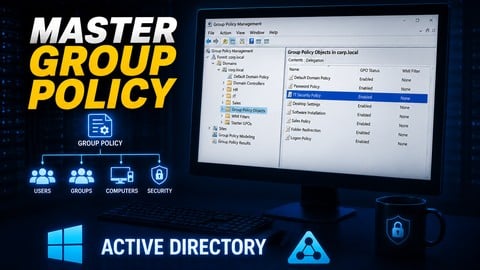
Build an Active Directory & Group Policy Production Lab (2026)
4.7 (706 Reviews)
- Provider: Udemy
- Time: 5.8h
$11.99
Original price
Microsoft Windows Server 2012 Certification - Exam 70-411
4.7 (617 Reviews)
- Provider: Udemy
- Time: 8.8h
$59.99
 Reviews

By Damir Erdelic on 8/9/2025
Since i dont have previous exprience with Domain Controllers and Server configurations this is very useful. I would preciate if lector gives us example how to configure at home network with 10.10.10.10 for domain PC's and 192.168.x.x as public IP for guest computers on that network. With example or router config and VM.
By Patrick Schreiber on 3/7/2023
It´s a good course and very informative, but the quality of his english makes it difficult to understand on some points.
By Muhammed Ameer on 10/1/2021
Very good instructor, teaches every single basic you need to know about Windows Server. Highly recommend this course someone who is new to windows server administration.
By Gregory Wright on 9/28/2021
This is an incredible training video. I am truly learning significant information. Very glad I came across this video!! Now I am halfway through the course and it has been an Incredible course. So glad I purchased this course!!
By Swapnil Giram on 7/21/2021
very good pace maintained and functionality explained very well. 1 star less because I also expected some troubleshooting, logs analysis demo which is must for day to day maintenance work.
By Michael Stanton on 12/14/2020
This really is a superb way to reskill - made all the more enjoyable and interesting by the passion Zine evidently has for the subject matter. If an old dog like me can learn new tricks then clearly anyone can! HIGHLY RECOMMENDED.
By David P. Fuller on 8/19/2020
The instructors is very knowledgeable about the concepts presented. He makes the concepts very easy to learn and apply.
By Anthony Yao on 7/14/2020
This course is excellent, honestly it's the first windows server course which gave me enough interest to keep going. Great job !!
By Donfred CHOUTE on 1/26/2020
it was such a wonderful journey, I have completed this class within 2 days. great course, full of explanation, the teacher really knows and masters all the contents. He was pretty straightforward in term of what you will do on the market. everything in this course is what they are asking on most of the job requirements for sys admin thank you thank you so much.
By Luca Merlo on 3/24/2019
Il corso è chiaro, semplice nell'esposizione ed è facilmente comprensibile. Per chi è un principiante lo consiglio sicuramente.
 Quality Score
No CourseDuck member has rated this course yet. Taken it? Give each part a thumbs up or down.
Overall Score : 92 / 100

- Video Duration:
 5.5h
- Price: $11.99
- Provider: Udemy
- Updated:
 October 2023
- Level:
 Beginner
- Language:
 English
- Certificate:
 Yes
- Lectures:61 in 14 sections
- Students:857
- Subtitles:1 language
30-day money-back guarantee on most paid courses
Udemy Coupon Price Tracker
