
 Web Development
 Data Science
 Python
 SQL
SQL JavaScript
 Artificial Intelligence
 IT & Software
 IT Certifications
 Hacking
 AWS
AWS Arduino
 DevOps
 3D Modeling
 Graphic Design
 Photoshop
 Drawing
 Digital Painting
 UX Design
 Business
 Data Analysis
 Communication Skills
 Project Management
 Leadership & Management
 Human Resources
 Digital Marketing
 Social Media Marketing
 Marketing
 SEO
SEO Google Analytics
 Branding
 Excel
Excel Office Productivity
 SAP
SAP PowerPoint
 Microsoft Access
 SharePoint
 Finance & Accounting
 Trading & Investing
 Accounting
 Bitcoin
 Personal Finance
 Video Editing & Animation
 Photography
 Adobe Premier Pro
 Adobe Lightroom
 Personal Development
 Productivity
 Career Development
 Life Coaching
 Health & Fitness
 Meditation & Mindfulness
 Yoga
Yoga Music
Music Music Production
 Guitar
 Piano
Piano Singing
 Language Learning
 Teaching & Academics
 Engineering
 Math
Math Lifestyle
2D Animation in Moho from Basic to Advanced (Udemy.com)
Learn to Apply the Principles of Animation to Create an Organic Walk Cycle for Your Characters
Created by: 2D Animation 101 Courses
Last updated September 2018
Our take
Based on the ratings of 625 students and a sample of their written reviews. No course pays to be reviewed.
This is a short, focused introduction to Moho for character animation, taught by 2D Animation 101 Courses, a group of animators with a film background. It runs about four hours and follows a clear path: the interface, project settings, pre-made rigged characters, importing and tracing artwork, layers, editing drawings, cut-out animation, bones, rigging, and finally a walk cycle. It is aimed at beginners and at animators who want to learn Moho. The last update was in 2018, so some screens may not match newer releases.
Reviewers like the teaching. Several call it easy to follow and well explained, and one non-native English speaker says the slow delivery and subtitles make it manageable. The walk cycle section gets the loudest praise, with one student calling it the best presentation on the topic they have seen. The complaints are fairly consistent. Mistakes were left in the recording, which one reviewer found confusing for new students. Another says the instructor skipped some areas, and others report little support and little help with errors. One student found it too advanced and the instructor hard to understand.
The walk cycle character is simple, as one reviewer points out, so expect ideas and technique rather than a polished portfolio piece. With 625 reviews averaging 4.6, it is a safe, compact way to get comfortable with Moho's cut-out workflow, as long as you are patient and happy to troubleshoot alone. Anyone who needs hand-holding, or wants the newest Moho features, should look at something more recent.
Pros
- Walk cycle section is praised as detailed yet simple and clear to follow
- Slow, clear delivery; a non-native speaker says the subtitles help too
- Covers tracing, layers, bones, cut-out rigging and animation in one short run
- Pre-made rigged characters let students practice animating right away
Cons
- Last updated in 2018, so newer Moho versions may look different
- Recording mistakes were left in, which confuses some new students
- Reviewers report little instructor support and slim help with errors
The presentation on the walk cycle is the best I've ever seen. Very well explained and very detailed.
Listed for beginners and animators new to Moho; one reviewer calls it good for patient learners, not for short attention spans.
 What you will learn
- Create an Organic Walk Cycle Applying Advanced Principles of Animation
- Use the Drawing Tools in Moho
- Trace Characters in Moho
- Rig and Prepare your Characters for Animation
- Create Animations
How it compares
Against the other 293 rated Udemy courses in Video Editing & Animation on CourseDuck:
- Rating4.6 out of 5higher than 74% of them
- Reviews625#58 of 294 by number of reviews
- Length4 hourslonger than 51% of them
- Last updatedSeptember 2018earlier than 84% of them
 Course Description
I will explain the interface, the different panels of the workspace, and how they are used in your projects.
Then I will show you how to start a new project, what settings to use, which ones are recommended for you, and your needs.
Then, I will show you how to get Pre-Made Characters, already rigged for you, so you can start practicing animation right at the moment you open Moho.
You can use them for inspiration, to analyze them, check how they are created, and learn by tinkering with them, or you can start practicing the principles of animation and maybe do crazy walk cycles.
Then I will show you how to import images so you can start tracing characters inside Moho.
Then, I will show you how to work with layers. I will explain the different types of layers, so you can pick which ones you need for your current animations.
Then, we will dive into learning everything you need to trace your characters inside Moho. I will give you some tips to save you time, so you can rig them and prepare them for animation faster.
Then we will learn how to edit your drawings. How to change or modify them without messing them up.
And after you know your way through Moho and dominate the drawing tools necessary for character animation, we will learn about cut out animation.
A technique to animate faster, ideal for YouTubers, and people looking to do 2d Animation like some cartoon network series, for example, Total Drama Island.
Then, we will learn how to use bones to set up your characters for fast animation, followed by a tutorial that teaches you how to rig a character.
The we will take that character and do some advanced character animation, an organic walk cycle. We could settle for a regular boring walk cycle, but in this course I wanted to mix in some principles of animation to make your walk cycles more organic and realistic, adding some personality to your character.
Ok, great, so without further ado, lets get you brain with some new knowledge so you can create some awesome characters and prepare them for animation.
Who this course is for:
Beginners who are interested in starting in AnimationAnimators interested in learning how to use Moho for Character Animation

 Udemy Discount
The discount is applied through our link. Open the course from here and Udemy's current promotional price is applied at checkout on most courses, no code to type.
Some courses are excluded from Udemy's promotions. If the price does not drop, clear your browser cookies and use the button again.
Instructor Details
- 4.6 Rating
 625 Reviews
2D Animation 101 Courses
With a background of 10 years in the film industry at Autumn Leave Films, and with over 30 short films produced to this date, we are a group of animators who love to share everything we know about animation, from pre-production, animation, to post production.
Our aim is to equip future animators with all the necessary techniques and tips to help them do better projects. Our courses will help beginners along with intermediate users.
We have helped more than 54,000+ students to discover techniques and all the knowledge they need to start animating their projects.
 More courses by 2D Animation 101 Courses

Cinematography for 2D Animation Essentials (2018)
4.6 (1,357 Reviews)
 Provider: Udemy
 Time: 36 mins
$15.99
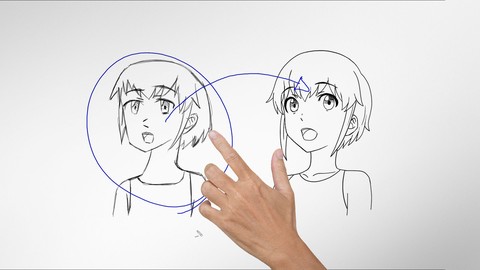
Improve Anime Drawings With Leonardo DaVinci Method (2018)
4.3 (1,217 Reviews)
- Provider: Udemy
- Time: 54 mins
Free

Adobe Illustrator Essentials for Character Design (2021)
4.6 (925 Reviews)
- Provider: Udemy
- Time: 2.1h
$11.99
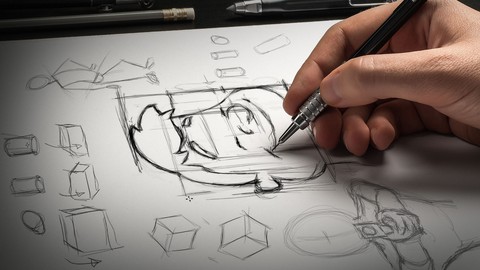

Character Design For Animation in Illustrator (2021)
4.6 (670 Reviews)
- Provider: Udemy
- Time: 2.2h
$54.99

Create Animated Series for YouTube in CrazyTalk Animator 3 (2021)
4.7 (619 Reviews)
- Provider: Udemy
- Time: 4.1h
$74.99
More Video Editing & Animation courses

Learn to Storyboard for Film or Animation (2024)
4.8 (2,727 Reviews)
- Provider: Udemy
- Time: 2.2h
$12.99


Fire Starter Sessions Video Workshop with Danielle LaPorte (2017)
4.8 (1,205 Reviews)
- Provider: Udemy
- Time: 3.7h
$11.99

The Ultimate Color Grading Bootcamp in DaVinci Resolve (2026)
4.8 (947 Reviews)
- Provider: Udemy
- Time: 8.7h
$19.99

The Complete Talking Head Video Production Masterclass (2026)
4.8 (319 Reviews)
- Provider: Udemy
- Time: 17.6h
$59.99

The Complete iMovie Course - from Beginner to Advanced 2026!
4.7 (2,021 Reviews)
- Provider: Udemy
- Time: 11.1h
$10.99
 Reviews

By Henry Cooper on 10/23/2020
Very articulataly expalined and prepared materials
By Andrei on 10/15/2020
Great course! Thx.
By Fazl Metehan irin on 8/24/2020
Great course to begin learning Moho.
By Thiago andrade on 8/13/2020
Muito bom ..basico mas util
By Tatjana on 8/8/2020
Great explanations
By Deliah Hudson on 7/1/2020
love the teaching
By Francis Maingi on 6/5/2020
I am really understanding the course and relating more to Moho. I have zero complains as the lecturer explains everything perfectly.
By Donald Thige on 5/16/2020
deep but delivered simple.
By Serious Fairchild-Rage on 5/7/2020
Clear and to the point. Very effective lessons.
By Vanessa on 5/6/2020
This is the only course for complete beginner with no animation knowledge that has complete tutorial from A-Z on how do 2D animation with Moho . The explanation given is very clear to understand. Thank you!
By Tanishi Battula on 4/12/2020
Nicely explained
By Wilsmer Kelly Balbuena on 4/10/2020
Good explained
 Quality Score
No CourseDuck member has rated this course yet. Taken it? Give each part a thumbs up or down.
Overall Score : 92 / 100

- Video Duration:
 4h
4h - Price: $59.99
- Provider: Udemy
- Updated:
 September 2018
 - Level:
 Beginner
 - Language:
 English
 - Certificate:
 Yes
Yes
30-day money-back guarantee on most paid courses
Udemy Coupon Price Tracker
