
 Web Development
 Data Science
 Python
 SQL
SQL JavaScript
 Artificial Intelligence
 IT & Software
 IT Certifications
 Hacking
 AWS
AWS Arduino
 DevOps
 3D Modeling
 Graphic Design
 Photoshop
 Drawing
 Digital Painting
 UX Design
 Business
 Data Analysis
 Communication Skills
 Project Management
 Leadership & Management
 Human Resources
 Digital Marketing
 Social Media Marketing
 Marketing
 SEO
SEO Google Analytics
 Branding
 Excel
Excel Office Productivity
 SAP
SAP PowerPoint
 Microsoft Access
 SharePoint
 Finance & Accounting
 Trading & Investing
 Accounting
 Bitcoin
 Personal Finance
 Video Editing & Animation
 Photography
 Adobe Premier Pro
 Adobe Lightroom
 Personal Development
 Productivity
 Career Development
 Life Coaching
 Health & Fitness
 Meditation & Mindfulness
 Yoga
Yoga Music
Music Music Production
 Guitar
 Piano
Piano Singing
 Language Learning
 Teaching & Academics
 Engineering
 Math
Math Lifestyle
Adobe Illustrator Essentials for Character Design (Udemy.com)
Learn how to turn your paper drawings into beautiful art. Presentable products that you can pitch or sell
Created by: 2D Animation 101 Courses
Last updated September 2021
 What you will learn
- Use Adobe Illustrator to transform your paper drawings into finished products that you can sell
- You will be able to master techniques to design with a drawing tablet or, achieve the same awesome results with a mouse
- You will learn to the Overshoot Technique, in which you color your artwork with fine lines and then add shadows easily
How it compares
Against the other 100 rated Udemy courses in Illustrator on CourseDuck:
- Rating4.6 out of 5higher than 57% of them
- Reviews925#23 of 101 by number of reviews
- Length2.1 hoursshorter than 73% of them
- Last updatedSeptember 2021more recently than 64% of them
 Course Description
Do you want to learn how to use Adobe Illustrator to Design and Present your characters?
Well, what can I say, you are reading this, and that means that you are interested in learning Adobe Illustrator. It also means that probably you looked for free tutorials on the internet on how to use it, and picked up some tips here and there, but you are looking for an organized course that guides you through this awesome software step by step.
This course is for either character designers or animators who want to learn the basics of this software to use the new set of skills on their projects.
You will learn all the essentials you need to trace images, turn paper drawings into presentable products that you can sell, and everything you need for character design.
If you are a beginner, you will love it, you will go from zero to hero if you follow along practicing the exercises. And if you are a savvy user, then you might as well benefit from some secret gems here and there, missed tools and techniques that you probably knew they existed.
How do I know that? Because of the reviews from early testers, my designer friends who checked this course to give it the thumbs up, who have been using Illustrator for years, and they confessed they didn’t know about 30% of the techniques covered in this course.
You will learn:
- All the basic interface, and navigations.
- All the essential panels.
- Then the drawings tools.
- What tools to use if you have a Wacom Tablet, or for those who don’t have a drawing tablet, then what tools to use when designing with a mouse.
- All the basic drawing tools in detail
- How to create a color palette
- How to paint your work using the live paint feature
- How to add shadows and highlights easily
This course has many exercises that you can follow to understand every bit of knowledge.
Enroll today and start developing a new skill that can help you sell your work and get some extra income.

 Udemy Discount
The discount is applied through our link. Open the course from here and Udemy's current promotional price is applied at checkout on most courses, no code to type.
Some courses are excluded from Udemy's promotions. If the price does not drop, clear your browser cookies and use the button again.
Instructor Details
- 4.6 Rating
 925 Reviews
2D Animation 101 Courses
Mark L. Diaz has a background of 10 years in the film industry at Autumn Leave Films, and with over 30 short films produced to this date, we are a group of animators who love to share everything we know about animation, from pre-production, animation, to post production.
Our aim is to equip future animators with all the necessary techniques and tips to help them do better projects. Our courses will help beginners along with intermediate users.
We have helped more than 160,000+ students to discover techniques and all the knowledge they need to start animating their projects.
 More courses by 2D Animation 101 Courses

Cinematography for 2D Animation Essentials (2018)
4.6 (1,357 Reviews)
 Provider: Udemy
 Time: 36 mins
$15.99
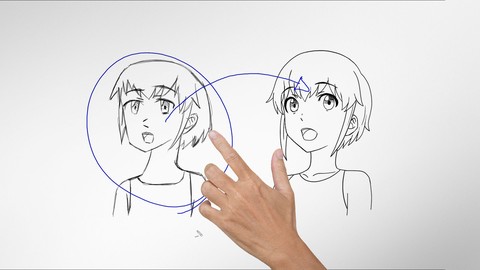
Improve Anime Drawings With Leonardo DaVinci Method (2018)
4.3 (1,217 Reviews)
- Provider: Udemy
- Time: 54 mins
Free
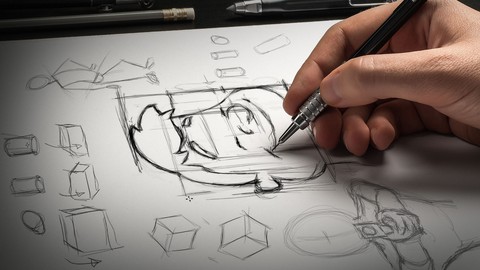

Character Design For Animation in Illustrator (2021)
4.6 (670 Reviews)
- Provider: Udemy
- Time: 2.2h
$54.99

2D Animation in Moho from Basic to Advanced (2018)
4.6 (625 Reviews)
- Provider: Udemy
- Time: 4h
$59.99

Create Animated Series for YouTube in CrazyTalk Animator 3 (2021)
4.7 (619 Reviews)
- Provider: Udemy
- Time: 4.1h
$74.99
More Illustrator courses

Adobe Illustrator CC - Essentials Training Course (2025)
4.8 (33,107 Reviews)
- Provider: Udemy
- Time: 12.1h
$124.99

Adobe Illustrator CC – Advanced Training Course (2025)
4.8 (10,960 Reviews)
- Provider: Udemy
- Time: 10.2h
$174.99

Adobe Illustrator Advanced Vector Artwork (2020)
4.8 (1,988 Reviews)
- Provider: Udemy
- Time: 8.3h
$14.99

Adobe Illustrator - Beginner to Pro Level With New AI (2026)
4.8 (1,368 Reviews)
- Provider: Udemy
- Time: 13.7h
$89.99

How to create flat design icons in 15 minutes in Illustrator (2023)
4.8 (335 Reviews)
- Provider: Udemy
- Time: 5.4h
$124.99

Logo Design Mastery In Adobe Illustrator (2022)
4.7 (5,700 Reviews)
- Provider: Udemy
- Time: 5.8h
$139.99
 Reviews

By Sumit Negi on 8/17/2024
If you are struggling in illustrator how to color your character, what are the techniques used to draw color and shadow then this course is for you. Note: Instructor will not teach you about light and shadow, he will show you technique how to draw light and shadow as instructor is assuming that you already know about it. I was struggling in drawing characters and did not know how to do it. Instructor will teach you from point to point without beating around the bush. Once you know all the techniques, after that all you have to do is practice and practice. He will teach you about all the tools that will be used to draw your character. Hope this review will be useful to you.
By Pushpak on 8/7/2024
This course taught me everythin' I needed to know about Adobe Illustrator as a 2D animator- saved me the time & effort to scour the internet for scraps (moreover it feels there's no source material for Illustrator available anywhere with special regards to 2D animation)- all in one place in a structured format. Can't be thankful enough! Besides, I think it covers all the required basics & foundations of Adobe Illustrator- the crux of it, if you will- even outside of 2D animation, so it's a great place to learn Illustrator anyway.
By Abhilasha Kale on 5/12/2020
I m sorry but this wasn't helpful for me at all as I thought it would be.I thought there could be more advanced technique that I could learn.In these tutorials I didn't learned any thing new all that I saw was everything that I know about Illustrator already.
By Monica on 10/17/2019
This course was above and beyond our expectations, the trainer has great knowledge about the program and help us be confident using the program Adobe Illustrator. Know we can create characters with confidence and lots of excitement. We love the fact that he explain everything in detail, not assuming that you know anything and that is great when you are a beginner. Thank you Mark, you are a great teacher. Keep up the good work. Blessings.
By Shirley Ann Cabrera on 2/20/2019
A really great course for beginners and for those who needed refreshing on their illustrator skills. I love that it's focused on the things that you really need to create characters on illustrator. So much takeaways! Was so surprised at how something other showed as something complicated could be so easy when using the techniques thought on this course. I also love how it was divided into small bite sizes making easier to learn. Great job! I highly recommend it!
By Jorge Bribiesca on 10/25/2018
I had a great experience with this course. I'm a traditional cartoon illustration designer. Self-taught not academy-trained. So, I needed an Illustrator course specific to my needs and it's really hard to find it. So with this cartoon-specific class I learned EXACTLY what I needed in order to convert my pen and paper drawings to actual vector illustrations. Thank you!
By Ryan Rockwell on 2/15/2018
"I like to do things fast, to spend more time doing things on my life" he says while narrating everything in the slowest drawn out way possible. 5 minutes to tell you Z for zoom and Space for navigation to click and drag. Good lord. Outside of that, the info is good, and I enjoy the lessons on their website. Seeing the instructor be animation as an individual is much better than hearing it lol!
By Kezia Paige K. Tee on 4/19/2017
For a free course, it's really packed with information and demonstrations on the tools commonly used by designers (and by extension illustrators). The pacing is pleasant and relaxed, to ensure you can catch up if you are a total noob, so you won't have to rewind as much. I learned a few things that I normally wouldn't learn until it crossed my mind, such as using the knife tool properly. What's more, it hammers in you stuff to make the your workflow efficient.
By Shawn McMurray on 1/14/2017
Great lesson! The flow and instruction of the course makes it very easy to learn. I traditionally drew, shaded, and colored with Photoshop. I knew very little about Illustrator. With this lesson I will now perform my sketches in Photoshop and finish off the animation in Illustrator. The work flow is super easy and way cleaner. Thanks 2D Animation!
By Robert Welborn on 12/21/2016
First, the course was free so really what's not to like about it? Now, on a serious note, the course was well laid out and introduced me to the tools needed to create your characters in Illustrator. I had taken a previous Illustrator course but was amazed at how much I had already forgotten. It's a great review course. I believe this course is the fourth one I have taken from this instructor. He is easy to listen to, explains everything very well and I always take away some nice tips which speed up the design process. I highly recommend this course.
 Quality Score
No CourseDuck member has rated this course yet. Taken it? Give each part a thumbs up or down.
Overall Score : 92 / 100

- Video Duration:
 2.1h
2.1h - Price: See price on Udemy
- Provider: Udemy
- Updated:
 September 2021
 - Level:
 Beginner
 - Language:
 English
 - Certificate:
 Yes
Yes
30-day money-back guarantee on most paid courses
Udemy Coupon Price Tracker
