
 Web Development
 Python
 SQL
SQL JavaScript
 Data Science
 Artificial Intelligence
 IT & Software
 IT Certifications
 Hacking
 Arduino
 AWS
AWS 3D Modeling
 Graphic Design
 Photoshop
 Drawing
 Digital Painting
 UX Design
 Business
 Data Analysis
 Communication Skills
 Project Management
 Leadership & Management
 E-Commerce
 Digital Marketing
 Social Media Marketing
 Marketing
 SEO
SEO Google Analytics
 Branding
 Office Productivity
 Excel
Excel Finance & Accounting
 Bitcoin
 Video Editing & Animation
 Photography
 Adobe Premier Pro
 Adobe Lightroom
 Personal Development
 Health & Fitness
 Music
Music Guitar
 Teaching & Academics
 Language Learning
 Engineering
 Lifestyle
2D Explosion Animations: Make Cartoony VFX in Photoshop (Udemy.com)
Make your own 2D explosion animations for your game, video or cartoon. Clear, easy, and super fun!
Created by: Think Citric
Last updated November 2020
 What you will learn
- Getting familiar with Photoshop commonly used tools and effects
- Creating various cartoony frame by frame animations
- Ways of making your 2D explosion VFX more powerful and substantial
- Exporting animation as a sprite sheet ready for use in your 2D game
 Course Description
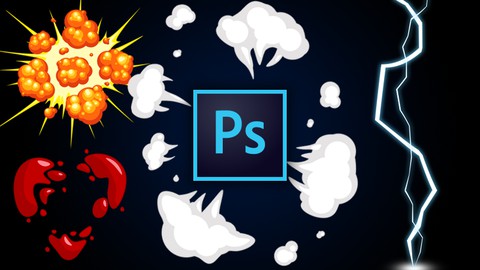
Get ready to make 2D visual effects of things go BOOM in a truly fun cartoony way! Because this course is all about awesome 2D explosion effects!
Using Photoshop you will learn to create various kinds of explosive VFX that could easily be used as game assets, video FX or materials for any other 2D animation projects.
We have fire explosion, water bubble burst, lightning strike and more cool animations waiting to be brought to life. So, let’s get to it!
Why choose Photoshop for your 2D explosion FX?
Being a leading visual editing software on the market, Photoshop also provides a very comfortable environment for creating visual effects.
It is a powerful software, packed with useful tools that are easy to learn and enjoyable to use. Those qualities combined make Adobe Photoshop a go-to software for the majority of visual artists, photographers, and animators.
Making frame by frame visual effects such as 2D cartoony explosions is a fun and rewarding process. Photoshop makes it also an easy one.
What will you get from this course?
This course will teach you how to make your own 2D explosion animation sprite sheet from scratch. No previous Photoshop knowledge, or artistic skills required. Just a desire to learn making your own cartoony VFX!
In this course we will:
- Go over the basics of Photoshop to get ready for working with the software
- Draw frame by frame our own cartoony explosion animations
- Create various kinds of explosion FX including dust, gas and fire explosions
- Test our 2D explosions and enhance them to become powerful VFX
- Export our explosion animations as sprite sheets from Photoshop
Throughout the course we will look at the complete process of visual effect creation, enhancing and finally exporting the animation ready to use in cartoons, games or videos.
This course will provide you with the skill and knowledge to design and create your own 2D explosion VFX in the future!
Why choose this course to learn creating 2D explosion animations?
As an independent studio we often have to rely on our own skills in creating assets. Luckily for us, we enjoy creating cool cartoony looking stuff quite a lot.
This course is our way of sharing our knowledge with fellow artists. We tried to make it as clear and detailed as we could, to better serve both beginner animators and those of you who already have experience in the field.
Going over various kinds of explosion animations, this course is aiming to grant you an understanding of how to design and bring to life your own 2D VFX.
Moreover, we offer you:
- Personal guidance and answer to any questions (within reasonable response time of up to 1-2 work days, depending on the day of the week).
- Quizzes to fortify your knowledge.
- Lifetime access to course materials (including any future updates in the course).
We love games and adore animation. This 2D VFX creation course is designed to make it possible to other animators (beginners and advanced) to expand their abilities and be able to create their own fun cartoony assets.
Hope you enjoy taking this course, as much as we enjoyed creating it.
So, sign up, and start making your own awesome 2D explosion animations!

 Udemy Discount
The discount is applied through our link. Open the course from here and Udemy's current promotional price is applied at checkout on most courses, no code to type.
Some courses are excluded from Udemy's promotions. If the price does not drop, clear your browser cookies and use the button again.
Instructor Details

- 4.8 Rating
 95 Reviews
Think Citric
Think Citric is an independent game development studio. Our recent work in Spine 2D animation has led to a successful YouTube channel where we post tutorials on the tool alongside with our game development videos. More and more users turning to us with questions had led to the idea of sharing our knowledge on Udemy. We are passionate about game development, and support anyone interested in getting into this field.
 More courses by Think Citric

Spine PRO: A Complete 2D Character Animation Guide (2021)
4.8 (1,861 Reviews)
 Provider: Udemy
 Time: 4.1h
$10.99
Learn 2D Character Animation for Games in Spine Essential (2020)
4.6 (251 Reviews)
- Provider: Udemy
- Time: 3.1h
$64.99
More 3D Modeling courses

3D Printing with " Ultimaker CURA Slicer- Start to finish" (2025)
4.9 (192 Reviews)
- Provider: Udemy
- Time: 1h
$34.99

Girl and the Dog Creation in Zbrush for Intermediate Level (2020)
4.9 (173 Reviews)
- Provider: Udemy
- Time: 48.8h
$59.99



Blender Character Creator for Video Games (2026)
4.8 (9,160 Reviews)
- Provider: Udemy
- Time: 34.3h
$159.99

Master SOLIDWORKS 3D CAD using real-world examples (2022)
4.8 (2,451 Reviews)
- Provider: Udemy
- Time: 18.9h
$69.99
 Reviews

By Axel Beckmann on 5/4/2026
Incredible tutorial for 2D animation. Easy to follow along and understand the concepts. Thank you!
By Tameem Farooqi on 12/2/2024
At first I didn't think VFX were so important, But this was like an all new perspective on what I already know about animation. This is knowledge I'm definitely gonna bring with me into future cartoon creating. Thank You.
By Adrian Hoyle on 10/26/2024
Clear and concise communication, very easy to follow along with the examples.
By Kamal Nikhurpa on 5/26/2022
Nice, informative lectures. I took lectures on photoshop software, but was unable to use the multitude of its tools in a creative way. These lectures really helped me to apply photoshop creatively and helped to understand the process of how different tools can be used to create something new and exciting.
By Li Tiantian on 5/23/2022
I want to learn more about drawing 2d animation in photoshops
By PJHJ Teunissen on 4/1/2022
I wanted to learn more about drawing 2d effects and this exact what i wanted
By Alexander Zakharov on 11/29/2021
The course is great for complete beginners, who are not familiar with drawing, animation or software. But it has some useful tips and features for more experienced artists as well.
By AramAzaza on 11/17/2021
Всегда смотрю курсы от данного автора и всегда восхищён подачей и качеством материала
By Mark A. Green on 4/11/2021
Yes...curious about adding animations to video projects. This appears to be just what I'm looking for.
By QUESDYEL Pascal on 12/6/2020
The course is easy to understand and to follow, but it is repetitive, and that would be fine to learn how to use actions features from photoshop. The video speeds up oftenly, which makes it sometimes borring to do repetitive things. Howewer, the concept is of a good quality, but it can be better, because we're not necessarily satisfied in the end.
 Quality Score
No CourseDuck member has rated this course yet. Taken it? Give each part a thumbs up or down.
Overall Score : 96 / 100
- Video Duration:
 4.4h
4.4h - Price: $59.99
- Provider: Udemy
- Updated:
 November 2020
 - Level:
 All Levels
 - Language:
 English
 - Certificate:
 Yes
Yes
30-day money-back guarantee on most paid courses
Udemy Coupon Price Tracker
