
 Web Development
 Data Science
 Python
 SQL
SQL JavaScript
 Artificial Intelligence
 IT & Software
 IT Certifications
 Hacking
 AWS
AWS Arduino
 DevOps
 3D Modeling
 Graphic Design
 Photoshop
 Drawing
 Digital Painting
 UX Design
 Business
 Data Analysis
 Communication Skills
 Project Management
 Leadership & Management
 Human Resources
 Digital Marketing
 Social Media Marketing
 Marketing
 SEO
SEO Google Analytics
 Branding
 Excel
Excel Office Productivity
 SAP
SAP PowerPoint
 Microsoft Access
 SharePoint
 Finance & Accounting
 Trading & Investing
 Accounting
 Bitcoin
 Personal Finance
 Video Editing & Animation
 Photography
 Adobe Premier Pro
 Adobe Lightroom
 Personal Development
 Productivity
 Career Development
 Life Coaching
 Health & Fitness
 Meditation & Mindfulness
 Yoga
Yoga Music
Music Music Production
 Guitar
 Piano
Piano Singing
 Language Learning
 Teaching & Academics
 Engineering
 Math
Math Lifestyle
3D Character Creation: Retopologizing For Animation - Zbrush (Udemy.com)
Turn your high res sculpt into a game-ready character using ZBrush (Available for both Streaming & Download)
Created by: Victory3D LLC
Last updated April 2018
 What you will learn
- Understand the purpose of retopologizing as it relates to game and animation
- Use Zremesher, Zsphere Topology, and Topology Brush to resurface character in Zbrush
- You will learn how to utilize Polypaint to prepare outline of topology
- Turn a detailed sculpt into a low poly animation-ready character
- Video tutorials are available both for Streaming and Download
How it compares
Against the other 545 rated Udemy courses in 3D Modeling on CourseDuck:
- Rating4.4 out of 5higher than 26% of them
- Reviews185#335 of 546 by number of reviews
- Length3 hoursshorter than 75% of them
- Last updatedApril 2018earlier than 87% of them
 Course Description
Instructor Info
Corazon Bryant always had an artistic bone in her body. When she was only 2 years old, she would make detailed drawings on her mother's wall. Her mother loved the drawings so much, she decided to keep them. With the encouragement of her mother, she continued drawing and she only got better as time when by. When Corazon was in middle and high school, she earned money making portraits for her classmates and even for her teachers. She pursued a college degree in Media Arts & Animation and later worked for architectural and entertainment companies such as Camm Productions, ID DI Design, and PDT International. She also had an opportunity to do some freelance work for Mega Pickle Entertainment. While working as a 3D artist, she had a chance to teach 3D animation classes in an A+ school. This is when she found her true love - which is not only to talk about 3D endlessly but to also inspire greatness in young upcoming artists. Corazon is currently working on a new project called Victory 3D with fellow industry-experienced artists to provide an affordable and effective learning system that will make it easier for students to get a job in the 3D industry.
Course Info
In this 3-hour video course, Corazon Bryant will go over different types of tools that you can use to retopologize your character. You will first start by understanding the purpose of retopologizing and learning the kind of geometry structure that is needed to create an animatable mesh. You will gain knowledge on how to use Zremesher to create a clean topology for your character. You will learn how to control the flow of your geometry and manage the amount of polygons that is suitable for games. You will also gain insight on how to utilize the Topology brush and Zsphere Topology tool to create accurate topology for your needs. By the end of this course, you will acquire the skills to be able to turn your high res sculpt into an animation-ready low res character. So get your detailed Zbrush ready and it's time to have some fun!

 Udemy Discount
The discount is applied through our link. Open the course from here and Udemy's current promotional price is applied at checkout on most courses, no code to type.
Some courses are excluded from Udemy's promotions. If the price does not drop, clear your browser cookies and use the button again.
Instructor Details

- 4.4 Rating
 185 Reviews
Victory3D LLC
What is our mission? Why do we do what we do?
Our unwavering mission is to empower dreamers, transforming their aspirations into tangible careers. By harnessing their unique talents, artists can illuminate the world with entertainment, ignite joy through creation, convey powerful messages, and above all, inspire others on a global scale. Join us on this remarkable journey towards making dreams a reality.
We provide students with affordable and substantial tutorials that are easy to understand and produce results. We believe that industry experience, effective teaching, and student interaction are the key ingredients for providing a high quality learning system. With Victory3D, you will find a collection of affordable courses made by artists with experience working in Ubisoft, Blizzard, Gameloft, MPC, Double Negative and many more!
 More courses by Victory3D LLC
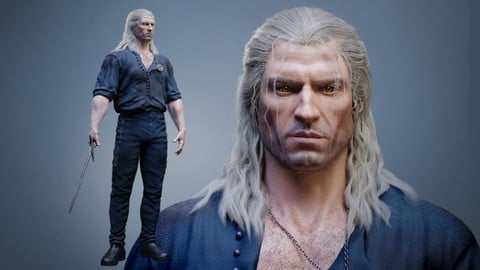
Complete Guide to Realistic Character Creation in Blender (2026)
4.3 (1,595 Reviews)
 Provider: Udemy
 Time: 53.7h
$119.99

Human Anatomy for Artists using Zbrush and Photoshop (2019)
4.7 (673 Reviews)
- Provider: Udemy
- Time: 21.1h
$74.99
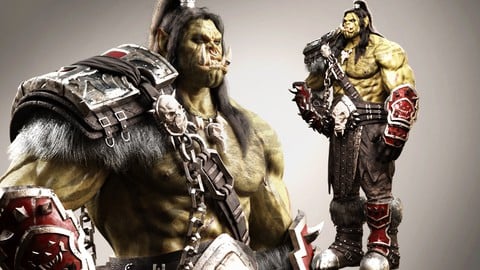
Blender Character Creation Masterclass - Orc Warrior (2026)
4.5 (662 Reviews)
- Provider: Udemy
- Time: 73.8h
$89.99
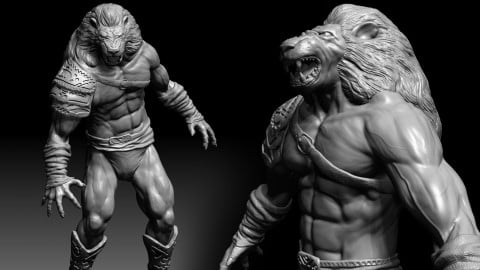
3D Character Creation: Sculpting in Zbrush (2019)
4.4 (611 Reviews)
- Provider: Udemy
- Time: 4.7h
$64.99

Zbrush Facial Anatomy and Likeness Character Sculpting (2019)
4.4 (376 Reviews)
- Provider: Udemy
- Time: 9h
$64.99
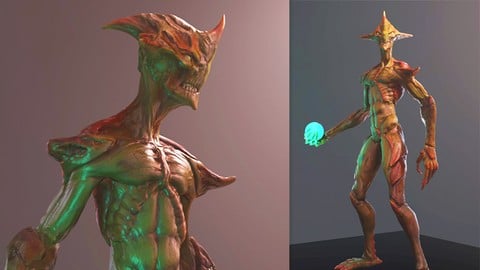
3D Game Character Creature - Full Complete Pipeline (2019)
4.8 (322 Reviews)
- Provider: Udemy
- Time: 14.3h
$64.99
More 3D Modeling courses

3D Printing with " Ultimaker CURA Slicer- Start to finish" (2025)
4.9 (192 Reviews)
- Provider: Udemy
- Time: 1h
$34.99

Girl and the Dog Creation in Zbrush for Intermediate Level (2020)
4.9 (173 Reviews)
- Provider: Udemy
- Time: 48.8h
$59.99



Blender Character Creator for Video Games (2026)
4.8 (9,160 Reviews)
- Provider: Udemy
- Time: 34.3h
$159.99

Master SOLIDWORKS 3D CAD using real-world examples (2022)
4.8 (2,451 Reviews)
- Provider: Udemy
- Time: 18.9h
$69.99
 Reviews

By Chris Sandell on 7/22/2025
Very clear instructions, explains the reasons for her actions. Explains the importance of learning certain tools thoroughly and also advises of additional learning resources that may assist your overall understanding.
By Suzanne Matheson on 3/11/2022
Yes, this course is an excellent match for my learning needs. I am gaining a much better understanding of the how's and why's of retopology, along with a sense of what processes might be best to use for certain kinds of models. Thank you, Corazon!
By Steven Eserin on 3/13/2021
The sound quality is very poor. some voice is lost, making the presenter hard to follow at times. The content is repetitive. It could all of been covered in a quarter of the time, and important aspects are mentioned but not covered. for example, its great to create a low poly mesh, but there is nothing on recovering the high poly detail or mapping. overall its a bit sparse on actual content as the same techniques are repeated over and over. no need for that, do it once, we can watch it twice if we need to.
By Daniel Kałaska on 3/27/2019
Course does what it says in the title. But in my opinion this is a half of the job should be done to this subject. Here is the thing. After 2-3 videos you already know all the ZBrush tools and "basic idea" behind the flow of topology. I write basic because in my opinion there should be shown rigged model, YES fully rigged where instructor show exactly why you are retopologizing the mesh, in what areas and why is that. All shown based on the movement of the joints. I would like to see some top class 3D models topology reference where we can study and confirm idea behind the flow of topology(Especially face) and all the niuanses. With all due respect to the instructor, but seeing some part of this sculpt i don't find it very good as a sculpture and design wise so... i am not necessarily sold trusting your word - it is the right way. Sorry. So... after 2-3 videos you just watch more of the same, it is not entertaining and it doesn't has any added value. Just a repetition. Good for newcomers to Zbrush not necessarily for those who knows this environment. But OK, when it comes to knowledge transfer Instructor does her job very well. You will know whole 2-3 Zbrush tools and how to more or less setup their params. And this is another problem - "Zbrush tools". Yes, this tut is about Zbrush and I new it from the begining but others should be aware of this - None is treating Zbrush seriously when it comes to Professional Retopology tool. Even instructor says that she is going to record topoGun tut. Whole industry uses Maya, 3DCoat, topogun and even Blender. Just be aware of it :) ZBrush team still working, fixing and improving ZRemesher and ZSphere tools but they are not the greatest in the world. They just are... in the same package :) But the biggest issue where value of this course drops drasticly is this: When you teach retopology you show only one way - > how to drop the number of vertices remaining the main shape and good topology flow. But this is half baked product. What you should obligatory show to these people is how to bring does details back. How prepare subdivision levels, project detail, bake normal maps ect. Otherwise you leave them with false message. That this is it, it's over, your done with modeling. You aim for people who are newcomers to the field so treat and speak with them like that. And do not cut corners when it comes to knowledge because you plan to release more products... Resuming Overall good but only with discount.
By Henry Crosby on 1/17/2019
Ottimo per apprendimento del metodo sulla retopologia, mi sarebbe piaciuto l' applicazione delle texture. Qualità video è un po scarsa, sottotitoli non coerenti sulla traduzione.
By Rick Jolley on 6/8/2018
Yes, I want to understand the correct way to mesh a character as I'm planning on creating a short story that may involve some animating. Corazon is clear and concise as she explains the necessary benefits of proper topology for animation. Looking forward to the rest of the course!
By Thomas Wielgus on 6/1/2018
While I did have experience with topology, I had only a vauge idea of how Retopology works in Zbrush. (Mainly just sort-of using ZRemesher for auto-topology and hoping I won't get spirals if I draw the curves correctly.) This course however helped me understand the available tools in Zbrush much better - which immediately reflected in increased quality of the ZRemesher topology. (Which cuts down cleaning it up later manually by a hefty sum). Looking forward to the Texturing course - will definitely go for it.
By Sonja Krivokapić on 4/7/2018
This tutorial is really worth every penny. explanations are clear and instructions are easy to follow. The combination of the instructor's knowledge, her confidence and her ability to demonstrate that knowledge to people without it is really the essence of being a good teacher.
By Reuben James Faustino on 3/24/2018
As a beginner this is the best zbrush topology course for me. This helped me understand the core basics in using topology tools and I have learned a lot of techniques from the instructor. A must have topology training. Great stuff!!
By Alexander Georgiadis on 7/3/2017
It is pretty much what I expected based on previous experience from your other tutorials! Which awesome. Everything explained very nice! The pace is not very fast, just the right amount in order for you to understand what you see, so that you can replicate it on your own in the future. Great work!
 Quality Score
No CourseDuck member has rated this course yet. Taken it? Give each part a thumbs up or down.
Overall Score : 88 / 100

- Video Duration:
 3h
3h - Price: $44.99
- Provider: Udemy
- Updated:
 April 2018
 - Level:
 All Levels
 - Language:
 English
 - Certificate:
 Yes
Yes
30-day money-back guarantee on most paid courses
Udemy Coupon Price Tracker
