
 Web Development
 Python
 SQL
SQL JavaScript
 Data Science
 Artificial Intelligence
 IT & Software
 IT Certifications
 Hacking
 Arduino
 AWS
AWS 3D Modeling
 Graphic Design
 Photoshop
 Drawing
 Digital Painting
 UX Design
 Business
 Data Analysis
 Communication Skills
 Project Management
 Leadership & Management
 E-Commerce
 Digital Marketing
 Social Media Marketing
 Marketing
 SEO
SEO Google Analytics
 Branding
 Office Productivity
 Excel
Excel Finance & Accounting
 Bitcoin
 Video Editing & Animation
 Photography
 Adobe Premier Pro
 Adobe Lightroom
 Personal Development
 Health & Fitness
 Music
Music Guitar
 Teaching & Academics
 Language Learning
 Engineering
 Lifestyle
Ableton Certified Training: Ableton Live 11 (Part 4, 5, & 6) (Udemy.com)
Official Parts 4, 5, and 6 from Ableton Certified Training Curriculum and Training J. Anthony Allen
Created by: J. Anthony Allen
Last updated May 2026
 What you will learn
- At the end of this course, students will be able to produce music with Ableton Live and be on their way to being a professional musician.
- Work in the Session View and Arrangement View of Ableton Live
- Record Audio, Midi, and Understand Live's Signal Flow
- Navigate 100% of Ableton Live
- Produce music using Ableton Live
- Students will understand the two views in Live.
- The fundamentals to recording in Live
- All possible ways of editing in Live
- The 10 fundamentals to audio recording
- The 6 fundamentals to MIDI recording
- The essential tools for Warping
- Editing and Producing in Arrangement view
- Session View editing and Producing
- Making Beats
- The 7 (and more!) methods to making beats in Ableton Live
- Producing with synths in Ableton Live
- The 12 Ableton Live Instruments
- The Wavetable Synth (similar to Serum)
- The Ableton Live Samplers
 Course Description
This course is "5-Star Certified" by the International Association of Online Music Educators and Institutions (IAOMEI). This course has been independently reviewed by a panel of experts and has received a stellar 5-star rating.
** Udemy Top Seller ** This is the new version of my Ableton Live 10 class that is a top-selling Udemy course with thousands of 4+ reviews, and tens of thousands of students!
100% Answer Rate! Every single question posted to this class is answered within 24 hours by the instructor.
Are you a music maker, aspiring producer, or professional producer looking to up your game? This is the place to start.
Ableton Live can be a little intimidating. It's a powerful program, and it has some oddities that you have to get used to. But don't worry - that's what I'm here for.
Hi - my name is Jason, and I am one of only a handful of Ableton Certified Trainers. That means I've proven myself both as a user and as an educator to the Ableton corporation, and they have given me their stamp of approval. I am the only Ableton Certified Trainer who also has a Ph.D. in music, and is a university professor as well.
Years ago I made my first Ableton class - a six-part class focused on Ableton Live 9. I learned from that and improved it in my top-rated Ableton Live 10 class, and now I've made it even better with my brand new Ableton Live 11 class.
Welcome to ULTIMATE ABLETON LIVE 11 Masterclass Edition: PARTS 4, 5, and 6 Combined.
This class contains the full versions of my three top Ableton Live 11 classes:
Ultimate Ableton Live 11, Part 4: Synthesis & Sound Design
Ultimate Ableton Live 11, Part 5: Audio & MIDI Effects
Ultimate Ableton Live 11, Part 6: Mixing, Mastering, and DJing
What is this Ableton Live 11 Course all about?
In this class, we are going to learn Ableton Live 11, and every aspect of the program. We will focus on how to do everything possible in Ableton Live, and you will finish this course as an expert in Ableton Live 11. Whether you have experience in music production already or not, this is the ultimate class to learn how to use the Ableton Live 11 software for any genre of music.
If you are using an earlier version of Ableton Live, (Live 10, or Live 9) you should be able to follow along with most of the class.
I'll also be giving you some extras:
10 Downloadable Sessions - my own projects that you can use as starting points, and are free to do whatever you want with!
Over 11 hours of downloadable videos that you will have lifetime access to.
My top production workflow techniques
Guest instructors talking about their mixing and mastering secret tricks.
And direct access to me. All questions posted in this class are answered, by me, within 24 hours.
This is a huge class! Here is a list of some of the topics we will cover:
Sound Design Principals
Synthesis Types
Synthesis Elements
Live’s Analog Synthesizer
Using LFO
M4L Instruments
Live’s Collision Synthesizer
Live’s Electric Synthesizer
Live’s Impulse Synthesizer
Live’s Tension Synthesizer
Live’s Operator Synthesizer
Music Production Live Workflows
The Samplers in Live 11
The Simpler
The Sampler
Instrument Racks
Getting Ableton: Free ableton live versions
The External Instrument
What are MIDI Effects?
Arpeggiator
All the MIDI Effects in Live 11 Suite
The 3 Types of Audio Effects
All the Drive Effects (Distortion)
All the EQ and Filter Effects
All the Modulator Effects
All the Pitch and Modulation Effects
All the Time and Space Effects
Compressors
All the Utility Effects
Audio Effect Racks
Working with Controllers
Follow Actions
Setting Up a DJ Set
Creating a Dynamic Performance Set
Mixing (With Special Guest James Patrick)
Mastering (With Special Guest James Patrick)
And Much, Much, More!
My Promise to You:
I am a full-time Music Producer and Educator. If you have any questions please post them in the class or send me a direct message. I will respond within 24 hours. And if you find this class isn't for you, I am more than happy for you to take advantage of the 30-day money-back guarantee. No questions asked.
What makes me qualified to teach you?
I've already told you that I am one of only a few Ableton Certified Trainers. I also have a Ph.D. in music, I am a university music professor, and have a long list of awards for teaching.
But more importantly: I use Ableton Live 11 every day. I produce music professionally, and I stay on top of all the latest producing techniques, workflows, and styles. As you will see in this class, I just love this stuff. And I love teaching it.
You will not have another opportunity to learn about Ableton Live in a more comprehensive way than this.
The course is a roadmap to learn how to use Ableton live 10, how to use Ableton live 11, how to master music production, and more.
Let's get started!
See you in lesson 1.
All best,
Jason (but call me Jay...)

 Udemy Discount
The discount is applied through our link. Open the course from here and Udemy's current promotional price is applied at checkout on most courses, no code to type.
Some courses are excluded from Udemy's promotions. If the price does not drop, clear your browser cookies and use the button again.
Instructor Details
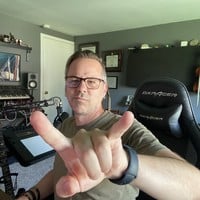
- 4.5 Rating
 734 Reviews
J. Anthony Allen
Dr. Allen is a 2026 Apple Distinguished Educator.
Dr. J. Anthony Allen is a distinguished composer, producer, educator, and innovator whose multifaceted career spans various musical disciplines. Born in Michigan and based in Minneapolis, Dr. Allen has composed orchestral works, produced acclaimed dance music, and, through his entrepreneurship projects, he has educated over a million students worldwide in music theory and electronic music production.
Dr. Allen's musical influence is global, with compositions performed across Europe, North America, and Asia. His versatility is evident in works ranging from Minnesota Orchestra performances to Netflix soundtracks. Beyond creation, Dr. Allen is committed to revolutionizing music education for the 21st century. In 2011, he founded Slam Academy, an electronic music school aimed at increasing accessibility to music production education. His innovative approach to academia was highlighted in 2024 when he received tenure and resigned from his university position on the same day.
As a composer, Dr. Allen is known for his unique synthesis of diverse musical influences, often blending acoustic music with electronic dance music elements. With a Ph.D. in Music Composition, multiple master's degrees, and numerous awards, Dr. Allen's academic and professional achievements are substantial.
 More courses by J. Anthony Allen
Music Theory Comprehensive Complete! (Parts 1, 2, & 3) (2025)
4.7 (23,763 Reviews)
 Provider: Udemy
 Time: 12.3h
$124.99
Music Theory for Electronic Music COMPLETE: Parts 1, 2, & 3 (2026)
4.7 (9,404 Reviews)
- Provider: Udemy
- Time: 12.6h
$149.99
Music Theory Comprehensive Complete: Part 4, 5, & 6 (2026)
4.8 (3,968 Reviews)
- Provider: Udemy
- Time: 10.2h
$19.99
Ultimate Ableton Live 10 COMPLETE: Parts 1, 2, and 3 (2023)
4.5 (3,508 Reviews)
- Provider: Udemy
- Time: 8.2h
$11.99
Ultimate Ableton Live 9 COMPLETE: Parts 1, 2, & 3 (2026)
4.7 (3,467 Reviews)
- Provider: Udemy
- Time: 8.5h
$12.99
More Music courses
Music Theory Comprehensive Complete: Parts 13, 14, & 15 (2026)
5.0 (315 Reviews)
- Provider: Udemy
- Time: 8.4h
$16.99

Electronic Music Production with Ableton Live (2025)
4.9 (2,479 Reviews)
- Provider: Udemy
- Time: 11.9h
$84.99
Jazz Piano - Ultimate Beginners Course for Piano & Keyboard (2025)
4.9 (2,224 Reviews)
- Provider: Udemy
- Time: 8.1h
$15.99

Music Composition with the Piano: Ultimate Keyboard Theory (2020)
4.9 (1,679 Reviews)
- Provider: Udemy
- Time: 7.8h
$16.99

Pianoforall - 'Classics By Ear' - Erik Satie (2018)
4.9 (1,303 Reviews)
- Provider: Udemy
- Time: 4.1h
$11.99
 Reviews

By Mark Drillich on 10/17/2024
Very cool to go through all effects and instruments. It does make me want to know the function of every little knob and button though. But i also understand that it's good not to go into too much detail (yet).
By Juan Carlos Bohorquez on 9/6/2024
Overall, it's a good course. I would have liked to see some effects go into more depth (the vocoder is "explained" in a 2-minute video) and the examples should be a little better prepared, since he basically improvises by placing any audio clip he finds in the library. The audio effects are explained with a single example, placing one plugin after another, all in a chain, which makes the exercise a little dull and boring. The only song I liked was the used in the mixing and mastering topic, although it's only a small introduction to those processes. Personally, I wouldn't mix or master with the native Ableton Live plugins and I wouldn't follow the processes indicated in that section, although the point of view and the processes that each engineer follows are always appreciated (I've done several mixing and mastering courses). I did like all the lessons that explain the racks (instruments, effects and audio)
By Geir Thorvaldsen Breimo on 1/1/2024
So I did the Ableton live 10 a couple of years ago and thought I new Ableton pretty well but in this course Jay is really getting in to using ableton in real life so its giving me plenty of practical tips as well as aha moments on things I havent thought about. Also the mixing an mastering part of this class is worth the course price on itw own, it really is a complete beginners class on mixing and mastering. Awesome :)
By Igor Dinotte dos Reis Menezes on 2/9/2023
Overall, I think the course is a good introduction to Live. I think the next step from here is really having the manual on your inside and start making a project from the start, and then at a low pace get natural at using the program. The mixing and mastering sessions I thought were a little fast paced, and although the teacher seems to be competent what he is doing, the class is more like watching a workflow than actually a dive into the resources of the program. Anyway, I would recommend the course, you won't be disappointed.
By Chris Uzdavinis on 1/18/2023
Overall a solid course, with quite a bit of breadth. I feel most things are easy to follow and make sense. A well presented course has things feeling obvious. No regrets taking this course, and I've completed all of sections 1-3 so far. I really like the topic breakdown, and the large number of short videos, allowing easier navigation to topics. Its design is logical, and maintains a fairly consistent level of mental effort required--no surprise "hard" sessions. It is a nice balance and pace. The negatives are pretty minor but still detract from it being an "amazing" experience. Sometimes the screenshots are too small for me to read (not full screen, or not zoomed in enough with a smaller font), but descriptions help make up for it. The Ableton screen is very busy and there are some times where it's not clear what is being clicked on, as I lose track of the mouse pointer and it changes before I find it (and rewinding doesn't always help.) A few videos are talking about and clicking on menu items that are literally off the area if the recorded screen (though this only happened a few times.) Also at times there is what sounds like a baby crying in the other room. While the later sections cover "all the instruments and effects" it's mostly a high-level quick intro covering everything with just a little time spent on each. This gives broad strokes what they do, but is mostly for awareness of their existence. If you can overlook things that are minor annoyances, it's worthwhile. I'm not an expert or anything near it, but I do feel exposed to enough basic features of Ableton to where I can do what I want now, though I still have plenty of room to improve.
By Shay Harding on 11/19/2022
Really great course after taking parts 1, 2, and 3. All 6 parts provide a great introduction to Ableton Live - yes, I said introduction since Ableton can do a TON of stuff. There's so much info packed into these parts though so don't think you're not going to your money's worth. Mixing and mastering sections were nice and tasty!
By Benjamin Pingle on 4/27/2022
This is a clear and concise course covering the different instruments, effects, and other functions of Live. Easy to follow, very organized and easy to go back and find information about a particular part of Live. This course does not go very in depth with mixing or mastering, but does have an overview with some good ideas covering those topics. Highly recommended if you are looking for a course that covers all of the functions of Live, but don't need a deep dive into one particular function. Enjoyed it and keep coming back for more!
By Mark Freeman on 10/29/2021
This class was outstanding. I just finished the last lecture and can't say enough good things about everything I've learned. I've struggled to get through some of the long production courses in the past, but really appreciate J's style of teaching and the level of depth he goes into. I also have his music theory bundle and plan to continue working through as many of his courses as possible over time. If you are looking at Live courses trying to decide which one to buy, this is it.
By Derrick Feole on 10/5/2021
It's been great! The only thing I'd suggest for improvement (especially for the Full Suite owners of Live) is that he should add the used sounds, loops ect at the start of each section so we can follow exactly along and make the same changes. Or he could show where he's getting each so we can find and insert on each track. I'm spending a lot of time finding sounds to manipulate and follow along.
By Benjamin van Noppen on 8/12/2021
What a great course! Provides a well-rounded, comprehensive overview of Ableton Live 11 (continuing on from the last three Parts). Jay is an awesome instructor! I've taken courses by others on Udemy, and they tend to act super cheesy and affected towards their students; but Jay is such a sincere and straightforward guy who makes you feel like he's your friend. I'll definitely consider taking other courses by him!
 Quality Score
No CourseDuck member has rated this course yet. Taken it? Give each part a thumbs up or down.
Overall Score : 90 / 100
- Video Duration:
 11.1h
11.1h - Price: $109.99
- Provider: Udemy
- Updated:
 May 2026
 - Level:
 All Levels
 - Language:
 English
 - Certificate:
 Yes
Yes
30-day money-back guarantee on most paid courses
Udemy Coupon Price Tracker
