
 Web Development
 Data Science
 Python
 SQL
SQL JavaScript
 Artificial Intelligence
 IT & Software
 IT Certifications
 Hacking
 AWS
AWS Arduino
 DevOps
 3D Modeling
 Graphic Design
 Photoshop
 Drawing
 Digital Painting
 UX Design
 Business
 Data Analysis
 Communication Skills
 Project Management
 Leadership & Management
 Human Resources
 Digital Marketing
 Social Media Marketing
 Marketing
 SEO
SEO Google Analytics
 Branding
 Excel
Excel Office Productivity
 SAP
SAP PowerPoint
 Microsoft Access
 SharePoint
 Finance & Accounting
 Trading & Investing
 Accounting
 Bitcoin
 Personal Finance
 Video Editing & Animation
 Photography
 Adobe Premier Pro
 Adobe Lightroom
 Personal Development
 Productivity
 Career Development
 Life Coaching
 Health & Fitness
 Meditation & Mindfulness
 Yoga
Yoga Music
Music Music Production
 Guitar
 Piano
Piano Singing
 Language Learning
 Teaching & Academics
 Engineering
 Math
Math Lifestyle
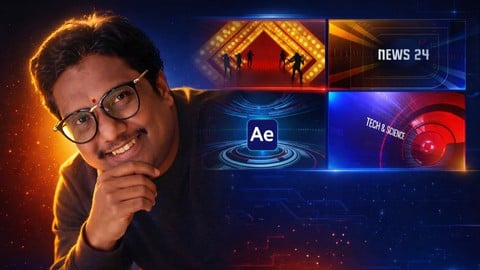
Adobe After Effects for TV Broadcast & OTT Motion Graphics (Udemy.com)
Create professional TV news graphics, lower thirds Promos OTT visuals using After Effects industry workflow included
Created by: Venkateswara Creative Academy
Last updated March 2026
Our take
Based on the ratings of 38 students, a sample of their written reviews and the syllabus, as the course stood in March 2026. No course pays to be reviewed.
Venkateswara Creative Academy, run by Lalu V, teaches this six-hour After Effects course aimed at TV and OTT graphics. It has 58 lectures in 15 sections and assumes no After Effects experience. The syllabus shows a build-along approach: a wall and pillar from shape and solid layers, a long run of HUD elements, ring animations, and a news intro that takes about an hour and a half. It is a narrow, practical slice of broadcast design, not a general After Effects primer.
Reviewers are very positive. Of 38 ratings, 31 are five stars. They praise simple, clear explanations, step by step projects, downloadable resources, and good video and audio quality. Two say they are job hunting at TV channels and found the practical workflow useful. The complaints are thin but real. A one-star reviewer says the teacher goes slowly and then skips three or four steps, which got frustrating on the first exercise. Another gap is the description, which promises lower thirds, tickers and wipe packs that the current syllabus does not list.
This is a young course with only 77 students, so the sample is small, and the description says more lessons are coming. It was last updated in March 2026. Six hours is short, and it is a paid course, so the value is fair if the HUD and news intro projects are what you want. Beginners who like to copy along should do fine. Anyone after a full broadcast package may want to wait for the extra modules.
Pros
- Reviewers call the explanations simple and easy to follow, even for beginners
- Build-along projects: HUD elements, ring animations and a full news intro
- Downloadable resources and project files are included for following along
- Reviewers single out clear video and audio quality
Cons
- One reviewer says the pace is slow, then several steps get skipped
- Description promises lower thirds, tickers and wipes the syllabus does not list
- Only about six hours, no quizzes, and extra modules are still to come
Really useful course for me. I’m looking for a job in a TV channel, and this course helped me understand broadcast graphics better.
Fits true beginners: no After Effects experience is required, though one reviewer found the skipped steps hard.
 What you will learn
- Design and animate complete TV broadcast graphics including lower thirds, tickers, promos, channel IDs, transitions, and logo reveals using Adobe After Effects.
- Build a full professional broadcast graphics package from scratch, following real industry standards used by major TV channels and digital networks.
- Master essential After Effects skills such as project structure, shape layer animation, motion control, easing, timing, and clean, purposeful movement.
- Create modern motion graphics elements including HUD shapes, line animations, wipe transitions, promo cards, and program openers.
- Develop a portfolio-ready set of graphics, suitable for job applications, freelancing, YouTube branding, and television design projects.
- Understand safe zones, typography for TV, color systems, and broadcast-ready exporting, ensuring graphics look clean and professional on any platform.
- Work efficiently with After Effects workflows, using pre-comps, expressions, motion principles, and optimized rendering techniques.
- Apply broadcast design theory, including composition, hierarchy, pacing, channel branding, and visual style consistency
Course content
15 sections · 58 lectures · 6 hours of video
- 1Introduction 4 free previews4 lectures · 13 min
- 2Designing a Wall with Shape Layers in After Effects3 lectures · 18 min
- 3Pillar and Light Bulb Design Made Easy with Solid Layers5 lectures · 45 min
- 4HUD Elements – Lesson 01: Introduction & Basics3 lectures · 4 min
- 502_Creation Symbol — HUD Elements Creation – Lesson 028 lectures · 37 min
- 604_How to Create an Arrow Using a Solid Layer2 lectures · 31 min
- 705_How to Create a Red Circle1 lecture · 4 min
- 806_How to Integrate HUD Elements into Your Main Composition2 lectures · 5 min
- 907_Learn how to create the camera layer element used in HUD graphics2 lectures · 14 min
- 1008_How to Add Arrow Graphics and Apply an Adjustment Layer3 lectures · 24 min
- 1109_How to Add Lens Flare1 lecture · 5 min
- 1210_Complete your HUD elements by adding the final title for a polished look1 lecture · 10 min
- 13Creating a Ring Broadcast Using a Solid Layer and Mask7 lectures · 23 min
- 14Creating a Ring Broadcast Animation5 lectures · 42 min
- 15News Intro11 lectures · 1.4 hours
Who it is for
The instructor says it suits
- Aspiring motion graphic designers
- Freelance video editors and YouTubers
- Media and journalism students
- TV professionals wanting to improve graphics quality
- Beginners in After Effects looking to specialize
What you need before you start
- No prior experience in After Effects is required — we’ll start from the basics
How it compares
Against the other 545 rated Udemy courses in 3D Modeling on CourseDuck:
- Rating4.2 out of 5higher than 10% of them
- Reviews38#527 of 546 by number of reviews
- Length6 hoursshorter than 49% of them
- Last updatedMarch 2026more recently than 89% of them
 Course Description
Adobe After Effects: Complete TV Motion Graphics & OTT Masterclass (2025)... Project file included
Welcome to the After Effects: Broadcast & OTT Motion Graphics 2025 Masterclass — your complete guide to creating high-quality graphics for TV channels, news networks, OTT platforms, and digital media. In this course, you will learn how to design and animate professional broadcast graphics using industry-standard workflows. Each lesson is structured with real-world examples, covering everything from basic shapes to advanced HUD elements, lower thirds, transitions, promos, and channel branding. Whether you're a beginner or an experienced motion designer, this course will help you build the skills needed to work in television, media production, OTT platforms, YouTube channels, and digital studios. You’ll learn how top broadcast designers create clean, dynamic, and modern on-air graphics using After Effects. By the end of this course, you will have the knowledge and confidence to produce polished motion graphics ready for real-world broadcast environments. title
What You’ll Learn
Complete After Effects fundamentals for broadcast workflows
How to structure projects professionally for TV graphics
Creating channel ID animations and logo reveals
Designing modern lower thirds and animated title bars
Building news graphics, promo cards, and program openers
Animating lines, HUD elements, shape layers, and kinetic transitions
Creating clean wipe transitions and high-quality motion
Designing a full broadcast graphics package for your portfolio
Tips for industry-level motion control, timing, and animation style
How to export your graphics for TV, YouTube, OTT and social media
Who This Course Is For
This masterclass is designed for:
Motion graphic designers
Students who want to learn TV graphics
YouTubers and content creators
Freelancers looking to expand services
Video editors who want to add motion graphics
Teachers and trainers
Anyone looking to build a career in broadcast design
No previous experience is required — we build everything step by step.
Projects You'll Create
By the end of the course, you will build:
A clean channel ID animation
Professional logo reveal
Full lower third system
News ticker + breaking-news bar
Wipe transition pack
Promo titles and show graphics
A complete TV broadcast graphics package ready for your portfolio
This final project can be used to apply for jobs, freelancing, or channel branding work.
Why This Course Is Different
Every lesson is created using real broadcast design standards used by major TV networks. You’ll learn not just how to animate — but why graphics look the way they do on television.
Perfect timing, clean easing, controlled motion, professional layout, safe-zone design, color theory, and delivery formats are all included.
New Content Coming Soon (Free Updates!)
This course will continue to grow with:
New project-based lessons
More advanced broadcast design modules
Updated TV graphics templates
Additional downloadable files
Once enrolled, you get all updates for free.
Let’s Begin
Join me and start your journey into the world of professional broadcast graphics…
Right now, inside Adobe After Effects.

 Udemy Discount
The discount is applied through our link. Open the course from here and Udemy's current promotional price is applied at checkout on most courses, no code to type.
Some courses are excluded from Udemy's promotions. If the price does not drop, clear your browser cookies and use the button again.
Instructor Details

- 4.2 Rating
 38 Reviews
Venkateswara Creative Academy
I’m Lalu V, a Motion Graphics Designer, Video Editor, and Visual Communication Faculty with 8+ years of teaching and industry experience in broadcast design, film editing, and advertising.
I specialize in Adobe After Effects, Premiere Pro, Cinema 4D, Avid Media Composer, DaVinci Resolve, and Final Cut Pro — the core tools used by professionals in film and television production.
Over the years, I’ve trained hundreds of students to master real-world motion graphics and video editing workflows. As a template developer on VideoHive and Pond5, I create professional graphics and animations used by clients worldwide.
My courses focus on practical, project-based learning, ensuring that you not only understand the software but also apply it to real creative projects that can boost your portfolio and career.
? On Udemy, my goal is simple:
To share hands-on, industry-relevant training that helps you create real-world motion graphics, build confidence, and grow your creative career.
Let’s create something amazing together!
 More 3D Modeling courses

3D Printing with " Ultimaker CURA Slicer- Start to finish" (2025)
4.9 (192 Reviews)
 Provider: Udemy
 Time: 1h
$34.99

Girl and the Dog Creation in Zbrush for Intermediate Level (2020)
4.9 (173 Reviews)
- Provider: Udemy
- Time: 48.8h
$59.99



Blender Character Creator for Video Games (2026)
4.8 (9,160 Reviews)
- Provider: Udemy
- Time: 34.3h
$159.99

Master SOLIDWORKS 3D CAD using real-world examples (2022)
4.8 (2,451 Reviews)
- Provider: Udemy
- Time: 18.9h
$69.99
 Reviews

By Phil Rowe on 9/6/2026
Great course for learning TV broadcast graphics in After Effects The explanations are easy to follow, and the step-by-step projects helped me understand how these graphics are actually built in After Effects. I also found the animation and compositing techniques useful for improving my workflow. Overall, a good course for motion designers and After Effects users who want to explore professional TV broadcast graphics. Looking forward to more advanced broadcast projects in future lessons.
By Elzar Endra on 6/11/2026
The instructor explains each concept clearly and makes learning easy with practical examples. The video and audio quality are excellent, and the lessons are well-structured and easy to follow. The After Effects project files are extremely useful and helped me understand the workflow much faster. Following along with the project files made the learning experience more practical and engaging. I gained valuable skills that I can apply directly to my own projects. Highly recommended for anyone interested in motion graphics, animation, and video editing.
By Rahul Sharma Das on 4/6/2026
As a beginner in After Effects, I was struggling a lot before taking this course. The step-by-step teaching approach made everything easy to understand, and even the preview project gave me confidence to start creating on my own. What I really liked is that there’s no unnecessary theory—it's straight to practical work. The instructor focuses on real-world projects like news intros and TV promos, which are extremely useful for freelance work. I’m excited to continue the full course!
By Aditi Saanvi on 3/25/2026
Nice introduction to TV motion graphics. I created my first portfolio project, which was very helpful for beginners. The explanations are clear and easy to follow. It would be great if more advanced animations and real industry-level projects are added in future updates. Also, the mentor support is really helpful and responsive — grateful for the guidance provided throughout the course
By Nilam Raval on 2/26/2026
I got a freelance project after completing this course. The Broadcast Design Graphics in Adobe After Effects helped me deliver fast revisions for my client. The workflow is practical and industry-oriented. Most importantly, the instructor helped me a lot. Whenever I asked questions in the Q&A section, I received clear and simple explanations. Complex topics were explained in an easy way, which gave me confidence to handle real projects.
By Danieladambenjamin on 2/19/2026
Excellent course with very clear and professional explanations. Whenever I asked questions, the instructor provided clear and detailed answers that helped me understand the concepts easily. The instructor responds quickly and clears doubts effectively. This is very useful and informative content — looking forward to more topics in future updates!
By Rafael Armani Lanzoti on 2/18/2026
The mentor is very slow, and then suddenly skips 3–4 steps in the process. It’s very frustrating. I’m only on the first exercise and I’ve already noticed this. I hope I’ll be able to create something by the end of the course
By Alvaro Sánchez on 12/17/2025
Very practical broadcast design course. Easy explanation, professional workflow, and useful project files. Helped me understand real TV motion graphics in After Effects.
By Arnav M on 12/17/2025
Highly Valuable Broadcast Motion Graphics Course One of the best courses for broadcast motion graphics in After Effects. The strong focus on high-quality animation, precision masking, and cinematic camera movement really helped me improve my skills. The instructor explains each technique step by step, making complex ideas easy to understand and apply. I especially liked the creative use of solid layers to build professional broadcast elements, which gave me new technical ideas without relying on plugins. The lessons are well structured, practical, and suitable for real TV broadcast projects. Even advanced techniques are explained in a simple and clear way, making the course very easy to follow and highly valuable.
By Rhayn Abner on 12/8/2025
With over 16 years of experience in video editing and post-production, I rarely find courses that truly teach industry-standard motion graphics. But this course genuinely delivers. Every module is structured with a clear professional workflow, and the instructor demonstrates practical techniques that can be applied immediately in real client projects. The explanations are clear, the pace is perfect, and the project files make the learning extremely hands-on. This is an excellent course for professionals who want to upgrade their motion graphics skills to broadcast-quality standards.
 Quality Score
No CourseDuck member has rated this course yet. Taken it? Give each part a thumbs up or down.
Overall Score : 84 / 100
- Video Duration:
 6h
6h - Price: $19.99
- Provider: Udemy
- Updated:
 March 2026
 - Level:
 All Levels
 - Language:
 English
 - Certificate:
 Yes
Yes - Lectures:58 in 15 sections
- Students:77
- Subtitles:1 language
30-day money-back guarantee on most paid courses
Udemy Coupon Price Tracker
