
 Web Development
 Data Science
 Python
 SQL
SQL JavaScript
 Artificial Intelligence
 IT & Software
 IT Certifications
 Hacking
 AWS
AWS Arduino
 DevOps
 3D Modeling
 Graphic Design
 Photoshop
 Drawing
 Digital Painting
 UX Design
 Business
 Data Analysis
 Communication Skills
 Project Management
 Leadership & Management
 Human Resources
 Digital Marketing
 Social Media Marketing
 Marketing
 SEO
SEO Google Analytics
 Branding
 Excel
Excel Office Productivity
 SAP
SAP PowerPoint
 Microsoft Access
 SharePoint
 Finance & Accounting
 Trading & Investing
 Accounting
 Bitcoin
 Personal Finance
 Video Editing & Animation
 Photography
 Adobe Premier Pro
 Adobe Lightroom
 Personal Development
 Productivity
 Career Development
 Life Coaching
 Health & Fitness
 Meditation & Mindfulness
 Yoga
Yoga Music
Music Music Production
 Guitar
 Piano
Piano Singing
 Language Learning
 Teaching & Academics
 Engineering
 Math
Math Lifestyle
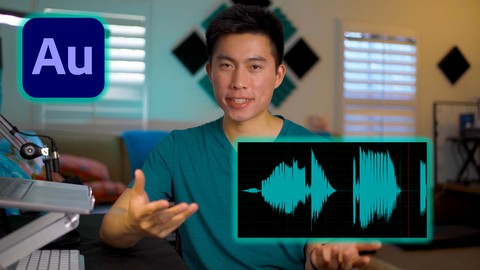
Adobe Audition Masterclass - Enhance Your Dialogue Audio (Udemy.com)
Learn How to Edit Dialogue and Podcasts in Audition's Waveform Editor and Multitrack Editor
Created by: Scott Luu
Last updated September 2023
 What you will learn
- Enhance your Dialogue or Voice-Over Audio
- Understand How to Use Adobe Audition Program
- Learn How to Edit Podcasts in the Multitrack Editor
- Learn Tricks to Edit Much Faster
How it compares
Against the other 270 rated Udemy courses in Music on CourseDuck:
- Rating4.3 out of 5higher than 9% of them
- Reviews123#185 of 271 by number of reviews
- Length1.9 hoursshorter than 74% of them
- Last updatedSeptember 2023more recently than 50% of them
 Course Description
If you're looking to boost your audio quality for video or podcast, you're in the right place! Adobe Audition is a great digital audio workstation (DAW) that can help you clean up and enhance your audio quickly and effectively.
In this course, you'll learn how to do this in Adobe Audition's Waveform Editor and the Multitrack Editor! This class is for beginners who are new to Audition and those who have edited in Audition but don't fully understand the effects. Here's what you'll learn:
Best Practiced Before Editing
Optimize Settings: Learn about how to change the audio file settings for the greatest quality to file size ratio.
Microphone Technique: I'll highlight key points to how to record yourself with your microphone and tips on how to set up your recording space.
Change Audition's Workspace: Change your workspace to your liking before you start to edit.
Navigate Audition: I'll cover how to navigate Adobe Audition in an intuitive way so you won't be lost.
The Editing Phase
Create Favorites: I'll go through how to create favorites to speed up the process of applying effects.
Noise Reduction: Learn how to get rid of unwanted noise in the background without compromising audio quality.
Restoration: Learn how to fix issues like having too much reverb, sibilance, and clipping.
Dynamics & Compression: I'll go over one of the most essential elements of audio editing and explain the Dynamics tool in Adobe Audition.
EQ: Learn about the different frequencies and how changing them can affect your audio.
Limiters: Learn about how to prevent your final mix from clipping.
Loudness Optimization: Learn about the loudness standards for podcasts and videos.
Waveform Editor Essentials
Learn how to use the Waveform Editor to Edit Quickly
Diagnostics Window: Learn how to Shorten Silences Automatically
Learn how to Dynamic Link with Premiere Pro
Mulitrack Editor Essentials
Learn how to Record in the Multitrack
Become Efficient at Navigating the Editor
Learn a fast editing workflow for Multitrack
Essential Sound Panel: Find Out How to Use this versatile tool
Diagnostics Window: Shorten Silences in Multitrack Before Editing
Reduce Microphone Bleed
Create and polish your final mixdown
Learn how to Export the Multitrack Editor with Premiere Pro
By the end of the class, you will learn everything you need to be efficient at using Audition to edit and enhance voice-over and dialogue audio.

 Udemy Discount
The discount is applied through our link. Open the course from here and Udemy's current promotional price is applied at checkout on most courses, no code to type.
Some courses are excluded from Udemy's promotions. If the price does not drop, clear your browser cookies and use the button again.
Instructor Details

- 4.3 Rating
 123 Reviews
Scott Luu
Hi! My name is Scott and I'm a video creator on YouTube. I started off creating self-improvement content and have now transitioned to more educational content on the Video Creation process.
Throughout my journey as a content creator, I've gotten to really know programs like Adobe Premiere Pro, Audition, Photoshop, and After Effects since I use them on a daily basis.
I also still have a strong connection with self-improvement and productivity strategies.
With both of these backgrounds, I hope to share the things I've learned with others who are willing to learn.
 More Music courses

Music Theory Comprehensive Complete: Parts 13, 14, & 15 (2026)
5.0 (315 Reviews)
 Provider: Udemy
 Time: 8.4h
$16.99

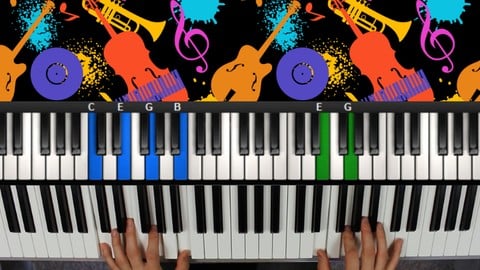
Jazz Piano - Ultimate Beginners Course for Piano & Keyboard (2025)
4.9 (2,224 Reviews)
- Provider: Udemy
- Time: 8.1h
$15.99

Music Composition with the Piano: Ultimate Keyboard Theory (2020)
4.9 (1,679 Reviews)
- Provider: Udemy
- Time: 7.8h
$16.99
![Electronic Music Production with Ableton Live [2025]](/programming/music/images/6523651_6960_3.jpg?v=1789443824)
Electronic Music Production with Ableton Live [2025]
4.9 (1,088 Reviews)
- Provider: Udemy
- Time: 14.8h
$19.99
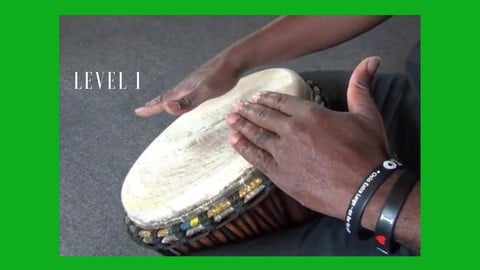
How to Play Djembe,Drum & Rhythm and teach Children. Level 1 (2020)
4.9 (533 Reviews)
- Provider: Udemy
- Time: 2.1h
$69.99
 Reviews

By Ben Hickman on 9/19/2024
I think having some audio file example resources for us to play with, that have different sound quality and/or different editing needs would help to put the techniques in the course into practice
By Elizabeth Lee on 9/17/2024
So far very helpful and direct. I appreciate the specificity of this course, as I am an actor trying to learn audio editing and best practices for recording myself for auditions, podcasts, and other projects. All the stuff I need to know, and not overly complicating it.
By Cate on 9/5/2024
For the most part this was good - I've used Audition for a while now and feel I can get more from it after completing Scotts lessons. The reason I gave it 4 instead of 5 - it basically assumes you're interviewing guests in a lovely quiet location using great mics. Unfortunately, a lot of my guests are using laptop mics and so the sound quality is often quite poor in places. I do feel greater attention could've been paid to how to deal with this in post production. However, apart from that i enjoyed it.
By Carter Sheehan on 3/31/2024
A very well-taught course. I believe that Scott did a great job at covering the essentials for getting started with Adobe Audition, and there was a lot of good info about how to process audio correctly as well as how to navigate the Audition interface. For the most part, his teaching pace was pretty good most of the time, though I wish he slowed down during keyboard shortcuts and while showing the process of how to get from point A to B, specifically when navigating the interface. I also wish that there was more provided as far as downloadables go. Would have loved to be able to download his list of keyboard shortcuts, the EQ chart, etc. in order to more easily reference for future projects (would have also been great to have some provided audio files in the case that someone does not have multiple recordings to practice in the multitrack editor). These were my only gripes, however, and I think it is a great place to start for audio editing in Audition.
By Sandra Van Berkel on 3/13/2024
I wish you discussed the equipment and hardware settings a little more thoroughly, but... that's not what this course is about. Nevertheless, you did give a good description of all the basic equipment needed and how to interface that equipment with Audition. Thank you.
By Andrew Glover on 12/27/2023
He's fast and to the point. There's no fluff here, which is exactly what I need and want. Thank you for an awesome course!
By Miranda Cameron on 8/16/2023
Great descriptions and breakdown of information. Easy to take in and understand. I have some experience editing audio and I do not feel like I'm being talked down to, or having to go over really basic stuff that I already know, in a boring way. He doesn't waste time getting to the point and these videos have great audio by the way!
By Lex Henry on 12/6/2022
Very helpful. I do wish the assignments and course materials were more detailed though. Some screenshot walkthroughs for applying certain effects would have been good. Also a cheat sheet of keyboard shortcuts, and a PDF of the EQ table. All-in-all pretty good though. I'm transitioning from Grageband to Audition and this helped me feel more confident in that.
By Elina on 1/12/2022
I liked course, now I have a lot more understanding about audio in general. Would be nice If you included more of audio examples, for example before and after effect which you applied.
By Felix Borrmann on 1/3/2022
Good short explanation for complete beginners and some tips and tricks for little bit more experienced people
 Quality Score
No CourseDuck member has rated this course yet. Taken it? Give each part a thumbs up or down.
Overall Score : 86 / 100
- Video Duration:
 1.9h
1.9h - Price: $54.99
- Provider: Udemy
- Updated:
 September 2023
 - Level:
 Beginner
 - Language:
 English
 - Certificate:
 Yes
Yes
30-day money-back guarantee on most paid courses
Udemy Coupon Price Tracker
