
 Web Development
 Data Science
 Python
 SQL
SQL JavaScript
 Artificial Intelligence
 IT & Software
 IT Certifications
 Hacking
 AWS
AWS Arduino
 DevOps
 3D Modeling
 Graphic Design
 Photoshop
 Drawing
 Digital Painting
 UX Design
 Business
 Data Analysis
 Communication Skills
 Project Management
 Leadership & Management
 Human Resources
 Digital Marketing
 Social Media Marketing
 Marketing
 SEO
SEO Google Analytics
 Branding
 Excel
Excel Office Productivity
 SAP
SAP PowerPoint
 Microsoft Access
 SharePoint
 Finance & Accounting
 Trading & Investing
 Accounting
 Bitcoin
 Personal Finance
 Video Editing & Animation
 Photography
 Adobe Premier Pro
 Adobe Lightroom
 Personal Development
 Productivity
 Career Development
 Life Coaching
 Health & Fitness
 Meditation & Mindfulness
 Yoga
Yoga Music
Music Music Production
 Guitar
 Piano
Piano Singing
 Language Learning
 Teaching & Academics
 Engineering
 Math
Math Lifestyle
Adobe Lightroom - Landscape Photography ULTIMATE Guide (Udemy.com)
Edit Landscape Photography Images in Adobe Lightroom! An ULTIMATE Guide to edit like a PRO! 65 RAW Images Included
Created by: Matthew Storer
Last updated August 2026
 What you will learn
- Understand Adobe Lightroom from START to FINISH
- Learn 15 different UNIQUE Landscape Photography editing styles
- MASTER how to enhance your RAW images in Adobe Lightroom
- Comprehend the basic feature of Lightroom
- Confidence & techniques to edit your OWN images
- How to print your Landscape Photography images
- Improve details to print and export your images
How it compares
Against the other 73 rated Udemy courses in Adobe Lightroom on CourseDuck:
- Rating4.4 out of 5higher than 53% of them
- Reviews52#57 of 74 by number of reviews
- Length6 hourslonger than 73% of them
- Last updatedAugust 2026more recently than 93% of them
 Course Description
Hello and welcome,
My name is Matthew Storer, an award-winning professional landscape & travel photographer from Australia. Welcome to my Lightroom Course, where I want to share everything I have learnt in the last 20+ years and travelling to over 100+ countries around the world.
Do you want to get more out of your landscape images and take them to the next level? You will learn effective and professional post-production techniques through Adobe Lightroom. However, this course will give you confidence in image editing even if you're a complete beginner to post-production, there is something for everyone!
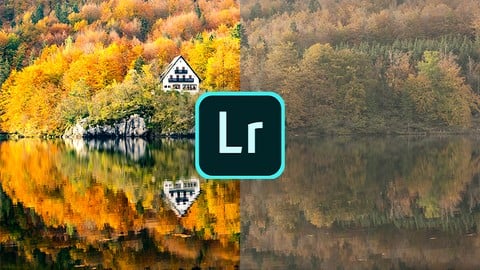
Advanced editing in Adobe Photoshop, showing you how I achieve my signature style for my images! Let me show you how to enhance your images with Adobe Photoshop with advanced editing techniques, showcasing breathtaking before - after image comparisons.
How I structured this course!
Module 1: In the first module, we will learn the basics of Lightroom, how to import, catalogue and create subfolders inside of Lightroom. One of the most beneficial features of Lightroom is the ease of your workflow and organisation created inside the program.
Module 2: Inside module number two, we will explore the develop module, starting to explore the editing features of Lightroom. Inside module two, we will discover what each slider does directly to the image.
Module 3: Module number 3 we will begin to edit the landscape and travel photography images. Through ALL 15 lessons, we will uncover something new and unique to the pictures. As a result, we will look at a landscape, cityscape, blue hour, winter, milky way, waterfall, sunrise, HDR, panoramic image and much much more.
Module 4: In this section, we will look at more advanced editing techniques in Lightroom.
Module 5: Exporting in module number 5, how to export for social media (Instagram and Facebook), website and best results for printing images.
Module 6: The last module, here we look at advanced editing techniques
Bonus: Download 65 RAW images that we will use throughout this entire course, and a PDF file of Image blending and LIghtroom hotkeys.
ALWAYS REMEMBER! I'm delighted to answer all your questions! Head over and join the Facebook page for further inspiration, comments and follow up feedback about future images!
Course Outline Summary:
Step-by-step easy to follow editing procedure
All 65 RAW files for Adobe Lightroom
Personal Support for comments & questions
Understand the entire workflow of Lightroom
Learn necessary advanced techniques in Adobe Photoshop
Learn my entire workflow from start to finish.
Create the images that you've always dreamt of capturing!

 Udemy Discount
The discount is applied through our link. Open the course from here and Udemy's current promotional price is applied at checkout on most courses, no code to type.
Some courses are excluded from Udemy's promotions. If the price does not drop, clear your browser cookies and use the button again.
Instructor Details

- 4.4 Rating
 52 Reviews
Matthew Storer
Matthew Storer is an award-winning professional landscape & travel photographer from Australia. With over 20+ years as a photographer and travelling to over 100 countries around the world, he wants to share his passion by giving back through education in basic photography, night photography and post-production courses.
Matthew wants to educate and encourages you to capture the unique landscape and travel images that you've always imagined. As a result, Matthew teaches 100's of people per year with his photography and Adobe Lightroom and Photoshop courses.
Take a look at his work on his website or social media, links provided in the biography. Take your photography to the next level by learning from his experience and knowledge gained over the previous 20 years.
 More courses by Matthew Storer
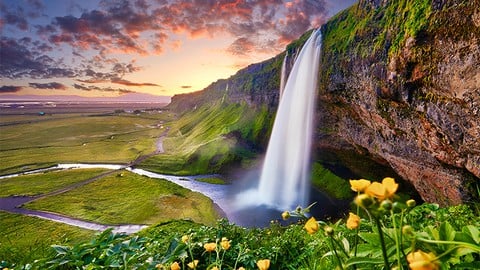
Landscape Photography for Beginners: Shoot Stunning Images (2026)
4.5 (278 Reviews)
 Provider: Udemy
 Time: 5.2h
$64.99
More Adobe Lightroom courses

Master Adobe Lightroom Classic & Lightroom CC (2026)
4.7 (2,820 Reviews)
- Provider: Udemy
- Time: 22.5h
$129.99



Principles of Photo Composition and Digital Image Post-Production
4.7 (131 Reviews)
- Provider: Coursera
- Time: 16h
Free

Adobe Lightroom CC Photo Editing: Your Lightroom Masterclass (2026)
4.6 (7,321 Reviews)
- Provider: Udemy
- Time: 23.4h
$99.99

 Reviews

By Zlatko Horvat on 8/24/2025
This is my second Lightroom course and with basic knowledge I had from previous course this one was great way to continue with my skills and after the whole course I feel ready to take a lot more photos and edit them as I like with this great techniques. Really great course and I learned a lot. One thing to note, the included presets on google drive are newer than those shown in course because I couldn't find those exact presets for some lectures, there are many more added but I followed tutorial till the end and understood all that came later in course. Also, I had taken this course in 2025 and I'm using Adobe Lightroom Classic and Photoshop 2025 so many things are different in these versions but I managed to follow anyway (for example split toning is different now and showing in circles, adjustment brush is in mask category etc.) Great job, Matthew, thanks for this great course! As a landscape & outdoor photographer mostly I'll enjoy editing all my new pictures.
By Tania Coles on 9/3/2023
I AM ENJOYING THE NO NONSENSE STRAIGHT FORWARD Approach and that I can stop the tutorial and go back to revisit what I need to clarify,
By Bina Anne Sharma on 9/6/2022
It is the content I`m looking for but I`m on a updated version of lightroom so layout and titles are different
By Nikita Chicherin on 10/23/2020
A very detailed course with tons of examples and a few new extras that will clearly make your photos better.
By Michael Melia on 7/13/2020
Just finished the second module. Covered the topics well, speaks clearly, and not to fast.
By Shah Baten on 6/27/2020
This course was perfect for me to learn how to edit my landscape photos. The instructions were clear and the samples provided were great. I highly recommend this course.
By Jan Simko on 6/9/2020
Really enjoyed this course, I am an amateur photographer and have been taking landscape photographs during trips for the past few years. This is a wonderful course. I had little knowledge about Lightroom and editing photographs in general, but Matthew Storer really helps to get to a point where one can create stunning pictures. Matthew`s explanation is clear and realy detailed. It's very easy to follow. Matthew Storer presents each topic in an easy to understand, practical way that I found engaging and easy to follow. The course is comprehensive and well structured and the topics are well thought out and to the point. Matthew's been a landscape photographer for a long time and that came through in his presentations. No hype, just good information and inspiration in right place. No course can ever cover everything, but I'm glad I chose this course as my Landscape photography course with Udemy. It's realy helped me to think about where I might go next. Thank you Matthew Storer.
By Pavel Kurnosenkov on 6/7/2020
Чрезвычайно приятный ведущий, отлично делящийся своей практикой с аудиторией
By Mark Kendrick on 5/3/2020
Excellent step by step guide to so many features of Lightroom. Even as someone who has used Lightroom for a long time I have learnt so many new things that I will be using every time I open the program.
By Martin Butchers on 4/27/2020
Matthew, explains it very simply and even though I’ve been using Lightroom for quite some time I’ve learnt some useful processes in importing and help with work flow in first 5 lessons. That’s as far as I’ve got and nearly skipped this section but I would say to anyone, don’t!
 Quality Score
No CourseDuck member has rated this course yet. Taken it? Give each part a thumbs up or down.
Overall Score : 88 / 100
- Video Duration:
 6h
6h - Price: $59.99
- Provider: Udemy
- Updated:
 August 2026
 - Level:
 All Levels
 - Language:
 English
 - Certificate:
 Yes
Yes
30-day money-back guarantee on most paid courses
Udemy Coupon Price Tracker
