
 Web Development
 Data Science
 Python
 SQL
SQL JavaScript
 Artificial Intelligence
 IT & Software
 IT Certifications
 Hacking
 AWS
AWS Arduino
 DevOps
 3D Modeling
 Graphic Design
 Photoshop
 Drawing
 Digital Painting
 UX Design
 Business
 Data Analysis
 Communication Skills
 Project Management
 Leadership & Management
 Human Resources
 Digital Marketing
 Social Media Marketing
 Marketing
 SEO
SEO Google Analytics
 Branding
 Excel
Excel Office Productivity
 SAP
SAP PowerPoint
 Microsoft Access
 SharePoint
 Finance & Accounting
 Trading & Investing
 Accounting
 Bitcoin
 Personal Finance
 Video Editing & Animation
 Photography
 Adobe Premier Pro
 Adobe Lightroom
 Personal Development
 Productivity
 Career Development
 Life Coaching
 Health & Fitness
 Meditation & Mindfulness
 Yoga
Yoga Music
Music Music Production
 Guitar
 Piano
Piano Singing
 Language Learning
 Teaching & Academics
 Engineering
 Math
Math Lifestyle
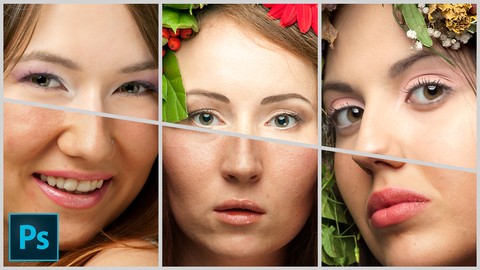
Adobe Photoshop Beauty Retouching for Beginners (Udemy.com)
Quick, simple and effective techniques of editing portraits in Photoshop: do your best and achieve incredible results!
Created by: Diana Kot
Last updated February 2016
 What you will learn
- Bring your pictures to the completely new level
- Make your first steps in Commercial photography
- Achieve good level of Beauty retouch skills
- Modify color and lighting of your image
- Learn 8 different skin correction techniques
- Change body shape and facial features
- Improve hairstyle, eyes and lips
- Make your image more clear and sharp
How it compares
Against the other 188 rated Udemy courses in Photoshop on CourseDuck:
- Rating4.5 out of 5higher than 52% of them
- Reviews66#156 of 189 by number of reviews
- Length2.6 hoursshorter than 73% of them
- Last updatedFebruary 2016earlier than 93% of them
 Course Description
Join 4900++ students and start learning amazing world of Beauty retouching!
Latest: New bonus lecture added! Learn Dodge and Burn technique!
This course is designed to give you all necessary tips and tools to start making great portraits retouching. You may be completely beginner in Adobe Photoshop – we will discuss all tools and commands you need to know without any excessive information. If you are already familiar with Photoshop, but you are not sure how to use it to retouch portraits, this course will give you all clues you need.
You may watch the entire course step by step, or you may watch lectures in any order. I built this course so that you can watch lectures independently from each other, starting with those you need the most. You may quickly return to any lecture in case you forgot something and would like to refresh it in your memory.
After you finish this course you will be able to retouch portraits in Photoshop and start selling your photos to your clients. Don’t forget to do a lot of practice and master your skills. There will be still a lot to learn. This course does not cover more advanced topics. But it is better to get information gradually. Once you achieve the best result with techniques I gave you, you will be ready to move on, and we will continue this wonderful journey of beauty retouch with more advanced course.

 Udemy Discount
The discount is applied through our link. Open the course from here and Udemy's current promotional price is applied at checkout on most courses, no code to type.
Some courses are excluded from Udemy's promotions. If the price does not drop, clear your browser cookies and use the button again.
Instructor Details

- 4.5 Rating
 66 Reviews
Diana Kot
Hello, my name is Diana, I am photographer and retoucher. I have a quite unusual biography. When I finished school, I entered Moscow Institute of Physics and Technology. Physics and math are still my big passion, and I spent many years teaching other people to love science. Photography has always been my hobby; I think I did not take it seriously that time, but I always felt happy only with a camera in my hands. I worked in IT company, Economic institute, Business consulting and many other areas. Finally I understood that there is no better work than to create beautiful pictures, learn photography and to help other people to learn it. Over the years I still enjoy my work and I constantly find something new and exciting. I hope we can discover together even more.
 More courses by Diana Kot
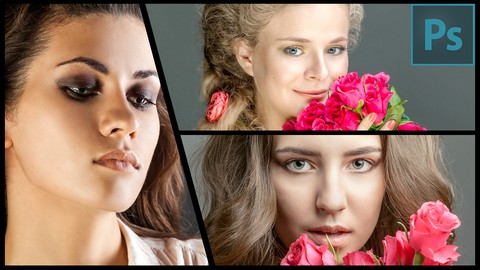
Portrait Photography: from Studio to Photoshop (2016)
4.5 (25 Reviews)
 Provider: Udemy
 Time: 2h
$27.99
More Photoshop courses


Adobe Photoshop CC: For Complete Beginner (Sinhala Medium) (2026)
4.9 (110 Reviews)
- Provider: Udemy
- Time: 8.4h
$59.99

Adobe Photoshop CC – Essentials Training Course (2025)
4.8 (36,753 Reviews)
- Provider: Udemy
- Time: 11.6h
$189.99


47 Graphic Design Projects for Photoshop Beginners (2025)
4.8 (466 Reviews)
- Provider: Udemy
- Time: 7.9h
$99.99

Photoshop Efficiency - Techniques For Consistent Marketing (2025)
4.8 (144 Reviews)
- Provider: Udemy
- Time: 1.4h
$49.99
 Reviews

By Andrey Tovchigrechko on 7/20/2020
The course is very basic, but detailed. It serves the purpose.
By David Hyldkrog on 4/19/2019
The teacher give some very precise and useful advice that everybody can use. Fx how to make your look body skinny and fit in minutes using photoshop and how to make your skin looks better. The reason why I don't give 5 stars is because the course need an update with the dodge and burn technique.
By Charlotte L McKinney on 1/19/2017
Excellent information. I enjoyed this class
By Respina Jani on 12/29/2016
This course was extremely useful. She covered what I needed to know, and the flow is perfect. Unlike most tutorials that give you a snippet of each tool, this course was a full package covering portrait edits that can take your picture to the next level. I am a happy customer.
By Al on 7/14/2016
Great for the photographer - right to the point!
By Teresa Trimm on 11/22/2015
She obviously knows her stuff and with the screencasts, explains it well. Fantastic job.
By Alberto Odor on 11/11/2015
I've seen other courses and this one is comprehensive, clear and doable.
By Darya Raminski on 10/10/2015
I was completely nub in Photoshop, but now I can retouch my photos and it looks much better! Thanks!
By Subhasish banerjee on 8/21/2020
By Subramanian Sankaran on 11/8/2015
 Quality Score
No CourseDuck member has rated this course yet. Taken it? Give each part a thumbs up or down.
Overall Score : 90 / 100
- Video Duration:
 2.6h
2.6h - Price: $10.99
- Provider: Udemy
- Updated:
 February 2016
 - Level:
 Beginner
 - Language:
 English
 - Certificate:
 Yes
Yes
30-day money-back guarantee on most paid courses
Udemy Coupon Price Tracker
