
 Web Development
 Data Science
 Python
 SQL
SQL JavaScript
 Artificial Intelligence
 IT & Software
 IT Certifications
 Hacking
 AWS
AWS Arduino
 DevOps
 3D Modeling
 Graphic Design
 Photoshop
 Drawing
 Digital Painting
 UX Design
 Business
 Data Analysis
 Communication Skills
 Project Management
 Leadership & Management
 Human Resources
 Digital Marketing
 Social Media Marketing
 Marketing
 SEO
SEO Google Analytics
 Branding
 Excel
Excel Office Productivity
 SAP
SAP PowerPoint
 Microsoft Access
 SharePoint
 Finance & Accounting
 Trading & Investing
 Accounting
 Bitcoin
 Personal Finance
 Video Editing & Animation
 Photography
 Adobe Premier Pro
 Adobe Lightroom
 Personal Development
 Productivity
 Career Development
 Life Coaching
 Health & Fitness
 Meditation & Mindfulness
 Yoga
Yoga Music
Music Music Production
 Guitar
 Piano
Piano Singing
 Language Learning
 Teaching & Academics
 Engineering
 Math
Math Lifestyle
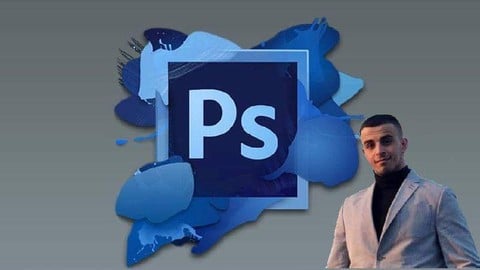
Adobe Photoshop CC- Basic Photoshop training (Udemy.com)
Learn the Basics of Adobe Photoshop CC 2020 No Prior Knowledge Required
Created by: Yassin Marco MBA
Last updated February 2024
 What you will learn
- You will learn how to properly work with different layers
- You will learn how to import and modify one or many pictures at the same time
- You will be able to add or delete elements from a picture
- You will learn the most important tools and shortcuts that are used in Photoshop
- You will learn how to change the coloration of a picture or a part of a picture
- You will learn different tricks to be able to retouch any picture
- Be able to transform a low quality picture into a high quality picture
How it compares
Against the other 188 rated Udemy courses in Photoshop on CourseDuck:
- Rating4.3 out of 5higher than 23% of them
- Reviews2,190#21 of 189 by number of reviews
- Length3.8 hoursshorter than 55% of them
- Last updatedFebruary 2024more recently than 76% of them
 Course Description
Learning the basics of Adobe Photoshop is definitely not easy, especially if you have no prior knowledge in this field. But, this course can teach you everything you need to know to start using photoshop and making your own projects with pictures that you take yourself or pictures that you have simply found on the internet. If you:
- Are a student and need to learn how to properly use Photoshop
- Want to modify your own pictures to increase the quality
- Always wanted to learn about design with photoshop
- Want to start your business in the field of design but need prior knowledge before
- Any other reason
Then you are at the right place and will definitely love this course ! Not only you will learn all the basics of how to properly use Adobe Photoshop but you will have the opportunity to practice everything that you have learned. Indeed, you will, by the end of this course, be able to retouch and modify any picture that you want.
The structure of the course
The way this course have been designed is made to teach you step by step how to properly use Adobe Photoshop. In other words, you will learn everything you need to know to be able to work properly with this software. From importing pictures to basic modification, colors and many other things you will have everything you need to start your Adobe Photoshop journey and be able to make your own creation an art work. My goal with this course is really to help you be able to use photoshop in a multitude of ways to be able to use it for different types of project. This could be for example for a basic picture modification or a complexes website designing or art work. In the end, this course will give a complete introduction to this software and you will be able to use it for any task.
Another really important thing to remember is that this course have been built on a concept of learning by practice. In other words this course provides a lot of examples that will allow you to learn the most possible. Also, you will be able to complete different projects by using your own pictures. This means that each tool that is presented in this course will be practiced and you will be able to learn how to properly use it.
For who is this course designed
There is a lot of different photoshop courses that exist on the internet. But, this course is different. Indeed, you can find very little theory and a lot of practical example that you can use in order to be able learn this software. Indeed, this type of teaching can definitely increase the time that it will take you to learn the different concepts that are presented. So, if you are a student who need to learn photoshop for a class, someone who want to learn it for personal or professional reasons or simply are curious about this topic then this course is definitely for you and you will probably like it and at the same time learn a new skill.
Why should I take this course
If you want to learn how to properly use Adobe Photoshop then you should definitely take this course. Not only you will learn the basics of this amazing software but you will also be comfortable using it by practicing with all the examples that are offered by this course. Indeed, since this course is build to help you learn by practicing you will definitely enjoy it's content.
There is no risk involved in taking this course
This course comes with a 100% satisfaction guarantee, this means that if your are not happy with what you have learned, you have 30 days to get a complete refund with no questions asked. Also, if there is any concept that you find complicated or you are just not able to understand, you can directly contact me and it will be my pleasure to support you in your learning.
This means that you can either learn amazing skills that can be very useful in your professional or everyday life or you can simply try the course and if you don't like it for any reason ask for a refund.
You can't lose with this type of offer !!
ENROL NOW and start learning today :)

 Udemy Discount
The discount is applied through our link. Open the course from here and Udemy's current promotional price is applied at checkout on most courses, no code to type.
Some courses are excluded from Udemy's promotions. If the price does not drop, clear your browser cookies and use the button again.
Instructor Details

- 4.3 Rating
 2,190 Reviews
Yassin Marco MBA
Yassin has a BS in international management, multiple certifications in management and IT and is the founder of Virtualskills. He works on a daily basis with various Microsoft apps and is a specialist in excel as well as in various other fields such as online business creation and promotion, marketing, and many more. Also, he has a passion for finances and has helped many people in taking their first steps in the trading and investing world, from basic financial coaching to advanced Stock/Forex data analysis.
He has developed a passion for coaching and educating and has helped more than 1.6 Million students on multiple online platforms. Teaching in English and French, he has been able to reach across to people spanning from over 198 countries. Yassin is highly committed to what he does and is very easy to contact so in case you have any questions about his current or future courses, please don't hesitate to contact him here on Udemy.
Enjoy your learning :)
 More courses by Yassin Marco MBA
Python for beginners - Learn all the basics of python (2024)
4.5 (10,101 Reviews)
 Provider: Udemy
 Time: 5.1h
$54.99
Ms Excel/Excel 2025 - The Complete Introduction to Excel
4.4 (7,478 Reviews)
- Provider: Udemy
- Time: 10.3h
$69.99
Microsoft Excel - Learn MS EXCEL For DATA Analysis (2024)
4.2 (6,105 Reviews)
- Provider: Udemy
- Time: 4.8h
$69.99

Microsoft Excel -Basic Excel/ Advanced Excel Formulas (2024)
4.2 (5,073 Reviews)
- Provider: Udemy
- Time: 4.5h
$69.99
SQL- The Complete Introduction to SQL programming (2024)
4.0 (4,069 Reviews)
- Provider: Udemy
- Time: 3.4h
$54.99

Java for Beginners - Learn all the Basics of Java (2024)
4.1 (4,052 Reviews)
- Provider: Udemy
- Time: 5.5h
$54.99
More Photoshop courses


Adobe Photoshop CC: For Complete Beginner (Sinhala Medium) (2026)
4.9 (110 Reviews)
- Provider: Udemy
- Time: 8.4h
$59.99

Adobe Photoshop CC – Essentials Training Course (2025)
4.8 (36,753 Reviews)
- Provider: Udemy
- Time: 11.6h
$189.99


47 Graphic Design Projects for Photoshop Beginners (2025)
4.8 (466 Reviews)
- Provider: Udemy
- Time: 7.9h
$99.99

Photoshop Efficiency - Techniques For Consistent Marketing (2025)
4.8 (144 Reviews)
- Provider: Udemy
- Time: 1.4h
$49.99
 Reviews

By Nguyen Viet Duc on 3/22/2024
I expected the teacher to introduce most of tools in left-side toolbar but he just taught some of them. The photos and projects he used to teach were not impressive, and sometimes I think that he is a bit unhandy when practicing the lectures.
By Mohamed Abdisalam Ali on 12/3/2023
my Course Review: Adobe Photoshop CC- Basic Photoshop Training Module Breakdown: Module 1: Working with Layers (Part 1-7) The course begins with a detailed exploration of working with layers in Photoshop, spanning across seven parts. Each segment, ranging from 5 to 9 minutes, delves into specific aspects, providing a granular understanding of this fundamental feature. The concise duration of each lecture ensures focused learning without overwhelming the learner. Module 2: Advanced Picture Modification (Part 1-4) The advanced picture modification section is a substantial part of the course, spanning four parts with varying durations. Ranging from 10 to 20 minutes, these lectures delve into the intricacies of modifying pictures at an advanced level. The longer duration allows for a deeper dive into complex concepts, ensuring comprehensive coverage. Module 3: Conclusion and Thank You (Parts 26-27) Towards the end of the course, the instructor presents a concise conclusion, encapsulating key takeaways from the entire training. The brief yet informative nature of these lectures (5 minutes for the conclusion and 1 minute for gratitude) provides closure to the course, summarizing the skills acquired. Module 4: Bonus Lecture (Part 28) The inclusion of a bonus lecture adds an extra layer of value to the course. Although brief (1 minute), it serves as a supplement, possibly offering insights or tips beyond the core curriculum. This provides a pleasant surprise for learners, fostering engagement until the very end. Conclusion: Adobe Photoshop CC- Basic Photoshop Training" impressively organizes its content, making it accessible to beginners. The modular design, coupled with varying durations to suit different topics, contributes to a well-rounded learning experience. Yassin Marco's approach ensures that learners not only grasp the fundamentals of Photoshop but also gain confidence in applying these skills.
By Duane Russell Veluz on 10/13/2023
It took me too long to finish the course, but I still did finish and learned even beyond what I expected. I hope I can take and finish more lectures in the future. Also, this may also be beyond me but I hope I can be the one to teach other people in the future, should they need it.
By Sharon Brooks on 1/20/2023
The course has useful information. Pay close attention to the instructor's mouse pointer to better understand the tools being demonstrated.
By Martin Mbae on 8/8/2022
Good for a beginner who has not interacted with photoshop before. I would have appreciated if the tutor named the lessons in a better way for future reference when one is practicing.
By M Jnanasagar Kamath on 5/30/2022
Enjoyed learning Photoshop !! The instructor's teaching style was fluid and clear. Various tools were explained by practical examples and also the student was encouraged to practice with the instructor. This really helps in understanding how the tools work as each concept can be practiced hands on. Only drawback was I felt the instructor could have shared the images on which he worked with the students for more accurate comparison to how the results should turn out to be. Thank You so much for sharing your knowledge !!
By Loraine Mae G. Rito on 10/7/2021
i am using photoshop cs6 and i take this course also to have knowledge since i'm still beginner and i hope i can apply the same methods in other version
By Ryan Bijo Thomas on 8/9/2021
The teacher is a very good one. He is putting alot of efforts in teaching and he teaches in a very simple manner which makes the students easier to learn
By Jhon Lloyd Apostadero on 2/20/2021
Taking this course is so fun. I learned so many things that I could apply everyday especially to the photos I took. My photos now would become more beautiful and attractive. Additionlly, I could also apply my learnings that I learned on my studies.
By Beatrice Adelina Munteanu on 2/11/2021
Overall the course offers basic informations which can be helpful for beginners.The only thing that can become very annoying is the repetition of certain words like 'basically' , 'pretty simple', 'simply' which are used way too often in my opinion.
 Quality Score
No CourseDuck member has rated this course yet. Taken it? Give each part a thumbs up or down.
Overall Score : 86 / 100
- Video Duration:
 3.8h
3.8h - Price: $54.99
- Provider: Udemy
- Updated:
 February 2024
 - Level:
 Beginner
 - Language:
 English
 - Certificate:
 Yes
Yes
30-day money-back guarantee on most paid courses
Udemy Coupon Price Tracker
