
 Web Development
 Data Science
 Python
 SQL
SQL JavaScript
 Artificial Intelligence
 IT & Software
 IT Certifications
 Hacking
 AWS
AWS Arduino
 DevOps
 3D Modeling
 Graphic Design
 Photoshop
 Drawing
 Digital Painting
 UX Design
 Business
 Data Analysis
 Communication Skills
 Project Management
 Leadership & Management
 Human Resources
 Digital Marketing
 Social Media Marketing
 Marketing
 SEO
SEO Google Analytics
 Branding
 Excel
Excel Office Productivity
 SAP
SAP PowerPoint
 Microsoft Access
 SharePoint
 Finance & Accounting
 Trading & Investing
 Accounting
 Bitcoin
 Personal Finance
 Video Editing & Animation
 Photography
 Adobe Premier Pro
 Adobe Lightroom
 Personal Development
 Productivity
 Career Development
 Life Coaching
 Health & Fitness
 Meditation & Mindfulness
 Yoga
Yoga Music
Music Music Production
 Guitar
 Piano
Piano Singing
 Language Learning
 Teaching & Academics
 Engineering
 Math
Math Lifestyle
Advanced Digital Photoshop Compositing - Combining 2 Images (Udemy.com)
Advanced Compositing - With no experience or prior knowledge. Anyone can do it, all secrets & tricks will be revealed.
Created by: Manfred Werner
Last updated November 2019
 What you will learn
- You will learn how to photograph both images perfectly "In order to have a good starting point"
- You will learn how to work with raw images and raw conversions
- You will learn how to deep edge people from one image and merge them into another image " With a real look"
- You will learn how to do a complex manipulation "Combining 2 images into 1"
- You will learn various photoshop techniques & effects
- You will learn the best retouching shortcuts & techniques "Guaranteed"
- You will learn how to work with a photoshop plugin "Super simple"
- You will learn how to integrate the well known dodge & burn method
- You will learn how to apply and image look & amazing color grades " This will take your image to the next level"
- ... and much, much more!
How it compares
Against the other 188 rated Udemy courses in Photoshop on CourseDuck:
- Rating4.2 out of 5higher than 15% of them
- Reviews188#102 of 189 by number of reviews
- Length2.2 hoursshorter than 80% of them
- Last updatedNovember 2019earlier than 56% of them
 Course Description
ADVANCED PHOTOSHOP COMPOSITING – 2 IMAGES INTO 1
2+ Hours of Photoshop compositing "Upgrade your PS Skills"
No Prior Photoshop knowledge needed "Guaranteed"
Includes all raw & PSD files which you can profit from - Instantly
Full & free lifetime access to the complete course
No illustrator or other software is needed "You only need Photoshop".
ARE YOU STRUGGLING WITH PHOTOSHOP COMPOSITING?
WANT TO DO IT BUT CONSTANTLY FAILING?
AND STRUGGLING WITH PHOTOSHOP SECRET TRICKS?
AND HAVE NO PRIOR PHOTOSHOP KNOWLEDGE!
--------------------------- ” Then this course is for you ” -------------------------------
What This Course Entails:
I will teach you how to get into an advanced level of Photoshop, so don’t worry if you don’t have prior experience with Photoshop. Follow my lead and I’ll teach you to be good at it! “Seriously”
All my Photoshop instructions form part of a comprehensive guide that can help you to accomplish your goals by applying these skills. During the lesson you get to eavesdrop as I work, giving you some insight as to how I work and what I do.
The idea is to make Compositing in Photoshop fun and easy! "Just Practice it "
Whether you have previous experience with Photoshop or not, it doesn't matter. Apply your knowledge for half an hour a day and you could be making huge improvements or even extra cash, just like me.
"And I'm not kidding when I say that you need nothing but Photoshop!"
All future extra lectures and upgrades are always included for free. Unconditional Udemy 30 day money-back guarantee - that's my personal promise of your success!
You'll learn:
How to photograph both images perfectly "In order to have a good starting point"
How to work with raw images and raw conversions
How to deep edge people from one image and merge them into another image " With a real look"
How to do a complex manipulation "Combining 2 images into 1"
How to create various Photoshop techniques & effects
Learn the best retouching shortcuts & techniques "Guaranteed"
Learn how to work with a Photoshop plugin "Super simple"
Learn how to integrate the well-known dodge & burn method
Learn how to apply and image look & amazing color grades " This will take your image to the next level"
... and much, much more!
Intrigued yet? Then keep reading!
As with all my courses: the initial low price will increase after time. This one is currently $45 and it will soon upgrade to $90 so join in now! "You will have unlimited lifetime access at no extra cost" Not just that; all future additional lectures, bonuses, etc in this course are always free.
There's an unconditional, no-questions-asked full 30-day money-back guarantee! I'm known for always offering support in Udemy, so feel free to shout out if you're stuck or need assistance. "I'm here to help"
One final note:
My goal is to teach you all Photoshop tricks & secrets, so don't stress about not having worked in Photoshop before. "I do my best to make it simple, fun & informative"
I've crammed all my Photoshop knowledge into over 2+ hours of Photoshop tutorials!
After going through this course you'll be able to apply your new Photoshop skills to Photoshop anything and make some extra cash along the way.
All you have to do is click on the "take this course" button on the top right corner. You have nothing to lose. In fact, you've got a lot to gain.
Thank you, Manni

 Udemy Discount
The discount is applied through our link. Open the course from here and Udemy's current promotional price is applied at checkout on most courses, no code to type.
Some courses are excluded from Udemy's promotions. If the price does not drop, clear your browser cookies and use the button again.
Instructor Details

- 4.2 Rating
 188 Reviews
Manfred Werner
I Love Sharing & Teaching Online.
Here on Udemy, I'm an instructor that teaches Photoshop for beginners, but if you are more experienced, then take advantage of my free Photoshop courses. I’ve been teaching Photoshop & Retouching on Udemy since 2012.
In my personal capacity, I’m an owner of a Digital Media Agency where the core focus lays in Content Creation. I’ve been an active photographer and retoucher since 2010 and have worked on many advertising campaigns in Cape Town “South Africa” for clients like Mercedes, Zara, H&M, etc,
When I'm not working on campaigns, I'm producing online training courses & I have realized that it has become my passion to teach online, this may vary between Photoshop, Photography, Design or Business Content. In the next years, it is my goal to teach you how to become a better version of yourself with all kinds of skills. Most of which I have used to make my life better & to gain financial freedom.
Feel free to reach out to me on Udemy at any time, if you have questions about the courses or just want to say hi!
Thank you, Manni
 More courses by Manfred Werner
Photoshop Master Course: From Beginner to Photoshop Pro (2020)
4.5 (5,389 Reviews)
 Provider: Udemy
 Time: 12.7h
$15.99
Master Adobe Photoshop Color Grading & Retouching (2019)
4.3 (182 Reviews)
- Provider: Udemy
- Time: 2h
Free
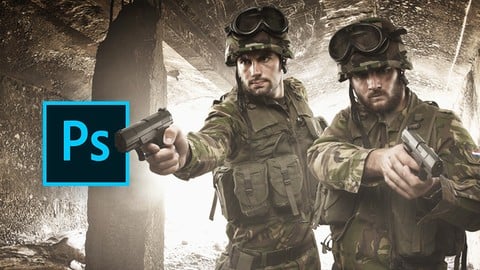
Digital Photoshop Compositing For Advertising Campaigns (2019)
4.3 (148 Reviews)
- Provider: Udemy
- Time: 2.2h
Free
Photoshop Tools - Become An Expert In 10 Super Easy Steps (2015)
3.9 (120 Reviews)
- Provider: Udemy
- Time: 3.3h
$34.99
10 Photoshop Retouching Courses In - 1 Course (2019)
4.1 (116 Reviews)
- Provider: Udemy
- Time: 25.7h
$59.99
More Photoshop courses


Adobe Photoshop CC: For Complete Beginner (Sinhala Medium) (2026)
4.9 (110 Reviews)
- Provider: Udemy
- Time: 8.4h
$59.99

Adobe Photoshop CC – Essentials Training Course (2025)
4.8 (36,753 Reviews)
- Provider: Udemy
- Time: 11.6h
$189.99


47 Graphic Design Projects for Photoshop Beginners (2025)
4.8 (466 Reviews)
- Provider: Udemy
- Time: 7.9h
$99.99

Photoshop Efficiency - Techniques For Consistent Marketing (2025)
4.8 (144 Reviews)
- Provider: Udemy
- Time: 1.4h
$49.99
 Reviews

By Hamza Ahmed on 8/27/2025
An average course with very basic techniques.
By Mateusz Tochman on 2/22/2021
I work completely different. But it was nice to see other technics that i could maybe use in my futur projects. I recommend not as a perfect cours, but as an another point of view on how to create a compositing with an interesting finish look. Thanks
By Fabien Quenardel on 2/4/2021
Cours très clair et précis. J'ai appris différentes techniques grace à ce cours. Je le recommande volontiers...
By Zidane Nagi on 9/29/2020
This course was awesome! However, i expected manfred sir to teach a lot ore about compositing. Thank you!!
By Howard Fisher on 6/16/2020
This is more about retouching than compositing so very disappointing. Also very fast paced making it difficult to follow at times. Some useful items but overall not what I hoped for.
By Rinnie Nguyen on 5/15/2020
It's pretty easy for me to understand and do it. The course was very helpful to me. Thanks !
By Outlier ; on 4/14/2020
This Course is Very good for people whom looking for photoshop compositing, if u are familiar with basics of PEN TOOL , BRUSH, MASKS, BLUER and Paint healing tool . You can do very excellent work without any experience.
By Kaitlin Kreb on 5/29/2019
The lessons move at a nice, brisk pace. If you're taking this class you already know something about Photoshop, you don't need constant repetition and over-explaining. Right now I'm working on a section about creating depth and atmosphere. It's just what I was looking for. Excellent!
By Gerald Frost on 5/20/2019
My main goal is to properly cut out an image from the background. I find the new Select Image feature of Photoshop CC does a good job vs. the Pen Tool. I've never had any good luck with it.
By Pat Byrne on 3/24/2019
I'm learning a lot, seeing what can be done with Raw files has blown my mind a little. The tutor is really good and gives excellent instructions explaining everything
 Quality Score
No CourseDuck member has rated this course yet. Taken it? Give each part a thumbs up or down.
Overall Score : 84 / 100
- Video Duration:
 2.2h
2.2h - Price: Free
- Provider: Udemy
- Updated:
 November 2019
 - Level:
 All Levels
 - Language:
 English
 - Certificate:
 No
No
Udemy Coupon Price Tracker
