
 Web Development
 Data Science
 Python
 SQL
SQL JavaScript
 Artificial Intelligence
 IT & Software
 IT Certifications
 Hacking
 AWS
AWS Arduino
 DevOps
 3D Modeling
 Graphic Design
 Photoshop
 Drawing
 Digital Painting
 UX Design
 Business
 Data Analysis
 Communication Skills
 Project Management
 Leadership & Management
 Human Resources
 Digital Marketing
 Social Media Marketing
 Marketing
 SEO
SEO Google Analytics
 Branding
 Excel
Excel Office Productivity
 SAP
SAP PowerPoint
 Microsoft Access
 SharePoint
 Finance & Accounting
 Trading & Investing
 Accounting
 Bitcoin
 Personal Finance
 Video Editing & Animation
 Photography
 Adobe Premier Pro
 Adobe Lightroom
 Personal Development
 Productivity
 Career Development
 Life Coaching
 Health & Fitness
 Meditation & Mindfulness
 Yoga
Yoga Music
Music Music Production
 Guitar
 Piano
Piano Singing
 Language Learning
 Teaching & Academics
 Engineering
 Math
Math Lifestyle
Affinity Publisher on the iPad Version 2 - The Essentials (Udemy.com)
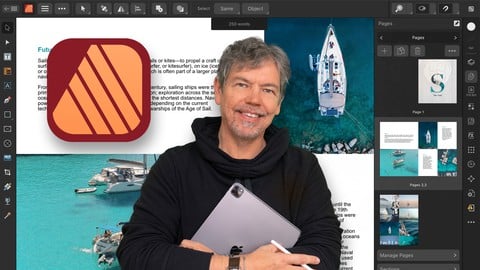
Learn Affinity Publisher on the iPad Version 2 & Create Exciting Documents for Print & Screen Use - Beginners Course
Created by: Tim Wilson
Last updated December 2022
 What you will learn
- The Essentials of Affinity Publisher on the iPad v2 for those new to the software
- How to find your way around the software
- How to set up a new document with images and text
- How to work with different types of images and text
- How to create social media posts, brochures, newsletters
- Differences between InDesign and Affinity Publisher
- How to create documents for both web and print
How it compares
Against the other 413 rated Udemy courses in Graphic Design on CourseDuck:
- Rating4.8 out of 5higher than 91% of them
- Reviews66#352 of 414 by number of reviews
- Length4.1 hoursshorter than 58% of them
- Last updatedDecember 2022earlier than 70% of them
 Course Description
Welcome to my Affinity Publisher on the iPad Version 2 - The Essentials Course.
You don't need any experience to complete this course as I take you from the very beginning through to a point where you can confidently create your own media.
Affinity Publisher / Publisher on the iPad is one of the best publishing pieces of software around and a strong (and more affordable) contender for Adobe InDesign.
It allows you to create beautiful books, magazines and marketing materials through to social media posts, website mockups and a variety of other projects. This modern publishing app gives you the power to combine beautiful type, exciting images and amazing graphics to create stunning layouts ready for publication.
It has an easy-to-use interface to help you work in a fast and intuitive way.
The course includes the following:
Overview of what Affinity Publisher on the iPad actually does
Looking at the interface and where to find things
How to setup and create various types of documents
Principles of color (such as RGB and CMYK)
The basics of typography and how to use it within Affinity Publisher
Working with images and graphical shapes to make your projects "pop"!
Using image frames with intelligent scaling options
Creating text wrapping with fine padding control
Linking multiple text frames together across your document
Exciting projects to help you remember and put into practice what you've learned
With powerful features like master pages, tables, text flow and professional print output and other awesome features, Affinity Publisher has everything you need to create the perfect layout – whether it's for commercial printing, home printing, web or social media projects.
Music by Bensound - License code: 7SYZKT00SRXBRG5K

 Udemy Discount
The discount is applied through our link. Open the course from here and Udemy's current promotional price is applied at checkout on most courses, no code to type.
Some courses are excluded from Udemy's promotions. If the price does not drop, clear your browser cookies and use the button again.
Instructor Details

- 4.8 Rating
 66 Reviews
Tim Wilson
Tim divides his time between training, and undertaking design and photography projects. He has trained a range of companies including BBC, Disney, Aardman, Sky, Nissan, Ford, British Airways, Virgin, Barclays, KPMG, NHS, the Times and Adobe amongst many others.
Tim spent many years as a lecturer for Graphic Design and Photography Honour Degree students at universities. He loves sharing his passion for design and this is reflected by the enthusiasm from his students who rebook his courses to continue their professional development.
 More courses by Tim Wilson

Adobe Illustrator - Beginner to Pro Level With New AI (2026)
4.8 (1,368 Reviews)
 Provider: Udemy
 Time: 13.7h
$89.99

Affinity: The Complete Design Course – Beginner to Pro (2026)
4.8 (466 Reviews)
- Provider: Udemy
- Time: 23.8h
$19.99
Affinity Publisher - The Essentials for Beginners V1 & V2 (2022)
4.5 (441 Reviews)
- Provider: Udemy
- Time: 5.3h
$69.99
Affinity Designer Desktop V2 - From Beginner to Pro Level (2023)
4.6 (434 Reviews)
- Provider: Udemy
- Time: 11.3h
$84.99

Beginner to Wow - Affinity Photo Version 2 (2022)
4.9 (420 Reviews)
- Provider: Udemy
- Time: 4.8h
$69.99
More Graphic Design courses

Adobe InDesign - From Basics to Professional Level Designs (2024)
4.9 (320 Reviews)
- Provider: Udemy
- Time: 11.4h
$84.99

Shop Drawing & Details-Autodesk Revit 2025- for BIM Modelers
4.9 (300 Reviews)
- Provider: Udemy
- Time: 30.9h
$10.99

The Adobe Illustrator CC Mastery Course: Basics to Pro + AI (2026)
4.9 (268 Reviews)
- Provider: Udemy
- Time: 30.8h
$19.99


Software Architecture & System Design Practical Case Studies (2026)
4.8 (2,584 Reviews)
- Provider: Udemy
- Time: 4h
$15.99

Graphic Design Masterclass: Design 40+ Projects in Photoshop (2025)
4.8 (668 Reviews)
- Provider: Udemy
- Time: 16.5h
$109.99
 Reviews

By Udemy User on 11/21/2025
I’ve been using Publisher for a couple of months but struggling with some of the basic stuff, because I didn’t know what some of the buttons actually do. The instructors directions are very clear.
By James Allison on 5/28/2025
Excellent tutor. Good clear instructions, easy to follow. I thought I knew how to use Publisher but this course has taken me to another level. Now looking forward to a Photo V2 course.
By Harrison Rice on 3/3/2025
I thoroughly enjoyed learning from Tim Wilson from start to finish. Clear, simple and to the point, very well done. Now we need Affinity Publisher V2 intermediate/advanced and Affinity Photo V2 guides for iPad from Mr. Wilson to complete the Affinity Suite! Thank you, Tim Wilson.
By Shervette Barrow on 2/10/2025
I believe this is the third course I've taken under this instructor and that's no accident. I feel confident that I'm going to learn what I desire to know and that the instructor is going to give detailed instructions while keeping the course simple for anyone to learn. the Affinity Suite.
By Ali on 9/5/2024
I am completely new to design in general and this course made it easy to digest all the info provided. The instructor was very good at explaining and demonstrating everything, and especially on iPad it was helpful to see how to navigate within Publisher 2. I will be looking to take additional courses from the instructor.
By Liz Nguyen on 7/7/2023
The course has been really easy to follow and the content has been excellent! This is a great course for beginners. I am learning so much! The best online course I've completed thus far.
By Richard on 6/6/2023
Tim helped explain what can be very confusing/hidden context menus very clearly. The iPad version of Affinity Publisher is really powerful, and Tim helps make it feel quite a bit less intimidating; especially if you've taken his Affinity Publisher desktop courses. Thanks Tim!
By Christopher Lake on 4/13/2023
I enjoy the tone of the instructors voice. He explains very clear and thorough, in a calm manner. It’s nice to have a good understanding of how things work after each lesson.
By Kromphon on 4/6/2023
หลักสูตรน้อยเกินไปไม่คลอบคลุม
By Kathy Kidwell on 4/2/2023
The teacher has a calm and easy listening voice. Best of all it gives me confidence to learn this program from someone who knows his stuff and how to teach it.
 Quality Score
No CourseDuck member has rated this course yet. Taken it? Give each part a thumbs up or down.
Overall Score : 96 / 100
- Video Duration:
 4.1h
4.1h - Price: $59.99
- Provider: Udemy
- Updated:
 December 2022
 - Level:
 Beginner
 - Language:
 English
 - Certificate:
 Yes
Yes
30-day money-back guarantee on most paid courses
Udemy Coupon Price Tracker
