
 Web Development
 Data Science
 Python
 SQL
SQL JavaScript
 Artificial Intelligence
 IT & Software
 IT Certifications
 Hacking
 AWS
AWS Arduino
 DevOps
 3D Modeling
 Graphic Design
 Photoshop
 Drawing
 Digital Painting
 UX Design
 Business
 Data Analysis
 Communication Skills
 Project Management
 Leadership & Management
 Human Resources
 Digital Marketing
 Social Media Marketing
 Marketing
 SEO
SEO Google Analytics
 Branding
 Excel
Excel Office Productivity
 SAP
SAP PowerPoint
 Microsoft Access
 SharePoint
 Finance & Accounting
 Trading & Investing
 Accounting
 Bitcoin
 Personal Finance
 Video Editing & Animation
 Photography
 Adobe Premier Pro
 Adobe Lightroom
 Personal Development
 Productivity
 Career Development
 Life Coaching
 Health & Fitness
 Meditation & Mindfulness
 Yoga
Yoga Music
Music Music Production
 Guitar
 Piano
Piano Singing
 Language Learning
 Teaching & Academics
 Engineering
 Math
Math Lifestyle
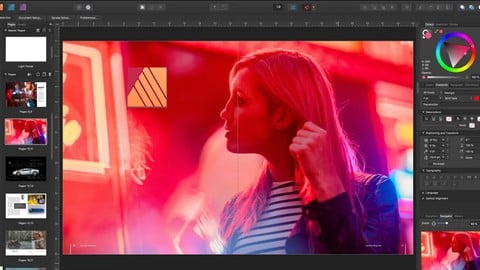
Affinity Publisher - The Complete Course for Beginners (Udemy.com)
Learn Affinity Publisher fast - start from the basics to creating your own documents. Learn by doing course!
Created by: Georgi Smarts
Last updated September 2026
 What you will learn
- Create professional designs using Affinity Publisher
- Bring your vision to life with Affinity Publisher
- Visualise your text in creative new ways
- Professionally adjust your designs using Color manipulation
- Learn all the different features and tools available in the interface
- Tips and Tricks on how to use Affinity Publisher
- Some best practices to keep in mind
How it compares
Against the other 413 rated Udemy courses in Graphic Design on CourseDuck:
- Rating4.6 out of 5higher than 65% of them
- Reviews163#249 of 414 by number of reviews
- Length4 hoursshorter than 59% of them
- Last updatedSeptember 2026more recently than 96% of them
 Course Description
My Bestselling Affinity Publisher Course that covers the latest updates to the Affinity Publisher software
Join over 5000 students that were able to create their own marketing materials in Publisher after finishing the course.
I will walk you through every step of creating your own products using a real life example. By the end of this course you will be able to produce any type of document using industry best practices.
This course will give you a deep understanding of Affinity Publisher functionality by using hands-on, contextual examples designed to showcase why Affinity Publisher is awesome and how how to use it to create professional documents.
In this Affinity Publisher design course you will learn:
· How to design documents that will WOW any consumer
· How to navigate and use Affinity Publisher's panels like a PRO
· Become a master of the text tools
· Make your designs stand out by learning typography features
· Learn about the advanced features of Affinity Publisher
· Manage pages and document structure
· Work with color to make stunning designs
· Work with layers and shapes
· Work with Guides
· Create marketing documents that leave a positive impression on your customers
· How to get professional photos and fonts from for free
and much, much more!
Enroll today and enjoy:
Lifetime access to the course
2.5 hours of high quality, up to date video lectures
Practical Affinity Publisher course with exercises
Thanks again for checking out my course and I look forward to seeing you in the classroom
This course contains a promotion.

 Udemy Discount
The discount is applied through our link. Open the course from here and Udemy's current promotional price is applied at checkout on most courses, no code to type.
Some courses are excluded from Udemy's promotions. If the price does not drop, clear your browser cookies and use the button again.
Instructor Details

- 4.6 Rating
 163 Reviews
Georgi Smarts
Hello!
I’m Georgi, though most know me as George Smarts.
I’ve spent 12 years helping Fortune 500 companies improve the way they deliver projects, solve data challenges, and work as teams. I love what I do and I enjoy teaching others how to get real results using the same skills and tools I’ve mastered over the years.
I’ve had the chance to work on large-scale international IT and data initiatives, and along the way I’ve used just about every major project management platform, productivity tool, and a growing range of AI solutions. My approach is practical and hands on. Everything I teach comes from real experience, not theory.
Here are the areas I focus on and why they matter to me:
• Project Management software tools. I enjoy discovering features that help people work together more efficiently and deliver better outcomes. I have experience with all the big players in this space.
• Data and analytics. I’ve led many data initiatives. I enjoy making complex concepts simple and helping others build confidence using data to make decisions.
• AI tools for everyday work. I help professionals understand how to use AI to reduce repetitive tasks, improve communication, strengthen planning, and make better decisions.
My courses are designed to help you:
 More courses by Georgi Smarts

Data Governance - The Complete Course for Beginners (2026)
4.5 (8,985 Reviews)
 Provider: Udemy
 Time: 9.3h
$12.99

Data Management: The Complete Masterclass (2026)
4.5 (5,937 Reviews)
- Provider: Udemy
- Time: 19.9h
$10.99

Smartsheet Project Management- The Complete Beginners Course (2026)
4.4 (5,128 Reviews)
- Provider: Udemy
- Time: 5.8h
$12.99

Data Quality Masterclass - The Complete Course (2026)
4.5 (4,794 Reviews)
- Provider: Udemy
- Time: 9.8h
$84.99

Monday - Project Management - The Complete Beginners Course (2026)
4.7 (4,081 Reviews)
- Provider: Udemy
- Time: 5h
$10.99
More Graphic Design courses

Adobe InDesign - From Basics to Professional Level Designs (2024)
4.9 (320 Reviews)
- Provider: Udemy
- Time: 11.4h
$84.99

Shop Drawing & Details-Autodesk Revit 2025- for BIM Modelers
4.9 (300 Reviews)
- Provider: Udemy
- Time: 30.9h
$10.99

The Adobe Illustrator CC Mastery Course: Basics to Pro + AI (2026)
4.9 (268 Reviews)
- Provider: Udemy
- Time: 30.8h
$19.99


Software Architecture & System Design Practical Case Studies (2026)
4.8 (2,584 Reviews)
- Provider: Udemy
- Time: 4h
$15.99

Graphic Design Masterclass: Design 40+ Projects in Photoshop (2025)
4.8 (668 Reviews)
- Provider: Udemy
- Time: 16.5h
$109.99
 Reviews

By Silvio Takeshi Tamura on 8/17/2025
O curso é excelente, porém, a Udemy poderia disponibilizar este curso e tantos outros com a legenda em português, pois milhares de pessoas no Brasil se interessam em fazer o curso, entretanto, infelizmente, o conteúdo está produzido em idioma estrangeiro. Os cursos da Udemy são de altíssimo nível, todavia, deixo uma sugestão para que estes vídeos tenham opção de legenda automática em língua portuguesa. Obrigado a todos.
By Lee David Engdahl on 1/3/2025
Time will tell. Mostly in such things it helps to have reminder and the impediance of an instructor to make one focus on the material. Otherwise, in the usual autodidactic format one might brush over elements that are useful or that inter-lock.
By Becky Sleven on 9/26/2024
Great course! Really useful. For total perfection, it would be good to flag that it relates to Affinity 1, not 2, and warn learners that they'll be looking around for different menus etc if they have Affinity 2, but still, it worked really well for me.
By Monica Culpepper on 4/26/2023
I try follow the instructor by actually recreating the same document along with the lessons. But much of the lessons content or program’s format is either not included in the resources or different from my V2. Many things I can adapt or find under other menu options but some things are simply not there, like files or images to merge. Or indexing. It’s difficult. Without the files used in the lesson, much of lesson is near impossible to recreate. How can you find and replace when using filler text?
By David Ho on 12/17/2022
Note that the course is exceptionally well-structured; I feel you will be well on developing your desktop publisher skills from this course. One thing to note is that the course is based on the Affinity Publisher, not version 2. However, setting a side the nuance between the original and version 2; you won't have any issues adopting.
By Jackson Chase on 5/16/2021
Provides a fast, easy introduction to using Affinity Publisher. Docked a star as some lessons felt rushed and were less than comprehensive for multiple use cases. Overall, good value for money. The fact it's short is actually a plus (in most cases) as that means there's no time for the teacher to do anything but get the main points across without lecturing.
By Chris Taylor on 2/1/2021
Rather than 'a complete course for beginners' this short course would be better thought of as 'a course for complete beginners'. It takes you from start to finish through a single project in Affinity Publisher: designing a 4-page booklet. The instructor is engaging and the teaching is clear. I think that in Udemy there's a need for the next step: a thorough, multi-project course exploring deeper into aspects of good page layout and style. Nonetheless, for a beginner's introduction to Affinity Publisher I thought this course was good but a little short and seemingly a little rushed at the end ie the back page section.
By Alexander Benschop on 1/19/2021
De cursus is goed geschikt voor beginners, wordt gegeven in een aangenaam tempo, maar zou hier en daar wel wat dieper op sommige onderdelen mogen ingaan zonder dat daarmee het beginners niveau wordt overschreden. Soms gaat de cursusleider even soort van ‘off topic’, maar over het algemeen genomen zinvolle en goed te volgen lessen met ook de nodige extra tips. De cursusleider is bovendien goed verstaanbaar en heeft een aangename stem, en dit alles maakt deze cursus een prima kennismaking met Affinity Publisher.
By James DeLong on 12/6/2020
Really good teaching style that makes you reach out and try various options on our own. The tasking isn't difficult and quickly takes on the character of a real project that can be duplicated for our own personal use. Thank you for your easy going style and commitment to the real-life workflow!
By William Foust on 11/11/2020
I have taken several courses on Affinity Publisher, but I have not taken any course from which I learned as much as I have from this course. I really appreciated the fact that everything is explained as you follow along. In some courses the presenter states that they want to do something and they click on something and whatever the change is it suddenly appears even though the viewer has no idea of how the change was accomplished. My request to other presenters is that you slow down and explain the steps you are taking in accomplishing a change.
 Quality Score
No CourseDuck member has rated this course yet. Taken it? Give each part a thumbs up or down.
Overall Score : 92 / 100
- Video Duration:
 4h
4h - Price: $69.99
- Provider: Udemy
- Updated:
 September 2026
 - Level:
 Beginner
 - Language:
 English
 - Certificate:
 Yes
Yes
30-day money-back guarantee on most paid courses
Udemy Coupon Price Tracker
