
 Web Development
 Python
 SQL
SQL JavaScript
 Data Science
 Artificial Intelligence
 IT & Software
 IT Certifications
 Hacking
 Arduino
 AWS
AWS 3D Modeling
 Graphic Design
 Photoshop
 Drawing
 Digital Painting
 UX Design
 Business
 Data Analysis
 Communication Skills
 Project Management
 Leadership & Management
 E-Commerce
 Digital Marketing
 Social Media Marketing
 Marketing
 SEO
SEO Google Analytics
 Branding
 Office Productivity
 Excel
Excel Finance & Accounting
 Bitcoin
 Video Editing & Animation
 Photography
 Adobe Premier Pro
 Adobe Lightroom
 Personal Development
 Health & Fitness
 Music
Music Guitar
 Teaching & Academics
 Language Learning
 Engineering
 Lifestyle
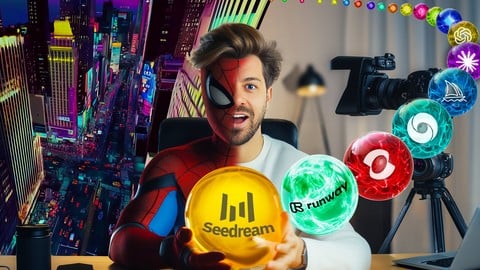
AI Video School Complete Beginner to Pro: Veo Seedance Kling (Udemy.com)
Master AI videos creation step-by-step, mastering top AI tools including Seedance, Google OMNI & VEO, Kling & Midjourney
Created by: AI Video School
Last updated September 2026
 What you will learn
- Understand AI Video Fundamentals – Learn how AI video generation works and how today's leading AI tools fit into the creative process.
- Develop Video Ideas – Use AI to brainstorm, research and refine ideas for videos, films and creative projects.
- Write Scripts with AI – Create structured scripts, plan scenes and develop stories using today's leading AI assistants.
- Plan Your Projects – Create moodboards, storyboards, style guides and visual references before production begins.
- Generate AI Images – Create cinematic scenes, consistent characters and production assets using leading AI image tools.
- Create AI Videos – Generate high-quality AI videos using text-to-video, image-to-video and multi-shot workflows with the leading AI Video tools.
- Produce AI Audio – Create realistic voiceovers, music and sound effects to enhance your videos and storytelling.
 Course Description
Welcome! In this course, you'll learn the complete AI video creation and AI filmmaking workflow using today's leading AI tools.
If you're looking to learn today's leading AI video tools, you're in the right place.
Throughout this course you'll learn professional workflows using:
ChatGPT • Claude • Gemini • Microsoft Copilot • Perplexity • Midjourney • Seedream • Nano Banana • Adobe Firefly • Seedance • Runway • Google Flow • Veo • Omni • Kling • Higgsfield AI • ElevenLabs • Suno • NotebookLM • Meta AI • Grok • HeyGen & more!
Rather than focusing on a single platform, this course introduces you to a wide range of today’s leading AI tools and shows how they can be used throughout the video creation process. You don’t need to own or subscribe to every tool—we’ll explore each one through practical examples, helping you understand its strengths so you can decide which tools best suit your workflow and budget. At the same time, you’ll follow a complete AI video workflow from start to finish, exploring each stage and tools one step at a time.
Throughout the course, you'll have access to a dedicated student website with additional resources, guides, prompts and reference material that we'll use along the way. Each section finishes with a practical task to help you apply what you've learned, and by the end of the course, you'll follow the complete creation of an AI film using the same workflow we've built together, one step at a time.
Whether you're a complete beginner, content creator, marketer, filmmaker, entrepreneur or creative professional, you'll learn the complete AI filmmaking workflow—from your first idea to a final video.
No previous AI or video editing experience is required.
Learn the Complete AI Video Workflow
This course is structured around the complete AI video creation workflow.
Step by step, you'll progress through each stage of creating an AI video—from developing an idea and writing a script to generating images, creating videos to producing a finished project. Along the way, you'll explore the AI tools best suited to each stage and learn how they fit together in a practical workflow.
You'll learn every stage of creating professional AI videos, including:
AI Video Fundamentals and how it all works
Developing ideas with AI
Writing scripts with AI
Creating moodboards and storyboards
Building a consistent visual style
Generating AI images
Creating cinematic AI videos
Producing AI voices, music and sound effects
Assembling your projects
AI upscaling and quality enhancement
and more!
Rather than learning individual features in isolation, you'll follow a complete AI video workflow from start to finish, discovering the tools and techniques that can help at each stage. While the course is designed to be followed step by step, you're free to jump to specific sections or skip stages that aren't needed for your own projects, allowing you to build a workflow that works best for you.
The workflow taught throughout the course can be applied to YouTube videos, commercials, advertisements, product videos, documentaries, educational content, short films, client work and social media content.
What You'll Learn:
1. AI Video Fundamentals
Understand how AI video generation works, why it has become one of the fastest-growing creative industries, and how to use it effectively regardless of your experience level.
2. AI Workflows
Learn flexible AI video workflows that can improve the quality, consistency and efficiency of your projects. Explore both fast, simplified workflows and more comprehensive production pipelines, then adapt them to suit your own creative process.
3. Generate Ideas with AI
Learn how to brainstorm, research and develop video concepts using ChatGPT, Claude, Gemini, Microsoft Copilot and Perplexity.
Learn practical prompting techniques while using AI to explore, refine and develop your video ideas.
4. AI Scriptwriting & Story Development
Learn how to develop ideas into structured scripts using using ChatGPT, Claude, Gemini, NotebookLM and Squibbler.
We'll explore storytelling, scene planning, character development and production planning, showing how each stage helps prepare your project for image and video generation.
5. AI Audio Production
Create professional AI voiceovers, music and sound effects using ElevenLabs, Suno and other modern AI audio workflows.
Learn how audio transforms storytelling and dramatically improves the quality of your finished videos.
6. Moodboards, Storyboards & Visual Planning
Build a strong visual foundation before generating any images or videos. Learn how to create moodboards, style guides, character sheets, colour palettes, scene references and storyboards that help maintain consistency across characters, environments and the overall look of your AI video.
7. AI Image Generation
Master image generation using tools including:
Midjourney
Seedream
Nano Banana
Kling
Adobe Firefly
and more.
Learn how to create cinematic scenes, consistent characters, environments, reference images and production assets that become the foundation of high-quality AI videos.
8. AI Video Generation
Learn how to use today's leading AI video platforms, including:
Seedance
Runway
Google Veo & Omni with Flow
Kling
Midjourney
NotebookLM
and more
Learn:
Text-to-video
Image-to-video
Multi-shot video generation
Character consistency
Cinematic prompting
Camera movement
Scene Builder workflows
Ingredients
AI Agents
Professional AI filmmaking techniques and so much more
You'll learn how to use each tool fully and what each platform is best suited for, allowing you to choose the tools that best fit your own projects, workflow and budget.
9. Editing & AI Upscaling
Discover briefly how professional AI videos are assembled into finished productions.
Learn about AI upscaling using Higgsfield AI: ByteDance and Topaz AI to produce cleaner, sharper and more professional final videos.

 Udemy Discount
The discount is applied through our link. Open the course from here and Udemy's current promotional price is applied at checkout on most courses, no code to type.
Some courses are excluded from Udemy's promotions. If the price does not drop, clear your browser cookies and use the button again.
Instructor Details

- 4.5 Rating
 5,351 Reviews
AI Video School
Award-winning AI movie creator and AI video specialist creating cinematic content using cutting-edge artificial intelligence. I focus on AI video creation, editing, AI imagery, and AI audio to produce fully AI-driven films. I create step-by-step digestible courses with a laid-back approach and a bit of fun along the way. Follow along and see me use various tools as I show you how to create AI videos in different styles, for different purposes and some real-world examples of AI videos and how they can be made.
 More courses by AI Video School
Video Editing in CapCut | Beginner to Pro | Desktop + Mobile (2026)
4.5 (3,890 Reviews)
 Provider: Udemy
 Time: 3.6h
$74.99

Social Media Film School: TikTok, Instagram, YouTube & AI (2026)
4.3 (1,598 Reviews)
- Provider: Udemy
- Time: 20.6h
$109.99
Adobe Premiere Pro for Complete Beginners (2026)
4.5 (1,103 Reviews)
- Provider: Udemy
- Time: 2.5h
$74.99
ChatGPT & YouTube: AI Tools for YouTube Video Creators (2026)
4.4 (462 Reviews)
- Provider: Udemy
- Time: 3.6h
$84.99
Make YouTube Thumbnails with AI: Step-by-Step Guide (2026)
4.2 (282 Reviews)
- Provider: Udemy
- Time: 3.1h
$10.99
More Photography courses
Masterclass In Photography PART 4: Composition And Light (2024)
4.9 (181 Reviews)
- Provider: Udemy
- Time: 2.8h
$24.99
Masterclass In Photography PART 3: Creative Lens & Colour (2024)
4.9 (132 Reviews)
- Provider: Udemy
- Time: 2.1h
$24.99
Portrait Photography: Classic & Modern Photo Style (2024)
4.9 (125 Reviews)
- Provider: Udemy
- Time: 2.5h
$19.99

Film using ANY Camera! Basics of Shooting Video Correctly (2019)
4.8 (2,632 Reviews)
- Provider: Udemy
- Time: 3.2h
$19.99

Drone Photography | Shoot Professional Photos With Any Drone (2019)
4.8 (2,569 Reviews)
- Provider: Udemy
- Time: 2.1h
$12.99
 Reviews

By Michelle Slee on 9/23/2026
This is an excellent course. There is an incredible amount of information, clearly structured and well presented. It has really inspired me and I've already put a lot of what I've learned into practice. Thank you for a great course.
By Firas Liddawieh on 9/21/2026
What an amazing journey! I went from knowing nothing about video making to knowing a lot. The course covers many tools that you can work with. I just wish there will more explanation about the lipsyncing. Great Job.
By Brian Ruby on 9/18/2026
The content is great but delivery needs work. Here's the issue. The essential points for students are how you wrote the prompt, what the output was, how you refined. 70+% of the video is spent listening to you talk about the different results of the prompt and filled with extraneous info. It's like watching a cake rise on a cooking show. Shrink this down to a series of input/output and put your narrative around why you wrote the way you did, not what you wrote. focus on strategy of the writing.
By Nancy Sungyun on 8/5/2026
The most wonderful instructor I have had in Udemy, and in fact, just about any on line course. I am going to go over it again and again and know that I will keep learning more from him. Amazing instruction! What a treat! Thank you for being so through and detailed about so much!!
By Sameer Garach on 7/31/2026
Excellent coverage of many AI tools to make a film, even videos for social media and other mediums, from start to finish--the storyboarding, mood boards, image and video generations, audio (sound effects, musical scores, lip sync, etc.) and more. Compares AI products to achieve best results for your needs. Instills confidence in course takers to make their own videos. Wonderful!
By Marlene Mantz on 6/28/2026
You really learn a lot, but I'm dissapointed by the "putting it all together" part. I was really looking forward to that section but its only a silent video and I dont really get what he is doing there. There is also no lip synching in his example, which I still find the hardest thing to do. So he doesnt really explain how to put all your generated stuff together in the end. Otherwise its good tutorials for every step, You just have to figure out pretty much for yourself how to put it all together
By Joseph Hass on 5/30/2026
I can’t recommend Daniel and AI Video School enough! Dan is the man, he keeps the course constantly up to date, and he dives into every detail with such clarity. As an IT guy, I didn’t know much about filmmaking, I’ve learned so much from prompting techniques to the strengths and weaknesses of different AI tools. This isn’t just a course on AI video; it’s a full filmmaking and AI masterclass. Dan breaks down lenses, shots, camera angles …everything. I’m blown away by the effort he puts in and the written guides on the AIVS website are an excellent companion to the course. Five stars all the way and a Koala bear stamp because I am from Australia and Dan has an Australian accent even though he is from the UK … Well done and keep up the good work. Thank you, Daniel
By Gianmarco Cheng Portales on 4/22/2026
Section 13, about recreating AI viral trends, feels like a missed opportunity. Instead of showcasing how to create videos across different platforms, most examples rely heavily on Veo3, which limits the learning experience.
By Chijioke on 3/4/2026
this course is brilliant.The teacher is amazing with the way he takes his time to make explanations. I highly recommend this course for anyone. I highly recommend this course, its has widened my understanding about a.i.
By Peter Jones on 3/2/2026
This course was a whole new experience for me. Learnt how to prompt professionally to get the best result for my photo and video. and to put theses result together to create an amazing film.
 Quality Score
No CourseDuck member has rated this course yet. Taken it? Give each part a thumbs up or down.
Overall Score : 90 / 100
- Video Duration:
 32.1h
32.1h - Price: $10.99
- Provider: Udemy
- Updated:
 September 2026
 - Level:
 All Levels
 - Language:
 English
 - Certificate:
 Yes
Yes
30-day money-back guarantee on most paid courses
Udemy Coupon Price Tracker
