
 Web Development
 Python
 SQL
SQL JavaScript
 Data Science
 Artificial Intelligence
 IT & Software
 IT Certifications
 Hacking
 Arduino
 AWS
AWS 3D Modeling
 Graphic Design
 Photoshop
 Drawing
 Digital Painting
 UX Design
 Business
 Data Analysis
 Communication Skills
 Project Management
 Leadership & Management
 E-Commerce
 Digital Marketing
 Social Media Marketing
 Marketing
 SEO
SEO Google Analytics
 Branding
 Office Productivity
 Excel
Excel Finance & Accounting
 Bitcoin
 Video Editing & Animation
 Photography
 Adobe Premier Pro
 Adobe Lightroom
 Personal Development
 Health & Fitness
 Music
Music Guitar
 Teaching & Academics
 Language Learning
 Engineering
 Lifestyle
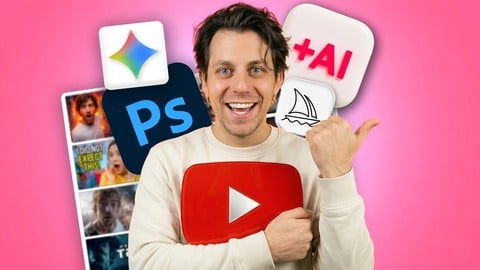
Make YouTube Thumbnails with AI: Step-by-Step Guide (Udemy.com)
Learn To Research, Design & Create YouTube Thumbnails With AI (Midjourney & Nanobanana) + Photoshop Walkthrough
Created by: AI Video School
Last updated April 2026
 What you will learn
- Understand why thumbnails drive clicks and impact YouTube performance
- Create thumbnails using AI tools like Midjourney and Nanobanana
- Write effective prompts to generate high-quality thumbnail images
- Research your niche to design thumbnails that match your audience
- Break down winning thumbnails to understand what makes them work
- Apply the 3 core elements of high-performing thumbnail composition
- Use color, contrast, and text to improve visibility
- Generate multiple thumbnail variations for A/B testing with AI
- Edit and refine thumbnails using Photoshop for full control
 Course Description
Learn how to plan, design, and generate high-performing YouTube thumbnails using AI (or with Photoshop manually) —while understanding the strategy and fundamentals behind what makes people click.
This course explores the full process of creating effective YouTube thumbnails, with a strong focus on using AI tools to generate, refine, and test thumbnail designs. You’ll begin by understanding why thumbnails matter, then move through research, composition, and ultimately into creating thumbnails using modern AI workflows; alongside a direct comparison and detailed walkthrough of using an editor (Photoshop, but you could use any) to create this manually.
The goal of this course is to show how thumbnails can now be created faster and more efficiently using AI—without needing advanced design skills—while still applying proven principles of design and audience psychology.
Alongside AI workflows, you’ll also be shown how thumbnails can be created manually using traditional tools like Photoshop. This gives you a complete understanding of both approaches, while keeping AI as the primary method used throughout the course.
Students also receive exclusive access to a companion website that contains exercises, extra explanations, downloadable resources, and AI prompts that can be copied and used directly.
What’s Covered in the Course
The course walks through the full process of creating high-quality YouTube thumbnails, with AI at the center of the creative workflow.
Understanding Thumbnail Importance
The course begins with the fundamentals of why thumbnails are critical to YouTube performance, particularly in influencing click-through rate.
You’ll start with a practical “quick win,” where multiple thumbnails are created in different niche styles using AI. This demonstrates how quickly high-quality thumbnails can be generated and how styles vary across niches.
You’ll also learn what tools you’ll be using throughout the course and how AI fits into the thumbnail creation process.
Research and Niche Understanding
Before generating thumbnails, the course explores how research directly impacts the effectiveness of your designs. This includes:
Understanding why niche plays a major role in thumbnail style
Identifying your target audience
Defining a viewer persona
Analyzing successful thumbnails within your niche
Real-world examples are used to break down what works and why, helping you guide your AI prompts and creative decisions more effectively.
Exercises and AI prompts are included to help you apply these concepts.
Thumbnail Structure and Composition
This section breaks down the key components that make a thumbnail effective, ensuring that your AI-generated designs are not just visually appealing, but strategically sound.
You’ll explore:
The three core parts of a thumbnail composition
How to use color effectively (and avoid unclear or “muddy” visuals)
Text usage and readability
Visual hierarchy and layout
You’ll also learn how to analyze existing thumbnails and use them as a foundation for planning and prompting your own designs.
Creating Thumbnails with AI
This is the core focus of the course.
You’ll learn how to use AI tools Midjourney and Nano Banana to create high-quality thumbnails quickly and consistently.
This includes:
Writing effective prompts for thumbnail generation
Creating images tailored to specific niches and styles
Generating multiple variations rapidly
Refining and iterating on AI outputs
Editing AI-generated images to add text and final touches
You’ll also learn how to create multiple thumbnail variations for A/B testing, allowing you to experiment and improve performance using AI-driven workflows.
Creating Thumbnails Manually (Supporting Workflow)
While AI is the primary method taught in this course, this section shows how thumbnails can also be created manually using tools like Photoshop or similar software.
You’ll go through:
Setting up a canvas
Cutting out subjects
Creating backgrounds
Using tools like generative fill
Adding text, shadows, and effects
This section is designed to give you additional flexibility and a deeper understanding of how thumbnails are constructed behind the scenes.
Exclusive Course Companion Website
When enrolling in the course, you’ll also receive access to a companion website designed to support the lessons.
The site includes:
Step-by-step exercises for research and thumbnail creation
Downloadable resources
Additional explanations and breakdowns
Ready-to-use AI prompts for generating thumbnails
This allows you to follow along with the course and apply each step as you go.
Why Take This Course?
This course provides a structured walkthrough of creating YouTube thumbnails using AI as the primary tool, combined with design and marketing principles.
It is designed to help you move from idea to finished thumbnail quickly, while still understanding why certain thumbnails perform better than others.
Who This Course May Be Useful For
This course may be useful for:
YouTube creators who want to improve click-through rate using AI
Beginners who want to create thumbnails without advanced design skills
Creators interested in using tools like Midjourney for content creation
Designers looking to integrate AI into their workflow
Anyone interested in faster, scalable thumbnail creation
By the end of the course, you’ll understand how to research, plan, and generate YouTube thumbnails using AI, while also knowing how to refine and optimize them for better performance.
Please note: if you are enrolled in any of our other YouTube courses, you may notice that certain lectures covering shared foundational topics are duplicated within this course. While the core content, subject focus, and teachings of each course are unique, some common topic areas may utilise the same supporting lectures across multiple courses.

 Udemy Discount
The discount is applied through our link. Open the course from here and Udemy's current promotional price is applied at checkout on most courses, no code to type.
Some courses are excluded from Udemy's promotions. If the price does not drop, clear your browser cookies and use the button again.
Instructor Details

- 4.2 Rating
 282 Reviews
AI Video School
Award-winning AI movie creator and AI video specialist creating cinematic content using cutting-edge artificial intelligence. I focus on AI video creation, editing, AI imagery, and AI audio to produce fully AI-driven films. I create step-by-step digestible courses with a laid-back approach and a bit of fun along the way. Follow along and see me use various tools as I show you how to create AI videos in different styles, for different purposes and some real-world examples of AI videos and how they can be made.
 More courses by AI Video School
AI Video School Complete Beginner to Pro: Veo Seedance Kling (2026)
4.5 (5,351 Reviews)
 Provider: Udemy
 Time: 32.1h
$10.99
Video Editing in CapCut | Beginner to Pro | Desktop + Mobile (2026)
4.5 (3,890 Reviews)
- Provider: Udemy
- Time: 3.6h
$74.99

Social Media Film School: TikTok, Instagram, YouTube & AI (2026)
4.3 (1,598 Reviews)
- Provider: Udemy
- Time: 20.6h
$109.99
Adobe Premiere Pro for Complete Beginners (2026)
4.5 (1,103 Reviews)
- Provider: Udemy
- Time: 2.5h
$74.99
ChatGPT & YouTube: AI Tools for YouTube Video Creators (2026)
4.4 (462 Reviews)
- Provider: Udemy
- Time: 3.6h
$84.99
More Photography courses

Masterclass In Photography PART 4: Composition And Light (2024)
4.9 (181 Reviews)
- Provider: Udemy
- Time: 2.8h
$24.99
Masterclass In Photography PART 3: Creative Lens & Colour (2024)
4.9 (132 Reviews)
- Provider: Udemy
- Time: 2.1h
$24.99
Portrait Photography: Classic & Modern Photo Style (2024)
4.9 (125 Reviews)
- Provider: Udemy
- Time: 2.5h
$19.99

Film using ANY Camera! Basics of Shooting Video Correctly (2019)
4.8 (2,632 Reviews)
- Provider: Udemy
- Time: 3.2h
$19.99

Drone Photography | Shoot Professional Photos With Any Drone (2019)
4.8 (2,569 Reviews)
- Provider: Udemy
- Time: 2.1h
$12.99
 Reviews

By Deborah Landi on 4/29/2026
je cherchais plus un cours pratique sur comment faire des miniatures, mais la théorie était intéressante, il y a aussi des idées sur les vidéos YouTube ou les titres ... mais je n'étais pas concernée.
By Cornu Julian on 2/26/2025
I think the tutorial on Photoshop, which is the core of the lesson must be longer... After for the price I understand, but you can find similar tuto for photoshop on Ytb for free
By HeXow on 6/4/2024
Lo que he visto por el momento es contenido sumamente básico y utiliza muchos ejemplos para hacer relleno. Creo que hasta ahora, de la información que ha compartido, ya sabía prácticamente todo, ya que su contenido se encuentra gratis en youtube y más concisamente explicado por otros creadores. La verdad espero encontrarme con algo que llene mis expectativas por lo que he pagada, al final, apenas voy llegando a la mitad del curso…
By Laila Ibrahim on 11/12/2023
Thanks, Dan for this course. It was easy to follow and fun to make thumbnails. BTW I finally put my head down and learnt Photoshop so thats a huge plus in itself. Thanks again!
By Darrick Wilson on 10/28/2023
Awesome! I had no idea that the thumbnail is so essential to the success of a video on YouTube. This course covers analytics, graphics, and titles. Highly recommend.
By Daniel Lucas Hernández on 10/10/2023
Muy completo. Sigue las tendencias reales de los grandes youtubers de cada nicho para recrear en herramientas digitales miniaturas de YouTube muy similares.
By Torgny Wennemyr on 7/14/2023
Completing this course has not only expanded my knowledge but also boosted my confidence in the subject matter, thanks to the supportive and encouraging learning environment created by the instructor and fellow participants.
By Suzanne Todd on 7/14/2023
The course not only provided theoretical knowledge, but also practical exercises and real-world examples, enabling me to put my learning into practice effectively
By Sipe on 5/7/2023
The author has a lot of energy which help to keep watching, but he actually has too much energy for a course. He talks a lot but mostly to verbalize what is on screen or to fill in with motivators. The core theory is missing ! Why red is not such a good color, why smooth the skin, why saturate the sky, why add glow, why this particular face and gesture, why yellow, why a particular text, etc etc. The strategy is not explained in depth and the techniques are only brushed over. I would have appreciated less foreign examples, less photoshopping and more explanation of his choices on how he constructed several of his thumbnails on different channels. It's only when he talks about titles which are off topic that he seems forced to concentrate and spell out a principle. I think the author is a great youtuber but not a great teacher and so we get an average course. And the other courses on the subjects are likely to be worse.
By Federico Scandolara on 1/7/2023
really complete course for building thumbnails from zero. Only problem I found is the one to one feedback he claims to give to customers is not a think I have seen yet, I tried to send the request to his Facebook group but it's still pending the approval.
 Quality Score
No CourseDuck member has rated this course yet. Taken it? Give each part a thumbs up or down.
Overall Score : 84 / 100
- Video Duration:
 3.1h
3.1h - Price: $10.99
- Provider: Udemy
- Updated:
 April 2026
 - Level:
 Beginner
 - Language:
 English
 - Certificate:
 Yes
Yes
30-day money-back guarantee on most paid courses
Udemy Coupon Price Tracker
