
 Web Development
 Data Science
 Python
 SQL
SQL JavaScript
 Artificial Intelligence
 IT & Software
 IT Certifications
 Hacking
 AWS
AWS Arduino
 DevOps
 3D Modeling
 Graphic Design
 Photoshop
 Drawing
 Digital Painting
 UX Design
 Business
 Data Analysis
 Communication Skills
 Project Management
 Leadership & Management
 Human Resources
 Digital Marketing
 Social Media Marketing
 Marketing
 SEO
SEO Google Analytics
 Branding
 Excel
Excel Office Productivity
 SAP
SAP PowerPoint
 Microsoft Access
 SharePoint
 Finance & Accounting
 Trading & Investing
 Accounting
 Bitcoin
 Personal Finance
 Video Editing & Animation
 Photography
 Adobe Premier Pro
 Adobe Lightroom
 Personal Development
 Productivity
 Career Development
 Life Coaching
 Health & Fitness
 Meditation & Mindfulness
 Yoga
Yoga Music
Music Music Production
 Guitar
 Piano
Piano Singing
 Language Learning
 Teaching & Academics
 Engineering
 Math
Math Lifestyle
Altium PCB Design: Learn by building Circuits (Udemy.com)
Learn the basics of printed circuit board (PCB) design using Altium Designer
Created by: Educational Engineering Team
Last updated February 2026
 What you will learn
- This course will show you how to create your own PCB design from scratch and also how to use Altium Designer to modify existing schematics and layouts.
- The PCB Design Learning by Building Circuits course is aimed at giving users a strong foundation in the basics of PCB design and how to use Altium software.
- In this course, you will learn how to design printed circuit boards (PCBs) using Altium PCB Design software.
- You will start by learning the basics of PCB design
How it compares
Against the other 295 rated Udemy courses in Arduino on CourseDuck:
- Rating3.9 out of 5higher than 5% of them
- Reviews110#189 of 296 by number of reviews
- Length2.1 hoursshorter than 79% of them
- Last updatedFebruary 2026more recently than 73% of them
 Course Description
Hello there! We are excited to introduce our new course, Altium PCB Design: Learn by Building Circuits. This course is designed for those who want to learn how to design and build printed circuit boards using the Altium Designer software.
In this course, you will learn the basics of Altium Designer, how to create a schematic, and how to layout and route your PCB. You will also have the opportunity to build several circuits throughout the course.
Course Overview:
This course is designed to help students learn Altium PCB design through the process of building circuits. By working on circuits, students will learn how to use Altium to design and build PCBs. The course will cover the basics of Altium, including schematic capture, layout, and routing. By the end of the course, students will be able to design and build their own PCBs using Altium.
What You'll Learn:
Introduction to Altium Designer: Understand the basic functionalities of Altium Designer.
Creating Schematics: Learn how to create and edit schematics.
Layout and Routing: Master the layout editor and routing techniques.
Using the Autorouter: Learn how to use Altium’s Autorouter for efficient PCB design.
Library Management: Understand how to use the library editor and create custom libraries.
Building Circuits: Apply your knowledge by designing and building real-world circuits.
Troubleshooting: Learn techniques for troubleshooting and refining your PCB designs.
Why You Should Take This Course:
Learn the Basics of PCB Design: Gain a solid foundation in PCB design using Altium Designer.
Work with Schematics and PCB Layouts: Develop skills in creating and managing schematics and PCB layouts.
Use Libraries in Your Designs: Understand how to use and manage libraries in Altium Designer.
Design Your Own PCBs: Learn to design custom PCBs for your projects.
Real-World Application: Build circuits and apply your knowledge to practical projects.
Course Benefits:
Design the Future: PCB design is a crucial skill for any electrical engineer. Learn how to use Altium to bring your projects to life.
Create Custom PCBs: With the basics of PCB design, you’ll be able to create custom boards for any project.
Master Altium Designer: Gain the skills needed to use Altium Designer efficiently and effectively.
Course Outline:
Introduction and Discussion
Requirements
Coding
Circuit Design
Prototype House Construction
Circuit Building
Project Demonstration
Who Is This Course For:
Beginners in PCB Design: Individuals new to PCB design and Altium Designer.
Electronics Hobbyists: Enthusiasts looking to expand their skills in PCB design.
STEM Students and Educators: Those involved in STEM education seeking practical, hands-on experience.
Professional Developers: Developers aiming to integrate PCB design into their projects.
Requirements:
Basic Electronics Knowledge: A fundamental understanding of electronics is recommended.
Computer Access: A computer with internet access.
Altium Designer Software: Access to Altium Designer for hands-on practice.
About the Instructor:
Educational Engineering Team is a renowned group of skilled engineers with over 13 years of experience in teaching and practical projects. Led by Ashraf, a seasoned educator and mechatronics engineer, the team has taught over 250,000 students worldwide. Known for their clear and comprehensive teaching style, the team has created over 100 courses on Udemy. Ashraf’s mission is to explore new trends and technology and help educate the world, making complex topics easy to understand and accessible.
Testimonials:
"This course provided a great introduction to PCB design using Altium. The hands-on projects were very helpful." - Sarah L.
"Highly recommend this course for anyone looking to learn PCB design. The instructions were clear and easy to follow." - James T.
"A fantastic course that covers all the basics of PCB design. I feel much more confident in my ability to create custom PCBs." - Maria H.
FAQ Section:
Who can benefit from this course? This course is ideal for beginners, electronics enthusiasts, STEM students, and professional developers.
What are the payment options? Various payment plans are available, including one-time payments and installment options.
Is there a refund policy? Yes, we offer a 30-day money-back guarantee if you're not satisfied with the course.
What equipment do I need? You’ll need a computer with internet access and Altium Designer software.
Can I communicate with peers and instructors? Yes, the course includes forums and Q&A sections for interaction with peers and direct support from instructors.
Call to Action: So what are you waiting for? Learn how to design electronic circuits by building real-world projects. Sign up for the course now!

 Udemy Discount
The discount is applied through our link. Open the course from here and Udemy's current promotional price is applied at checkout on most courses, no code to type.
Some courses are excluded from Udemy's promotions. If the price does not drop, clear your browser cookies and use the button again.
Instructor Details

- 3.9 Rating
 110 Reviews
Educational Engineering Team
Educational Engineering Academy is a global leader in high-tier microcontroller and embedded systems training. Founded by Ashraf, a veteran Mechatronics Engineer with over 13 years of industrial experience, our mission is to transform students from foundation-level learners into Systems Architects.
With a legacy dating back to 2007, we have moved beyond superficial tutorials. We specialize in Production-Grade Engineering, focusing on areas where AI cannot compete: hardware labs, physical circuit design, and complex industrial simulations. Having empowered over 650,000 students globally, we provide the exact, step-by-step blueprints required to master the "Microcontroller Industry" and "PLC Industrial Automation".
Why Engineers Choose Our Ecosystem:
• Deep-Thinking Architecture: Our curriculum utilizes a three-level assignment structure (Basic, Intermediate, and Advanced) to ensure you don't just watch videos, but solve real-world coding challenges.
• Professional Benchmarks: We provide Project Portfolio Reviews and Résumé Feedback to ensure your skills translate directly into a high-paying career.
 More courses by Educational Engineering Team


Android Development: Make Apps without Coding or Experience (2026)
4.0 (552 Reviews)
 Provider: Udemy
 Time: 1.8h
$34.99

Electronic & Electrical Devices Maintenance&Troubleshooting (2026)
3.9 (549 Reviews)
- Provider: Udemy
- Time: 5.2h
$54.99

Become an Embedded System Engineer w/ this 60 Days Challenge (2026)
4.0 (412 Reviews)
- Provider: Udemy
- Time: 53.5h
$64.99
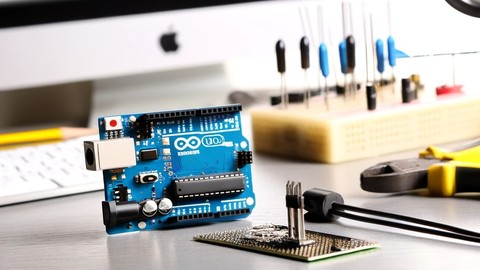
Arduino Practice Test: Get Certified and Test Your Skills (2017)
3.6 (359 Reviews)
- Provider: Udemy
$29.99
More Arduino courses


Learn to Build a Computer (PC) in 2026 - all types!
4.9 (245 Reviews)
- Provider: Udemy
- Time: 6.1h
$74.99

Raspberry Pi For Beginners - 2026 Complete Course
4.8 (3,105 Reviews)
- Provider: Udemy
- Time: 10.6h
$89.99

Ultimate Guide to Raspberry Pi : Tips, Tricks and Hacks (2023)
4.8 (2,363 Reviews)
- Provider: Udemy
- Time: 5.2h
$69.99

Mastering Microcontroller: STM32-LTDC, LCD-TFT, LVGL (MCU3) (2026)
4.8 (487 Reviews)
- Provider: Udemy
- Time: 8.1h
$79.99

Arduino Step by Step: Getting Started (2024)
4.7 (8,714 Reviews)
- Provider: Udemy
- Time: 21.4h
$159.99
 Reviews

By Viknesh on 9/17/2026
very nice content
By Mohamed Hatem Mohamed on 4/9/2026
لاننى استفدت كثيرا وخاصة فى تنفيذ الدوائر العملية خلف المحاضرين
By Sriram J on 10/26/2025
Excellent course, I learned a lot. But i was expecting to be certified for what I've learned
By Pradeep P on 8/4/2025
Generate gerber files are not shown and how to make the curved shaped board are need to explain
By B. Marc on 3/20/2025
super lesson many many thanks , just put music in backgrond away it is too repetitiv and disturbing
By Sooraj SS on 11/28/2024
it was good, but the background music need to be avoided.
By Ivon Oramas Polo on 7/9/2023
Excellent course!
By Henri Busch on 5/12/2023
Good to get started with Altium Designer :)
By Abid Ali on 12/15/2022
No prior information about the course. No proper design flow. Directly explained the projects. No topics are explained in detail. I am confused. Section 2 is unwanted and that too incomplete video.
 Quality Score
No CourseDuck member has rated this course yet. Taken it? Give each part a thumbs up or down.
Overall Score : 78 / 100

- Video Duration:
 2.1h
2.1h - Price: Free
- Provider: Udemy
- Updated:
 February 2026
 - Level:
 All Levels
 - Language:
 English
 - Certificate:
 No
No
Udemy Coupon Price Tracker
