
 Web Development
 Data Science
 Python
 SQL
SQL JavaScript
 Artificial Intelligence
 IT & Software
 IT Certifications
 Hacking
 AWS
AWS Arduino
 DevOps
 3D Modeling
 Graphic Design
 Photoshop
 Drawing
 Digital Painting
 UX Design
 Business
 Data Analysis
 Communication Skills
 Project Management
 Leadership & Management
 Human Resources
 Digital Marketing
 Social Media Marketing
 Marketing
 SEO
SEO Google Analytics
 Branding
 Excel
Excel Office Productivity
 SAP
SAP PowerPoint
 Microsoft Access
 SharePoint
 Finance & Accounting
 Trading & Investing
 Accounting
 Bitcoin
 Personal Finance
 Video Editing & Animation
 Photography
 Adobe Premier Pro
 Adobe Lightroom
 Personal Development
 Productivity
 Career Development
 Life Coaching
 Health & Fitness
 Meditation & Mindfulness
 Yoga
Yoga Music
Music Music Production
 Guitar
 Piano
Piano Singing
 Language Learning
 Teaching & Academics
 Engineering
 Math
Math Lifestyle
Animate an Explainer Video Using Adobe After Effects CC (Udemy.com)
Learn a valuable freelance skill of animating an explainer video in After Effects!
Created by: Lucas Ridley
Last updated November 2022
 What you will learn
- Create your own explainer video for a product or service!
- Better understanding of After Effects.
- Master fundamental animation concepts.
- Increase their freelance potential!
How it compares
Against the other 118 rated Udemy courses in Adobe After Effects on CourseDuck:
- Rating4.2 out of 5higher than 11% of them
- Reviews69#86 of 119 by number of reviews
- Length2.4 hoursshorter than 55% of them
- Last updatedNovember 2022more recently than 65% of them
 Quality Score
Overall Score : 84 / 100
 Course Description
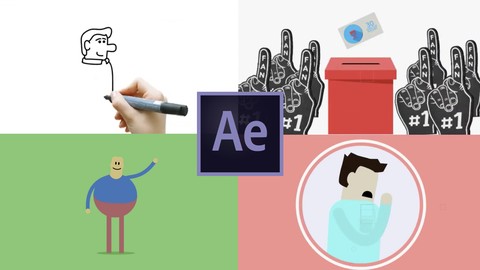
In this class you will learn the fundamental tools in After Effects specicifically related to creating an explainer video.
After Effects is an incredible program that has a broad range of capabilities. We will focus on three main ingredients that are vital to any explainer video: interesting transitions, flourishes, and characters.
The goal of the course is to finish with an understanding of what makes an appealing animation in regards to explainer videos and how to create it for yourself in After Effects.
Thanks for joining!Who this course is for:
- Someone who has some design skills but new to animation and After Effects

 Udemy Discount
The discount is applied through our link. Open the course from here and Udemy's current promotional price is applied at checkout on most courses, no code to type.
Some courses are excluded from Udemy's promotions. If the price does not drop, clear your browser cookies and use the button again.
Instructor Details

- 4.2 Rating
 69 Reviews
Lucas Ridley
My work has been featured in Annie-nominated, Emmy-winning, and Oscar short-listed short films. I'm an animator and commercial director and I've created content for brands like LEGO, Braun, Nestle, and Anhueser-Busch. I recently worked at the birthplace of visual effects, Industrial Light & Magic where I worked on films by Michael Bay and Steven Spielberg and most recently on the record-breaking Avenger's: Infinity War as an animator
I'm eager to share my professional knowledge that has allowed me to make a career out of creating content for big brands and big movies.
 More courses by Lucas Ridley
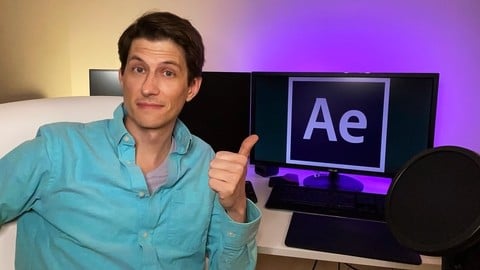
After Effects CC for Beginners: Mastering Typography (2022)
4.8 (34 Reviews)
 Provider: Udemy
 Time: 12.6h
$74.99

Animate a Logo in Adobe After Effects CC with Motion Graphic (2018)
4.6 (16 Reviews)
- Provider: Udemy
- Time: 1.5h
$54.99
More Adobe After Effects courses

Motion Design & Animation Principles in Adobe After Effects (2025)
4.8 (1,594 Reviews)
- Provider: Udemy
- Time: 5.8h
$99.99


Futuristic HUD Motion Graphics in After Effects (2018)
4.7 (664 Reviews)
- Provider: Udemy
- Time: 1.5h
$69.99

Course Design - How to Create Impressive Text Animations (2017)
4.7 (207 Reviews)
- Provider: Udemy
- Time: 2.7h
$74.99

After Effects Masterclass: The Ultimate Guide for Beginners (2020)
4.7 (198 Reviews)
- Provider: Udemy
- Time: 9h
$74.99

 Reviews

By Nicole Holder
So informative and easy to follow. Great instructor!
By Vanessa
I thought the video was very helpful and I liked the instructor. However, more hands on would have been helpful.
By Eugene Bawden
Love this course. Everything from basics to getting a stunning whiteboard presentation with animations.
By Carlos Morales
A bit rudimentary for me. All steps to create animation were too tedious and time consuming. Some shortcuts and expressions in the lesson would've been helpful in demonstrating how to reduce production time.
By Jaimin Sharma
Usually, I don't write much about the course but this was the best course I took on Udemy. The instructor is really kind, he even put a video on request. I would recommend this course to anyone trying to learn AE.
By Ryan
It doesn't go in-depth with the examples, but great for beginners and a nice quick overview of how the animation is done in AE.
By Diego De la Rocha
This course was great! It goes through a lot of different very useful styles, that are very common on the industry, and it breaks them down in a very simple manner, giving you the tools to go on your way and create lots of things!
I've always wanted to understand After Effects, and this course is condensed with great info that lets you understand it quite easily with real life examples.
Also, as a plus it gives you a basic explanation on some animation basics, which I think will help a lot my future projects!
Thanks!
By Gloria fuentes
As usual with the videos of this instructor ... amazing course
By muralidhar murali
The Instructor has the Knowledge of after-effects But he is very poor in explaining... to the Beginners
By Keith Wright
Very fast paced and you may find yourself (like me) constantly pausing and going back to see what buttons were pressed to achieve results.
I know this was a not a beginners course for Ae, but there are some complicated tricks in it that should have been explained (in my opinion) in far more detail (especially concerning masks).
I was hoping the course would be based around actually making an explainer video (as the name suggests) but this is not the case (e.g. develop a story with a beginning a middle and an end). That's not the case.
Instructor is clearly very knowledgeable, but I would suggest you only take this course if you are already very familiar with Ae (and you use a Mac rather than a PC).
By Maryam Almutawa
very good , love it
- Video Duration:
 2.4h
2.4h - Price: $44.99
- Provider: Udemy
- Updated:
 November 2022
 - Level:
 Beginner
 - Language:
 English
 - Certificate:
 Yes
Yes
30-day money-back guarantee on most paid courses
Udemy Coupon Price Tracker
