
 Web Development
 Data Science
 Python
 SQL
SQL JavaScript
 Artificial Intelligence
 IT & Software
 IT Certifications
 Hacking
 AWS
AWS Arduino
 DevOps
 3D Modeling
 Graphic Design
 Photoshop
 Drawing
 Digital Painting
 UX Design
 Business
 Data Analysis
 Communication Skills
 Project Management
 Leadership & Management
 Human Resources
 Digital Marketing
 Social Media Marketing
 Marketing
 SEO
SEO Google Analytics
 Branding
 Excel
Excel Office Productivity
 SAP
SAP PowerPoint
 Microsoft Access
 SharePoint
 Finance & Accounting
 Trading & Investing
 Accounting
 Bitcoin
 Personal Finance
 Video Editing & Animation
 Photography
 Adobe Premier Pro
 Adobe Lightroom
 Personal Development
 Productivity
 Career Development
 Life Coaching
 Health & Fitness
 Meditation & Mindfulness
 Yoga
Yoga Music
Music Music Production
 Guitar
 Piano
Piano Singing
 Language Learning
 Teaching & Academics
 Engineering
 Math
Math Lifestyle
Animate With SwiftUI: iOS, watchOS and visionOS (Udemy.com)
Humanity's First School of SwiftUI Animations
Created by: Amos Gyamfi
Last updated August 2026
 What you will learn
- The Basics of Animation Timing in SwiftUI
- How to Make iOS App Animations Look Better
- Understanding Basic Animation
- Designing Spring Animations
- How Anchor Points Affect Animation
- Understanding Animation and Motion in SwiftUI
- How to Create Meditation and Relaxation Animations
- SwiftUI Animation Techniques
- How to Build Animations for iOS Applications
- Animating in 3D
- Motion on a Circular Path
- How to Build Animations in SwiftUI to Tell Stories
- Principles of animation in iOS
- How to create ovet and subtle iOS animations
- How to make iOS animations feel analog, familiar and more comprehensive
How it compares
Against the other 160 rated Udemy courses in iOS Swift on CourseDuck:
- Rating4.4 out of 5higher than 30% of them
- Reviews83#149 of 161 by number of reviews
- Length18.8 hourslonger than 68% of them
- Last updatedAugust 2026more recently than 97% of them
 Course Description
Hi, my name is Amos Gyamfi. I have been using SwiftUI to create animations since its first release in 2019. I am so excited to teach you how to get started and build your next iOS, iPadOS, macOS, visionOS, and watchOS app animations using SwiftUI.
Welcome to Animate With SwiftUI: iOS, macOS, watchOS, and visionOS. This course gives you a solid foundation and the basic principles for animating anything you can imagine with SwiftUI. We will first go through how things change over time, so that you know, for example, how objects move. We will then look at creating basic animation and Spring Animation, using Phase Animator, Keyframe Animator, and more. You will learn how to make your app animations look better, delightful, and valuable using nothing but SwiftUI. So, let’s get started with Animate With SwiftUI: iOS, macOS, watchOS, and visionOS.
Learning Objectives
Understanding animation and motion in SwiftUI
Working with anchor points (center of mass)
Understanding basic animation
Creating phase-based, keyframe, and spring animations in SwiftUI
When and how to use easings
How to make iOS app animations look better
The basics of animation timing
Animating in 3D
Accessible animations and Reduce Motion on iOS
Creating Basic Animation
Create your first SwiftUI animation
How to create rotational animation: Yahoo Weather, Sun, and Wind
How to animate scale transforms (x, y, and xy)
How to animate movement using offset (x and y)
How to animate movement using alignment
Create your first Apple Watch animation
How to animate Hue Rotation
Implicit and Explicit Animation
What is an implicit animation?
What is an explicit animation?
Understanding and Animating Masks
How to animate the corner radius of a view
Animating Touch ID using mask offset
Animating SF Symbols and Visual Effects
How to animate color
How to animate gradients
Using SF Symbol animation types
Understanding Variable Color animations
Mastering Animation Timing and Pacing
What is animation timing?
What is animation pacing?
How to change an animation's begin time using delay
What is a repeat count?
How to repeat an animation forever
How to adjust an animation speed
Easing: Understanding How Things Move
Default
Linear
EaseIn
EaseOut
EaseInOut
Animating with Match Geometry Effect
Using Custom Timing Curves
Sinusoidal
Circular
Exponential
Special Effects
Using Phase Animator
Create your first animation with Phase Animator
Customizing your phase animation
Create human-inited animations with Phase Animator
Learning Spring Animations
Understanding Spring Animation parameters
What is stiffness?
What is damping and damping fraction?
What is mass?
What is a spring response?
What is initial velocity?
Understanding duration and extra bounce
Modeling and using custom springs
Drawing and Animating Path in SwiftUI
How to bring a compound path from Sketch
How to make an animated matching ants
Using animation trimming to draw and erase paths
Understanding and animating with dash phase
How to Add Animations to Standard Controls
How to animate a toggle switch
Animating in 3D
How to replicate the FaceID confirmation animation
3D parallax animation on Apple TV
Building Clones of iOS App Animations
Measuring heart rate on Apple Watch
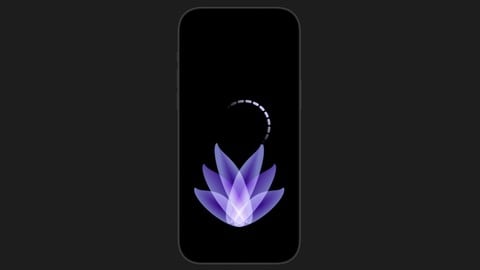
Breathe animation on Apple Watch
Tide app's breathe animation
StepApp's step-counting animation
Using Transitions
Creating page-to-page transitions
Creating view-to-view transitions
How to make SwiftUI Animations Accessible and Inclusive
How to combine animating children into one element
How to tell voice-overs that an animating element is a button
How to label animating elements
How to Implement Reduce Motion For SwiftUI Animation
How to disable animations when Reduce Motion is on
How to present subtle/less excessive animations when Reduce Motion is on

 Udemy Discount
The discount is applied through our link. Open the course from here and Udemy's current promotional price is applied at checkout on most courses, no code to type.
Some courses are excluded from Udemy's promotions. If the price does not drop, clear your browser cookies and use the button again.
Instructor Details

- 4.4 Rating
 83 Reviews
Amos Gyamfi
Hi, I am Amos. I am an app animator, iOS/AI developer advocate and interaction designer living in Finland. I have a master's in human-computer interaction from Tampere University (Finland). I focus on Swift/SwiftUI, AI tutoring, content creation, design, animation/motion, and micro-interactions.
I love experimenting with Python-based AI frameworks and tools, SwiftUI, and building animations and designs using Swift code. Join my courses here to learn more about SwiftUI, iOS animation techniques, and creating AI apps in Python.
 More iOS Swift courses

iOS 12 Swift 4.2 - The Complete iOS App Development Bootcamp (2021)
4.9 (562 Reviews)
 Provider: Udemy
 Time: 55.4h
$109.99

Noob to App Store - iPhone Apps with Swift, SwiftUI & iOS 15 (2021)
4.9 (342 Reviews)
- Provider: Udemy
- Time: 7.8h
$69.99

Deep Dive iOS 27 & SwiftUI 6: 90-Hour Project-Based Course (2026)
4.8 (983 Reviews)
- Provider: Udemy
- Time: 88.7h
$79.99

The Swift Arcade Data Structures and Algorithms Bootcamp (2022)
4.8 (839 Reviews)
- Provider: Udemy
- Time: 7.2h
$84.99

How To Make An App For Beginners (iOS/Swift - 2019)
4.8 (658 Reviews)
- Provider: Udemy
- Time: 4.3h
Free

SwiftUI iOS13 Coffee Shop Application, Order Products Online (2020)
4.8 (158 Reviews)
- Provider: Udemy
- Time: 8.2h
$109.99
 Reviews

By Kiran Lohar on 7/27/2026
good experience
By MADAN MOHAN AVULAGADDA on 12/6/2025
Super wow and great
By Abraham Abreu Saucedo on 3/6/2023
Hace falta colocar el codigo fuente de muchos ejemplos, en general muy bien, me gustaria que hubiera agregado ejemplos de animaciones basados en respuestas asyncronas.
By Hanjaeseung on 1/11/2023
cool and great course i am really excited to take this course
By Prashant Choudhary on 12/30/2021
Lessons are too random
By Rong Shaowei on 11/23/2021
The animation examples are great, but they are too wordy, and can be finished in 5 hours. The same knowledge points are repeated over and over again. The most important thing is that some wonderful animations are not available for download.
By Chondro Satrio Wibowo on 5/13/2021
This is a good course for Beginner to learn Animatation SwiftUI . May be I need more to learn Animation beside SwiftUI
By Jim mason on 5/2/2021
Just what I was looking for, fantastic animations, I will implement them into my own APP Designs
By Anonymized User on 2/14/2021
This course is amazing, and I learn a lot of ideas about SwiftUI Animation.
By Ronnie Pitman on 2/4/2021
This course delivers exactly what it promises: animation fundamentals. The modules are well organized, the presentation is good quality, and the production values are excellent. Examples are clearly explained, step by step. The video quality is crisp, even at full screen, and the audio quality is perfect.
 Quality Score
No CourseDuck member has rated this course yet. Taken it? Give each part a thumbs up or down.
Overall Score : 88 / 100
- Video Duration:
 18.8h
18.8h - Price: $54.99
- Provider: Udemy
- Updated:
 August 2026
 - Level:
 All Levels
 - Language:
 English
 - Certificate:
 Yes
Yes
30-day money-back guarantee on most paid courses
Udemy Coupon Price Tracker
