
 Web Development
 Data Science
 Python
 SQL
SQL JavaScript
 Artificial Intelligence
 IT & Software
 IT Certifications
 Hacking
 AWS
AWS Arduino
 DevOps
 3D Modeling
 Graphic Design
 Photoshop
 Drawing
 Digital Painting
 UX Design
 Business
 Data Analysis
 Communication Skills
 Project Management
 Leadership & Management
 Human Resources
 Digital Marketing
 Social Media Marketing
 Marketing
 SEO
SEO Google Analytics
 Branding
 Excel
Excel Office Productivity
 SAP
SAP PowerPoint
 Microsoft Access
 SharePoint
 Finance & Accounting
 Trading & Investing
 Accounting
 Bitcoin
 Personal Finance
 Video Editing & Animation
 Photography
 Adobe Premier Pro
 Adobe Lightroom
 Personal Development
 Productivity
 Career Development
 Life Coaching
 Health & Fitness
 Meditation & Mindfulness
 Yoga
Yoga Music
Music Music Production
 Guitar
 Piano
Piano Singing
 Language Learning
 Teaching & Academics
 Engineering
 Math
Math Lifestyle
"Another" 40 Tips on Making a Great Online Course (Udemy.com)
40 More Lessons I wish I knew when I started teaching online! 3X's longer than Last Year's 40 Tips Course
Created by: Chris Haroun
Last updated May 2025
 What you will learn
- 3X's longer than Last Year's Free Course! Understand solutions to 40 common online teaching problems, including the following 40 tips:
- Tip #1: Make “PASSIONATE” Course Placeholders to Help You Decide What to Teach
- Tip #2: “Educational Darwinism” (Read Other Course Reviews Before Making Your Course)
- Tip #3: Using Udemy’s Insight Tool in Order to Decide What to Teach
- Tip #4: When to Stop Making a Course
- Tip #5: Consistent and “Creative” Content Theme
- Tip #6: Idea Generation
- Tip #7: Multiple File Formats
- Tip #8: Question Anticipation
- Tip #9: Using Props
- Tip #10: Making Your Course International
- Tip #11: Creating Innovative Exercises
- Tip #12: Calculating the Length of Your Lessons
- Tip #13: Scripting Your Course
- Tip #14: Spurts of Inspiration
- Tip #15: Write Confidently from Your Heart (Be Different and Unique and Free!)
How it compares
Against the other 503 rated Udemy courses in Teaching & Academics on CourseDuck:
- Rating4.6 out of 5higher than 58% of them
- Reviews1,309#125 of 504 by number of reviews
- Length3.8 hourslonger than 50% of them
- Last updatedMay 2025more recently than 67% of them
 Course Description
[Optional Prerequisite Course: 40 Tips on Making a Great Online Course].
Welcome to "ANOTHER" 40 Tips on Making a Great Online Course. This is a course to help you save time and money when creating your online courses. Learn from my mistakes. Creating an online course is easier than you think; in this course I will humbly teach you how to work smarter (not harder) by discussing 40 [ADDITIONAL*] tips/best practices I have learned the hard way teaching online over the past 12 months.
The Topics and Tips that we will Cover Include:
What Should You Teach Tips:
Tip #1: Make “PASSIONATE” Course Placeholders to Help You Decide What to Teach
Tip #2: “Educational Darwinism” (Read Other Course Reviews Before Making Your Course)
Tip #3: Using Udemy’s Insight Tool in Order to Decide What to Teach
Tip #4: When to Stop Making a Course
Content: Innovative & Helpful Course Content Creation Tips:
Tip #5: Consistent and “Creative” Content Theme
Tip #6: Idea Generation
Tip #7: Multiple File Formats
Tip #8: Question Anticipation
Tip #9: Using Props
Tip #10: Making Your Course International
Tip #11: Creating Innovative Exercises
Tip #12: Calculating the Length of Your Lessons
Tip #13: Scripting Your Course
Tip #14: Spurts of Inspiration
Tip #15: Write Confidently from Your Heart (Be Different and Unique and Free!)
Course Structure Tips:
Tip #16: Fast and Slow Navigation Options
Tip #17: Structuring the Logic of Your Course Outline
Tip #18: Immediate Value Added and Impact Strategy
Design Tips: Visual Design Idea Tips:
Tip #19: Design for Mobile
Tip #20: Screen Casting Using QuickTime [Mac Only]
Tip #21: Screen Casting Using PowerPoint [Windows Only]
Tip #22: Providing Internet Links as Resources the “Correct” Way
Setting Up Equipment Tips:
Tip #23: Intro. to Setting Up Your Equipment, Recording and Editing from Scratch
Tip #24: Setting Up the Camera, Lights, Microphone and Computer
Tip #25: Recording the Video, Editing the Video and Uploading it to Udemy
Tip #26: Getting Help from Udemy in Order to Perfect Your Videos+Best Practices
Tip #27: Using and Setting Up a Teleprompter
Tip #28: Removing Echoes
Appearance and Health Tips While Creating Courses Tips:
Tip #29: Health(ier) Desk Setup
Tip #30: Cosmetics + Looking Camera Ready
Tip #31: Looking Less Tired
Tip #32: Whiter Teeth
Delivery Tips:
Tip #33: Get In “Your” Friendly Personable Zone to Teach
Tip #34: Staying Upbeat When Teaching
Tip #35: Use Language That Won’t Get Lost in Translation & Easier to Understand
Additional Editing Tips:
Tip #36: Leave Room for Captions
Tip #37: Adding and Customizing Images for Your Lessons with PowerPoint
Tip #38: Selecting/Adding Music to Your Lessons
Tip #39: Making a Video + Animation + Adding Pictures + Music from Scratch
Tip #40: How I Made and Edited the Previous Lecture (Fun)!
Please learn from my many mistakes teaching online, so I can save you time and money. In this course are 40 mistakes I made and I want you to learn from my many failures so you can get your course up and running quickly. Making an online course is so much easier than you think as you already have everything single thing that you need to build something far bigger than yourself. : )
Thanks!
Chris
Closed captions have been added to all lessons in this course.

 Udemy Discount
The discount is applied through our link. Open the course from here and Udemy's current promotional price is applied at checkout on most courses, no code to type.
Some courses are excluded from Udemy's promotions. If the price does not drop, clear your browser cookies and use the button again.
Instructor Details
- 4.6 Rating
 1,309 Reviews
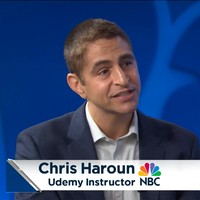
Chris Haroun
Award Winning Professor Featured in Forbes, NBC, Business Insider, CNN & Entrepreneur
Please join me for my weekly Office Hours Q&A on my YouTube channel every Thursday from 8am until 10am Pacific time. Here is my bio thanks:
Chris Haroun is the founder & CEO of the 300+ hour online Haroun MBA Degree Program®, an award winning business school professor, MBA graduate from Columbia University & former Goldman Sachs employee. He has raised/managed over $1bn in his career.
He also has work experience at hedge fund giant Citadel, consulting firm Accenture & several firms that he has started, including an investment firm that had a venture capital investment in Facebook several years before the Facebook IPO.
 More courses by Chris Haroun

An Entire MBA in 1 Course:Award Winning Business School Prof (2025)
4.5 (63,776 Reviews)
 Provider: Udemy
 Time: 8h
$149.99

Introduction to Finance, Accounting, Modeling and Valuation (2025)
4.5 (39,408 Reviews)
- Provider: Udemy
- Time: 4.3h
$174.99

The Complete Financial Analyst Training & Investing Course (2025)
4.6 (34,314 Reviews)
- Provider: Udemy
- Time: 23.3h
$129.99

The Complete Business Plan Course (Includes 50 Templates) (2025)
4.5 (24,681 Reviews)
- Provider: Udemy
- Time: 8.9h
$124.99

The Complete Presentation and Public Speaking/Speech Course (2025)
4.5 (20,365 Reviews)
- Provider: Udemy
- Time: 16.1h
$109.99

The Complete Cryptocurrency Course: More than 5 Courses in 1 (2025)
4.4 (19,534 Reviews)
- Provider: Udemy
- Time: 23.3h
$174.99
More Teaching & Academics courses

GMAT Focus | Quantitative| Master Math Course | 2026 Updated
5.0 (854 Reviews)
- Provider: Udemy
- Time: 55.3h
$11.99

Speed Reading MACHINE 5.1: How To Read 307 Books In 2026
4.9 (1,386 Reviews)
- Provider: Udemy
- Time: 7.2h
$12.99

GRE Quantitative Prep | Master Math Course | 2026 Updated
4.9 (980 Reviews)
- Provider: Udemy
- Time: 59h
$10.99

IELTS Pro: Reading | Writing | Listening | Speaking (2026)
4.9 (799 Reviews)
- Provider: Udemy
- Time: 30.4h
$10.99


 Reviews

By Anne Ys Lai on 3/13/2025
Yes. its better than my expectation and while there are tips that I am already using, there are some so subtle and yet very important. Hope I am more confident in my future experience in presenting. Thank you.
By Michelle A Salkey on 12/1/2023
Content was very relevant. I would have liked a transcript or more resources to refer back to.
By Robert Casillas on 11/2/2020
I'm enjoying the content of this course and learning information that I wanted and that is pertinent to my goals. This is prepared and structured well by an instructor who knows his material well and demonstrates a strong aptitude for teaching/coaching.
By Jingcun Wu on 3/29/2020
A very informative and helpful course. Love your passion and energy in teaching any courses. I liked most parts of your courses when you use sound effect and other multi-media to attract student's attention. But I did feel that you might overuse it sometimes because too much of these effects forced people to do multi-task at the same time and thus might loss the focus on the more important - the real contents of your presentation. Overall, great course! Thank you to make it free to us.
By Lars Wefringhaus on 5/12/2019
What can I write? Awesome. In todays time there is so much information out there that it can be sometimes hard to grasp. What I liked on this course is as the same as the last one. (Hope this was the right description for it :) ) Brevity is the soul of wit and therefore makes more fun and it was still intelligible / understandable. What I missed but that did not cause a deduction from the "5 stars" that it would be nice to show also some alternatives for Linux systems to get a starting point for making professional videos and image editings, too.
By Torsten Hollerbach on 4/16/2019
Honest with his self-criticism. The lecturer acts if he has made a mistake and does not let his course be available. Very good attitude. And the fact he's doing everything live for us to watch how it works makes this course even more professional as it is by now.
By Melody Johnson on 3/30/2019
Oh my goodness! This course was a total game changer!! I feel like I can truly go on ahead and make an amazing course. The tips from your last course AND this course has helped me so much in understanding the steps I needed (and the steps I was missing-- from taking a previous course on Udemy.) It was not only great as a refresher but for newcomers that want to share their passion for learning to others. Thanks, Chris for being so encouraging!!
By Marc Hervais on 9/24/2018
Chris loves to teach, he is always positive, he has much to say. He is simply inspiring. I cannot say something else that a huge thank you for this free course that he gives us each year. He deserves his success. Marc
By Tomas Verver on 4/28/2018
Really liked the teachingstyle, some nice small tips for how to make great online courses. I have just watched the full presentation course there is quite a lof of overlap in this free course. So it did not have that much value for me personaly. :) Also watched some coursers of Udemy and there where quite a bit of technical lessions about what equipment tools (Blue Yeti, DSLR of videocamera) in there aswell. If you don't have much knowledge on how techinal produce courses (sound, pictures, video's) included this a good starter to get your producing high quality courses.
By Roger W Roland on 3/8/2018
Good overall quality material. Fantastic content for free. Chris is brave enough to share all his mistakes and hacks. --Why does Chris not re-record where he misspeaks or makes errors then stitch the segments together (this is done for most VLOGS these days). --How are copyright issues handled in these videos (shorts from movies, music, etc)? --Chris uses the word "simplistic" a lot when I think he might mean "simple." (I know he's Canadian, so English might be difficult for him .) http://www.dictionary.com/browse/simplistic
 Quality Score
No CourseDuck member has rated this course yet. Taken it? Give each part a thumbs up or down.
Overall Score : 92 / 100

- Video Duration:
 3.8h
3.8h - Price: $54.99
- Provider: Udemy
- Updated:
 May 2025
 - Level:
 Intermediate
 - Language:
 English
 - Certificate:
 Yes
Yes
30-day money-back guarantee on most paid courses
Udemy Coupon Price Tracker
