
 Web Development
 Data Science
 Python
 SQL
SQL JavaScript
 Artificial Intelligence
 IT & Software
 IT Certifications
 Hacking
 AWS
AWS Arduino
 DevOps
 3D Modeling
 Graphic Design
 Photoshop
 Drawing
 Digital Painting
 UX Design
 Business
 Data Analysis
 Communication Skills
 Project Management
 Leadership & Management
 Human Resources
 Digital Marketing
 Social Media Marketing
 Marketing
 SEO
SEO Google Analytics
 Branding
 Excel
Excel Office Productivity
 SAP
SAP PowerPoint
 Microsoft Access
 SharePoint
 Finance & Accounting
 Trading & Investing
 Accounting
 Bitcoin
 Personal Finance
 Video Editing & Animation
 Photography
 Adobe Premier Pro
 Adobe Lightroom
 Personal Development
 Productivity
 Career Development
 Life Coaching
 Health & Fitness
 Meditation & Mindfulness
 Yoga
Yoga Music
Music Music Production
 Guitar
 Piano
Piano Singing
 Language Learning
 Teaching & Academics
 Engineering
 Math
Math Lifestyle
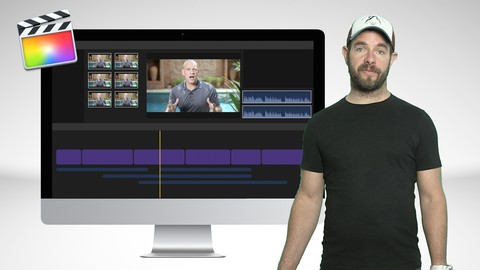
Apple Final Cut Pro X 10.3 for online instructors (Udemy.com)
Learn how to use Final Cut Pro X 10.3 (FCPX) video editing software to create awesome content for your online course
Created by: Ian G Laurie
Last updated November 2016
 What you will learn
- Understand how to navigate around the FCPX interface and have the skills to create engaging online video course content using Final Cut Pro X
How it compares
Against the other 173 rated Udemy courses in Marketing on CourseDuck:
- Rating4.2 out of 5higher than 15% of them
- Reviews47#166 of 174 by number of reviews
- Length1.5 hoursshorter than 86% of them
- Last updatedNovember 2016earlier than 95% of them
 Course Description
I've created hundreds of hours of video content for some of Udemy's most popular instructors and now I'm going to share my course creation video secrets with you. It's no secret that I'm a huge fan of this software. It's incredibly fast and powerful and I believe it's the best software for course creators and online content producers. This course will get you up and running with Apple Final Cut Pro 10.3 straight away. This course will revolutionise the way you edit and create your content. I will show you everything you need to know to get started with Apple Final Cut Pro 10.3. As many teachers come from a PC background, the course will first take you through how to choose an Apple Mac for editing along with recommendations for extra equipment that will come in useful. You will be walked through downloading and installing the program from the Apple App Store before moving onto running the program for the first time and understanding the interface. Learn how to set-up your library, events and project before importing your first video clip/s. You will then learn how to make your first edits and create transitions and effects, how to add animated text to your video and how to work with green screen video along with tips on working with 3rd party plugins and effects. At the end of the course you will be able to utilise the powerful features to start building your own engaging video content.

 Udemy Discount
The discount is applied through our link. Open the course from here and Udemy's current promotional price is applied at checkout on most courses, no code to type.
Some courses are excluded from Udemy's promotions. If the price does not drop, clear your browser cookies and use the button again.
Instructor Details

- 4.2 Rating
 47 Reviews
Ian G Laurie
Entrepreneur, film producer and adventurer behind the viral hit film "Boris vs Ventoux" Lover of dogs, cars, motorbikes, cycling and the great outdoors. I’ve been shooting and editing video for the last 20 years. I’ve won awards for my films and created viral hits on youtube that have been viewed millions of times across the planet. I now spend my time helping brands and agencies cut through the ******* surrounding online video production. I offer consulting services on youtube channels and Facebook video. I run a full service production company - Snow digital Media and manage a number of video training websites and youtube channels.
 More Marketing courses

Go To Market Strategy; Practical Guide to Launch New Product (2026)
4.8 (585 Reviews)
 Provider: Udemy
 Time: 1.8h
$19.99

PRO Ads Academy: Ultimate Guide to Sell Anything with Ads (2025)
4.8 (183 Reviews)
- Provider: Udemy
- Time: 18.6h
$79.99
Learning to see how ideas spread: Five graphs (2024)
4.8 (179 Reviews)
- Provider: Udemy
- Time: 48 mins
$29.99

AI-Powered Affiliate Marketing: Build & Scale Your Program (2026)
4.8 (146 Reviews)
- Provider: Udemy
- Time: 4.3h
$19.99
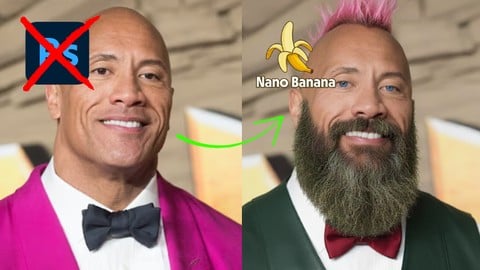
Google Nano Banana Viral Image FX: The Photoshop Killer (2026)
4.8 (107 Reviews)
- Provider: Udemy
- Time: 3.3h
$19.99

How Retargeting Works–The Complete Guide To Retargeting Ads! (2016)
4.7 (4,387 Reviews)
- Provider: Udemy
- Time: 8.4h
$12.99
 Reviews

By Terry Hassett on 12/18/2017
I'm new to Final Cut Pro X. Ian did a great job of explaining how to use the program to create and edit, using my own videos and stills, a quality project. Ian used an example to show how to import video and audio files, how to view and edit the files, how to add enhancements and improve the quality of the video and audio files. The last segment covered the saving and export of the final product. This course met my needs for a great and useful overview of Final Cut Pro X.
By Ingo-Heinz Neethling on 9/16/2017
It gave me everything I was expecting, and even a little more. It's the small things that make the difference, and he covers a few of those.
By Gary on 8/23/2017
A lot of useful information.... but he does not toggle off the audio skimming for the videos in the demo and is constantly talking at the same time that he skims over parts of the videos making it either impossible to hear what he is saying or extremely annoying. In some clips, he seems to be whispering as though he has a newborn in the next room while recording after midnight and trying not to wake anyone up. Again... annoying.
By David Konvalina on 4/20/2017
I was expecting to show the tools and tricks how to assemble the video from couple of presentations, screen recording and video "taking" me. Often in the screen recording there is a small window with talking me, or often with screen recording you need to zoom to see clearly some text, how to emphasize different objects on the screen, or how to manually split the screen with half presentation slide, and half video (something like the paid plug-in does). Otherwise all other topics were quite clear and nicely shown, not overcomplicating the topic. All shown in this course was more or less known to me, I was expecting special hints to create nice teaching videos...
By Jack Villanueva on 1/23/2017
Nice Course to take specially for beginners and it's up to date with the latest FCPX 10.3. And it will in able you to start working on your projects after taking this course. Ian, can you add a lesson on how to add background music alongside with the audio (voice) playing. Thanks man!
By Julie Law on 1/16/2017
Great video! Not long winded, if you have a basic understanding of Final Cut Pro X, this video really gets to the key points to help you really make things happen quickly. Content is to the point and easy to understand. Only a half star deduction because instructor mentioned he would revisit "Match Coloring" for multiple video clips and he did not revisit the topic, which was something I was very interested in learning. But overall, I have a much much better understanding of how I can make my video edits transform more quickly with my new understanding of what Final Cut Pro can actually do for me.
By Ernie Werbiski on 1/7/2017
Not a beginner course. I selected this course because it was for the latest FCPX, however, I now realized it is not for me because I am a beginner with Apple and FCPX. I suppose for someone that is familiar with FCPX this course might be of better use.
By Matt Pickett on 1/6/2017
The course provided the basic and solid techniques in a timely manner. The area of plugins may want to be increased to provide a little more depth of utility to the instructor with lower cost options for lower thirds and title pages like http://simplevideomaking.com/40-titles-lower-thirds-pack/. Most instructors and or small businesses may not have the budget for the Pixelfilm plugins, at least initially. Thanks Matt
By Ted LeRoy on 12/29/2016
I was hoping for more course creation related content and specifics like creating a template for a course that can be used over and over. Overall excellent course though. Upped rating from 4 to 5 stars when Ian responded to my request and said he'll add sample files for editing. Thanks Ian!
By Timothy Maxwell on 11/26/2016
So far, the class is good. However, I just started watching the video and the window popped up asking for a rating. Currently, the audio is a little low as compared to another class I am watching. Otherwise, the instructor is doing a good job.
 Quality Score
No CourseDuck member has rated this course yet. Taken it? Give each part a thumbs up or down.
Overall Score : 84 / 100
- Video Duration:
 1.5h
1.5h - Price: $27.99
- Provider: Udemy
- Updated:
 November 2016
 - Level:
 All Levels
 - Language:
 English
 - Certificate:
 Yes
Yes
30-day money-back guarantee on most paid courses
Udemy Coupon Price Tracker
